Fubo’s help center is clear on two points. The service works only in the US, and it isn’t meant for use with a VPN. If you open fubo.tv from another country, a region message replaces the channel guide, even on a paid account.
Local channels add a second problem, since Fubo chooses them based on where it thinks you are. A VPN moves that location to a US city, and the city you choose decides which local stations appear. Set it up right, and the guide abroad looks the way it does at home.
Unblock Fubo Outside the US
- Subscribe to NordVPN and install it on your laptop or streaming device.
- Connect to the US city closest to your home, since Fubo’s local channels follow the server.
- Sign in at fubo.tv, or start the free trial.
- Start a channel. If it shows a playback error, connect to a different US city.
Is Fubo Region Locked?
Yes. Fubo plays channels only for US IP addresses, and it serves only the US and its territories. So with the VPN connected to a US city, open fubo.tv and sign in as you would at home. On Android phones, Fubo’s app isn’t listed in Google Play outside the US, so use a US store account or the browser instead.
You can also create a new account abroad. Fubo filled in a New York ZIP code from our VPN server, then required a payment card and a billing ZIP. It accepted our European card with that ZIP and started the free trial. If you’d rather not use a card, Cash App Pay works too.
The Server City Sets Your Local Channels
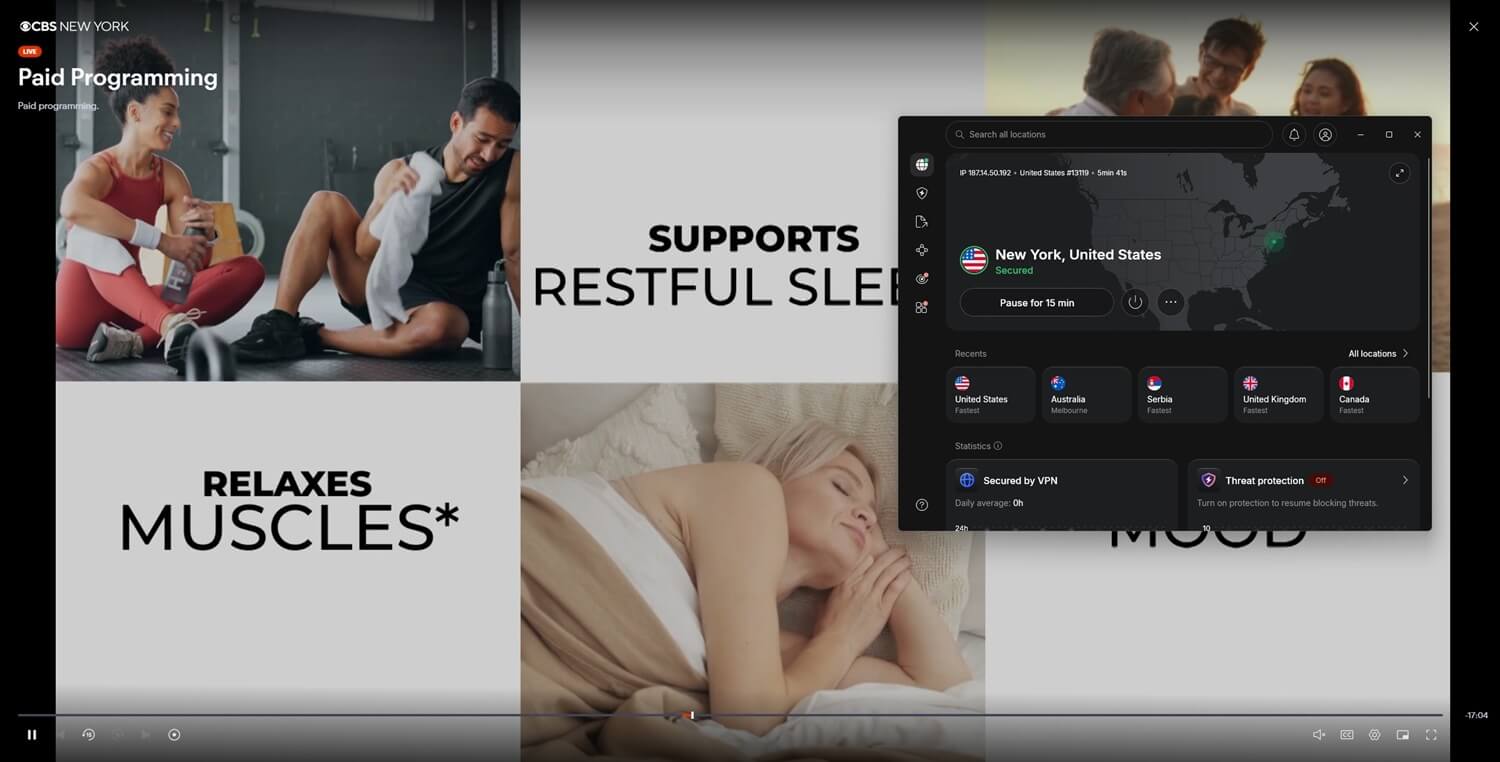
Fubo chooses local stations from your current location, and with a VPN, that location is the server. For example, on a New York server, the guide showed CBS New York and ABC 7 New York. After we switched to Chicago, it showed CBS Chicago and ABC 7 Chicago instead, and Marquee Sports Network, the Cubs’ regional channel, started a replay.
- For your own local news: connect to the server city nearest your home.
- For regional sports: devices used away from home must sign in from the home area every 30 days, or Fubo removes regional sports networks.
Fubo Plans and Prices
Fubo merged with Hulu + Live TV in October 2025. After a long dispute, NBC’s channels are back on it as well. These are the current US plans, before taxes:
- Pro: about $89 a month, with local channels and ESPN Unlimited.
- Elite: about $99 a month, adding 4K and extra sports and news channels.
- Elite with Sports Plus: about $109 a month, adding NFL RedZone.
- Latino: about $20 a month for Spanish-language channels, without ABC, CBS, FOX, NBC, or ESPN Unlimited.
- Regional sports fee: $3.99 to $16.99 a month on Pro and the Elite plans, set by ZIP code. With a VPN, the server’s ZIP code counts, and our New York server drew the $16.99 fee.
On top of that, every plan starts with a five-day free trial, and Fubo discounts the first month.
Does Fubo Work in Mexico?
No, Mexico isn’t a Fubo market. Fubo’s US service is limited to US territory, and Mexico has no Fubo service of its own. Watching from Mexico requires a US server and a US Fubo account, and the sign-up works the same way as anywhere else abroad. As for Spanish-language sports, the Latino plan covers ESPN Deportes and Fox Deportes.
Watching Fubo Canada Abroad
Fubo Canada is a separate subscription with its own channels. When we connected our US account to a Canadian server, Fubo said the service wasn’t available in Canada on that subscription. So the rule works both ways: Fubo Canada plays abroad only through a Canadian server, and a US subscription only through a US one.
Fubo VPN Test Results
The download speeds below come from each VPN’s Chicago server, since all three unblocked every channel there.
| VPN | Chicago download | CBS, ABC, NBC live | TV Land and Marquee | Notes |
|---|---|---|---|---|
| NordVPN | 179.38 Mbps | Unblocked | Unblocked | ABC 7 and TV Land failed on New York |
| Proton VPN | 149.11 Mbps | Unblocked | Unblocked | No detection |
| ExpressVPN | 157.23 Mbps | Unblocked | Unblocked | No detection |
Best VPNs for Fubo Abroad
These three unblocked Fubo live networks, cable channels, and a regional sports network, and they also rank among our best VPNs for streaming.
- NordVPN: Best for fast Fubo streams, with a 5.8% speed loss in Chicago.
- Proton VPN: Best for protection on travel Wi-Fi, with Secure Core and Stealth.
- ExpressVPN: Best for matching your home city, with a server in every US state.
1. NordVPN: Best for Fast Fubo Streams
Pros
- Fast protocol for live sports
- Dedicated US IP address available
- Masks your browser’s location
- Obfuscation for hotel networks
- Apps for streaming sticks
Cons
- Errors on some New York servers
- Higher price after the first term
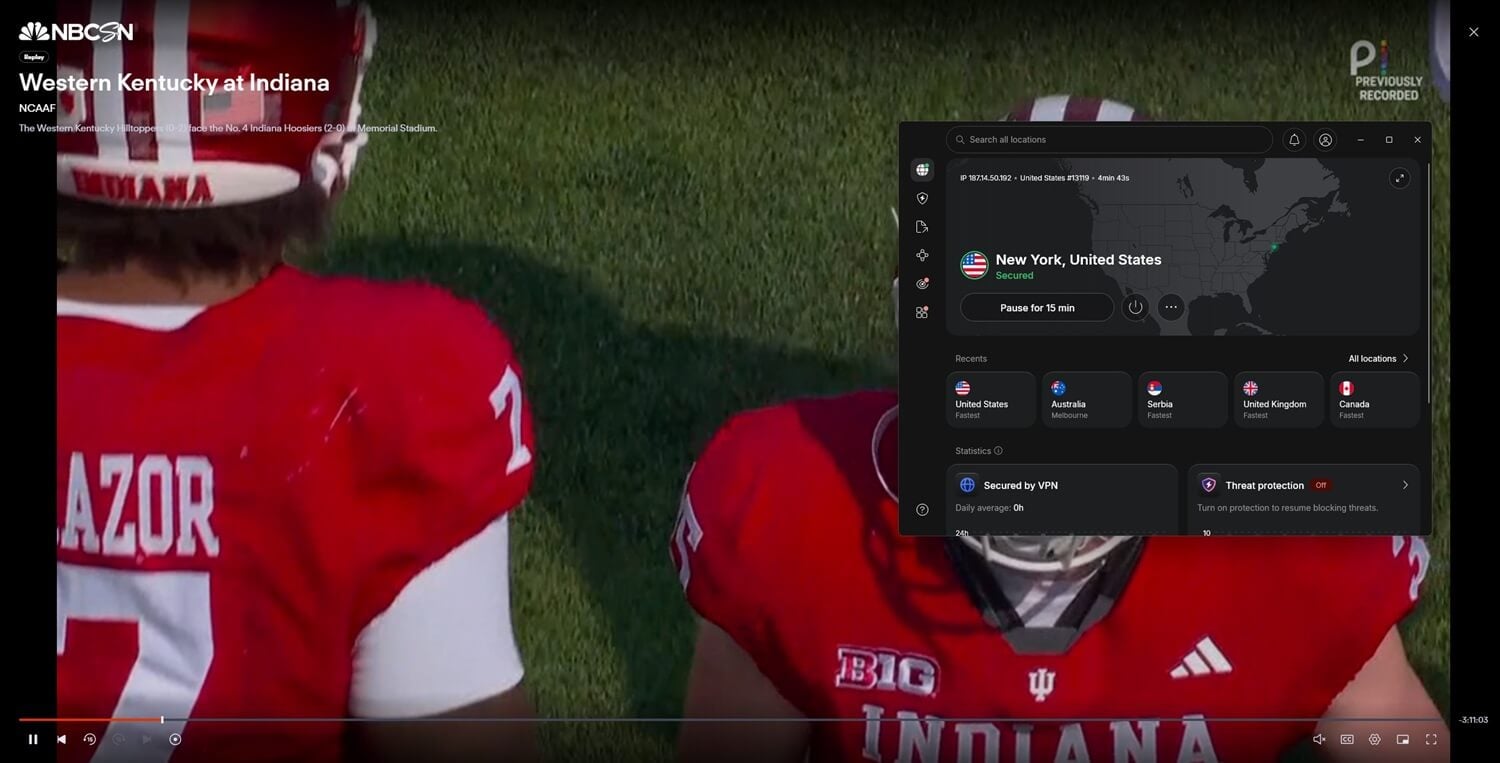
NordVPN lost only 5.8% of its speed in Chicago, and every Fubo channel we tested worked there. New York was less consistent. ABC 7 and TV Land showed a playback error while CBS and NBC worked, and both failed channels started after we switched to Chicago.
In practice, a different city is usually the fix. NordVPN’s 55 US cities cover all 50 states, so there’s one near almost any home market. For hotel and campus networks that block VPNs, NordVPN has obfuscated servers that disguise the connection. Its apps for Fire TV and other streaming sticks also put Fubo on the big screen.
Beyond that, a dedicated US IP address is an optional add-on. On the 27-month Basic plan, NordVPN costs just under $3.50 a month.
2. Proton VPN: Best for Protection on Travel Wi-Fi
Pros
- Unblocked Fubo without detection
- Disguises VPN traffic on restrictive Wi-Fi
- Always-on kill switch option
- Blocks ads and trackers
- Open-source, audited apps
Cons
- Bigger speed loss on distant servers
- No Smart DNS for TVs
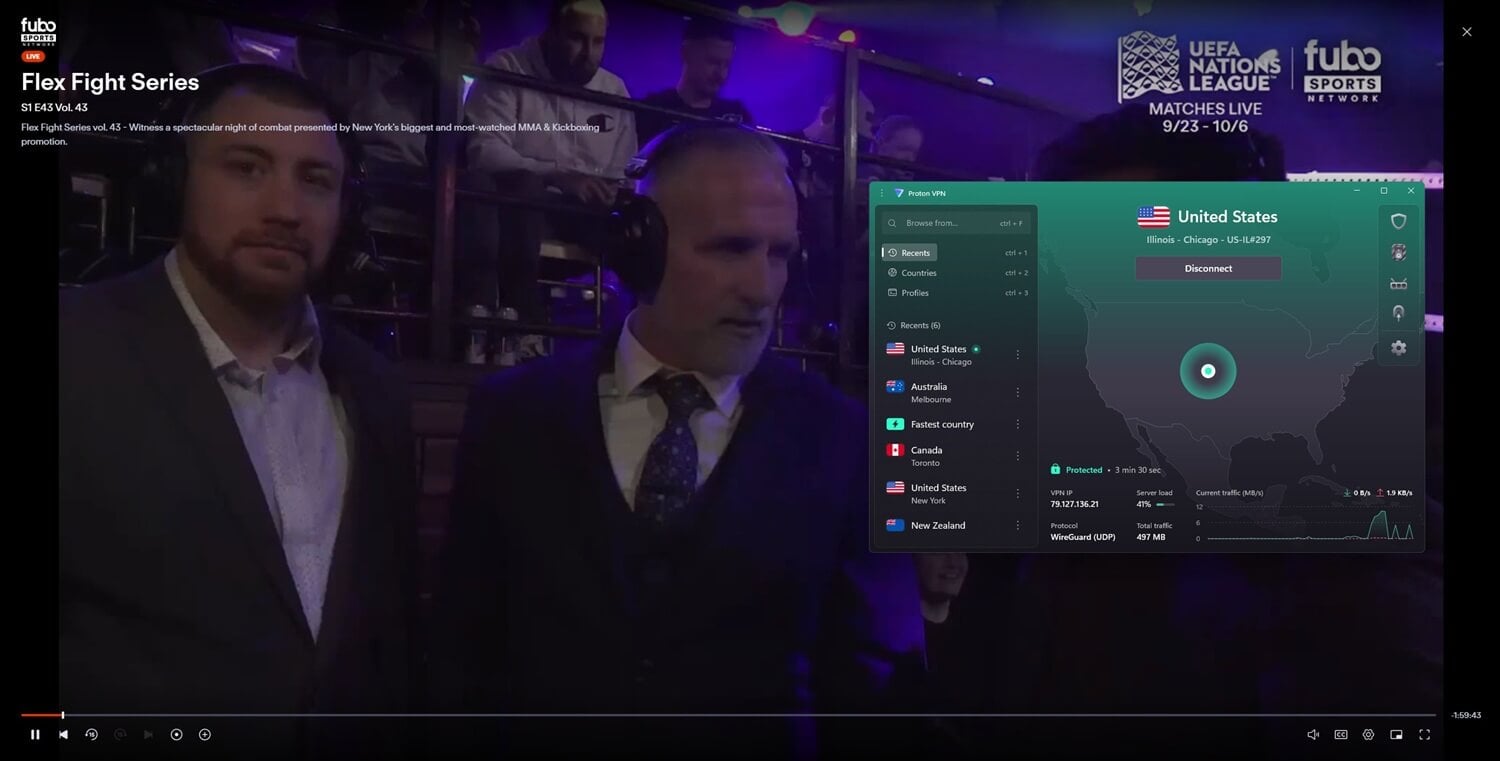
Proton VPN unblocked every channel we tested on its Chicago server, including ABC 7 Chicago live, and Fubo never detected it. Proton VPN lost 21.7% of its speed there, the most of the three, but HD channels and live games still streamed smoothly.
Its main strength is protection on public Wi-Fi. Any VPN encrypts traffic on hotel and airport networks, and Proton VPN adds Secure Core, which passes traffic through a hardened server in Switzerland, Iceland, or Sweden first.
Stealth also disguises the connection on networks that block VPNs. Those tools place it among the most secure VPNs we’ve tested, and the two-year VPN Plus plan costs about $2.50 a month.
3. ExpressVPN: Best for Matching Your Home City
Pros
- Server in every US state
- Smart DNS for smart TVs
- Automatic obfuscation abroad
- Quick connections
- Apps for Fire TV and Apple TV
Cons
- Minimal settings menu
- Steep renewal cost
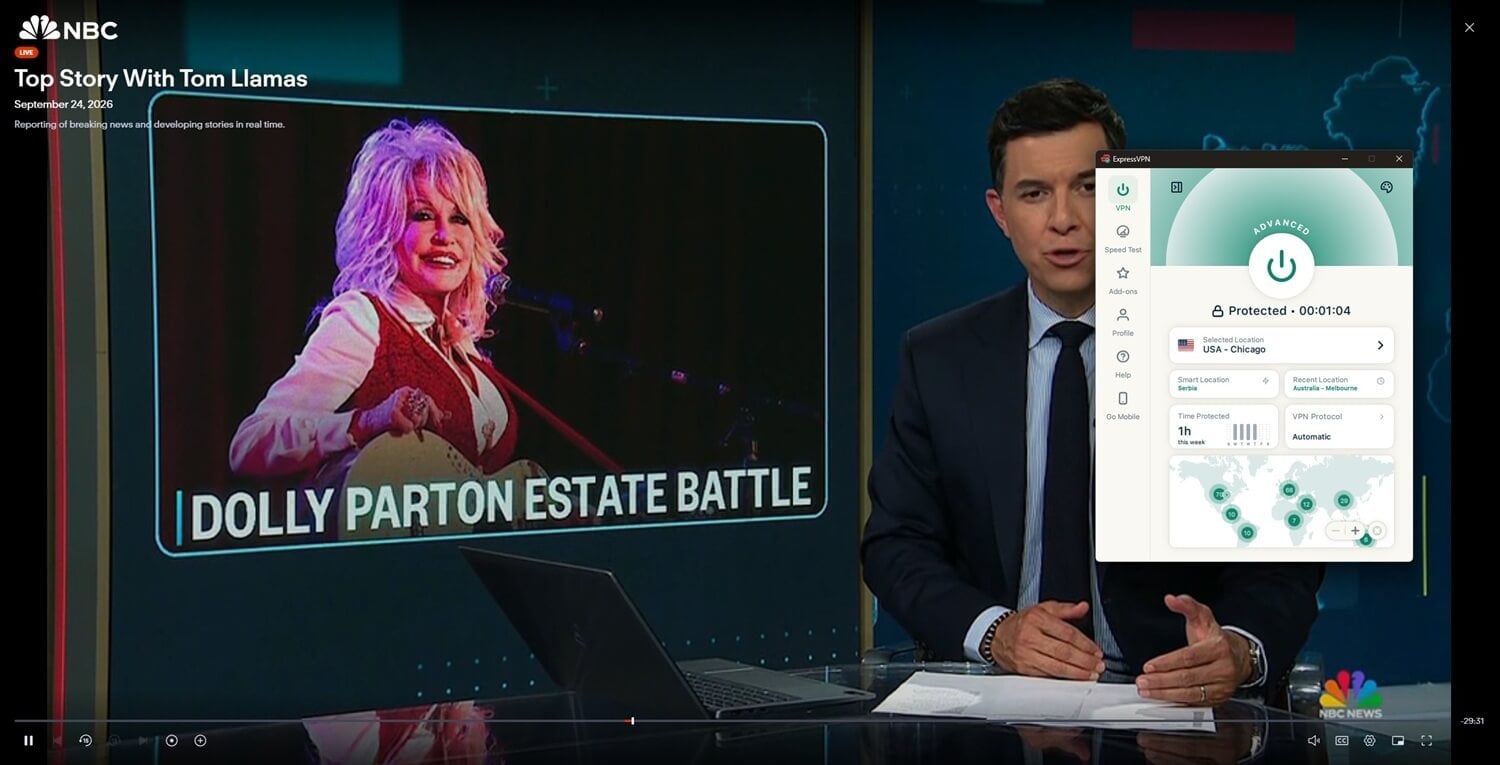
ExpressVPN has a server in every US state, so it’s the simplest way to line up Fubo’s local channels with your home market. On its Chicago server, it unblocked every Fubo channel we tested. It lost 17.4% of its speed, which still leaves room for 4K on the Elite plan.
Outside the US, ExpressVPN applies obfuscation automatically, so a restrictive hotel network doesn’t require any setup. Its apps also cover Fire TV and Apple TV, so watching Fubo on a hotel TV is straightforward. Over the 28-month Basic plan, ExpressVPN costs about $3 a month.
Fixing Fubo Playback Problems
- A playback error on one channel: switch to another US city. Fubo flags individual servers, so another location often works right away.
- A region message: reconnect to a US city in the VPN, delete fubo.tv’s cookies, and reload the page.
- Wrong or missing local channels: turn off the browser’s location access for fubo.tv. Our guide to spoofing your location covers those settings.
- Regional sports missing: sign the device in from your home area again.
Can You Watch Fubo With a Free VPN?
Not reliably. PrivadoVPN‘s free New York server couldn’t unblock any Fubo channel. Windscribe‘s free Atlanta server unblocked ABC, but the stream buffered so often that it was unusable. Free plans also cap data, and a live game uses it up quickly, which is why the best free VPNs are better suited to browsing.
Windscribe’s free plan does a better job of changing your Netflix region. For Fubo, a paid VPN is the safer test, because a 30-day money-back guarantee lets you cancel for a refund.
Final Thoughts
Fubo’s no-VPN policy didn’t stop it from working on US servers in our tests, so watching abroad is mostly a matter of setup. Do that setup before you leave. Install the VPN on every device you’ll use, then sign in to Fubo at home, where app stores and payment pages cause no trouble.
Fubo Abroad FAQs
Does Fubo work with a VPN?
Yes, in practice. Fubo's help center says VPNs aren't supported, but a quality VPN connected to a US server can unblock it. Free VPNs and crowded servers are more likely to be detected.
How does Fubo know your location?
Fubo reads the IP address and, in browsers and apps, the device's location services. Both have to point to the same US area for the right local channels to appear in the guide.
Can you use Fubo while traveling in the US?
Yes. Fubo works anywhere in the US, but local channels follow the current location. Regional sports networks also require devices used away from home to sign in from the home area regularly.
Can you sign up for Fubo from outside the US?
Yes, with a US IP address. Fubo requires a payment card with a billing ZIP code, or Cash App Pay, and cards issued abroad can work with a US billing ZIP.
Is Fubo available in Canada?
Yes. Fubo Canada is a separate service with its own channels and subscription. A US Fubo account doesn't work in Canada, and a Canadian Fubo account doesn't work in the US.
Can you watch Fubo for free?
Only during the free trial, which requires a payment method. Sites offering free Fubo streams are unlicensed and often carry malware, fake download buttons, and intrusive pop-ups.