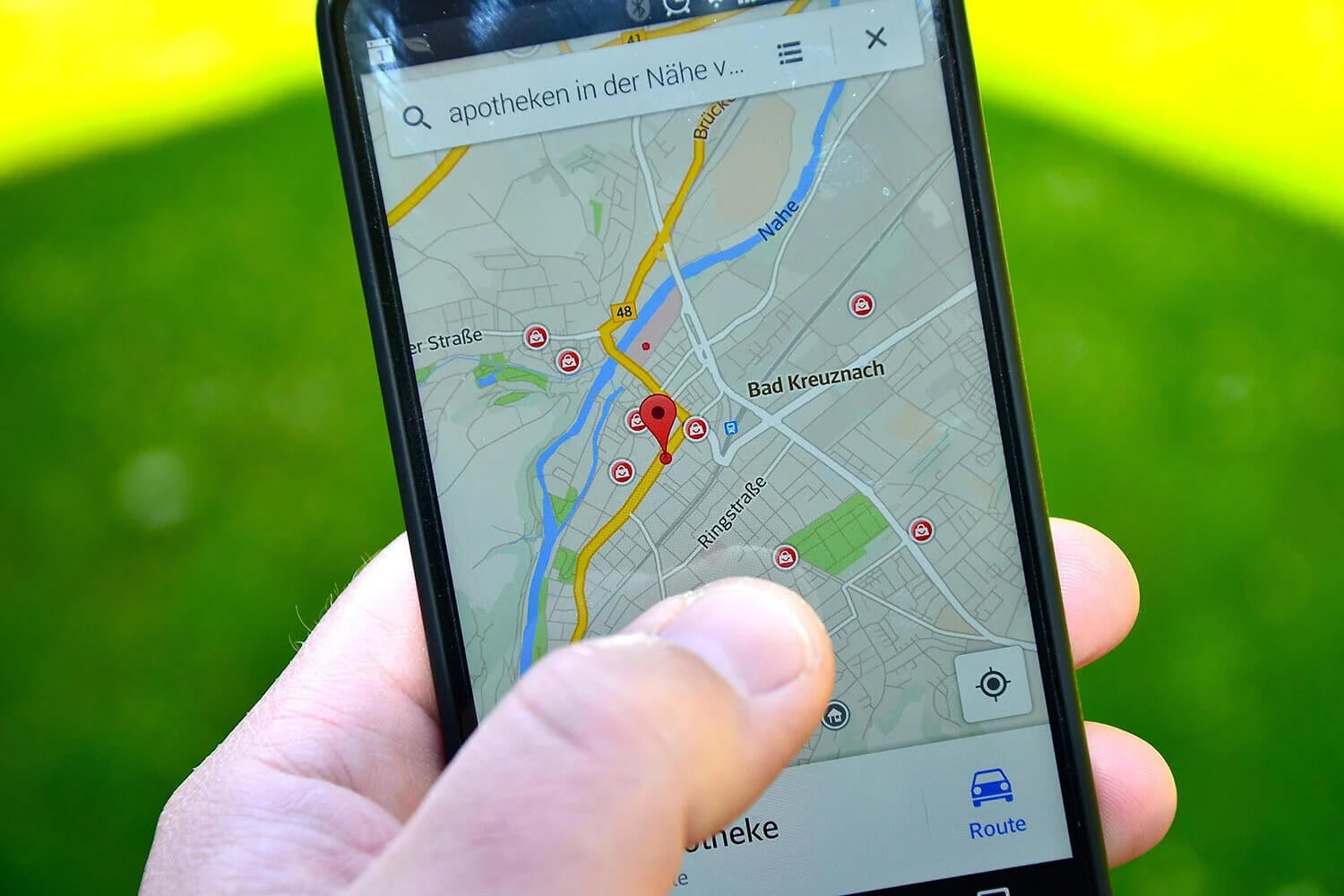
Every website and app has a rough idea of where you are. Most of them read it from your IP address, while browsers and phones can also request your Wi-Fi or GPS location. That’s how a streaming service picks its catalog, how an online store sets its prices, and how a map knows which street you’re on.
Spoofing your location changes what those checks see, so a site treats you as being in another city or country. In most cases, a VPN is enough on its own. Some sites look past the IP address, however, and then the browser or phone location must match the new one as well. Here are the steps for each case, on every major device.
Location Spoofing in 5 Steps
- Sign up for NordVPN, then install the app on each device you use.
- Connect to a server in the country or city where you want to appear.
- Add the NordVPN browser extension and connect it to the same location, so your browser reports that place too.
- Override GPS on Android with a mock location app, such as the one in Surfshark’s Android app (a separate subscription), if map apps still show your actual position.
- Check the result on an IP lookup site or in a map app.
How to Spoof Your Location With a VPN
Connect to a VPN server in the place you want to appear, and websites see that server’s IP address instead of yours. In the NordVPN app, type a country or city into the search bar, select it, and wait a few seconds for the connection. When we connected to an Australian server from our test PC in Europe, the app displayed an Australian IP address right away.
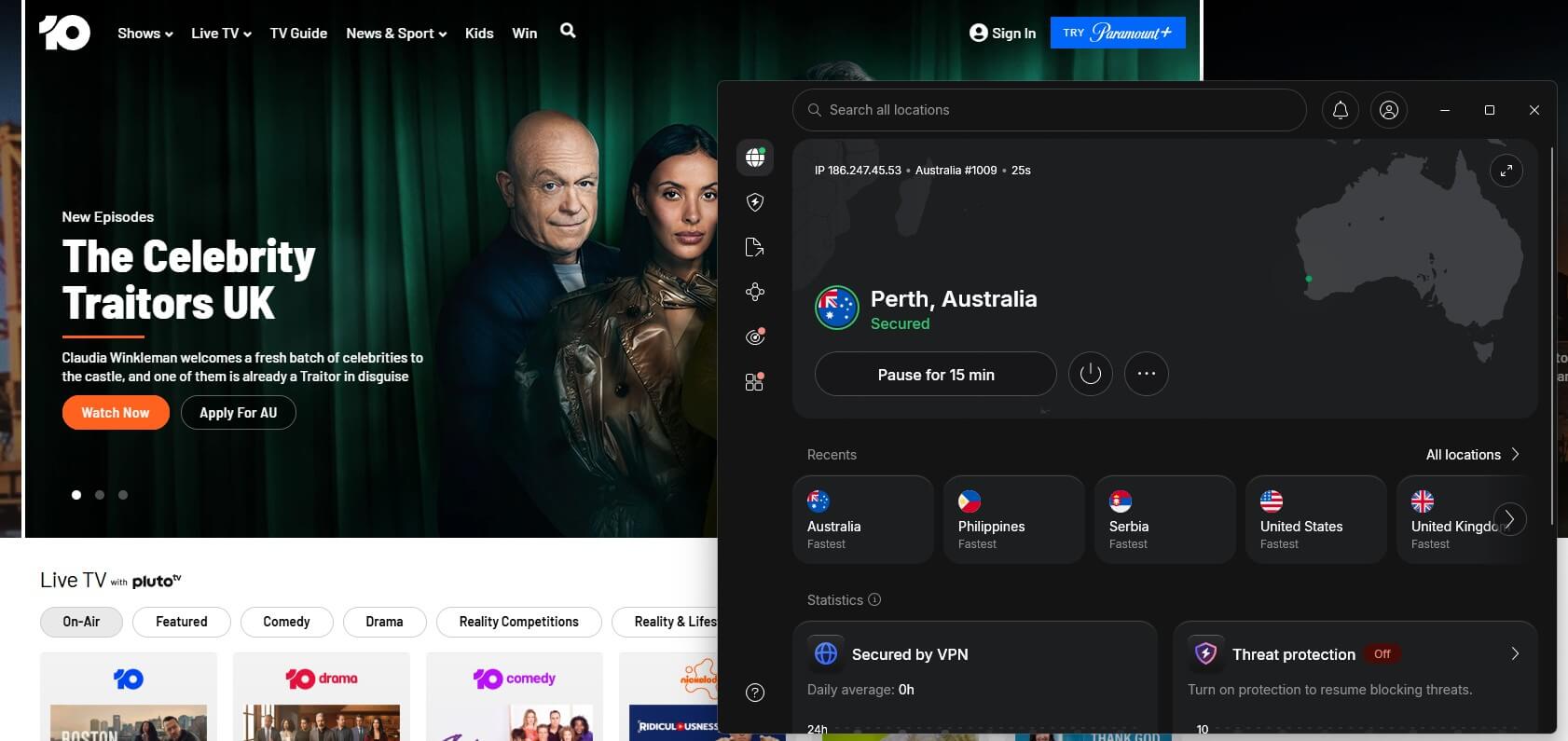
Sites that check only the IP address then treat each visit as coming from Australia. With a US IP address, for example, US-only news sites and stores treat you as a local visitor. Calling apps work again in countries that restrict them, as well.
For example, you can unblock WhatsApp calls in Saudi Arabia this way. Streaming services switch to the local catalog as well. Netflix also checks which household an account belongs to, though.
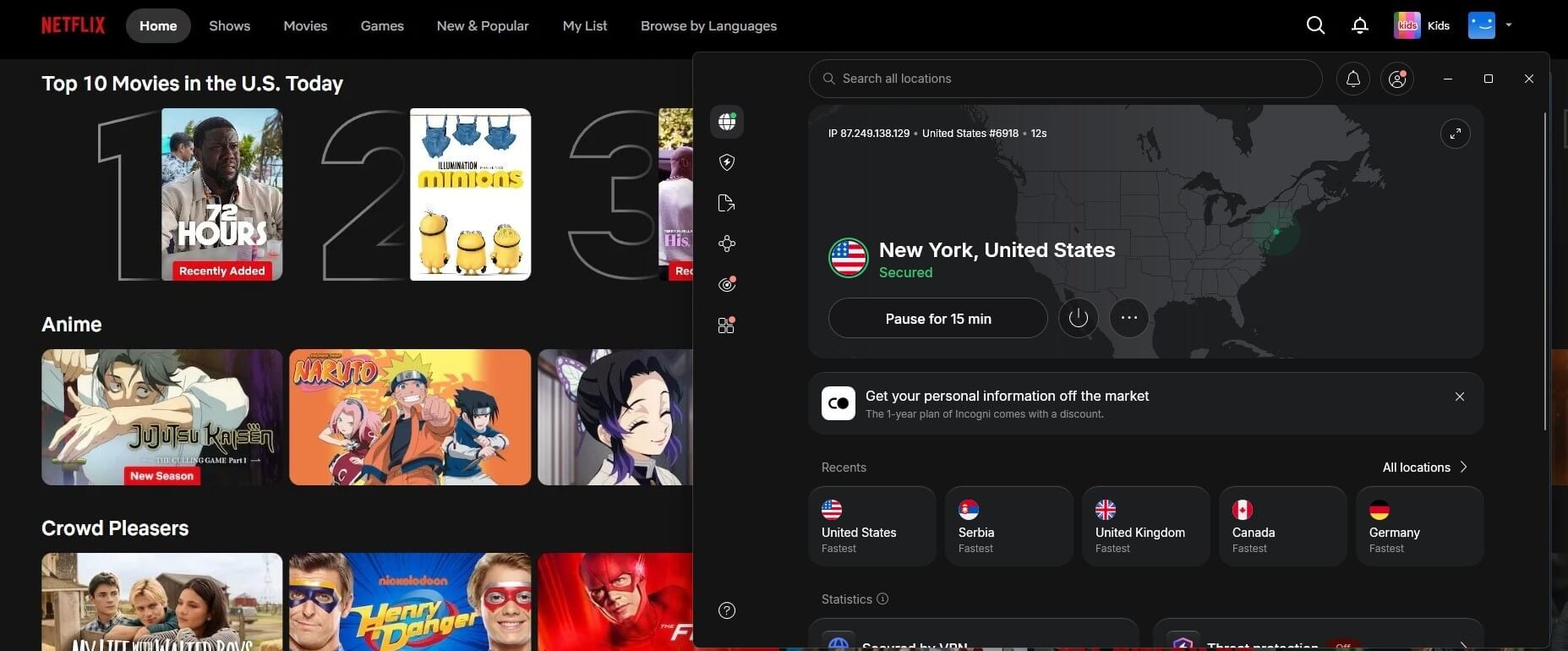
That’s a separate issue from location, and our guide to Netflix’s password-sharing restrictions explains it. If one server doesn’t work, try another city in the same country.
The Signals That Reveal Your Location
Your IP address is only one signal. Browsers, phones, and fraud checks can read several others. A mismatch between them is the usual reason a spoof fails:
| Location signal | Where it comes from | What changes it |
| IP address | Your internet connection | A VPN app or VPN browser extension |
| Browser location | Nearby Wi-Fi networks and GPS, shared when a site requests permission | A VPN extension with location spoofing, or Chrome’s developer tools |
| Time zone | Your device’s clock settings | NordVPN’s browser extension, or a manual clock change |
| WebRTC | Browser calling features that can expose your actual IP address | WebRTC blocking in a VPN extension |
| GPS | The phone’s satellite receiver | A mock location app on Android |
A VPN app on its own changes only the IP address. That’s enough for most streaming services and stores. Maps, weather sites, and delivery services usually request the browser or phone location too, so those require a second step.
How to Change Your Browser’s Location
Install your VPN’s browser extension and connect through it. The extension replaces the location your browser shares with sites, so it matches the VPN server instead of your Wi-Fi network. Some extensions do this automatically, while others have a setting for it. Most VPNs offer a VPN extension for Chrome, but only some of them include spoofing.
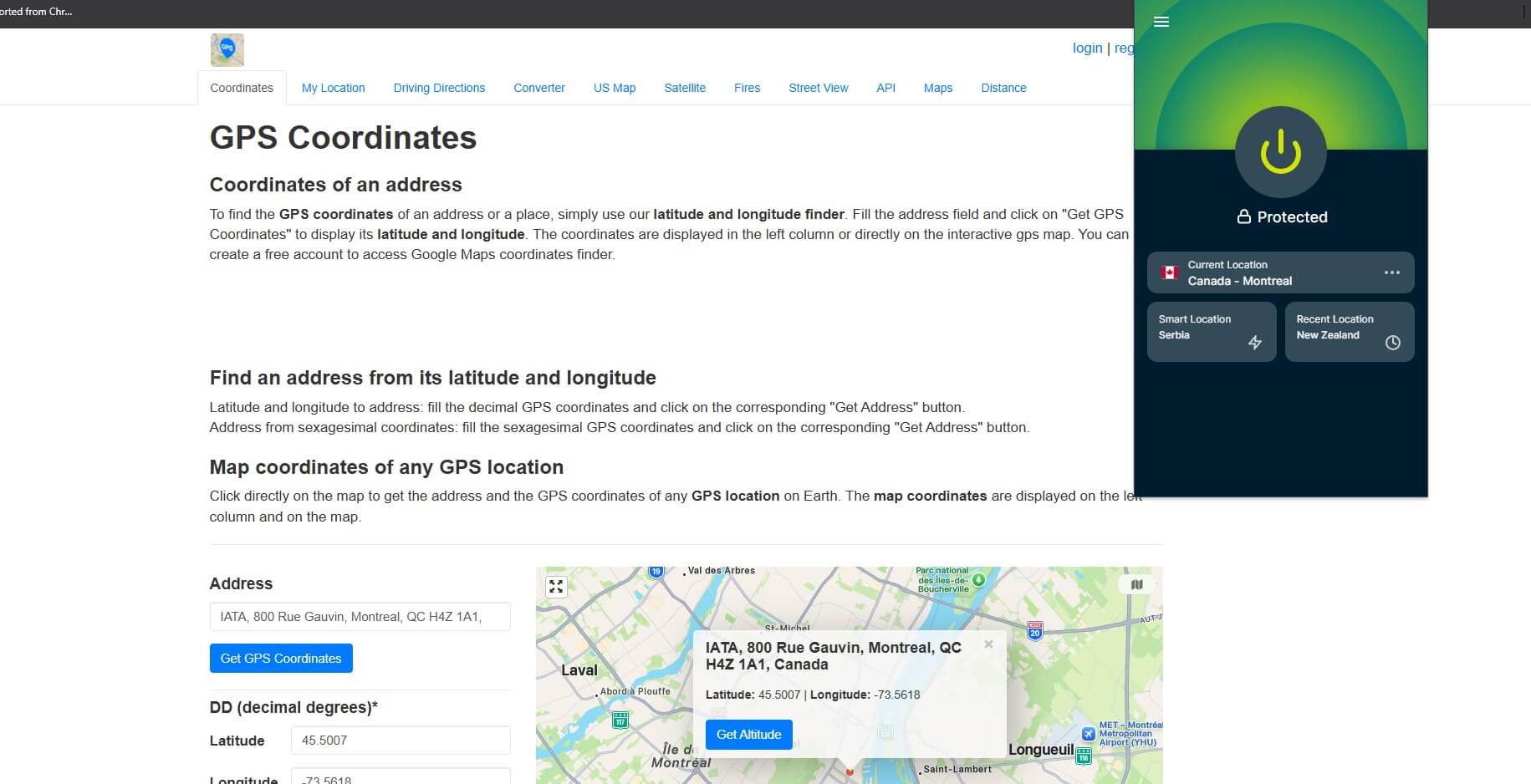
With NordVPN, add the extension from your browser’s store, sign in with the same account, and connect to a server. In our test, the browser’s location switched to the server’s city with no extra setting, and a GPS coordinates site placed our PC in New York.
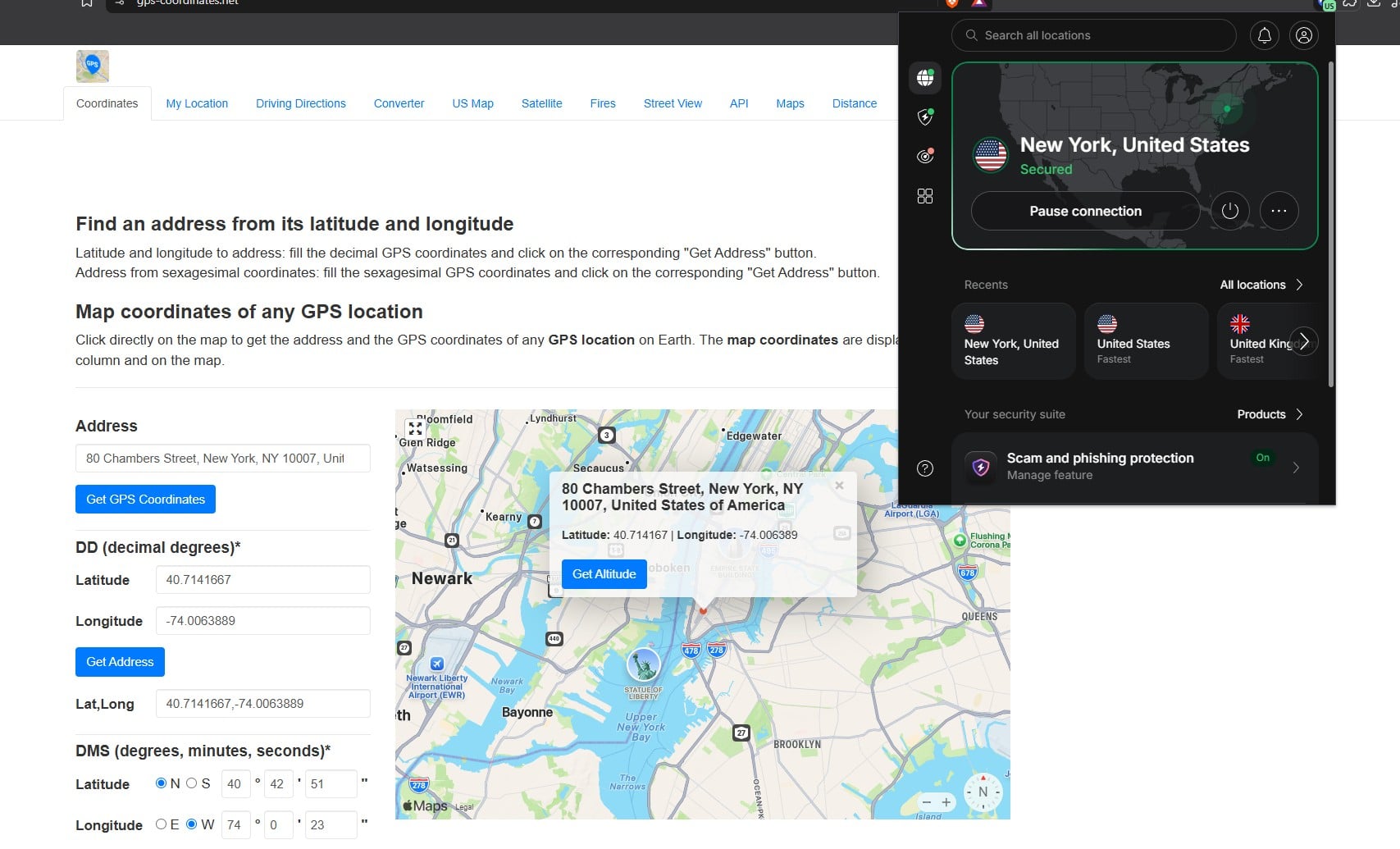
The separate Timezone spoofing setting also masks the browser’s time and date, and WebRTC blocking is on by default. ExpressVPN’s extension uses a Spoof your location setting instead, in its Privacy & Security menu. The extensions also helped with streaming.
In our tests, NordVPN, ExpressVPN, and Surfshark extensions unblocked services their desktop apps sometimes couldn’t, including ITV and Prime Video. Chrome has a manual option too. In its developer tools, the Sensors panel can override the browser’s location with a preset city or custom coordinates.
It’s meant for testing websites, however, and it leaves your IP address unchanged. Every major browser also lets you block location requests in its privacy settings, which keeps sites from reading your Wi-Fi or GPS location.
How to Fake Your GPS Location on Android
Map, weather, and local-search apps read the phone’s satellite position, which a VPN doesn’t change. Android lets one app replace that position through a developer setting called mock location. Surfshark, one of the best VPNs for Android, includes this feature as Override GPS location.
- Install Surfshark on your Android device and log in.
- Enable Override GPS location in the app, under Settings, VPN settings, and Advanced settings.
- Unlock Developer options by opening About phone in the phone’s settings and tapping Build number seven times.
- Choose Surfshark under Select mock location app in Developer options.
- Connect to a server in Surfshark, and map apps show the server’s location.
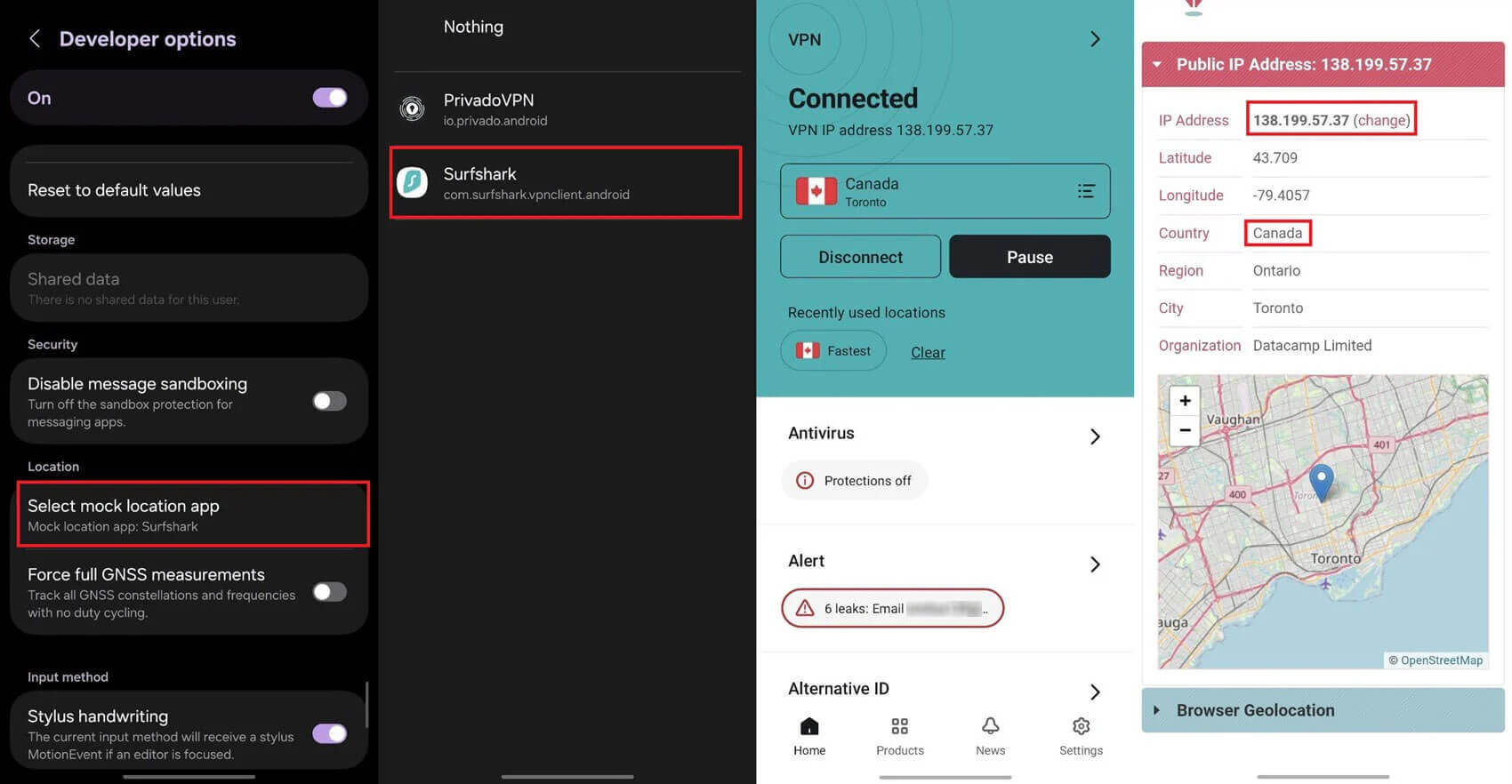
To undo it, set the mock location app back to none in Developer options, or disable the override in Surfshark. Disable it before opening ride-hailing, delivery, or banking apps as well. Some of them detect mock locations.
Fake Your GPS Location With Surfshark
What Works on an iPhone
On an iPhone, a VPN can change the IP address but not the GPS position. The new IP address covers websites and most streaming and shopping apps. However, iOS has no mock location setting. Apple’s Xcode can simulate a location, but only while a developer tests an app.
Desktop programs that promise to fake an iPhone’s GPS aren’t supported by Apple, and some apps detect them. To stop a particular app from reading your actual position, open Settings, then Privacy & Security and Location Services, and set that app to Never.
How to Change Your Location on Windows 11 and Mac
On a computer, the VPN app and its extension do most of the work. Windows 11 has a Default location setting under Privacy & security and Location, but Windows uses it only when it can’t detect a more exact position. Sites in your browser may still see your Wi-Fi location, so the setting isn’t a reliable way to spoof it.
For a dependable result on a PC with a VPN for Windows, connect the app first and then connect the browser extension to the same location. The same order works on a Mac. macOS has no fake location setting. Disabling Location Services for your browser, however, stops it from sharing your Wi-Fi location with sites.
Online Location Changers and Proxies
A search for a location changer online turns up web proxies and browser add-ons that promise a new location for free. A web proxy changes the IP address for one browser tab or site, usually without encryption. Free ones can also log browsing data or redirect visitors to malware.
Location changer add-ons work the other way around. They fake the browser’s location but leave your IP address, time zone, and WebRTC untouched, so a site that compares them sees the mismatch. A VPN with a spoofing extension changes the IP address and the browser location, and it encrypts the connection as well.
VPNs With Built-In Location Spoofing
NordVPN, ExpressVPN, and Surfshark change your IP address and add a spoofing feature on top. Speeds in the table come from our US server tests:
| VPN | Browser spoofing | GPS override | Speed on US servers | Devices |
| NordVPN | Location and time zone (Chrome, Firefox, Edge) | No | 181.50 Mbps | 10 |
| ExpressVPN | Location (Chrome, Firefox, Edge, Brave, Vivaldi) | No | 177.03 Mbps | 10-14 |
| Surfshark | Location (Chrome, Firefox) | Android | 170.38 Mbps | Unlimited |
NordVPN: Best Location Spoofer Overall
Pros
- WebRTC blocking enabled by default
- Site exclusions in the extension
- Malware blocking on the Complete plan
- City-level server choice
Con
- No GPS override on Android
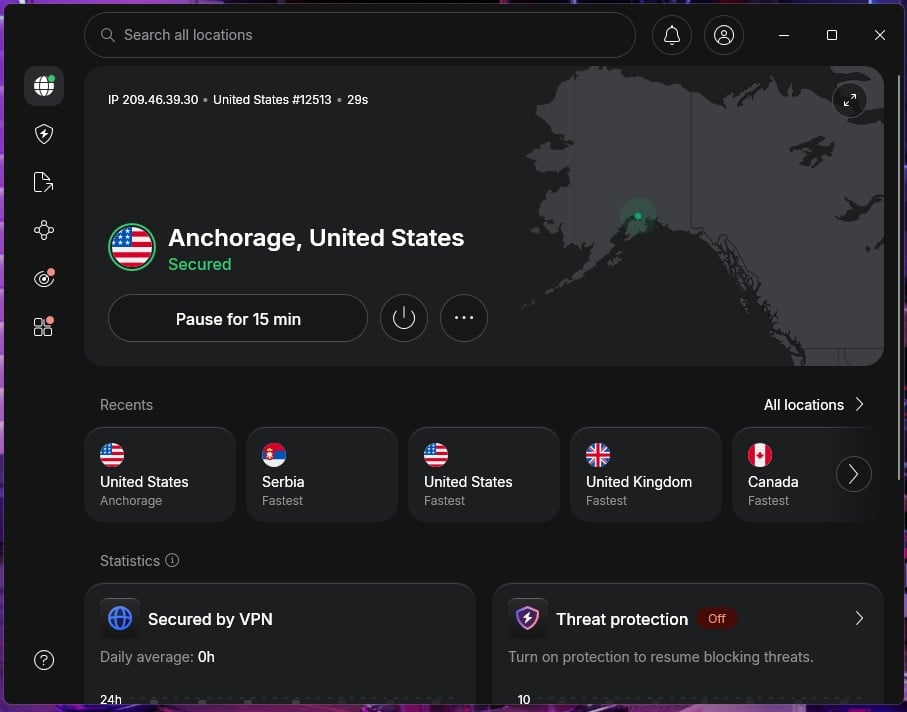
NordVPN’s extension changes the location your browser shares as soon as it connects, and its optional Timezone spoofing setting matches the browser’s clock as well. That helps with sites that compare the two. It also kept working in our tests with the desktop app fully closed. This helps on a shared or work computer where installing the full app isn’t an option.
For streaming, the app alone unblocks Netflix in several countries. On the app side, NordVPN was among the fastest VPNs we tested, with almost no slowdown on US servers. Its Android app can’t fake GPS, though, so map-based apps still require a separate mock location app.
NordVPN’s Basic plan is about $3.50 a month if you pay for two years upfront, and the extension costs nothing extra.
ExpressVPN: Best for Simple Browser Spoofing
Pros
- Independently audited no-log policy
- Post-quantum encryption
- Quick setup on every device
Cons
- No GPS override in the mobile apps
- No time zone spoofing
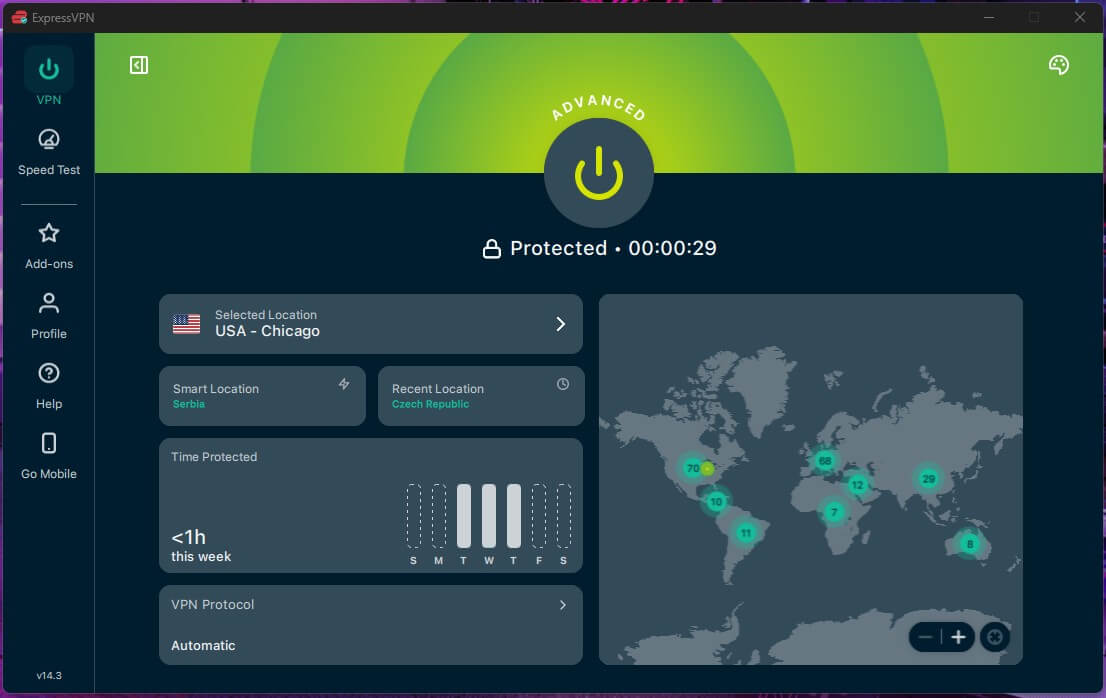
ExpressVPN’s extension has a single Spoof your location setting that replaces the location your browser shares with sites. ExpressVPN says it works on most sites but not all. The extension is available for Chrome, Firefox, Edge, Brave, and Vivaldi, and its ad blocker caught more ads than the NordVPN and Surfshark extensions in our test.
By default, the extension controls the desktop app, so the app must be open. A newer Proxy mode works without it, though ExpressVPN describes that mode as browser-only protection. The app itself is very simple to use, and it unblocked BBC iPlayer abroad in our streaming tests.
The extension doesn’t change your time zone, so a site that compares it with your location may notice. Setting your computer’s clock to the server’s time zone avoids that. For a closer look at its apps, pricing, and audits, see our ExpressVPN review.
Surfshark: Best for GPS Spoofing on Android
Pros
- GPS override in the Android app
- Warnings for breached websites
- Cookie pop-up blocking in the browser
- Rotating IP option
Cons
- No GPS override on iPhone
- Browser spoofing in Chrome and Firefox only
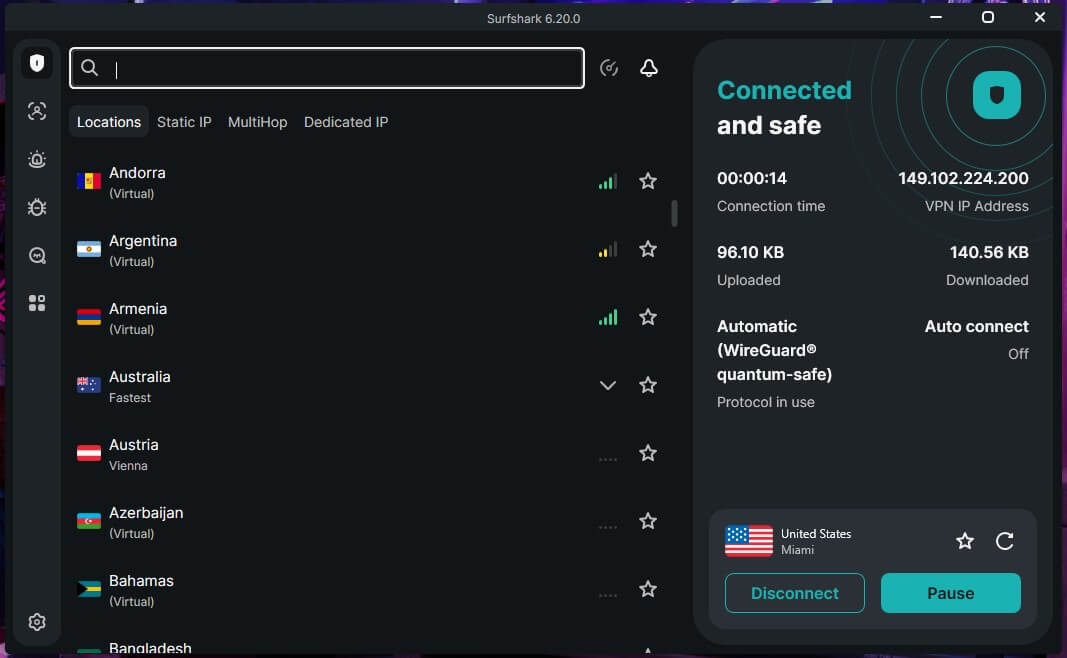
Surfshark’s Android app can override GPS, which the NordVPN and ExpressVPN apps can’t. Install it when a map or local app keeps showing your true position. The browser extension adds Geo-spoofing for Chrome and Firefox, along with a WebRTC toggle. Streaming is another strength.
Surfshark unblocked Netflix US, Netflix Japan, BBC iPlayer, Prime Video, and HBO Max in our tests, and its extension blocked most of the ads on our test page. There’s no GPS override on iPhone, where Surfshark changes only the IP address.
Surfshark’s Starter plan is about $2.50 a month over a two-year term, and there’s no cap on devices, making it ideal for families.
Is Location Spoofing Legal?
Using a VPN or a spoofing extension is legal in the US and the UK. Using a fake location to deceive a bank, an employer, or a government service can break the law, and many services prohibit spoofing in their terms:
- Games: Pokémon GO lists falsifying your location as a violation and suspends accounts for it
- Streaming: Netflix’s terms tie its catalog to the country where an account was set up
- Banking: banks can flag or block a login from an unexpected country
- Betting: operators prohibit location spoofing, and the rules for betting online abroad depend on local law
We aren’t lawyers, so treat this as general information. Check the terms of a service before spoofing your location on it.
Free VPNs and Location Spoofing
Free VPNs change your IP address but rarely include spoofing features. They work the same way paid ones do, with fewer locations and tighter limits. The free version of Proton VPN, the best free VPN we’ve tested, has no data limit, yet it picks the country at random and has no spoofing feature.
Hola, Urban VPN, and similar free services collect browsing data, which undoes the privacy a location change is supposed to add.
Final Thoughts
Spoofing your location starts with a VPN, which changes the IP address most websites check. When a site or app also reads your browser or GPS location, a spoofing extension or an Android mock location app makes the two match.
We recommend NordVPN for its extension, which changes the browser’s location automatically, can mask its time zone, and works without the desktop app. For GPS on Android, choose Surfshark, and for simple browser spoofing, ExpressVPN is a good alternative.
Location Spoofing FAQ
Can a VPN change GPS location?
No, not on its own. A VPN connection changes only the IP address, while GPS comes from the phone's satellite receiver. Surfshark's Android app adds a GPS override through Android's mock location setting.
Can websites tell when a location is spoofed?
Yes, sometimes. Sites can compare the IP address with the browser's time zone, language, and Wi-Fi location, and Android apps can detect mock locations. A mismatch often triggers extra security checks.
Does a VPN stop GPS tracking?
No. GPS tracking relies on the phone's location services, which a VPN doesn't touch. Disabling location access for an app, or for the whole device, stops apps from reading the position.
Is a location spoofer safe to use?
Yes, when it comes from a trusted VPN. Free location changer add-ons and web proxies from unknown developers can log browsing data or inject ads, and most change only one location signal.
What is geo-spoofing?
Geo-spoofing means making a website or app read a different location than the actual one. It usually combines a VPN's IP address with a browser or GPS location override.
Does NordVPN change GPS location?
No. NordVPN changes the IP address and, through its browser extension, the location and time zone a browser reports. Its apps don't override a phone's GPS position.