New York’s sports betting apps check your phone’s GPS before they accept a wager, and DAZN decides whether you can watch the Knicks on MSG+ from the ZIP code on your account. Netflix, your bank, and most news sites rely on something simpler: your IP address.
That split decides what a VPN can do for a New Yorker. On a trip abroad, a New York server makes American sites treat you as if you never left the city. At home, on subway station Wi-Fi or a shared building network, it keeps your browsing between you and the VPN.
Doing both well takes fast servers in the state and a trustworthy privacy record, and five VPNs met that standard in our tests.
Our Top New York VPNs for 2026
- NordVPN: Best overall for New York. The fastest New York server in our tests, with Buffalo as a second location.
- Proton VPN: Best for privacy on public networks. Disguises VPN traffic on networks that block it and keeps no logs.
- ExpressVPN: Best for big-screen streaming. Simple apps for Apple TV and Fire TV.
- Private Internet Access: Best value. Servers in every US state and no device limit.
- Surfshark: Best budget VPN for streaming. Servers in New York City, Buffalo, and Latham.
New York VPNs Compared
We tested all five on US servers from the same connection, and each unblocked Netflix US. Speed loss is the share of our baseline download speed lost with the VPN connected.
| VPN | New York State locations | Speed loss (US server) | Devices | Two-year price |
| NordVPN | New York City, Buffalo | 4.7% | 10 | About $3.50/mo |
| Proton VPN | New York City | 8.8% | 10 | About $3/mo |
| ExpressVPN | New York City | 7.0% | 10 to 14 | About $3/mo |
| Private Internet Access | New York | 7.7% | Unlimited | About $2.20/mo |
| Surfshark | New York City, Buffalo, Latham | 10.5% | Unlimited | About $2.50/mo |
Most VPNs list a US location, and the wider field of VPNs with US servers is large. For New York specifically, these five combine servers in the state with the strongest test results.
Best VPNs for New York, Tested and Ranked
1. NordVPN: Best Overall VPN for New York
Pros
- Servers in New York City and Buffalo
- Unblocks Netflix US and Prime Video
- Connects to your home network from abroad
- Independently audited no-logs policy
- Blocks malware downloads on the Complete plan
Cons
- Costs more after the first term
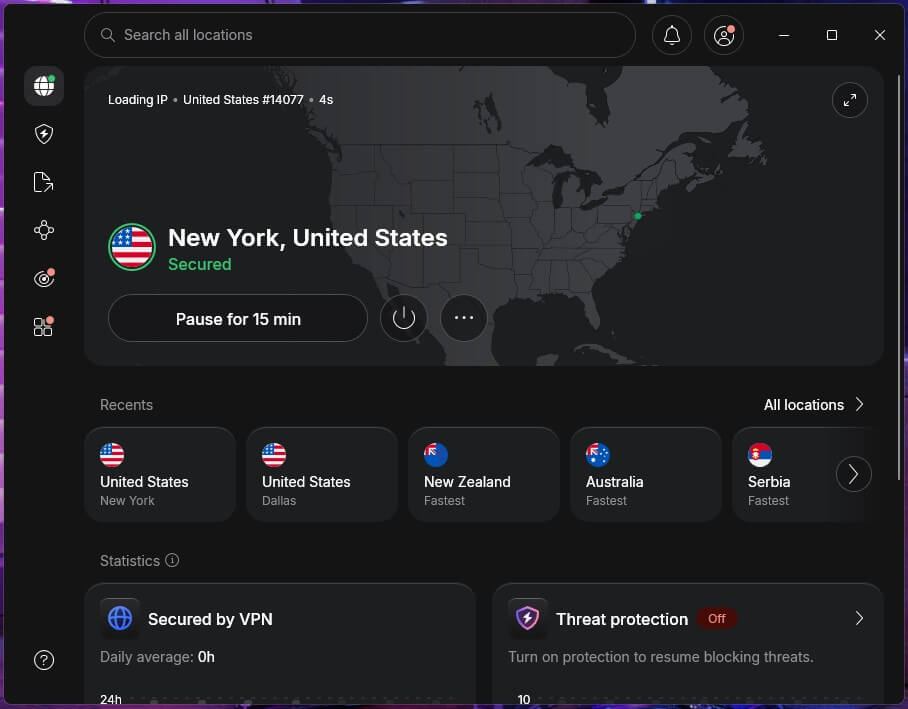
NordVPN lists New York City and Buffalo among its 55 US city locations, so you can match the IP address to either end of the state. Its New York server had a 5.5% speed loss in our tests, the smallest we recorded on a New York server. Of the three VPNs we tested there, it was also the only one to unblock CBS’s free live channels.
Streaming abroad is where it shines. NordVPN unblocked everything in our streaming tests, from Netflix US to the British and Japanese services. Its Meshnet feature connects your devices to each other over the internet, so a laptop in another country can browse through your home connection in Brooklyn or Albany.
That helps with services tied to your household, such as Netflix and its password-sharing rules. Every NordVPN server supports P2P, so torrenting requires no special server choice, and the Complete plan adds next-gen antivirus, which blocks malware downloads and ads. Outside firms have audited its no-logs claims several times.
The catch is the renewal price, which rises well above the introductory rate, so the two-year Basic plan at about $3.50 a month is the best value. A 30-day money-back guarantee covers it anyway.
2. Proton VPN: Best for Privacy on City Wi-Fi
Pros
- US servers listed by state
- No-logs policy audited every year
- Disguises VPN traffic on restrictive networks
- Blocks ads and trackers
- Open-source apps
Cons
- CBS detected its New York servers
- No Smart DNS for TVs without VPN apps
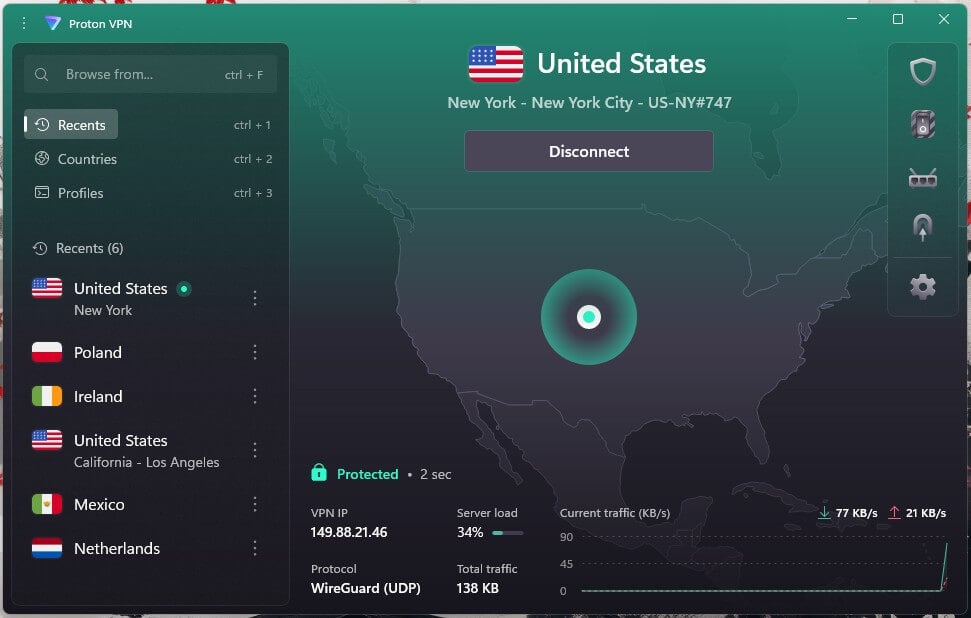
Proton VPN groups its American servers state by state, which makes a New York server easy to find. The company is based in Switzerland, its apps are open source, and outside firms have audited its no-logs policy every year since 2022.
For a New Yorker, that’s most useful on shared networks: in a co-working space, a dorm, or a café on Broadway, the network owner sees only an encrypted connection. Its Stealth protocol disguises VPN traffic as ordinary web traffic, so it connects on office and campus Wi-Fi that blocks VPNs.
NetShield removes ads and trackers, and Secure Core sends your connection through a hardened server in Switzerland, Iceland, or Sweden first. Proton VPN also offers Tor servers for browsing the dark web more privately. Streaming is less consistent.
Netflix US worked, but CBS’s free live channels detected Proton VPN on every New York server we tested, while a server on the West Coast unblocked them. It also has no Smart DNS, so on a TV without VPN support you’ll have to use its Apple TV or Android TV app, or a router. VPN Plus is about $3 a month on a two-year plan.
3. ExpressVPN: Best for Streaming on Your TV
Pros
- Apps for Apple TV and Fire TV
- Unblocked HBO Max and BBC iPlayer
- Ad and tracker blocking on every plan
- Connects in a second or two
Cons
- Few advanced settings
- No multi-hop connections
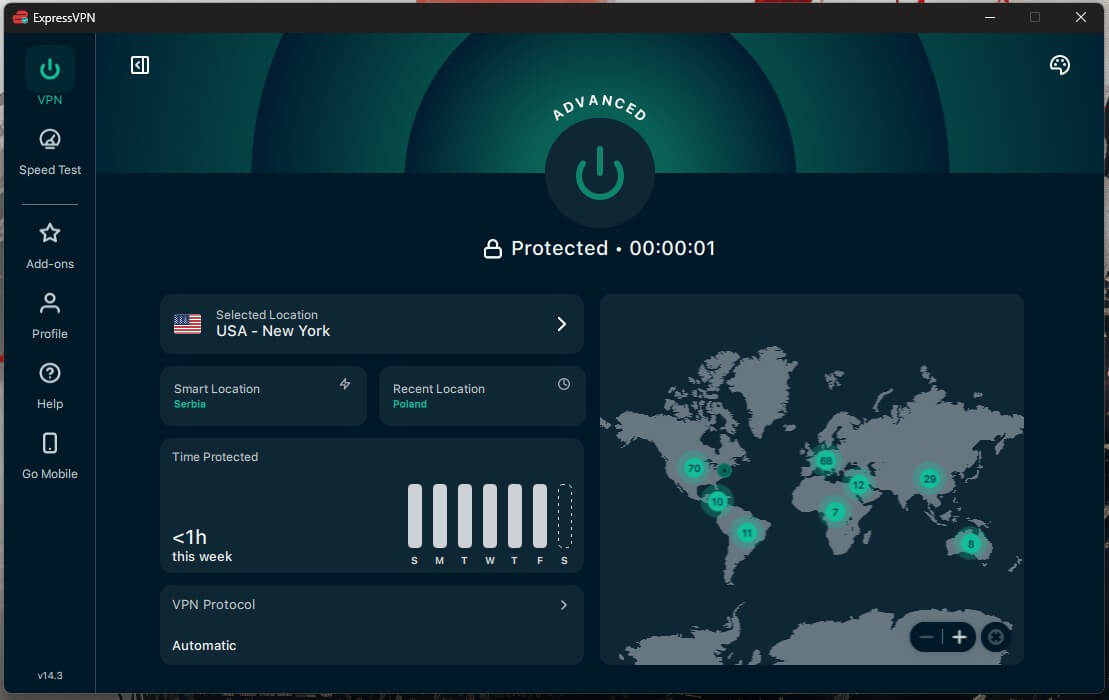
ExpressVPN has one New York location, plus three in New Jersey just across the Hudson. On its New York server, we recorded a 14% speed loss, still far more than a 4K stream uses, and its Lightway protocol connected in a second or two. Its strength is the living room.
ExpressVPN passed all of our streaming tests, and its native Apple TV VPN app mirrors the phone version, with the connect button front and center and your recent locations underneath. Every plan includes Advanced Protection, which blocks ads and trackers, and plans cover 10, 12, or 14 devices depending on the tier.
The same layout works on Amazon’s sticks, which makes it an easy choice for a Fire TV VPN. ExpressVPN keeps its settings to the essentials and offers no multi-hop option, so if you want your traffic to pass through two servers, choose NordVPN or Proton VPN.
The two-year Basic plan costs about $3 a month, with a 30-day money-back guarantee.
4. Private Internet Access: Best Value With Servers in Every State
Pros
- Servers in all 50 US states
- No limit on devices
- Blocks ads, trackers, and malware sites
- No-logs claims proven in court
Cons
- Couldn’t unblock Prime Video or HBO Max
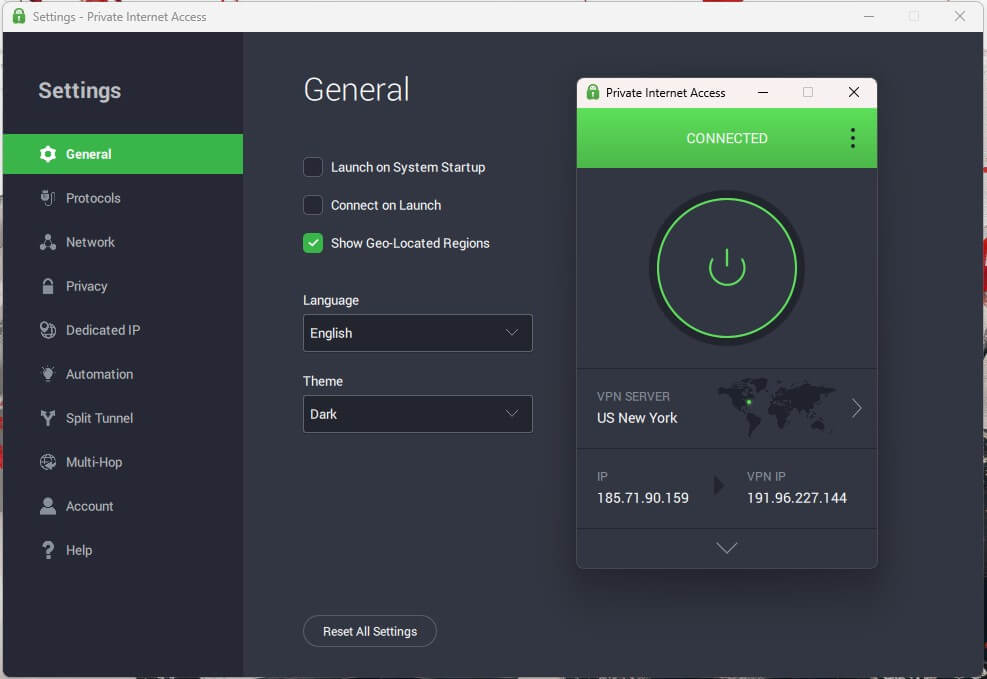
- Dated Windows interface
Private Internet Access has a server in every US state, New York included, which is useful if you also want an IP address in New Jersey, Connecticut, or another state where you have family. One subscription covers unlimited devices, and PIA’s two-year plan costs about $2.20 a month, less than any other VPN in this ranking.
PIA is based in the US, yet its no-logs policy has passed the hardest test: in court cases, it had no user data to hand over. MACE filters ads, trackers, and malware domains, and every server allows P2P, with a SOCKS5 proxy for torrent clients.
Its multi-hop option routes your connection through a Shadowsocks proxy first, which works on OpenVPN only. Its US servers came in at a 7.7% speed loss, slightly slower than ExpressVPN, a difference you can see in PIA and ExpressVPN side by side.
Netflix US worked, but it failed with Prime Video and HBO Max in our tests. If you watch those two often, NordVPN or ExpressVPN is the better fit. The Windows app also looks dated next to the others, but that changes how it looks, not how well it protects you.
5. Surfshark: Best Low-Cost VPN for Streaming
Pros
- Unblocked nearly every service we tested
- Three locations in New York State
- Unlimited devices
- Masked email addresses on every plan
- Option to rotate your IP address
Cons
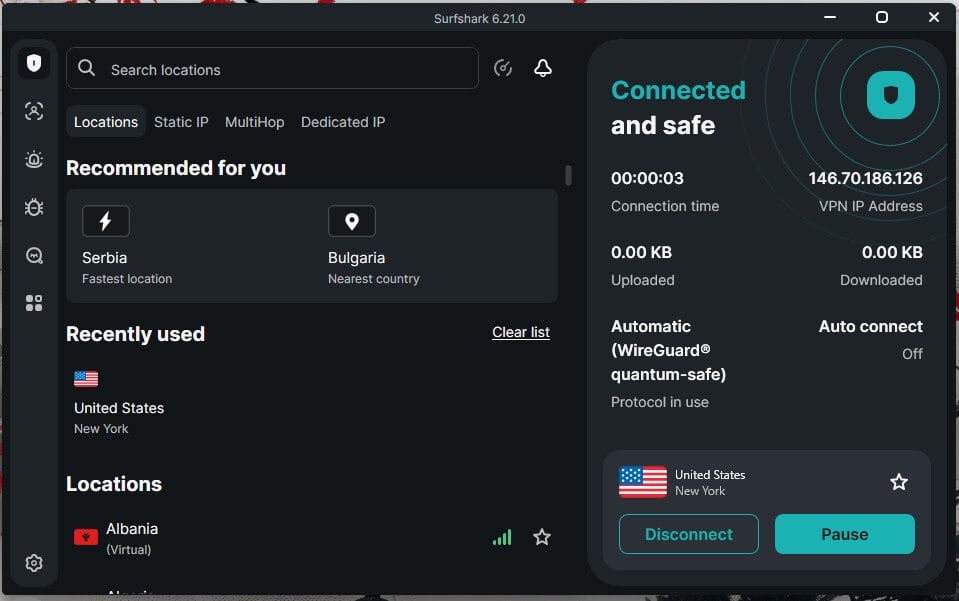
- Slow to connect at times
- Antivirus only on the One plans
Surfshark has 90 servers in New York City and more in Buffalo and Latham. Of the streaming services in our tests, it missed only ITVX, so Netflix US, Hulu, Peacock, and Prime Video all worked from abroad, and its CleanWeb blocker removes ads and trackers on the sites you visit. Its privacy tools go beyond the basics.
IP Rotator changes your IP address every few minutes without dropping the connection, one of the tools we tested in our Surfshark review, and Alternative ID creates a masked email address for sign-ups on every plan. One subscription also covers unlimited devices. The Starter plan costs about $2.50 a month on a two-year term.
However, Antivirus comes only with the Surfshark One plans. The current Surfshark coupons and deals lower the price further. In our tests, Surfshark sometimes took several seconds longer to connect than the others. It connected every time, so we’d call it a small annoyance.
How to Get a New York IP Address With a VPN
The process takes a few minutes and works the same way on a phone, a computer, or a TV. NordVPN is our example, and the other four VPNs use nearly identical steps:
- Subscribe to NordVPN through its two-year plan, which keeps the price lowest.
- Download and install NordVPN on your device. One subscription covers up to 10 devices at once.
- Open the app and sign in with the email address and password you used to subscribe.
- Open the country list or use the search bar to find New York.
- Click on it to connect.
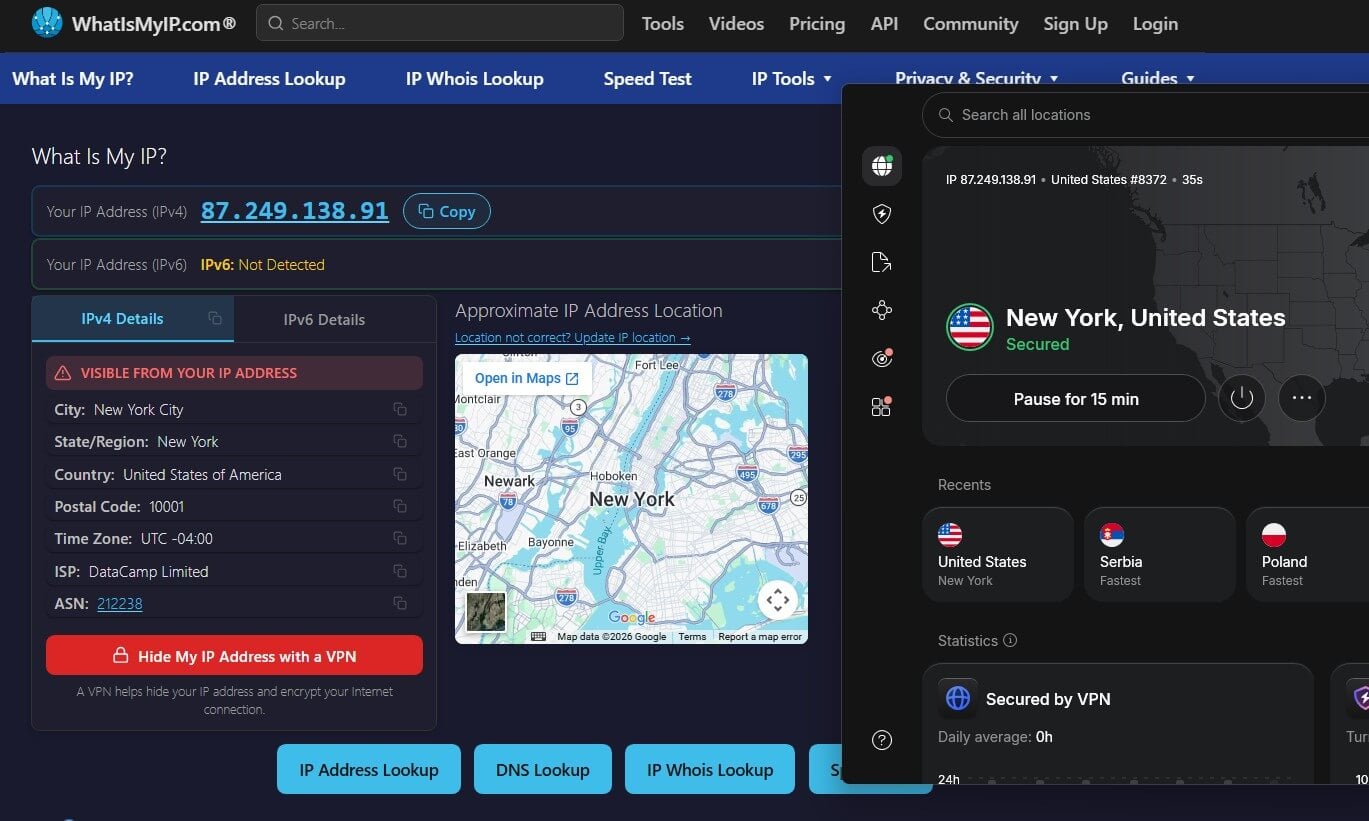
- When NordVPN shows the Connected status, your IP address is in New York, and an IP lookup site will confirm it, as in this screenshot.
The same steps work for any other US city in the list. If you’re on the West Coast, for example, a server in Los Angeles will connect faster, with a California IP address.
Florida works the same way, and NordVPN, Proton VPN, and ExpressVPN also list VPN servers in Miami.
Why Use a VPN in New York?
Most New Yorkers don’t need a VPN every day. It’s useful in a few specific situations, and it’s worth knowing the pros and cons of a VPN before you subscribe.
Public Wi-Fi Around the City
New York has free Wi-Fi almost everywhere: subway stations, LinkNYC kiosks, parks, libraries, and every coffee shop in Midtown. Those networks are convenient, but the network operator can see which sites you visit, and a poorly secured network lets other users see traffic that isn’t encrypted.
A VPN encrypts everything between your device and the VPN server, so the operator can tell only that you’re using a VPN.
Streaming and Sports From Outside New York
When you’re overseas, a New York server brings back Netflix US, Peacock, Hulu, and the free live streams from US networks, which show only a region message from overseas. It also helps with out-of-market NFL games and with services that read your IP address to decide what you see, such as NBA League Pass.
Local teams work differently. DAZN, which now sells MSG+ and YES Network, checks the home ZIP code on file instead of your IP address, so subscribers can stream the Knicks, Rangers, Yankees, or Nets while traveling for a limited period, with or without a VPN.
Sports betting apps go further and check your phone’s location with GPS. New York law only allows bets placed from inside the state, so a VPN won’t help you wager from outside it.
Torrenting, Gaming, and Adult Sites
ISPs in New York forward copyright notices to subscribers whose IP address shows up in a torrent swarm. A VPN with a no-logs policy replaces your home IP address with the server’s, and all five VPNs allow P2P.
VPNs are also popular for gaming, where they protect against DDoS attacks aimed at your IP address. New York has no age-verification law for adult sites. A bill that would have required one failed in a state Senate committee in May 2026, so sites like Pornhub work normally in the state.
If you travel to a state where Pornhub has withdrawn, a VPN also keeps your browsing private from the hotel or local network.
Is There a Free VPN for New York?
A few free VPNs offer US servers, but they come with data caps, slower speeds, and limited server choice. Proton VPN’s free plan, for example, assigns a server automatically, so it can’t promise you a New York IP address. Our guide to the best free VPNs for New York compares them in detail.
For streaming or daily use, a paid plan with a money-back guarantee is the safer way to test a VPN, and all five of our recommendations offer one. You can compare more of them in our list of the best VPN services.
Final Thoughts
Every VPN in this ranking has servers in New York, so the location itself won’t decide it. Speed, streaming, and privacy will. NordVPN was the fastest on New York servers in our tests and unblocked every streaming service we tested, including CBS’s free channels, which makes it the safest choice for New Yorkers who travel.
Proton VPN is the better fit if most of your use happens on the city’s public and shared Wi-Fi, thanks to its audited privacy record and a protocol that works on networks that block VPNs.
Keep the limits in mind: a VPN changes your IP address, but your GPS location and a sports account’s home ZIP code remain the same, so betting apps and local team packages follow their own rules. For everything that reads your IP address, NordVPN is the one we’d choose.
FAQs
Is using a VPN legal in New York?
Yes. No New York or federal law bans VPNs, and residents use them for work and privacy. Anything illegal without a VPN, such as fraud or piracy, remains illegal with one.
Can a VPN change your location for sports betting in New York?
No. Licensed sportsbooks in New York confirm a bettor's location with GPS, Wi-Fi, and cell tower data, and state law requires bettors to be physically in New York when a wager is placed.
Is a New York IP address safe for online banking?
Yes, when it comes from a reputable VPN with strong encryption and a no-logs policy. Some banks flag a sudden change of IP address, so a security check or one-time code may appear.
Does New York require age verification for adult sites?
No. State lawmakers rejected an age-verification bill for adult sites, so New York users can visit them without uploading an ID, unlike residents of many other US states.
Can you watch the Knicks or Yankees outside New York?
Yes, for a while. DAZN ties MSG+ and YES Network to the home ZIP code on an account, and subscribers keep their home teams on the road for a set number of days.
Can you switch between US cities with a VPN?
Yes. Most VPNs list several US cities, including New York, Los Angeles, Chicago, and Miami, and switching takes a few seconds. A nearby city usually offers the fastest connection.