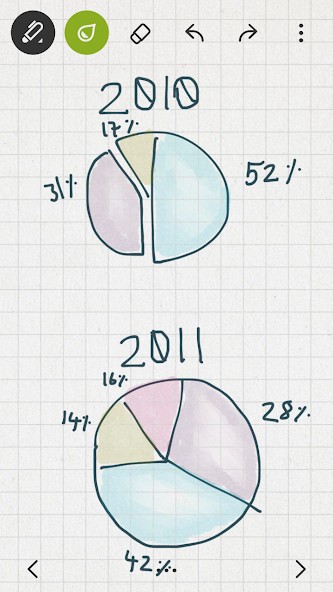
Bamboo Paper, as a tool from Wacom, supports their styluses and allows you to draw and handwrite on your tablets and smartphones as naturally as you would with a regular pen and paper. The app uses advanced ink technologies to simulate the tactile experience you’d typically have. You should download Bamboo Paper and try it out whether you’re a student, artist, teacher, professor, or creative professional who needs a digital solution for their notes, drawings, mind maps, and sketches.
Even the interface of Bamboo Paper resembles a traditional notebook, and when you open your document, you just choose the tool you want to use (pen, pencil), its color, and stroke, and you can start writing.
With Bamboo Paper, you can include multimedia in your notes and organize your files into folders. The app is available on a wide range of mobile devices, including those that run on Windows, iOS, and Android.
Why should I download Bamboo Paper?
Anyone who uses their tablet to take notes or draw things should download Bamboo Paper and check out how perfectly it simulates classic pen-and-paper interactions due to its ultra-natural digital ink technology. Its engine is optimized for styluses (especially Wacom Bamboo ones) and can capture not only every stroke you take but also their intensity or pressure, whether you’re just jotting things down or creating a detailed drawing or design.
When you start using Bamboo Paper, you’ll notice you have a wide selection of pen tools to choose from, and the styles include pencil, ballpoint pen, ink brush, highlighter, or felt-tip. Whichever you pick, it mimics the real thing, and you can further customize it by selecting the color, opacity, and thickness. There’s also a paid Pro Tool Pack with which you get even more options and can create wireframes, charts, or full-blown illustrations. You can also select various paper styles, like lined, dotted, blank, or graph paper, depending on whether you’re writing down things, creating drawings, or calculating math tasks.
If you need more precision as you work, there’s also a special zoom mode (that Wacom styluses also support). With it, you can enlarge your page without losing quality, add as many details as you require, and then just zoom out. There are also other tools you can use that are based on gestures or lasso so that you can select, resize, move, or delete your content or double-tap to switch to a different tool.
The notes you create once you download Bamboo Paper cans also include screenshots or even imported photos that you can write on to make suggestions or collages. It’s also a great feature if you want to reference learning materials or fill out workbooks sent by the teacher. Bamboo Paper is a very versatile app that perfectly combines handwritten notes with imported media to allow you to work the way you want.
If you want to sync your work between devices, Bamboo Paper works with Wacom Inkspace, which can send your notes to its cloud-based storage, and you can access it wherever you need. You just need to create a free Wacom ID account to use this service. Additionally, to make notes, you don’t need to have an internet connection, and your content can sync to the cloud once you’re back online. You can download Bamboo Paper for free on iPads, as well as Android and Windows tablets.
Is Bamboo Paper free?
Yes, you can use Bamboo Paper entirely for free on all of your mobile devices and different operating systems. You don’t need to invest money to experience the advanced digital ink, but it might be even better if you own a Wacom Bamboo stylus, though it’s not obligatory.
If you want, there are Tool Packs that expand the features and tools you have access to. These are available through in-app purchases and are based on one-time payments.
Wacom Inkspace itself can be used as a free tool but also offers paid tires, though it’s not required to use this service at all.
What operating systems are compatible with Bamboo Paper?
You can download Bamboo Paper on a variety of mobile devices. You can get it on Android tablets and phones starting from version 8.0, and it also supports the Samsung S Pen stylus.
iPad and iPad Pro users need iOS 13.0 or later, and Bamboo Paper is fully compatible with Apple Pencil.
What’s more, this app also supports Windows 10 and 11 touchscreen devices or Surface tablets.
What are the alternatives to Bamboo Paper?
Though more geared toward artists, Concepts is an app that offers you an infinite digital canvas you can draw or design. This software is available on iOS, Android, and Windows devices and allows you to work with layers, draw with precision, or export your designs to various formats. Concepts are optimized to work with different styluses, and it’s a great choice if you’re a designer, architect, or artist who enjoys drawing things.
Nebo is a fantastic app that can transform your handwriting into text in real-time. It works great with styluses. You can get it on iPad, Android tablets, and Windows (Surface devices) and write down things like math equations or diagrams. When you write, Nebo can automatically detect the language you’re using and transform your handwritten notes into text. You can also search through your handwriting, organize your content in many ways, and export your documents to PDFs or DOC files. You can download and use Nebo as a free tool or purchase a paid license to have access to more features.
Another option that works great with styluses is Notewise, which you can get on iPads and Android tablets. On top of regular note-taking features, you can also record audio notes or annotate PDFs or scans. There is no limit to notebooks you can create on the free version, but if you need to sync your files to the cloud, export in higher quality, or have more features, then you would have to subscribe to its paid version.