Freedom - Block Distractions is exactly what it sounds like—a tool that helps you take back control from the websites and apps that eat away at your time. If you’ve ever sat down to get work done and found yourself “just checking” social media or hopping into a shopping site without even realizing it, that’s the kind of thing Freedom is built to stop.
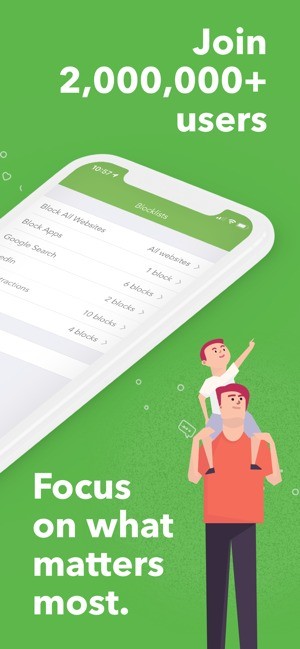
The app lets you block sites, apps, or even the entire internet if you really need a hard reset. One of the clever parts is that it doesn’t just sit on one device. It works across your computer, your phone, and your tablet at the same time. So if you tell it to block Instagram, it’s blocked everywhere, not just on your laptop, while your phone stays wide open.
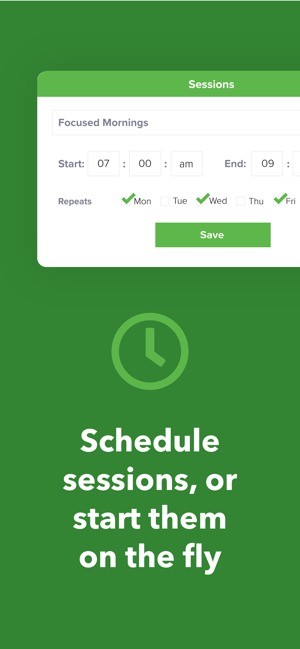
You can use it in different ways. Some people run quick sessions when they feel themselves drifting. Others schedule daily blocks, like cutting off distracting apps during work hours or even before bed. And then there’s “Locked Mode,” which keeps you from ending the session early. That might sound a little extreme, but if you’ve ever canceled your own timer just to sneak a look at something, you’ll understand why it exists.
Freedom isn’t only about blocking—it’s really about creating space. Sometimes that’s space for work, sometimes it’s for studying, and sometimes it’s just for resting without staring at your phone all night.
Why should I download Freedom - Block Distractions?
Because distractions aren’t going away on their own. They’re built into most of the apps we use. Social media platforms, news sites, even email—they’re all designed to keep you engaged, which usually means keeping you from doing the thing you sat down to do in the first place. Freedom breaks that cycle.
The first big reason to try it is productivity. Little distractions add up fast. A “quick scroll” can easily become half an hour gone. By cutting off access completely, you don’t have to rely on willpower every minute. The temptation just isn’t there.
Second, it’s a way to build healthier habits. Maybe you’re not trying to crank out a book or prep for finals—you just want less screen time. You can use Freedom to carve out blocks of the day when your go-to time-wasting apps are off-limits. Over time, that can help you naturally reduce the amount you rely on your phone.
Students use it to stay focused on studying. Writers use it to block the internet while they finish a draft. Professionals use it to get through deep work sessions without notifications pulling them off track. Even parents sometimes set it up so kids can’t use certain apps at night.
Another reason is flexibility. Freedom isn’t one-size-fits-all. You can decide if you want strict schedules or just the ability to hit a button when you need a break from distractions. It works whether you like structure or prefer to go with the flow.
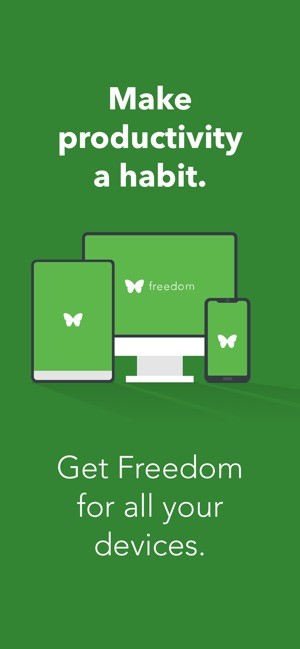
And let’s not forget the cross-device syncing. Blocking something on your laptop is nice, but if you can just grab your phone, the block doesn’t mean much. With Freedom, you cover all your bases at once.
Is Freedom - Block Distractions free?
Freedom isn’t completely free, though you can try it out. The trial gives you a few sessions so you can see what it’s like to set up blocks and test how it feels to work without distractions.
After that, you’ll need to subscribe if you want full access. They offer monthly and yearly plans, and there’s even a one-time “forever” option. That one’s popular with people who know they’ll use it long term because it saves money in the end.
The paid version gives you unlimited sessions, scheduling, device syncing, and all the advanced features. The trial is fine for testing, but realistically, if you want Freedom as part of your daily routine, you’ll need a subscription.
It’s not the cheapest app in its category, but most users feel the price is worth it compared to the time they gain back. An hour or two of focused work without interruptions often pays for the subscription itself.
What operating systems are compatible with Freedom - Block Distractions?
One of the biggest strengths of Freedom is that it doesn’t tie you to one device. On computers, it runs on Windows and macOS, so whether you’re using a PC or a Mac, you’re covered. There’s also a Chrome extension if you just want to block websites while browsing.
For mobile devices, there are apps for both iOS and Android. You can grab them from the App Store or Google Play. Once installed, you can block distracting apps and websites the same way you would on a desktop.
The best part is how it syncs. You can start a session on your laptop, and the block also activates on your phone. That way, you’re not undermining yourself by switching devices when the temptation hits. It’s seamless and keeps you honest across the board.
So no matter what platform you’re on—desktop, mobile, or a mix of both—Freedom can follow you.
What are the alternatives to Freedom - Block Distractions?
Freedom is not the only tool in this space, yet one of the more complete tools. In case you wonder what other alternatives there are, you can take a glance at the following:
AppBlock is a mobile-centric application. You are able to block applications and notifications at any particular schedule or time. It is customizable to those who primarily want to regulate the use of their phones, but not to desktops, as freedom does.
Touch grass: reduce screentime offers a light approach. It does not block, but monitors how much time you spend on the screen and reminds you to stop using the phone. It is less about shutting down and more about creating awareness and better lifestyles.
Forest plays concentration. You plant a tree when you feel you need to concentrate, and the tree will continue till you leave your phone alone. Leaving the app, your tree dies. It is a plain one, yet the visual reward system is surprisingly inspiring to many.