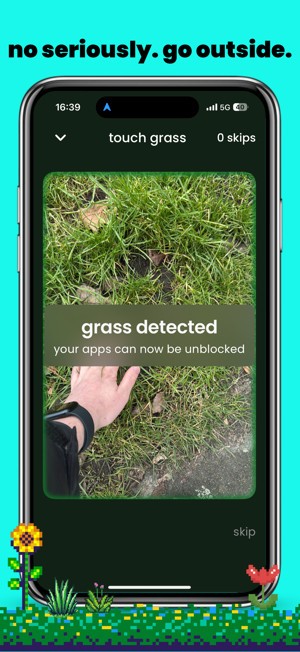
Touch grass: reduce screentime is a phone application that takes a simple phrase and turns it into a system for digital control. The phrase “touch grass” is often thrown around online to tell someone to leave the screen and step outside.
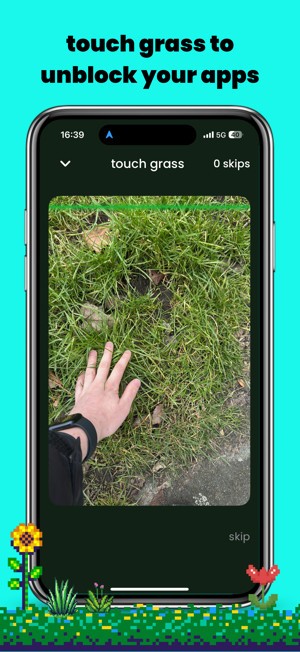
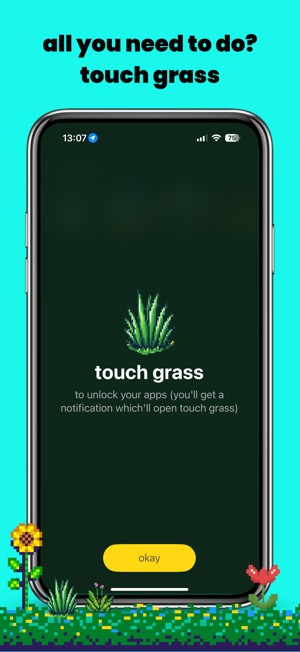
This app makes that literal. Instead of letting you press a button to extend your timer or dismiss a reminder, it blocks the apps you decide are distracting and forces you to go outside, touch real grass, and prove it through the camera. Only then does it unlock your chosen apps for a set time.
Unlike other digital wellness tools, this isn’t about charts or soft nudges. It’s about making you stop. If you don’t take the action, you don’t get access. The camera uses recognition to make sure it’s real grass, not a trick with a picture or fake background. That barrier is the key difference. It feels strict, but it is also simple. Either you do it, or you don’t.
The goal is not just lowering numbers on a screen but breaking the loop of nonstop scrolling and making you change your settings. Even a minute outside shifts the mind, and that’s the part that makes the habit start to break.
Why Should I Download touch grass: reduce screentime?
People know they spend too much time on their phones. The problem isn’t knowing, it’s changing. A weekly report saying you spent five or six hours a day doesn’t change the next day. Built-in screen time features on phones often fail because they are too easy to ignore. You hit “ignore limit,” and the cycle continues. Touch grass makes ignoring impossible. If you want access, you have to prove you earned it.
That requirement, that forced pause, is what makes this app worth downloading. When you’re blocked, you have to walk outside, lower yourself, touch the grass, and snap a photo. In that time, your body moves, your focus changes, and your brain already shifts away from the endless scroll. By the time you return, the break is real, not just digital. This interruption is small but powerful.
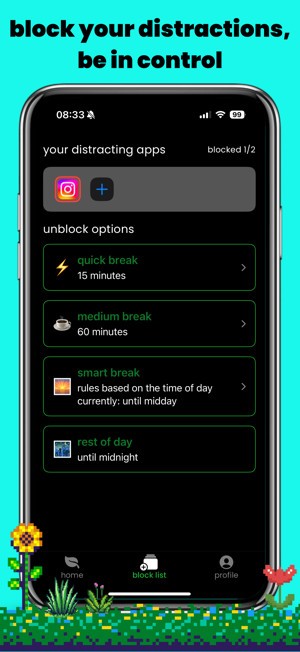
The app also gives you a choice. It doesn’t lock the whole phone unless you want it to. You decide which apps to block. Social media is the most common choice, but games, streaming platforms, or even shopping apps can be added. The app is flexible, so you tailor it to your weaknesses. That makes it more practical because it fits different lives and different patterns of use.
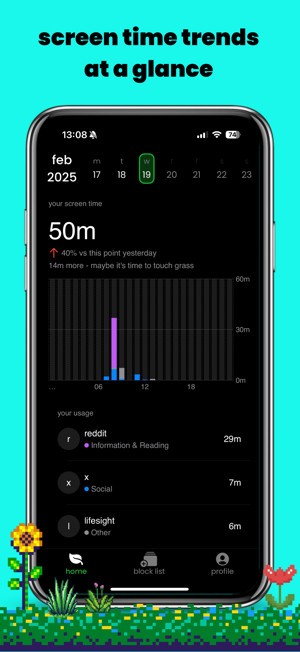
The free version is enough for a start. Two apps can be blocked, you get simple usage tracking, and you also receive one free skip per month. The skip exists for moments when going outside isn’t safe or possible.
The paid version opens more. Unlimited apps, deeper history, extra skips, and more control overall. The subscription is monthly or yearly, priced in line with other wellness apps, but here there’s a twist: money from skips helps fund rewilding projects. So each time you rely on a skip, a share of that purchase goes back to nature itself. That link between your digital life and the natural world is unusual, but it fits the message of the app.
Is touch grass: reduce screentime Free?
Yes, it can be installed free of charge. The free plan is basic but enough for testing. You can block two apps of your choice, check simple data on how long you use them, and you get one skip per month. That skip is the option to unlock once without going outside. It’s limited because the point of the app is to make you touch grass, not to give you endless shortcuts.
The pro version is there for people who want more. Unlimited blocking, detailed usage history, and extra skips are part of the package. It runs as a subscription with monthly and yearly rates. The exact price depends on where you live, but it stays similar to other apps in the wellness category.
What Operating Systems Are Compatible with touch grass: reduce screentime?
At present, the app is available only for iOS devices. You need iOS 17.4 or later, which includes most of the current iPhones. It launched on the Apple App Store and has been updated a few times since release with improvements to performance and features.
There is no Android version yet. The developer has confirmed it is being worked on, but there is no release date. So if you’re an iPhone user, you can start using it right now. If you’re an Android user, the wait continues. The app relies on system-level permissions for blocking apps and using the camera for verification, and those functions are already supported on iOS. That is why it came out there first. When Android support arrives, it is expected to mirror the same functions.
The design of the app is lightweight. It does not require a high-end device, but you do need a recent enough system to run the latest iOS update. That’s the main requirement. Beyond that, it functions like any other app and doesn’t need unusual hardware.
What Are the Alternatives to touch grass: reduce screentime?
When the concept of leaving it outside every time you need to unlock an application appears to be too restrictive, other applications can assist in reducing screen time in one way or another.
One option is Forest. It is an application in which you plant a virtual tree. The tree becomes longer the longer you do not touch your phone. When you distract and use your device, the tree dies. It also turns a tiny game out of discipline and links it to the actual planting of trees in the real world via partners. It is milder, and it operates by rendering focus gratifying rather than coercive.
Digitox is another choice. It is numbers-first in approach. You receive information on the amount of time you spend on each application and the phone in general. You are able to place restrictions and whether you remain within them. It does not hinder you with bodily demands. Instead, it builds awareness. To others, there is no need to have ambiguous data to drive change. They read the numbers, and they behave differently. It is effective when you are disciplined, when the truth about how you use it is known.
Freedom goes more strenuously in a different sense. It’s not tied to outdoor proof. It instead blocks phone applications and websites, including computers. That is why it is helpful for those who need to regulate the distraction of devices. It is used by students, writers, and professionals to set up focus periods. You establish a timetable, and Freedom seals everything you choose. It is hard and totally computerized.