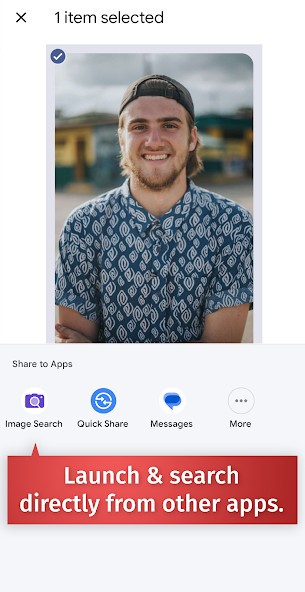
The Reverse Image Search tool enables users to search for images uploaded or via image URLs rather than traditional textual input.
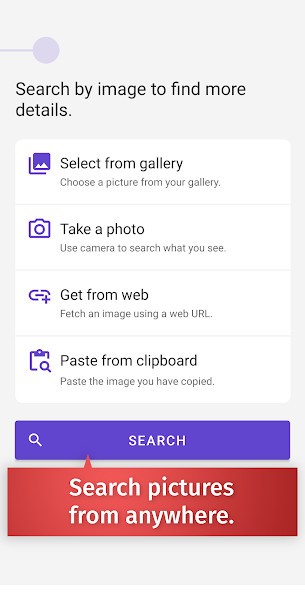
To use it, you simply have to add an image to the tool by uploading or pasting an image’s URL. Then it conducts a web search (across several search engines) to identify visual duplicates and the original sources of the image, as well as its other appearances on the internet. Image search enables users to identify the origins of images, verify their authenticity, and locate higher-quality versions.
But you can also use it to find an object: take a picture of your friend’s shoes and find out where you can buy them, or how much they cost. You can also use it to find information about the subject of a picture: take a picture of a piece of art or a building to learn its history.
This method enables you to find information based on what you see. The static photo (or URL) you provide to reverse image search becomes a key that reveals more information about the image content. The method enables users to dig deeper rather than rely on random searches by allowing them to explore specific details they may not know the exact words for.
This tool helps various groups, from journalists to designers to researchers to everyday folks who seek an answer to their occasional curiosity points. It allows us to search for images with capabilities that words alone cannot provide.
Why Should I Download Reverse Image Search?
Searching the internet with just a word isn't always enough. Even if you describe exactly what you see, it is impossible for a classic search engine to find the information you seek. That’s where Reverse Image Search comes in handy. The tool is available as a mobile App for Android and iOS users, as well as an online service. All you have to do is give it a picture (or the URL of a picture), and it will do the rest.
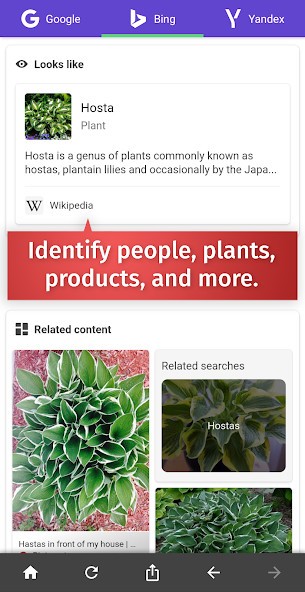
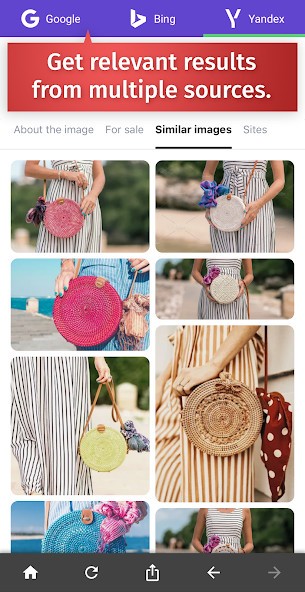
Using several search engines (such as Google, Bing, or Yandex), the engine searches for your image or for the subject of your image. It then allows you to find out whether the image was already used elsewhere on the web by following images to their original sources. Whether the item in the image is available on the internet, or whether the subject of the image has a known history.
Finding information on a specific image
Most online pictures are from unknown sources, raising questions about their reliability. Putting images you think may need verification into this tool lets you access their original source and any other locations where they have appeared before making your decision.
The necessity for this tool becomes obvious when you consider how often images are reused without proper identification or undergo deceptive alterations. The practice of distributing fake news and scams depends heavily on photographs extracted from their original setting. Generally, you can only judge images by appearance with normal methods, but a reverse image search eliminates the need to rely on appearance. You can access the image's original location while viewing its reuses, so you can assess its reliability for yourself.
The reverse image search function becomes an absolute treasure for content development and journalistic work. University students, along with researchers, can use this tool to verify images for presentations and academic papers. Unlike professional investigators or researchers, the average person uses reverse image search mostly to reduce the possibility of being tricked.
This tool provides more value than simple fact-checking abilities. The reverse image search tool enables designers and creatives to identify unauthorized use of their work without proper attribution.
Subject search
In addition to what we already discussed, Reverse Image Search enables users to find information about any picture they provide.
It can identify anything from decorative wallpapers to pieces of clothing, toys, everyday objects, and unknown objects, as well as buildings, landscapes, art, etc. It then allows you to find information about the subject of your picture, such as the price, where to buy it, its history, or the name of a place.
Is Reverse Image Search Free?
Yes, the use of Reverse Image Search Free is completely free for every one of its functionalities, whatever the way you use it (web or mobile).
To fund their tool, the developers of Reverse Image Search Free use sponsors and advertisers. For that, they use affiliate links to other websites.
What Operating Systems Are Compatible with Reverse Image Search?
Reverse Image Search Free is widely available through its website as an online tool. You can open it with any browser you like (Chrome, Firefox, Edge, Safari, Opera, etc.) on any operating system (Windows, macOS, Linux, Android, iOS, ChromeOS, etc.).
For mobile users, the fastest and easiest way to use Reverse Image Search Free is to download the mobile app. It is available for free on Android and iOS (iPhone, iPad).
What Are the Alternatives to Reverse Image Search?
Among all the alternative reverse image search solutions, Google Lens stands out as the most popular choice, offering capabilities beyond basic image search. All Android users, and even those with iOS (through the Google app or the Google Photos app), can leverage this tool to view immediate contextual information by using their phone camera on any subject, from flowers to QR codes to printed content. This tool enables users to detect landmarks and translate scripts, and capture both typed and handwritten content. The lens functionality is also available directly in the Google Search engine.
The image search tool of Microsoft Bing maintains its strength by offering an advanced reverse image search functionality. The service has distinct indexing capabilities that enable the discovery of content that Google fails to locate. Bing provides new leads to users whose research stopped on other search engines. The interface is easy to understand, and results contain filter options to refine your search. Those searching for stock photos and commercial images alongside products would find the tool especially useful. The tool is also available directly in Microsoft Edge, providing easy access to Windows users.
As a somewhat different option, Adobe Scan functions as a relevant platform to discuss. The tool works best for converting image documents into searchable PDFs, though it also includes an export function that lets users find web content online. The application supports finding sources and verifying authenticity for text-rich images and scanned documents, even though it does not function as a typical reverse image tool.