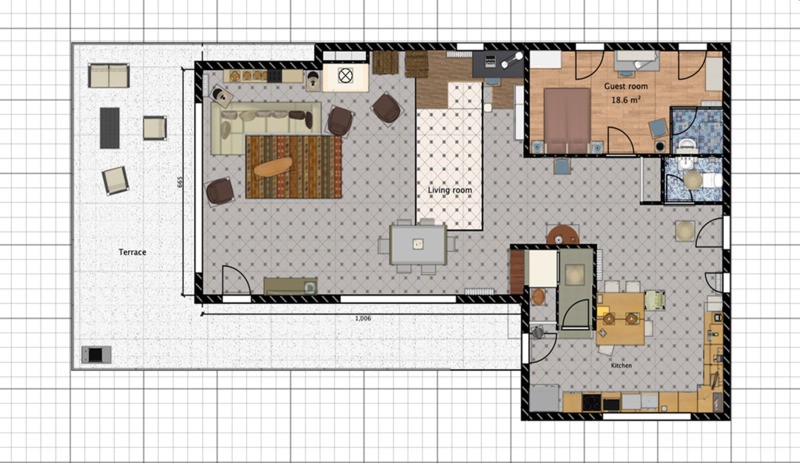
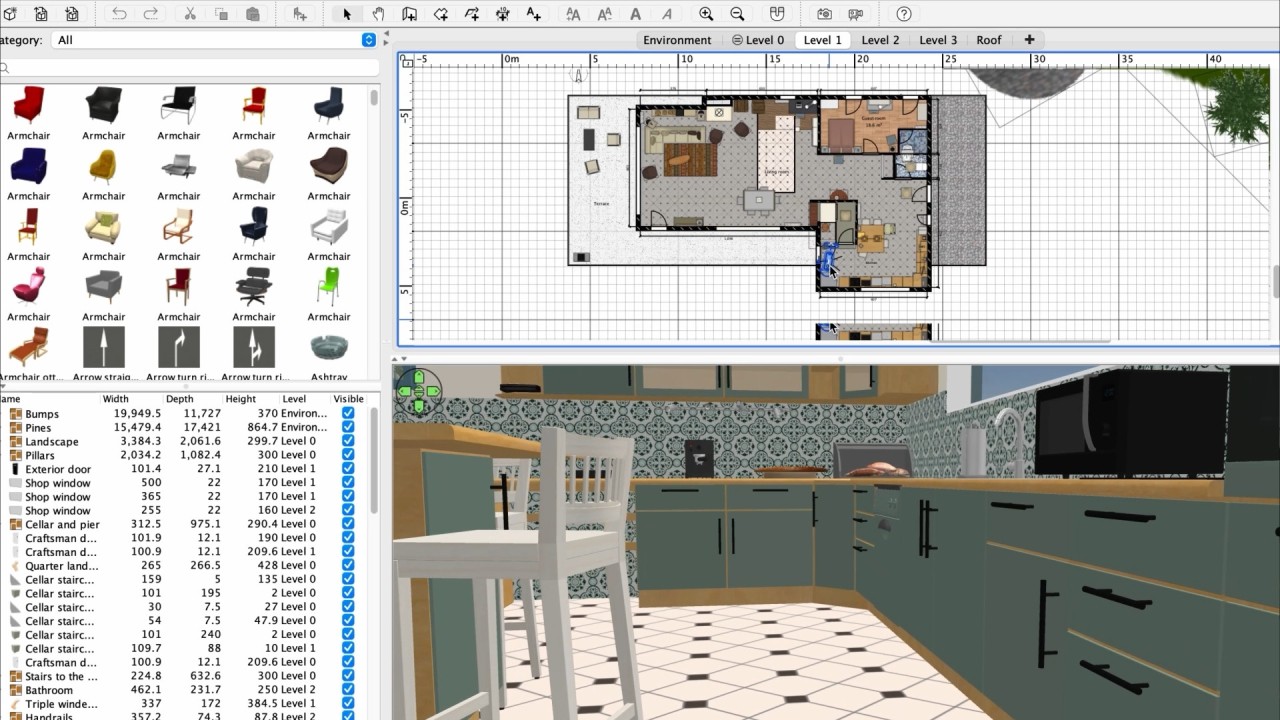
Sweet Home 3D is a home design and interior planning software that helps you plan and visualize interiors in both 2D and 3D. It’s open-source, user-friendly, and powerful enough to let you design anything from small apartments to multi-level houses. The interface is simple; you can draw walls, add doors, windows, and furniture with drag-and-drop, and see the results instantly in a 3D view. This dual perspective makes it easy for you to check proportions and spacing as you work, ensuring that your room layout feels natural and accurate.
Once you’ve created the basic structure in Sweet Home 3D, you can personalize your design using the app’s extensive catalog of furniture, materials, and textures. You can adjust every object’s size, color, and orientation to match your vision, or import custom 3D models if you want specific pieces. The software has a real-time 3D view that updates automatically as you modify your floor plan, and you can explore your space through a virtual walkthrough that feels like you’re inside the finished project. You can even simulate sunlight and shadows based on the date and time of day to get a better sense of how lighting will affect your space.
With Sweet Home 3D, you also get rendering tools that let you generate realistic images and videos of your designs. It’s great whether you’re a professional or a hobbyist who wants to visualize their ideas clearly before execution. You’re able to redesign your living room, plan a renovation, or just experiment with decor, as the software provides a complete set of tools for creative interior design. You can download and use Sweet Home 3D on Windows, macOS, Linux, iOS, and Android or through the web service.
Why should I download Sweet Home 3D?
The best part about Sweet Home 3D is that anyone can use it, and it doesn’t require professional design experience. It has a drag-and-drop interface that lets you create complex layouts in minutes, from drawing walls to arranging furniture. The 2D and 3D views update simultaneously, allowing you to see how your space will look in real life immediately. You can zoom, rotate, and explore your layout freely, which is super helpful when you’re trying to visualize proportions and test how to arrange furniture. Some built-in guides and templates make it easy to get started with Sweet Home 3D.
With Sweet Home 3D, you’re not limited to the default catalog as the program supports importing additional 3D models from online libraries, and you can design custom furniture or textures to match your actual space. You can create entire houses, complete with staircases and balconies, and work on multi-level projects. Every object you add can be scaled, colored, or retextured, and the software also offers precise measurement so you’re able to replicate real-world dimensions. Sweet Home 3D also has a lighting simulation tool that is great when you’re testing different conditions, such as daylight, artificial light, and shadows so that you can plan with the light in mind.
Sweet Home 3D has superior rendering and presentation tools that allow you to generate high-quality still images or animations that showcase your designs with realistic lighting and perspective. It’s super useful when you’re presenting ideas to clients or preparing visuals for a project proposal. The rendering engine captures reflections, shadows, and textures in detail, giving your designs a polished look. Additionally, the community around Sweet Home 3D often releases plugins and online resources that can extend the program’s capabilities, adding things like new materials or expanded export options.
Another great thing about Sweet Home 3D is that it works cross-platform and runs smoothly on Windows, macOS, and Linux, and there’s even an online version you can use directly in a web browser. Because it also works offline, you can continue designing without an internet connection, which is perfect when working on-site or in areas with limited connectivity.
Sweet Home 3D is a software that perfectly combines professional tools and ease of use. It’s detailed enough for architects and interior designers, but approachable enough even if you just want to visualize your dream home. Whether you’re rearranging a single room or designing an entire building, it provides all the features you need to bring your ideas to life without expensive subscriptions or steep learning curves. You can download and use Sweet Home 3D on various platforms, including mobile devices with iOS and Android, but also on Windows, macOS, and Linux computers, or just open it up in your browser that supports WebGL.
Is Sweet Home 3D free?
Yes, the best thing about Sweet Home 3D is that it’s completely free and open-source. The desktop version includes all core features like drawing tools, 3D viewing, rendering, and furniture customization, and there are no time limits or hidden restrictions.
The mobile version has a bit of a limited tool, so it keeps the features that are actually usable on smartphones or tablets. The online version, called Sweet Home 3D Online, is also free but requires an account if you want to save your project.
What operating systems are compatible with Sweet Home 3D?
Sweet Home 3D works on a wide range of platforms and devices. You can use it with Windows XP to Windows 11, Mac OS X 10.4 to macOS 14, and various Linux systems. The software on computers is optimized to work efficiently even with older machines.
On smartphones and tablets, you need Android 8.0 or higher or iOS 13.0 or later, but these apps are rather for making quick edits, reviews, and basic planning.
You can also use Sweet Home 3D on any modern browser, including Chrome, Safari, Edge, and Firefox. It allows you to save projects to the cloud and access them from multiple devices.
What are the alternatives to Sweet Home 3D?
Home Design 3D is a home planning app that gives you tools for designing rooms, placing furniture, and decorating interiors in both 2D and 3D. It features intuitive drag-and-drop tools for designing rooms, placing furniture, and decorating interiors in both 2D and 3D. The free version offers most of its features, but if you need support for 3D printing or export, Unlimited floor design, and advanced roof tools, then you can buy a paid upgrade. Available on iOS, Android, Windows, and macOS.
DreamPlan Home Design is a paid desktop application available for Windows and macOS that allows you to create 3D models of homes and landscapes. Use it to design decks, patios, swimming pools, landscapes, kitchens, bathrooms, and more, and you can also convert your plans into 3D models with it. You can customize colors, textures, furniture, and decoration to whatever style you prefer.
MagicPlan is an app that allows you to create floor plans and construction sketches. You can track and place your equipment, take photos of everything in the space you want to work on, and the app is able to generate accurate floor plans automatically. You just need to point your camera at your room or house. You can then customize the plans with furniture, notes, and materials. It’s a paid software you pay for by project, and you can download it on iOS and Android, but also use it online on computers.