μTorrent (also written uTorrent) is one of the most popular BitTorrent clients available. As a lightweight torrent client, it lets you download and share files through the peer-to-peer (P2P) protocol without eating up your system resources. Its efficient design keeps CPU and memory usage low while still delivering fast, reliable transfer speeds. Rather than pulling a file from a single server, µTorrent grabs pieces from multiple sources at once, which typically means faster and more consistent downloads.
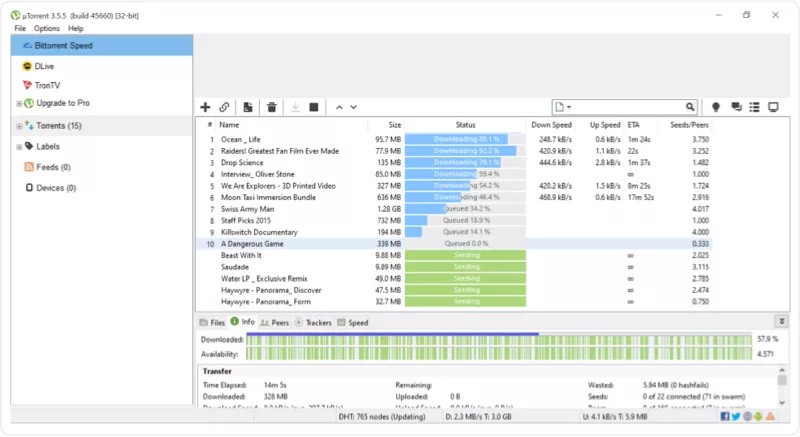
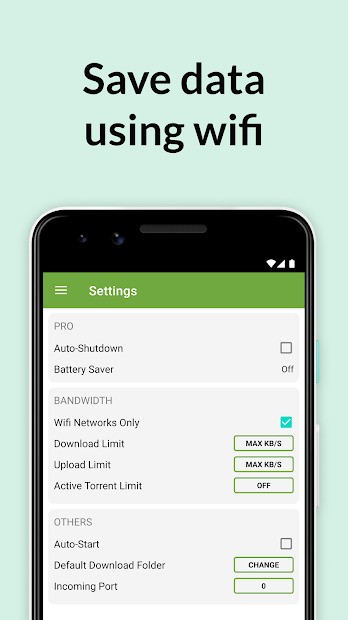
The program is free, small, and easy to use. It works well even on computers with limited hardware. With µTorrent, you can share large files such as movies, music, software, or games in .torrent format across the P2P network. You can search for torrents, add torrent files, and manage downloads directly from the application. Speed controls let you cap upload and download rates, pause or resume active transfers, and schedule them to run automatically.
Built by the same developers behind the original BitTorrent client, µTorrent benefits from years of protocol-level expertise. Three standout capabilities round out the experience: granular bandwidth controls, automatic scheduling, and remote access from a browser or mobile device. Managing large file transfers becomes far more practical when you can fine-tune each setting. The interface itself is clean and logically arranged, making it approachable for newcomers while still offering the depth that power users expect.
µTorrent is available on Windows, macOS, Linux, and Android. It offers a free version with essential features, while paid tiers remove ads and unlock advanced options.
Why Should I Download µTorrent (uTorrent)?
By using the BitTorrent protocol, µTorrent breaks large files into smaller pieces and retrieves them from multiple sources at the same time. That parallel approach speeds up the download process and reduces the chance of interruptions compared to traditional single-server transfers.
One of µTorrent's strongest selling points is how little it demands from your hardware. Where many torrent clients can bog down a system, µTorrent runs quietly in the background without noticeably affecting performance. That makes it a solid choice when you need to keep working, browsing, or gaming while a large download finishes in the background.
Handling multiple downloads at once is another area where µTorrent shines. You can queue up several transfers, assign priority levels to each one, and set bandwidth limits so that no single torrent monopolizes your connection. That level of control is especially helpful when you are juggling several large files at once. You can even begin streaming video content before a download has fully completed.
Scheduling is baked in as well. If your ISP offers off-peak hours with higher speeds or uncapped data, you can configure µTorrent to start and stop transfers on a timetable that takes advantage of those windows. RSS feed support goes a step further by letting the client automatically grab new torrents from your favorite sources, removing the need to search and add them manually.
Interrupted downloads are never a lost cause in µTorrent. The client picks up right where it left off after a dropped connection, which is a genuine lifesaver for anyone on an unstable network or a metered plan. Pausing and resuming at will means you never lose progress, no matter how many times your connection hiccups.
Is µTorrent (uTorrent) Free?
You can download µTorrent at no cost and access its full set of core torrenting features right away. The free version, called µTorrent Classic, does display advertisements, but every essential function for finding, downloading, and managing torrents is included.
Paid upgrades strip out the ads and add extras like built-in antivirus scanning, in-client streaming, and automatic malware protection. Most casual users will find the free version more than sufficient, though the Pro tier is worth a look if you want a cleaner interface and the added security layer.
What Operating Systems Are Compatible with µTorrent (uTorrent)?
µTorrent supports a wide range of operating systems, making it accessible to just about anyone with a computer or mobile device. Separate builds are available for Windows, macOS, Linux, and Android, each optimized for its respective platform.
On Windows, µTorrent runs on everything from Windows XP and Vista through Windows 7, 8, 10, and 11. Mac users get a native build for macOS, and Linux users can install it on Ubuntu, Fedora, and other popular distributions. For mobile, the Android app requires version 7.0 or higher.
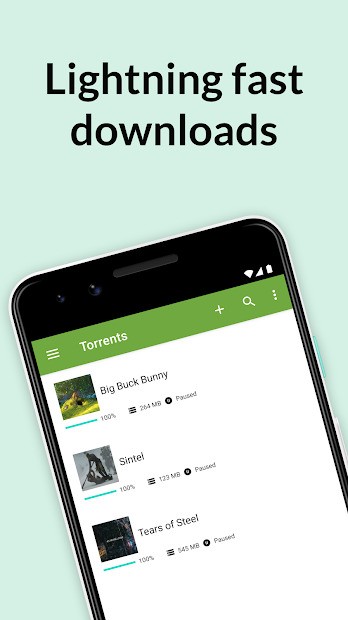
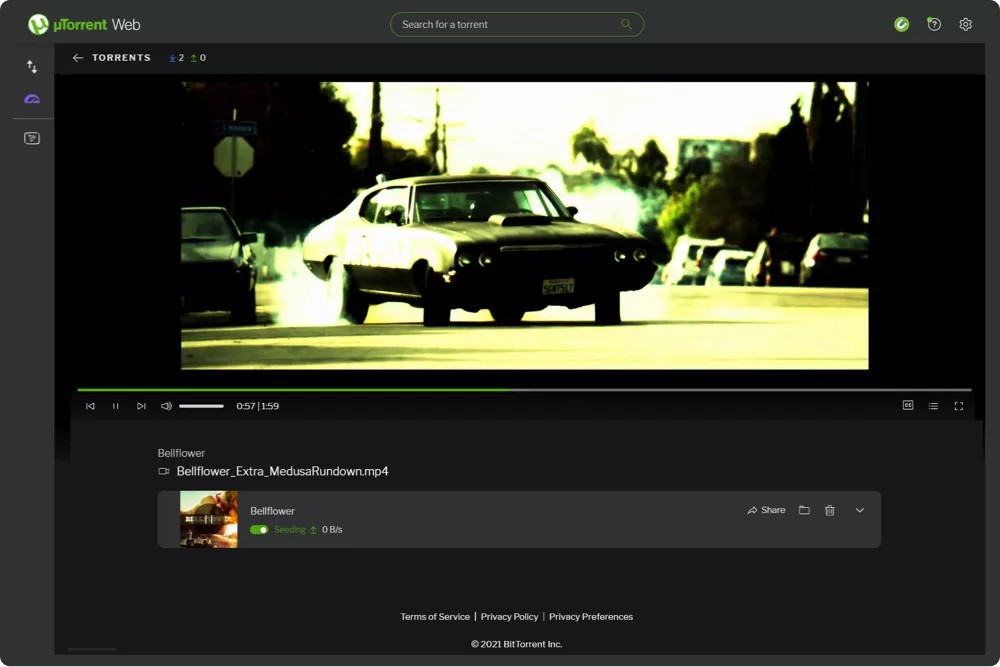
µTorrent Web offers a browser-based alternative that lets you download and stream torrents without installing any software. It is a convenient option for anyone who wants quick torrent access across multiple devices without committing to a full desktop installation.
What Are the Alternatives to µTorrent (uTorrent)?
BitTorrent proves itself as the top alternative to uTorrent for users seeking unrestricted software and no advertising interruptions. If advertising in the free tier is a dealbreaker, qBittorrent is the most frequently recommended alternative. It is completely free and open-source, with no ads of any kind. Feature-wise it covers the essentials well, offering download queue management, speed throttling, and a built-in torrent search engine. For users who simply want a clean, ad-free torrent client with reliable core functionality, qBittorrent is hard to beat.
Transmission is a favorite among Linux and macOS users thanks to its minimalist design and tiny resource footprint. It skips the bells and whistles in favor of doing the basics efficiently, yet still includes useful features like peer encryption and a web-based remote interface. NAS owners and users running embedded systems often choose Transmission because it runs reliably in the background with almost no overhead.
Vuze rounds out the alternatives as a full-featured BitTorrent client with a polished, beginner-friendly interface. Searching for torrents is simple enough, whether you are working from tracker sites, magnet links, or shared URLs. Once a download starts, Vuze tracks its progress in real time and offers extras like RSS-based automatic downloads and remote management from another computer or phone. Despite its feature depth, it stays reasonably light on system resources.