Netflix in Germany isn’t bad, until you realize it’s missing hundreds of shows and movies that are just…gone. From Alone to Urban Cowboy to the latest blockbuster drops, the American Netflix library has nearly 5,900 titles, while Germany’s tops out at around 4,000. That’s a serious chunk of content you’re locked out of, simply because of where you’re located.
But here’s the good news: you can unlock the full American Netflix catalog in Germany with the right VPN. It’s fast and works across phones, laptops, Smart TVs, and even Fire Sticks, as long as you pick a VPN that can actually dodge Netflix’s blocks.
We’ve done the testing, dodged the dreaded “Whoops, something went wrong” screen, and found the best VPNs to watch Netflix US in Germany that still work in 2026.
How to Watch American Netflix in Germany (Step-by-Step)
We picked NordVPN for this walkthrough because it’s the most consistent VPN we’ve tested with Netflix.
It has 1,970+ servers across the US, uses a blazing-fast NordLynx protocol, and comes with SmartPlay technology, which automatically bypasses Netflix’s geo-blocks, so no manual DNS tweaks needed. Basically, it just works, and it works well.
Access Netflix US with NordVPN
Here’s how to get set up in a few easy steps:
- Sign up for NordVPN: Go to NordVPN’s official site and pick a long-term plan. It starts at just over $3/month and comes with a 30-day money-back guarantee, so you can test it risk-free.
- Download and install the NordVPN app: It supports everything: Windows, macOS, iOS, Android, smart TVs, and Fire TV Stick. We used it across multiple devices, and it performed the same everywhere.
- Log in and connect to a US server: Open the app, log in, and use Quick Connect or manually pick a city in the US. New York and Los Angeles worked best for us when streaming.
- Clear your browser cookies and refresh Netflix: Netflix stores location data in cookies. Wipe those out to make sure the platform sees your new US location clearly.
- Launch Netflix and start watching the US library: That’s it. Once connected, Netflix should automatically show the American catalog. If not, switch to a different US server. NordVPN has dozens, so you won’t run out.

If everything’s set up right, you’ll be streaming American Netflix in Germany just like you’re back in New York. And if anything ever hiccups, NordVPN’s live chat support actually knows what they’re doing (yes, we tested that too).
Best VPNs for Watching US Netflix in Germany
Not every VPN that claims to unblock Netflix actually does. Some buckle under pressure, others get flagged and blacklisted within minutes. That’s why we went full stream-head and tested each provider specifically with US Netflix in Germany — multiple times, on different devices, and under real-world conditions.
Here are the only ones that consistently worked.
1. NordVPN
We tested a bunch of VPNs claiming to unlock US Netflix from Germany, and most of them cracked under pressure: blocked, slowed down, or simply didn’t load the right library.
NordVPN stood out as the only one that got us into the American catalog every single time with straight access. On top of that, it’s worth noting that this is the best VPN to use in Germany.
What Makes NordVPN So Reliable?
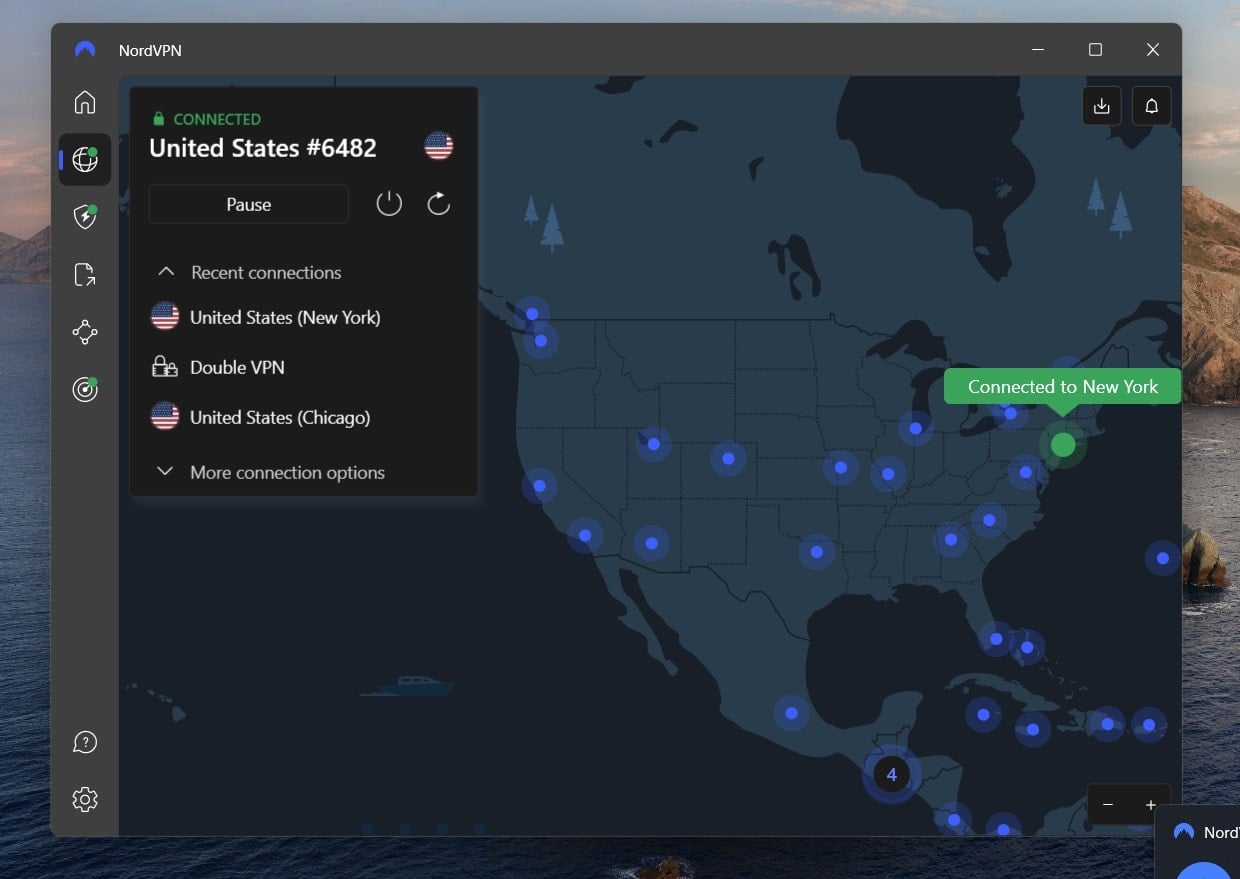
It’s all about SmartPlay. NordVPN blends its streaming-optimized Smart DNS with encrypted tunneling behind the scenes, so Netflix can’t tell you’re using a VPN, and you don’t have to touch a single DNS setting. We didn’t need to hunt for special Netflix servers either. Just connecting to any US location (New York and Atlanta were our go-tos) instantly pulled in the full US content lineup, even on our German Netflix account.
Netflix’s detection system is no joke, but NordVPN’s obfuscated servers helped us stay under the radar even when connected from more restrictive networks like university campuses and shared Wi-Fi.
Streaming Performance
Running on NordLynx, NordVPN’s custom take on WireGuard, we consistently hit 85–92% of our base speed on German ISPs like Deutsche Telekom and Vodafone. That meant smooth 4K streaming, no delays while skipping through long episodes, and no downgrade in quality even during weekend primetime. We even tested multiple devices streaming at once (phones, laptops, and a Fire Stick) and didn’t see any drop in performance.
Cross-Device Compatibility
NordVPN’s app works on literally everything. We used it on Windows, macOS, Android, iOS, and even Apple TV, which now has a dedicated NordVPN app (no more router workarounds needed). It also supports up to 10 simultaneous connections, so everyone in your flat can stream their own Netflix account from the US at the same time.
Pricing
Long-term plans start at just over $3 per month, which is a steal for the level of streaming access and stability you get. There’s also a 7-day free trial on Android and a 30-day money-back guarantee, so you can test it out before locking in.
Pros
- Bypasses Netflix blocks easily
- Great speeds with NordLynx protocol
- Dedicated apps for Apple TV and others
- So many servers in the US
- Risk-free 30-day refund policy
- Affordable long-term plans
Cons
- Price fluctuations
2. ExpressVPN
If NordVPN is the powerhouse, ExpressVPN is the smooth operator. It’s the VPN we turned to when we wanted Netflix US to just work — no lag, messy settings to tinker with, or guessing which server to pick. It nailed the balance between ease of use and consistent access, especially on Smart TVs and mobile devices.

Effortless Streaming, Anywhere in Germany
ExpressVPN has a streamlined server network, but it’s smartly optimized. When we connected from Hamburg and Munich to US servers in New Jersey, Washington DC, and Los Angeles, Netflix instantly switched to the American library, without ever tripping up Netflix’s proxy error warning. Beyond that, you can count on it to access any American TV channel while you’re in Germany.
The real MVP here is Lightway, ExpressVPN’s custom protocol built for speed and stability. During testing, we pulled in full HD streams with zero buffering, even when using shared hotel Wi-Fi or hopping between mobile and desktop. That consistency matters when you’re binging late-night Better Call Saul and don’t want the party cut short.
It’s All About Compatibility
What really sets ExpressVPN apart is how seamlessly it runs on nearly every platform we tested. Windows and macOS apps were flawless, and ExpressVPN’s native app for Apple TV made streaming on the big screen a total breeze, no weird DNS workarounds or side-loaded apps required.
And if you want to run Netflix US across your whole household, ExpressVPN supports router installations, which we set up in under 15 minutes to get every device connected through a US IP.
Pricing
ExpressVPN’s plans start a bit higher than others, around $5/month on long-term deals. But you’re paying for polish, reliability, and near-invisible background operation. There’s a 30-day money-back guarantee, so you can take it for a spin with Netflix without risking anything.
Pros
- Works flawlessly with US Netflix on all devices
- Top speeds
- Dedicated Apple TV app and Smart TV support
- Great for households with multiple streamers
- Simplfiied UI takes no time to get used to
Cons
- More expensive than other top-tier VPNs
- Only supports 8 simultaneous connections
3. Private Internet Access
Private Internet Access is a low-key beast when it comes to unblocking US Netflix. It might not shout the loudest in ads, but in our real-world tests from Germany, it unlocked the American catalog across multiple servers — and gave us total control over how we connect.
Solid Netflix Access, No Fuss
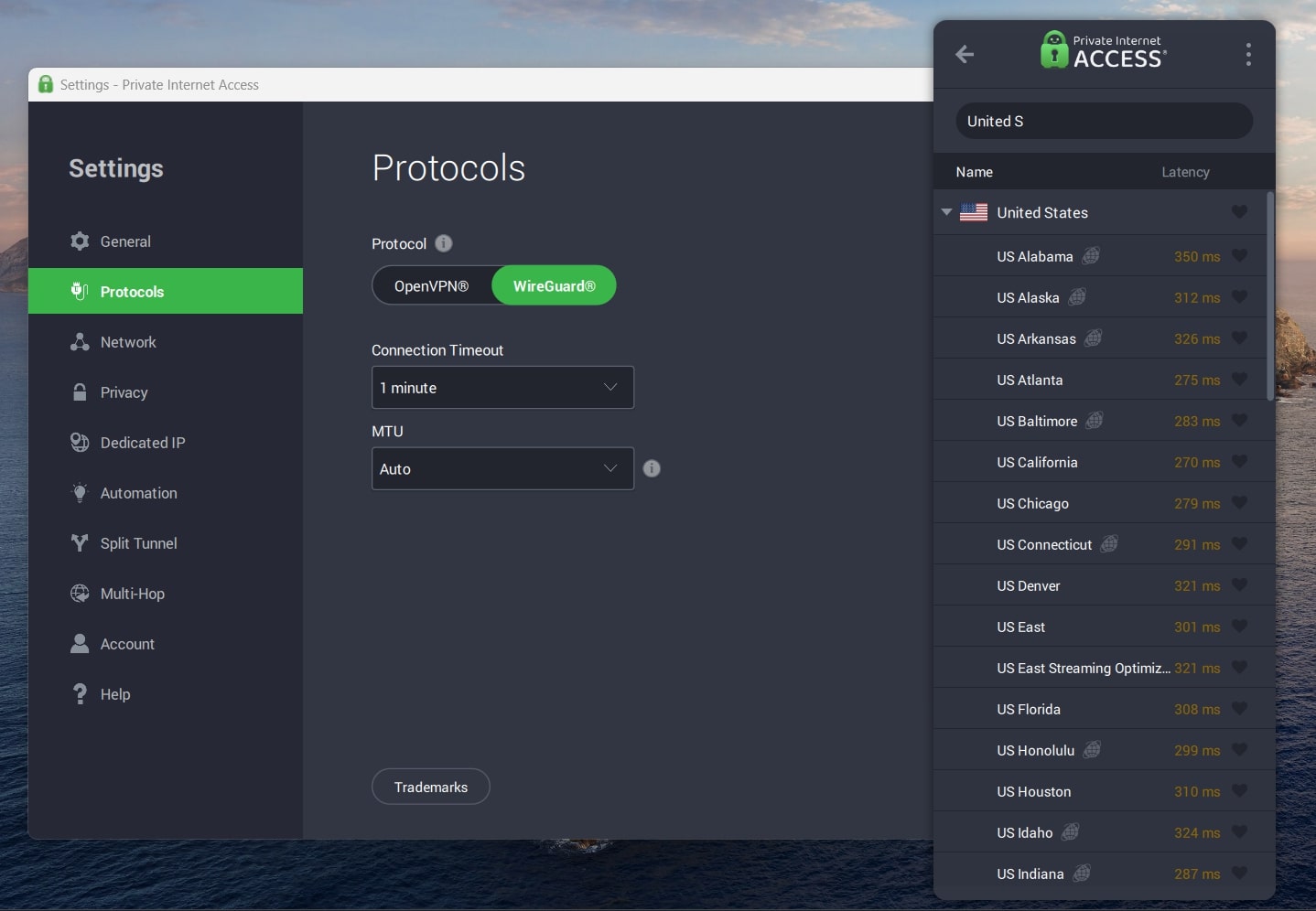
PIA has servers in all 50 US states, which gave us unmatched flexibility. Whether we connected through Texas, Florida, or California, Netflix US loaded up without complaint. We didn’t get any proxy warnings, and playback remained steady, even when skipping between episodes or switching user profiles mid-stream.
It doesn’t have flashy features like SmartPlay, but what it does have is raw consistency, especially if you like having more control over your setup. We manually adjusted protocols (WireGuard worked best for us), toggled DNS leak protection, and customized encryption settings, all without it ever impacting stream quality.
Streaming Speed and Device Support
Even with all that control, speeds held up. Over a 100 Mbps base connection, we regularly hit 80–88 Mbps while streaming through Private Internet Access US servers. 4K streaming on a Smart TV? Smooth. Running Netflix in the browser while downloading something in the background? Still smooth.
PIA’s apps cover all the essentials: Windows, macOS, Android, iOS, Linux, and Android TV (It offers one of the highest-rated VPN apps for Android TV). While it doesn’t yet have a native Apple TV VPN app like NordVPN or ExpressVPN, we set it up on a router for whole-home Netflix access, and it worked like a charm.
Best of all? You can use Private Internet Access on unlimited devices, which is a dream for roommates or big families who all want to stream something different at the same time.
Pricing
Private Internet Access is one of the most affordable top-tier options around, with plans starting at just over $2/month if you go long-term. You also get a 30-day money-back guarantee, which gave us plenty of time to test US Netflix across multiple accounts and regions.
Pros
- Servers in all 50 US states for pinpoint access
- Unlimited simultaneous connections
- Strong privacy and open-source apps
- Affordable long-term pricing
Cons
- No Smart DNS or Smart TV app
- Interface can feel a bit much for newbies
Can You Use a Free VPN to Unblock American Netflix in Germany?
Technically? Yes.
Practically? Not really.
Most free VPNs crumble under Netflix’s pressure. Either they don’t offer US servers, their speeds are too slow to stream, or Netflix outright blocks their shared IP addresses.
Even if you manage to get on the platform, you’re likely to run into choppy playback, resolution downgrades, or the dreaded “proxy error” message.
We tested Proton VPN’s service, which is often ranked as the best free VPN for general use.
It does offer free servers in the US, which is more than most can say. But here’s the catch: those servers are heavily congested, making streaming difficult.
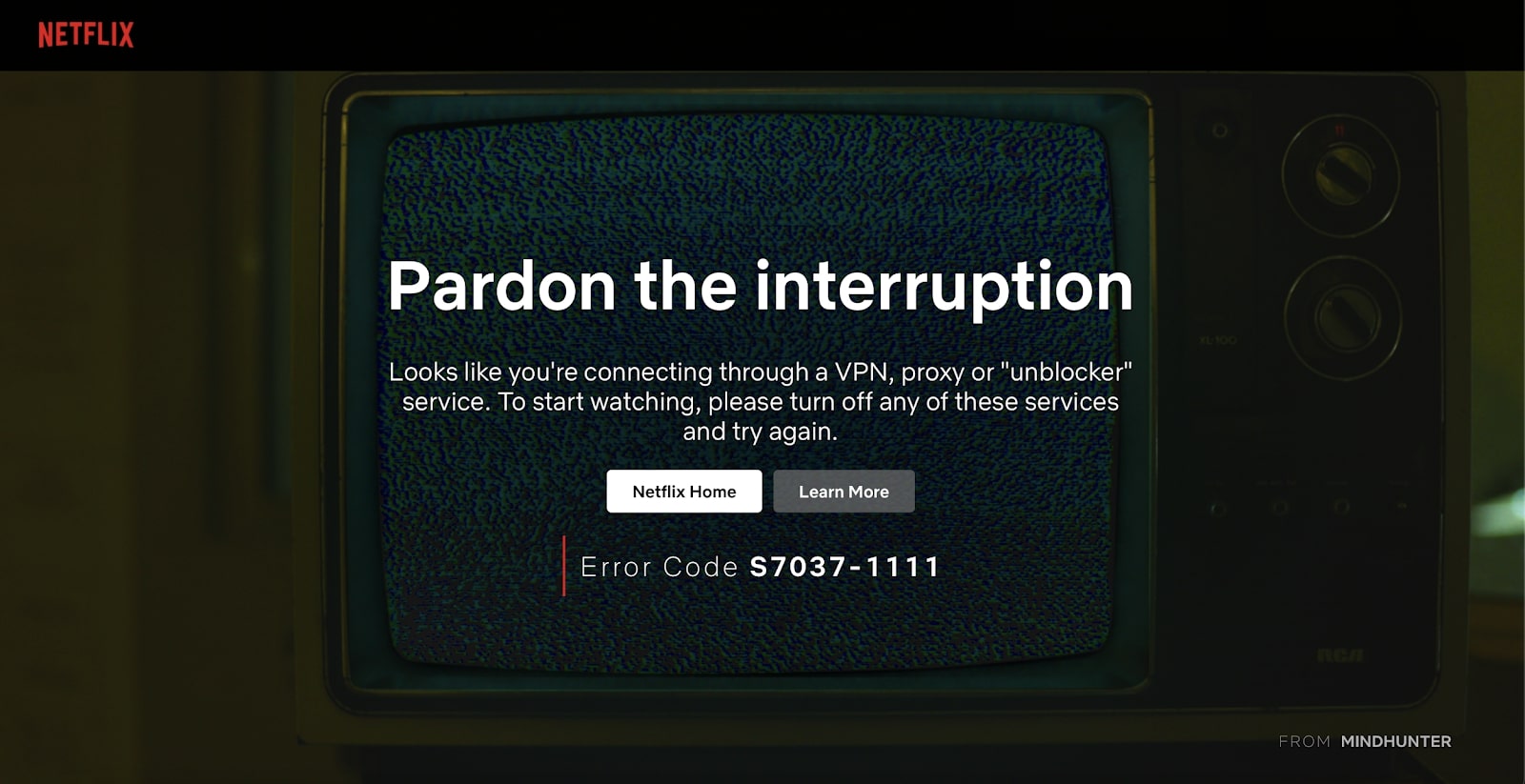
When we tried loading US Netflix with it from Germany, we got standard geo-blocks or endlessly spinning load screens. It’s a solid option if you’re just browsing or need occasional encryption, but not for streaming US content from abroad.
In short, if you’re serious about unlocking Netflix’s US catalog in Germany, a free VPN won’t cut it. We recommend you go for premium VPNs to watch US Netflix in Germany, as they are a much safer, more reliable bet without long-term risk.
Final Words
If you’re in Germany and tired of seeing a trimmed-down version of Netflix, a VPN is the only way to break past the geo-barriers and unlock the full US library. But not just any VPN to watch US Netflix in Germany will do. Netflix is quick to block weak or overused servers, especially from free or low-tier providers.
That’s why NordVPN stands out. With its massive US server fleet, SmartPlay tech, and blazing-fast speeds, it delivered flawless access to Netflix US during our tests, across every device, from laptops to smart TVs. If you want the full streaming experience without frustration, it’s the VPN you can trust.