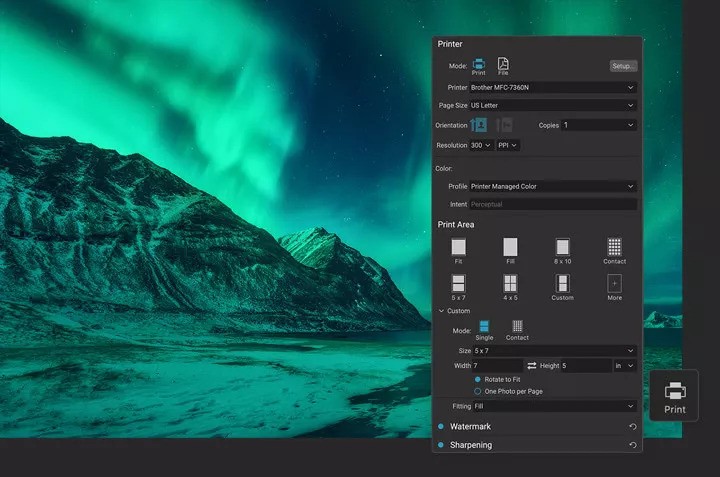
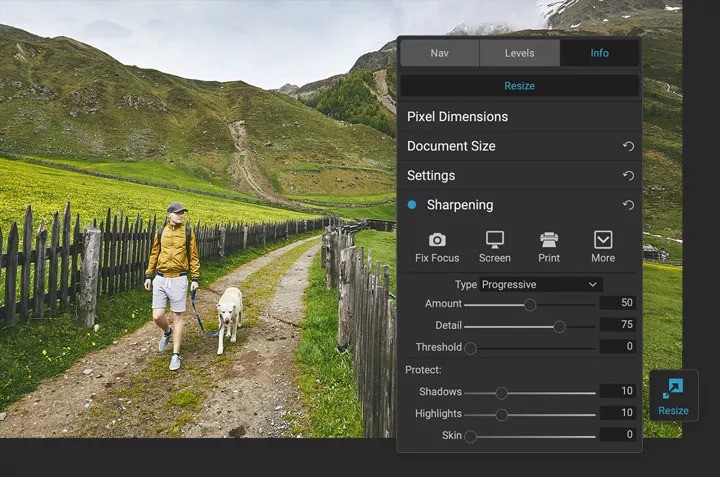
The software program ON1 Resize AI provides users with a solution to stretch images along with resolution enhancement while maintaining high image quality. Photographers as well as designers alongside content creators who need to enhance their large-scale printed materials and scalable photos use this software tool exclusively.
ON1 Resize AI differs from standard tools through its artificial intelligence function that completes details which get lost in the resizing process. The tool attempts to comprehend the original content instead of stretching images manually before it reconstructs the photos with a natural appearance. The tool functions best with photographs from lower-resolution devices or vintage digital images, together with pictures captured on cell phones that need large scale printing.
With Resize AI, ON1 created a software that integrates completely into its photo editing suite, but also operates independently for users. The tool performs two steps in its process: it analyzes image patterns and edges and applies an AI model to optimize image quality while increasing the size by 2x, 4x, or larger. This app delivers enhanced resolution power with crystal clear details, which are ready for desktop printing. This technology provides significant print-related advantages for photographers who use standard and premium printing formats.
Why Should I Download ON1 Resize AI?
The ON1 Resize AI application becomes necessary whenever you notice pictures that need enlarging past their initial quality standards. ON1 Resize AI offers capabilities to improve the quality of images for gallery prints, as well as poster designs and cropping operations that need to maintain resolution standards.
The program transforms hidden details in low-resolution photos to achieve optimal results when printing them at large sizes. Through its software capabilities, you can forget about harsh resolution requirements when you capture because the program will complete what is missing later. The platform provides users with adaptability, which many people rediscover to save time and trouble or bypass the need for additional shoots.
The key feature of the ON1 Resize AI software lies in its ability to deliver smooth detail retention. This tool distinguishes itself from other upscaling applications by trying to maintain realism when preserving edges and details. This software interprets faces together with skies and textures and modest features such as hair strands and tree branches before providing enhancements that avoid appearing artificial.
Natural image appearance matters particularly during professional work when viewing images at proximity. The software provides both film grain capabilities and huge print tiling and batch processing, in addition to its high sharpness. The program allows you to resize multiple images on separate folders without manual editing. The program integrates seamlessly into your workflow because it does not reduce your productivity speed.
People choose ON1 Resize AI because the software supports different image formats. All three graphic file formats including JPEGs and TIFFs together with RAWs are supported by this software solution. Irrespective of photographs being from professionals or blurry vacation photos taken by beginners, this software maintains its ease of use. The application interface follows a basic layout that operating without requiring any editing skills from users.
The AI begins its work after you upload an image while selecting its desired size. This software allows two different usage methods: working independently as a standalone program and connecting with ON1 Photo RAW to expand its application possibilities based on your system setup.
Users install ON1 Resize AI because the program allows them full command of their images while maintaining optimal quality standards. The tool delivers professional-grade results to all types of users who need their snapshots enlarged for printing or client projects, or wish to publish images with superior quality. The app transforms what would become an image-limiting factor of low resolution into a problem you can manage through its features. The product presents major advantages which help creative professionals handle every aspect of their work.
Is ON1 Resize AI Free?
ON1 Resize AI is not free. Users can obtain it through a single-purchase payment or as part of their ON1 Photo RAW subscription bundle. The software provides a test period through a free trial for users who want to explore it without purchase. Some functionality lies exclusively within the complete paid version.
What Operating Systems Are Compatible with ON1 Resize AI?
The software product ON1 Resize AI serves Windows and macOS computers. The application supports Windows 10 and 11 while Mac users need a minimum operating system of macOS 11 or later.
The software requires sufficient RAM together with a contemporary graphics processing unit to perform its functions, including batch processing and handling large files, effectively. The application functions best on laptops and desktop machines, with basic recommendations for photo tool hardware. Users should use the software through a full system setup, as the software lacks a mobile version at the present time.
What Are the Alternatives to ON1 Resize AI?
Besides ON1 Resize AI you can explore multiple strong options for image upscaling with AI featuring similar output results.
Upscayl is one of the recognized alternatives to ON1 Resize AI. Users receive access to this open-source tool because it utilizes AI models to enhance images while offering unrestricted platform availability, which includes Linux. ON1 Resize AI offers additional benefits, but Upscayl represents a suitable choice for users who need basic AI-improved scaling functionality. The program functions with basic usability and lets anyone who avoids editing applications still use it.
Deep Image provides another reliable choice as an alternative. The web and mobile-based solution operates from the cloud storage environment and does not need software installation to function properly. You can add your images to the deep learning server, which will execute processing through its models. Users can choose their upgrading requirements, since the service demands payment based solely on how many files require increased resolution. Deep Image delivers quick results to people who prefer not to work with large software installations, while benefiting marketing groups who require photo resolution enhancement for their visuals.
Topaz Gigapixel AI represents the leading direct competitor against ON1 Resize AI in the market. The system applies very sophisticated machine learning technology to process millions of images during its training. Topaz Labs dedicates all its research efforts to AI image enhancement, which has resulted in Gigapixel AI earning a solid reputation for delivering stable results. The program excels at detail restoration and compression noise elimination when used on vintage images. Some users pick Topaz Gigapixel AI over ON1 Resize AI since this program dedicates its capabilities exclusively to image upsampling operations, even though both tools achieve comparable performance when benchmarked. Users can try the software through a free trial and benefit from continuous software upgrade intervals, although it does not provide a free user base.