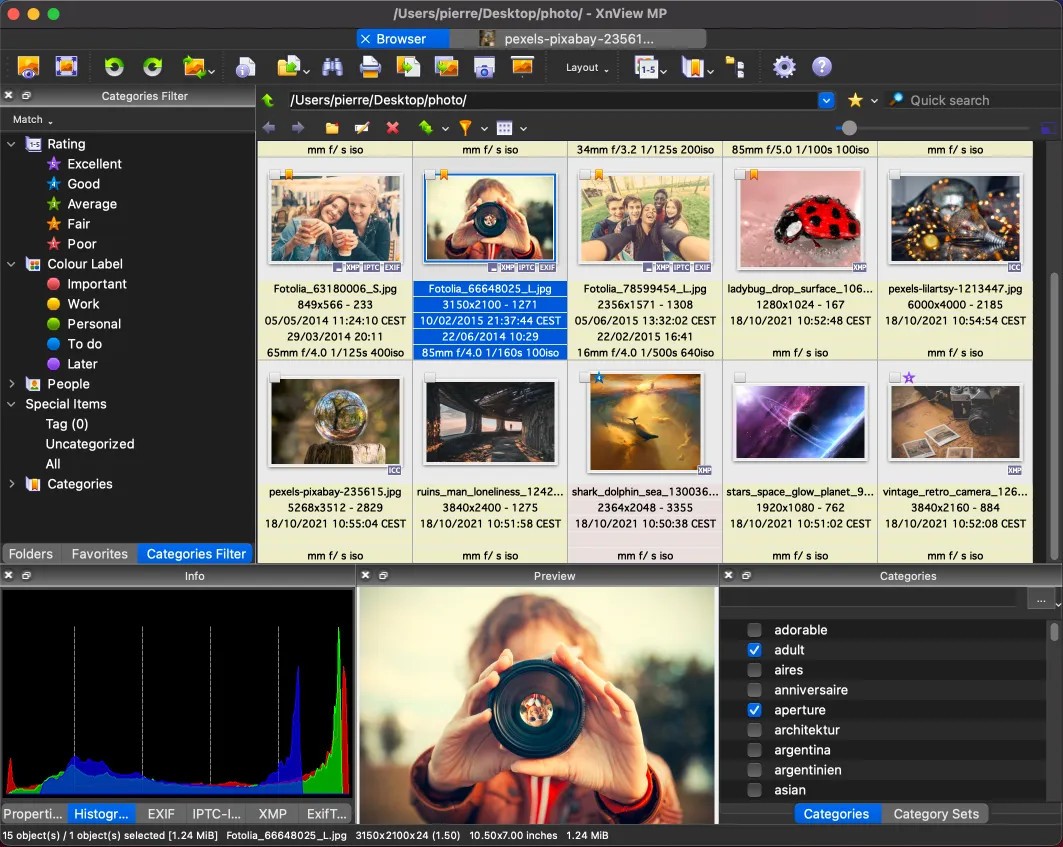
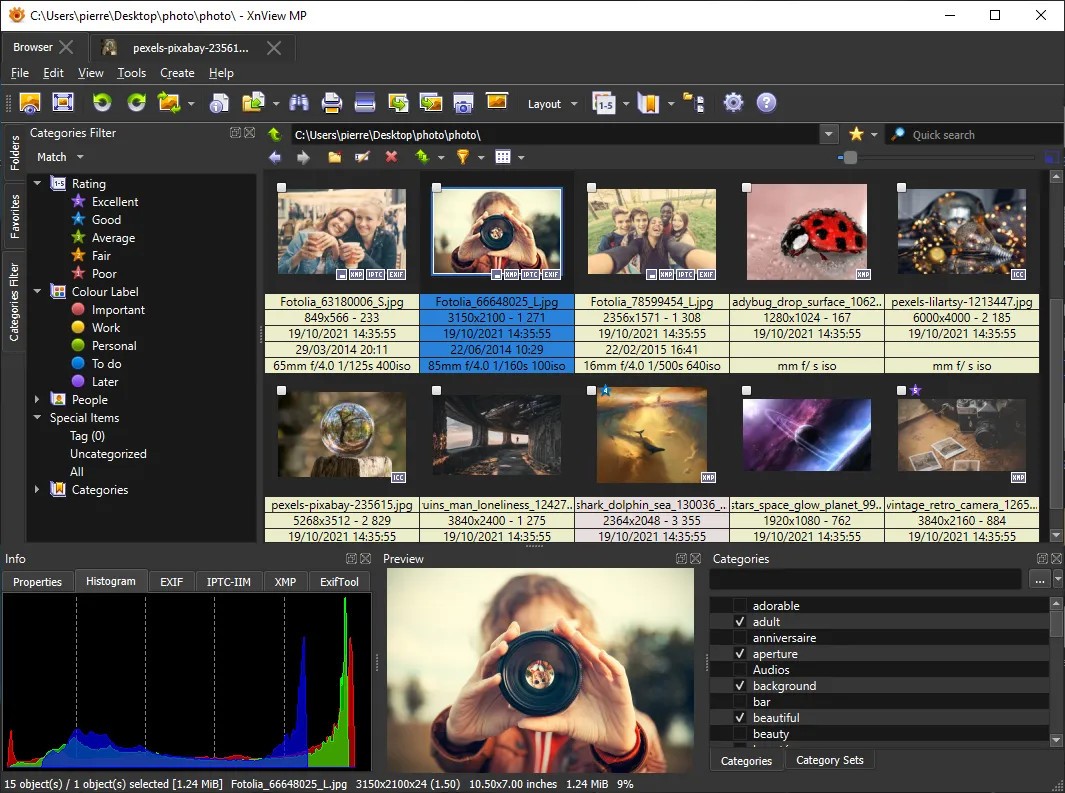
XnView MP represents more than basic image viewing capabilities. It constructs an elegant point of integration for image organization and conversion functions alongside editing features. XnView MP operates with hundreds of image file types while managing sizable collections of images efficiently, and makes its services available to users from casual photographers to digital archive professionals and tidy-minded users. The "MP" designation in its name indicates that this version supports equal performance between Windows, macOS, and Linux operating systems (while XnView doesn’t).
XnView MP creates an attractive experience by remaining unflashy. The program presents itself with a direct interface that enables quick access to all essential viewing, editing, tagging, and sorting tasks, along with conversion and basic retouching operations. XnView MP appears to be an application that developers created keeping in mind how picture users operate through daily file interactions, especially when handling large volume image sets.
The application lets you browse photos while you can sort them by folders and apply ratings or tags simultaneously with side-by-side image comparisons. XnView MP operates with exceptional reliability and rapid performance regardless of user collection size, so you can perform your work without frustration. The application maintains all important elements in their executable area while avoiding unnecessary overreach.
Why Should I Download XnView MP?
The act of downloading XnView MP creates a transformation in how users manage their digital picture collections. The experience of sorting numerous files dispersed over multiple device folders demonstrates the rapidity with which things become unorganized. This reliable program acts as your guide to maintain orderly control during software chaos. This program accepts any image format you want to open and gives you full access to rename alongside categorize, edit, and export without needing to move between different applications or cumbersome menu systems.
The software succeeds thanks to its sophisticated linking of all its different functions with one another. No complicated process exists for image rotation while applying filters and altering brightness levels. All essential features become accessible in perfectly organized interfaces, which makes the program simple to understand for new users. Users who want to customize their workflow processes can access all parameters from batch processing to metadata control and color profiles, and filter rules.
The system becomes a strong candidate due to its quick and agile operation. The program launches quickly and operates through big image compilation, yet never becomes unresponsive despite running on minimal hardware. Most software with these comprehensive features typically demonstrates slower performance, yet this one maintains high speed. The software functions equally well regardless of the number of files and folders that need batch conversion and metadata-based renaming operations.
Users will notice how the program gives them freedom to work in their preferred manner. Nothing feels forced. The program provides the option to browse through files if you need to. The program supports tagging and organizing features for users who need this capability. The program enables users to modify their images before saving them, both in digital archives and during uploads. The software operates independently of Lightroom or Photoshop instead of attempting to replace them, because it focuses on neglected functionality.
And let’s not forget privacy. The software operates silently without sending data to the web, and it does not compel users to synchronize their accounts. XnView MP operates from your local machine and stores your files on it while refusing to promote cloud storage or account sign-ins. Modern software provides very little support for user control in its design, despite how unusual this respect has become.
Is XnView MP Free?
The free personal non-profit version of XnView MP remains available for users who want its features. Users can obtain the full version of the program at no cost through the installation process. The free version of XnView MP provides every function necessary for users who are not engaging in commercial activities because it contains no restrictions or distracting prompts.
What Operating Systems Are Compatible with XnView MP?
The software XnView MP operates effectively on Windows, macOS, and Linux operating systems. XnView MP becomes most powerful through its ability to work across multiple platforms, which greatly helps users who require transition between devices or combine different computing environments.
Within XnView MP, users experience a standard interface regardless of their operating platform, which successfully works on older machines. The application launches rapidly from all Linux laptops and performs flawlessly and without delay on both lightweight and high-end Mac devices. Users can easily install the software, and the developers release regular system updates for optimal performance.
What Are the Alternatives to XnView MP?
Beyond XnView MP, there exist several alternative image management programs that share similar functions at their own interface level.
The most chosen substitute for XnView MP is FastStone Image Viewer. The program delivers fast functions through its contemporary design. The image management tool provides image browsing, editing, batch operations similar to XnView MP and uses a simpler user interface design. XnView MP lacks some file compatibility compared to other programs and provides lesser metadata handling but operates as a lightweight and trustworthy program, particularly for viewing and fast adjustments.
Professional photographers who prioritize archiving functions find digiKam to be their preferred tool. The open-source program provides extensive functions for tagging alongside facial recognition and database-based organization. Users who work with extensive photo collections should learn its deep asset management features, since the learning process requires some time. Many users value this program for its RAW file compatibility together with its non-destructive editing tools.
Another trusted name is IrfanView. Decades have passed, yet many photo users choose IrfanView because of its fast operation speed and easy-to-use interface. The loading time for IrfanView images is instant, while users have access to powerful editing capabilities with batch processing tools. The program displays an outdated appearance yet delivers impressive basic operational capability. This program delivers outstanding efficiency, especially on aging machines, while maintaining active updates because of its unpretentious design.
For Windows users only, XnView stands as an important mention. While maintaining fundamental features, the original edition does not support multi-platform functionality or contains all the added features that the MP version delivers. The Windows version of the classic tool serves most users, since they require no new interface or advanced capabilities.