Windows 7 Games for Windows 10/11 is a package of restored casual games that were pre-installed on older Windows systems. When Microsoft replaced them with new app versions in later updates, they were vastly different from the originals. This collection recreates those classics with the same visual style, controls, and sounds, but updated to run perfectly on modern versions of Windows. It's an easy way to revisit the games that were once part of every computer.
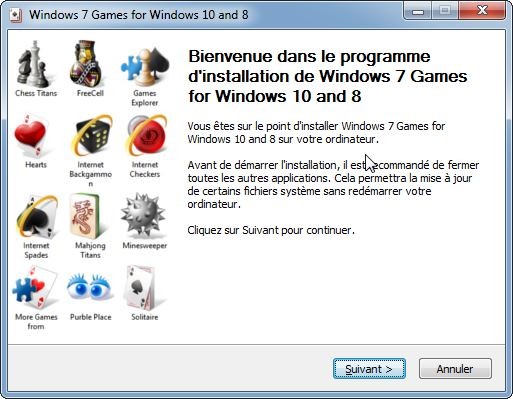
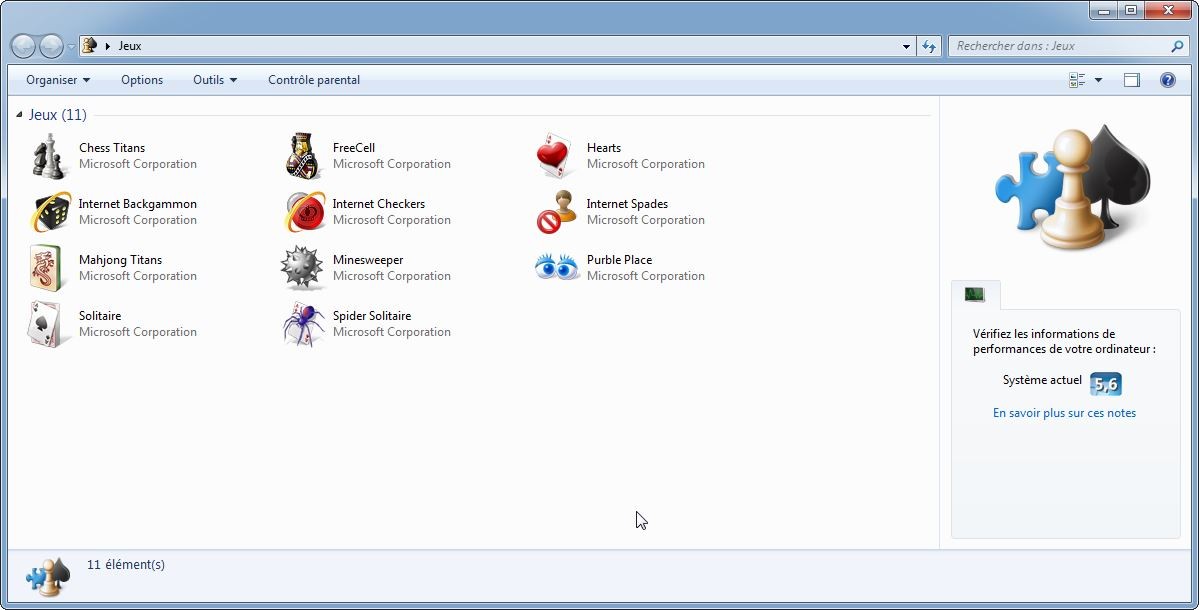
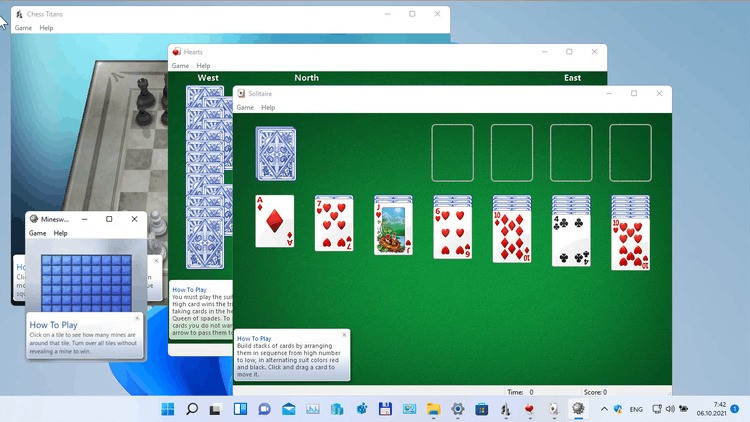
The Windows 7 Games for Windows 10/11 package includes Chess Titans, Mahjong Titans, Solitaire, Spider Solitaire, FreeCell, Hearts, Minesweeper, and Purble Place. All of them keep their original look, settings, and gameplay, and you can install the entire package at once. After that, it is integrated directly into your Start Menu, just like it did on Windows 7. You can install it on both the newest computers and on older machines, and they will run smoothly.
By choosing Windows 7 Games for Windows 10/11, you can revisit the games but also switch to a different type of casual gaming where there are no online features or microtransactions. The package has no ads, you don't need to log in to play, and you can even use it offline. Windows 7 Games for Windows 10/11 is compatible with all versions of Windows 11, Windows 10, Windows 8.1, and Windows 8.
Why Should I Download Windows 7 Games for Windows 10/11?
For those who remember the original games, the main appeal is that these versions are exactly the same games you played on Windows 7, XP, or earlier. Their design has not changed; they were simply rebuilt to function on Windows 8, 10, and 11. Everything from the sound effects to the interface is identical to how it was back then. There are no complicated menus or account requirements. You simply click a game and start playing, which is a lot different when compared to modern titles that rely on internet connections and background updates.
With Windows 7 Games for Windows 10/11, you get something for every type of player. If you enjoy puzzles, Mahjong Titans and Minesweeper provide challenges with adjustable difficulty. For those who prefer strategic thinking, Chess Titans offers multiple AI levels, beautiful 3D pieces, and camera controls that make each match visually dynamic. Card game fans can switch between Solitaire variations or enjoy the quick, tactical pace of Hearts. Even Purble Place, designed originally for children, offers fun pattern-recognition and memory games that everyone can enjoy, no matter their age.
Unlike modern games, the collection available in Windows 7 Games for Windows 10/11 doesn't take up much space, the games don't demand high specs, and run instantly on most modern PCs. You just quickly install them and, once added, the titles behave as if they were native parts of your operating system. The games work seamlessly offline, meaning you can enjoy them anywhere without worrying about an internet connection. They don't have ads, don't integrate with cloud systems, and just deliver a basic experience that was once the standard.
All the games in Windows 7 Games for Windows 10/11 are quick enough to enjoy while multitasking, so you can play a quick game while listening to music, waiting for downloads, or taking a break from work. All the games are easy to understand, follow the traditional games they were based on, and are super addictive even for people who are not familiar with them. You can download Windows 7 Games for Windows 10/11 for any new Windows system for free.
Is Windows 7 Games For Windows 10/11 Free?
Yes, Windows 7 Games for Windows 10/11 is entirely free to download and use. You get the full suite of games at no cost, and there are no advertisements or optional purchases. Once installed, you have unrestricted access to all titles, and they are regularly updated to keep running as Windows releases updates to its systems.
What Operating Systems are Compatible with Windows 7 Games for Windows 10/11?
Just as the name suggests, Windows 7 Games for Windows 10/11 is compatible with newer versions of this operating system, but apart from Windows 10 and 11, you can also use it on Windows 8 and 8.1 in both 32-bit and 64-bit versions. When you install it, you can select the specific games you want to add, and the collection works across all major editions of Windows, including Home, Pro, and Enterprise. Once installed, the games will be added to your Start Menu with their original names and classic icons.
What Are the Alternatives to Windows 7 Games for Windows 10/11?
Microsoft Solitaire Collection is the modern version of the original Solitaire games offered in previous systems. It has five different versions of the game, like Klondike, FreeCell, Spider, TriPeaks, and Pyramid, and you get daily challenges, cloud syncing, and can compete for rewards. You can get the bundle for free on iOS, Android, Windows, and Xbox.
Microsoft Ultimate Word Games offers a mix of word puzzles, including Crossword, Wordament, and Word Twister. You can train your vocabulary or memory with games that take different twists on word games. In some of them, you need to match tiles to create a word; in others, you create as many words as possible from the available letters; and in others, you need to provide a word that matches the description. The app is free, and you can get it on iOS, Android, Windows, and Xbox, but on mobile devices, it's called "Wordament."
Microsoft Sudoku is an excellent game if you prefer number-based puzzles, as it includes classic Sudoku grids alongside new variants like Irregular and Ice Breaker. The app offers daily challenges, cloud saves, and multiple difficulty levels. You can download it for free for iOS, Android, Xbox, and Windows.