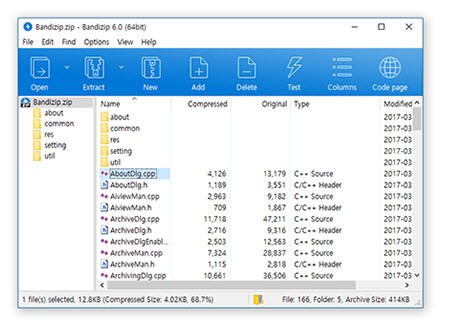
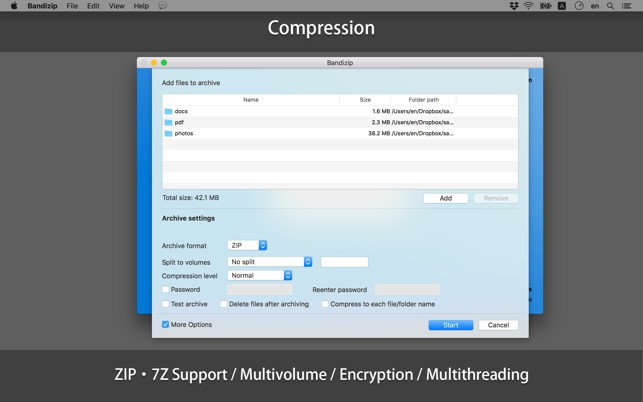
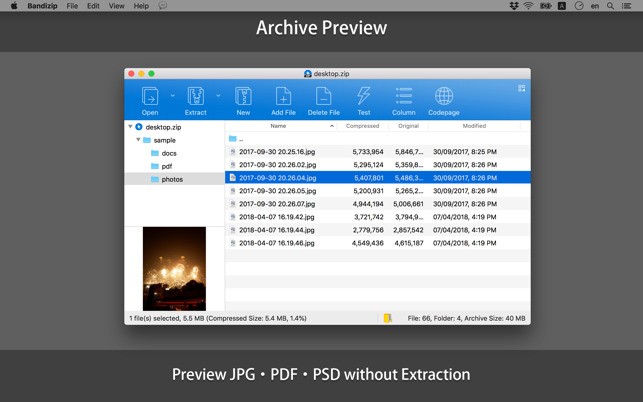
Bandizip does not waste your effort and quickly helps you archive your files. It does not make compression hard; it just offers what you require in a simple and effective manner. As soon as you set it up, the interface appears to be fast, clean, and very responsive. You won’t have to search for the tools because they are easy to find. It doesn’t matter if you are extracting files or compressing your photos; both tasks can be done by clicking a few times. Waiting isn’t required; menus are easy to read, and everything is built around speed and efficiency.
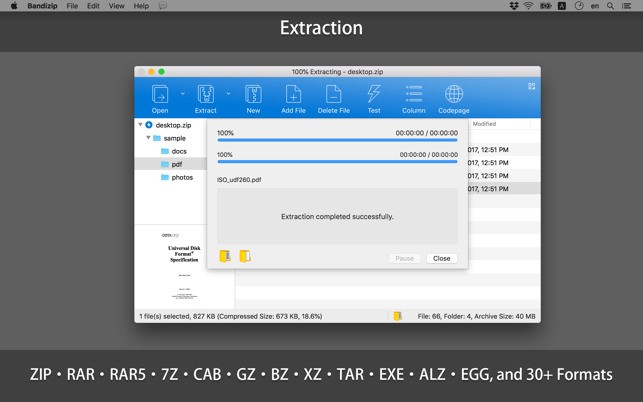
The app can handle all the main file formats, including ZIP, 7Z, RAR, TAR, ISO, and many other uncommon ones. There’s no need to worry if a file will be accessible. Bandizip makes the process easy for you. It’s also possible to change the level of compression and the speed of it using the app. You’re free to change the settings when needed. You decide how fast the download happens, the strength needed for checking, and whether the files will be split into separate pieces for downloading.
Another thing to notice is how modern the interface feels. While other compression tools seem old, Bandizip acts like it’s made for the future. The design is easy for anyone to figure out. It isn’t required to go through the manual before using the keyboard. For those handling a lot of files, Bandizip becomes one of those apps you miss when you switch devices.
Why Should I Download Bandizip?
Opening, compressing, or decompressing files through this app is very fast. It makes sure the data is stored with the best efficiency. There are no disturbing pop-ups, and Bandizip provides more than it expects from you. If you have occasionally had problems unpacking big files or accessing compressed data, Bandizip will assist you.
People who like some flexibility will appreciate this program. Do you often want to collect several archives in one process? That is possible. Have you run into the need to drag files into a freshly made ZIP instead of saving a whole new ZIP from the beginning? That is done automatically. Easy. You can work in any way that fits your preference. You get to decide how you manage your tasks, which makes your process more pleasant.
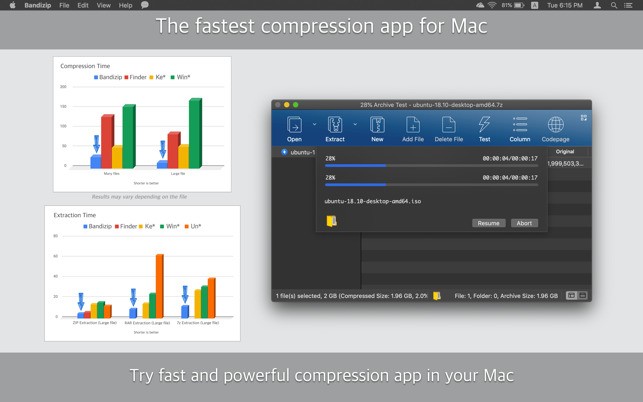
Speed is a more important aspect to focus on. Bandizip is quick to use, and its performance does not slow down when you deal with large files. There are cases where archiving tools cannot handle big or hard-to-read folders. It makes your work easy and fast. The multi-core capabilities and carefully developed algorithms help you a lot, mainly when you work with big archives regularly.
The security settings give the network an extra level of confidence. You can use strong encryption, apply passwords, and design archives that can be opened on any computer. There’s no doubt your important data or files will be protected whenever you transfer them. The filters can be set by you to manage mixed folders more conveniently.
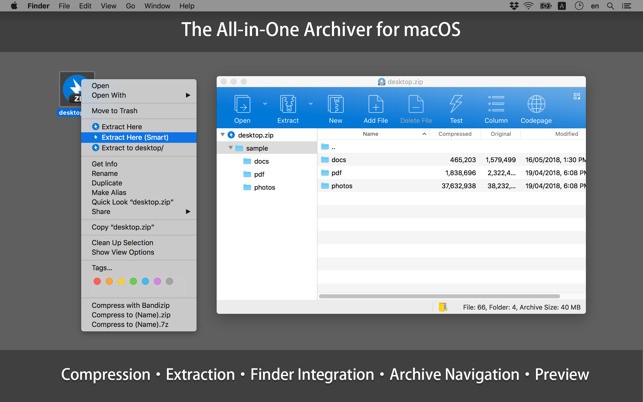
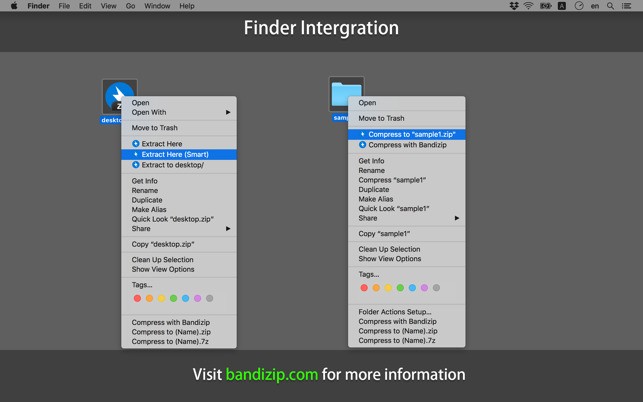
It is useful for people who use technology and those who don’t. If browsing ZIP files doesn’t happen so often for you, Bandizip is still easy to use. Most of the time, you don’t have to launch the app because you can right-click instead. You can click the item you want and then just carry on. Taken together, such convenience saves you a lot of time.
For those who regularly deal with downloaded files, email attachments, or backups they want to share, this is the software you shouldn’t go without. It focuses purely on file compression without unnecessary features. It does its job fast and with no problems.
Is Bandizip Free?
You can download and use Bandizip for free, and this version meets the needs of most users. Besides, you can purchase Bandizip Professional to enjoy features such as restoring lost passwords, being allowed to use the software commercially, and more custom options. However, when it comes to regularly extracting files and compressing them, the free program is incredibly useful.
What Operating Systems Are Compatible with Bandizip?
The software can be downloaded on Windows and macOS, and it also has a command-line version for users of Linux. It works well on all the latest systems and is created for 32-bit and 64-bit settings. Bandizip is always fast and steady, no matter if you’re using Windows 11, another PC, or switching between systems.
What Are the Alternatives to Bandizip?
There are several familiar compression tools in the same area, and every tool differs a bit. But Bandizip succeeds thanks to its fast operation, nice design, and ability to change with the times.
The classic in the field of open-source software is 7-Zip. It is not heavy, performs well, and is trusted by users. It works with numerous file types and gives great compression results. However, the program’s interface is old, so some users may not like it for this reason. When it comes to pure function, 7-Zip performs very well, although it might appear a little dull.
PeaZip is another available free tool that can open and use more than 200 file formats. This program has all the tools needed for users who want to use various formats. It also brings some useful additional tools, for example, checksum verification and secure deletion. Even so, it’s not an easy software to pick up, and the interface is crowded at first glance. Anyone who uses computers a lot may find it useful, but casual users may not.
For a long time, people have trusted WinZip as a supporter of this field. This software has a neat look, is easy to handle, and integrates features for handling cloud storage and sending emails. At the same time, WinZip makes you pay to enjoy its major features. Even though it offers a free demo version, WinZip isn’t the best option unless you are prepared to pay for extra services.