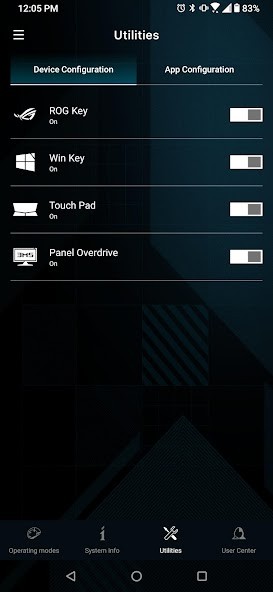
Armoury Crate is a control center application made by ASUS to assist customers in modifying and customizing their gaming hardware and system settings all within a single location. Most people who own ASUS gaming laptops, motherboards, or such peripherals as RGB keyboards and mice use them. Its highlight feature is that it brings all your settings into one hub, and you are not switching between several tools to change things such as lighting, fan speeds, or game profiles.
Armoury Crate allows you to perform all the tasks, starting with RGB lighting customization on your devices and ending with CPU temperatures and fan curves adjustment. To gamers, it is a means to have greater control over the performance and visual appeal. It runs in the background and offers you entry to power modes, system statistics, and even BIOS or driver updates.
It is not a gadget for geeks only, though. It has a fairly friendly interface even when you are not into intense customization. Whether it is your whole gaming environment you wish to light up in unison or simply enhance the performance during your gaming sessions with demanding games, Armoury Crate does it all at a central location. It turns into a digital dashboard of your machine, one that is good-looking and makes everyday use more comfortable.
Why should I download Armoury Crate?
The primary purpose of installing Armoury Crate is centralizing control. As opposed to having an app to update your drivers, another one to control RGB, and another one to make performance adjustments, Armoury Crate brings all of that under a single roof. This implies less bloatware and more time using your computer as you wish.
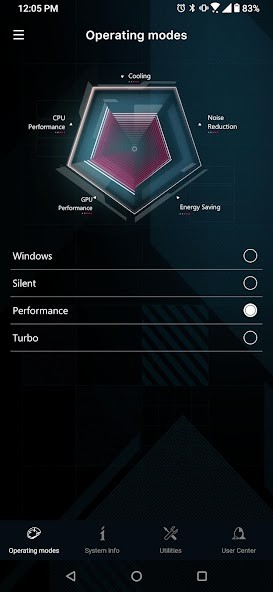
It is most useful when you are playing a game and you wish to change your profile fast. So, you are playing a power-hungry game, say, Cyberpunk 2077, and you want to switch to a lighter game, such as Hades. With Armoury Crate, you can switch performance modes with a single click. And when you have an ASUS laptop, it can even help cool things down when the system heats up or conserve battery when you are on the move.
The compatibility with the Aura Sync is another enormous advantage. So, in case you have several devices that have RGB lights, such as a mouse, headset, keyboard, and motherboard, you can synchronize them all to light up in perfect unison. You need not install them individually. All you have to do is create one profile, and it all coincides. It is a bonus to individuals who prefer a neat single look in their gaming system.
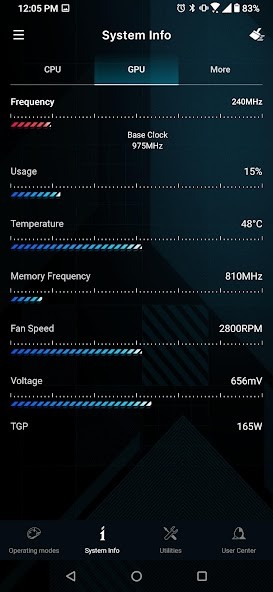
Also, Armoury Crate allows you to quickly access system information such as temps, clock speeds and voltages. When something does not seem right, such as when your laptop is getting hotter than normal, you do not need to dig out and find out what is wrong. You get to view all in real-time, identify trends and make adjustments before things become messy. That type of visibility comes in handy whether you are a hardcore gamer or you simply wish to extend the life of your system.
It goes as far as assisting you in keeping your system up to date. Armoury Crate also has driver and BIOS update reminders, which can be a little bit confusing to remember by yourself. Rather than having to go seek out updates, they are delivered to you within the application, and many times with a single click to install. It is particularly useful to those individuals who do not wish to go through the websites of manufacturers.
It is also necessary to add that Armoury Crate allows game libraries. You may back up your installed games and play them through the dashboard. Although it cannot substitute entire platforms such as Steam or Epic Games Launcher, it is a pleasant method to have everything combined. It is as if you have your gaming world in a single control panel.
And although others have complained about the performance or have concerns about bloatware, ASUS has been sending out updates that enhance stability. It is not ideal, but Armoury Crate is difficult to neglect by the owners of the ASUS devices who want to customize and control their systems.
Is Armoury Crate free?
Yes, Armoury Crate is totally free of charge to download and use. It is supplied by ASUS as a partner software to their hardware; thus, it does not require a subscription, does not have a trial version, and does not incur an additional fee. The performance modes, lighting control, and updates are and all of these features are included for free.
What operating systems are compatible with Armoury Crate?
Armoury Crate supports Windows 10 and Windows 11. It is specifically designed to work on ASUS gaming laptops, desktops, and accessories, and therefore it might not perform as expected on non-ASUS hardware. It even has a mobile app version that allows you to operate certain functions of your PC remotely in case your PC allows it. It does not support Linux and macOS.
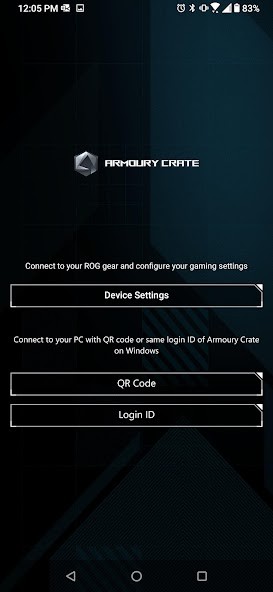
You can also control your hardware from your mobile device, such as an Android or iOS smartphone. Install the app, connect your Asus ROG device via a QR Code or with your login ID, and you’ll be able to access all settings.
What are the Alternatives to Armoury Crate?
Armoury Crate may not be exactly right for your system, or you may just wish to shop around and compare features. Either way, there are some good alternatives that will provide you with similar types of customization and control.
Nvidia App is a recent update of the control and optimization software developed by Nvidia corporation. It contains the functions of GeForce Experience such as driver updates, in-game performance overclocking, and video capturing with ShadowPlay. Though it does not control RGB lighting, it excellently controls GPU settings and in-game performances of individuals who have Nvidia graphics cards.
Another large name is Razer Synapse, though, of course, it is worth it in case you like Razer equipment. It is their own software to configure the lighting and macros, and power profiles. It shines when used with Razer peripherals, offering deep device-specific control. Not really system-wide, but rather specialized in per-device fine-grained adjustments, it does its thing very well, though.
Corsair iCUE is another one to consider. It is a powerful software that assists in control of the RGB lighting, cooling, and even some power supplies and RAM that are Corsair-compatible. Similar to Armoury Crate, it establishes different parts in a single location. It may suit you better in case your equipment is Corsair rather than ASUS.