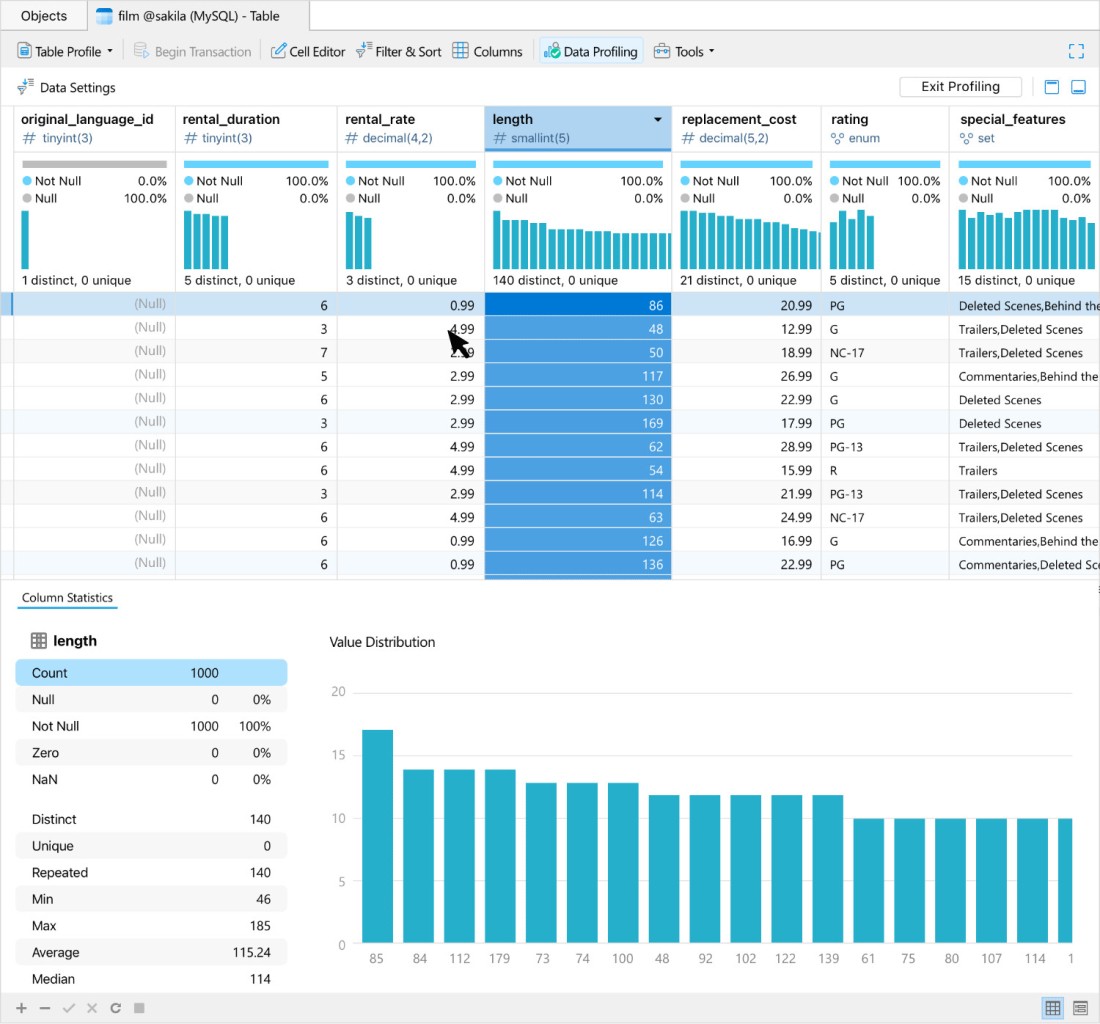
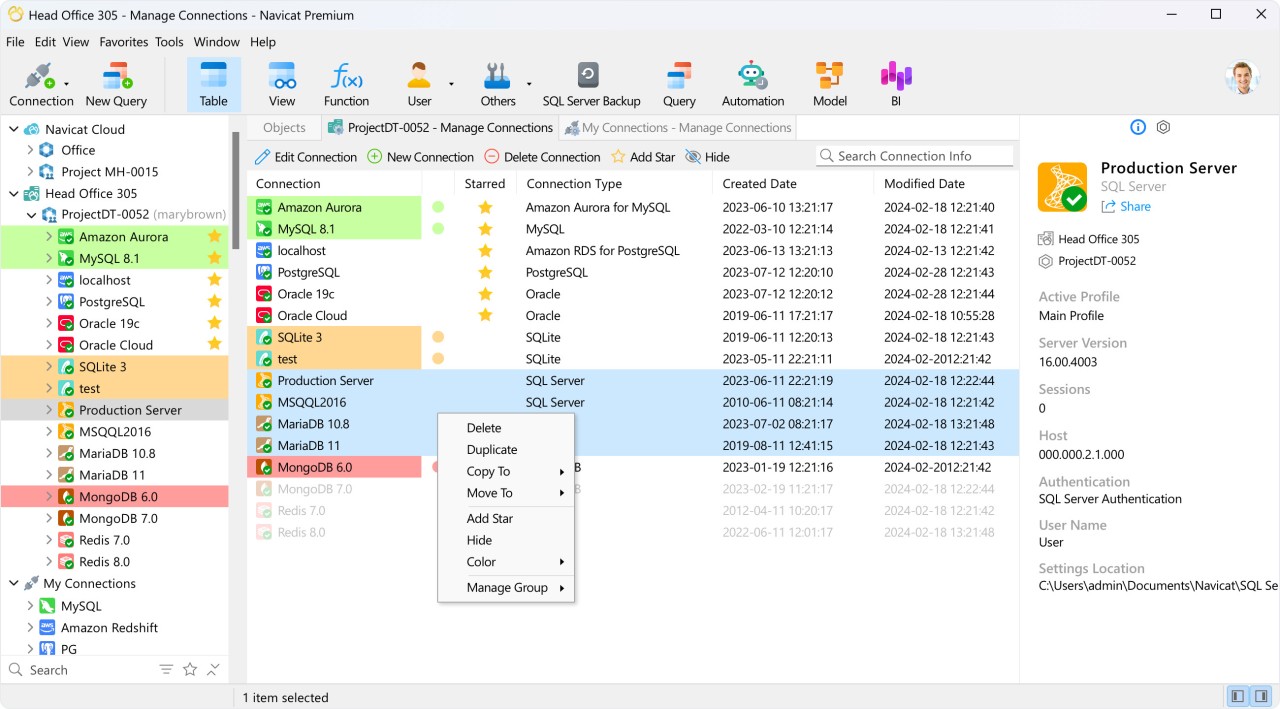
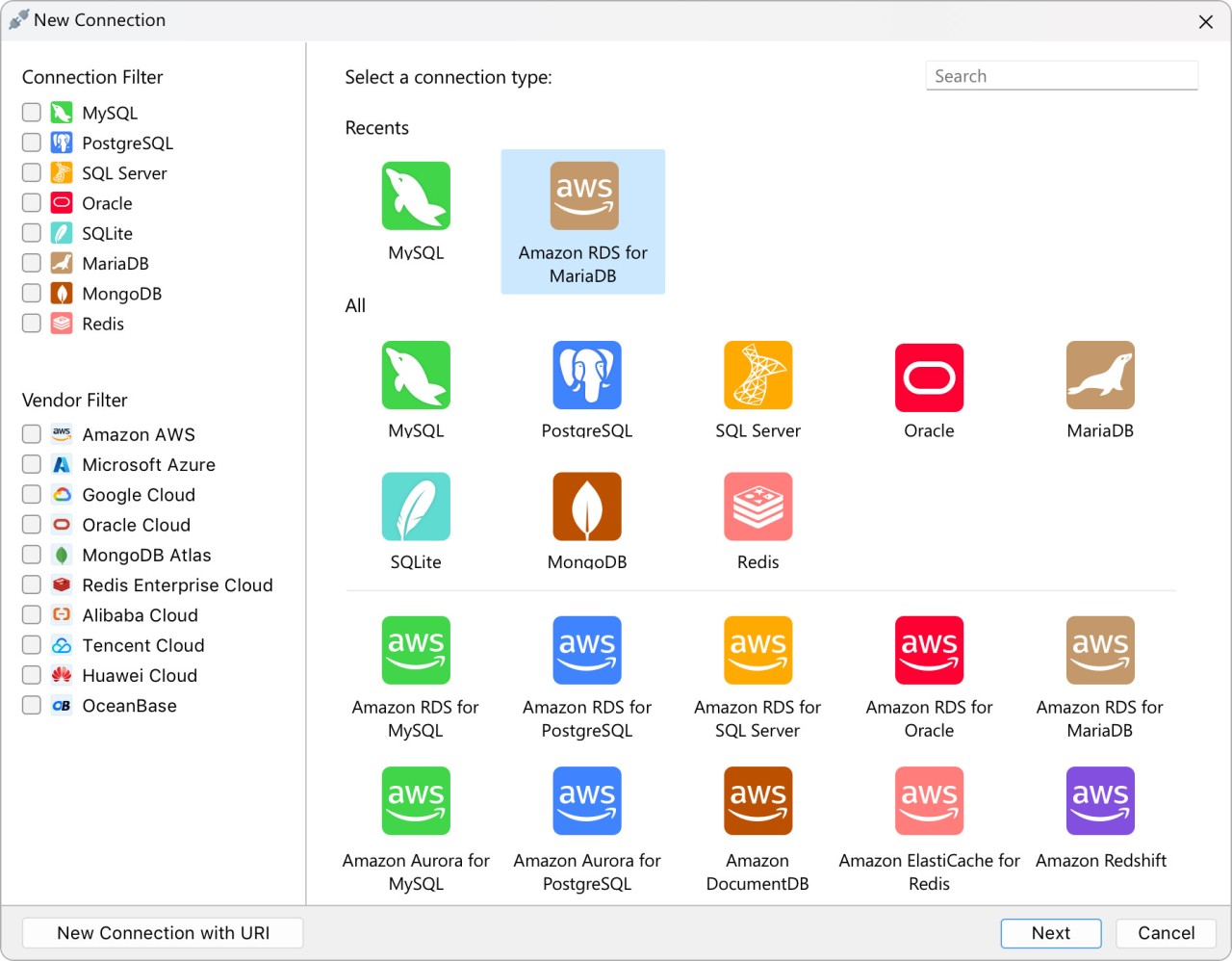
Navicat is a professional utility for engineers, DevOps, and data analysts that offers an intuitive, visual way of managing databases. You can also use it for modeling data, SQL development, syncs, and backups, and the tool supports connections to multiple databases, like MySQL, PostgreSQL, MongoDB, MariaDB, SQL Server, Oracle, SQLite, Redis, and Snowflake, in a single place.
Whether you’re an individual or a team, you can adjust Navicat to your exact workflow and use it to design ER diagrams, complex SQL queries to pull data, migrate or sync it between databases, or manage user access and permissions. Since it doesn’t rely on the command-line approach, the tool is a simple, effective, and efficient option for creating, organizing, and manipulating databases. You can pick a version for a specific operating system or database, or get the Navicat Premium option that works with all of them.
Navicat helps you further with features such as code completion, robust import/export options, real-time collaboration, and various automation tools. Navicat works on Windows, macOS, and Linux, and you can test it for 14 days before you need to purchase a paid license.
Why should I download Navicat?
Database development and administration require a robust set of powerful tools that will improve productivity and make these complex processes easier. Navicat is a perfect solution for that because it allows you to manage different types of databases with a user-friendly UI and design.
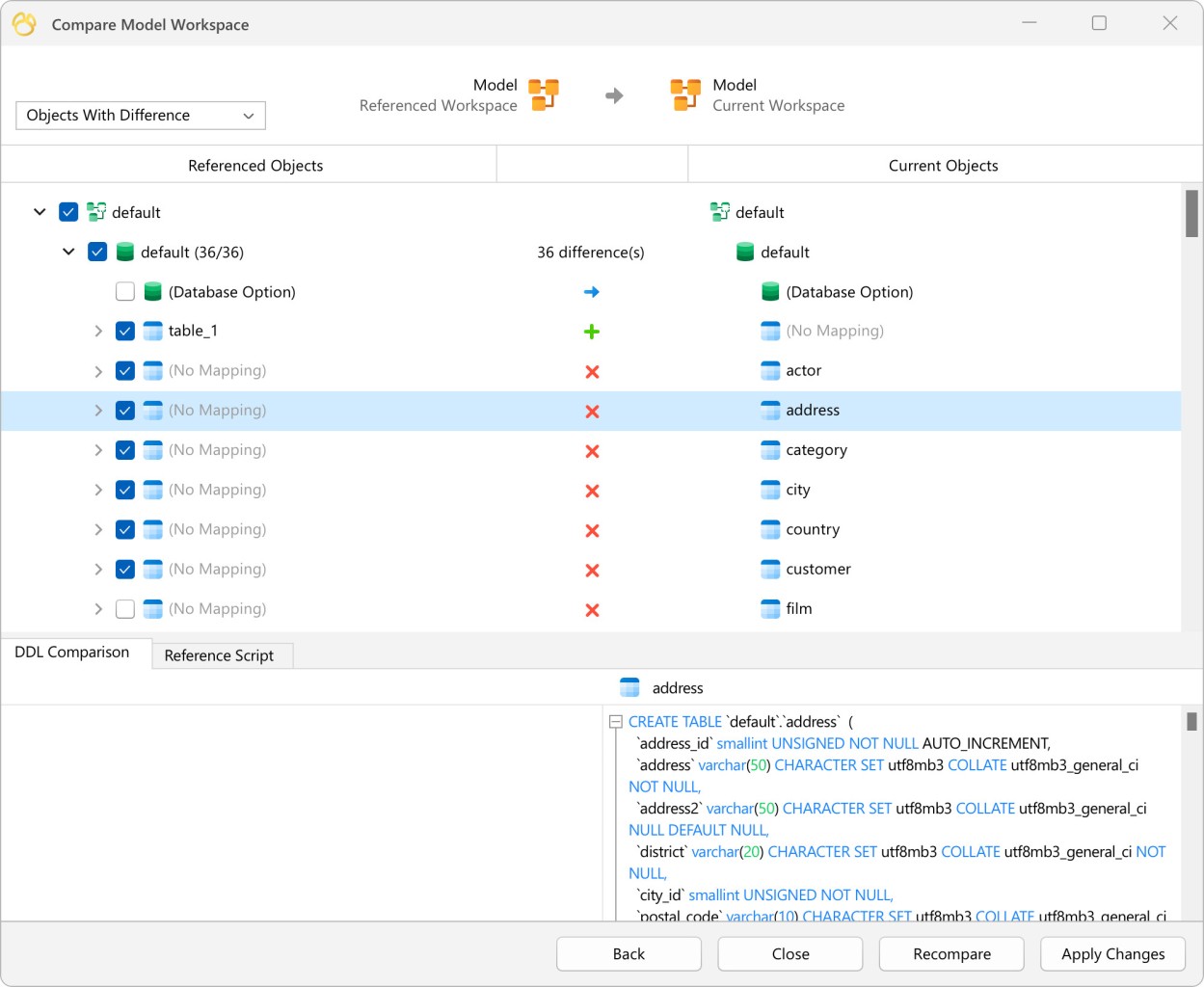
With Navicat, you can connect, monitor, and maintain MySQL, PostgreSQL, SQL Server, SQLite, Oracle, MongoDB, and Snowflake databases within a single tool. If you work with various technologies and architectures or need to migrate data between them, Navicat is your solution. You can compare production and testing environments in a dual-pane view and move data by simply dragging and dropping it between them.
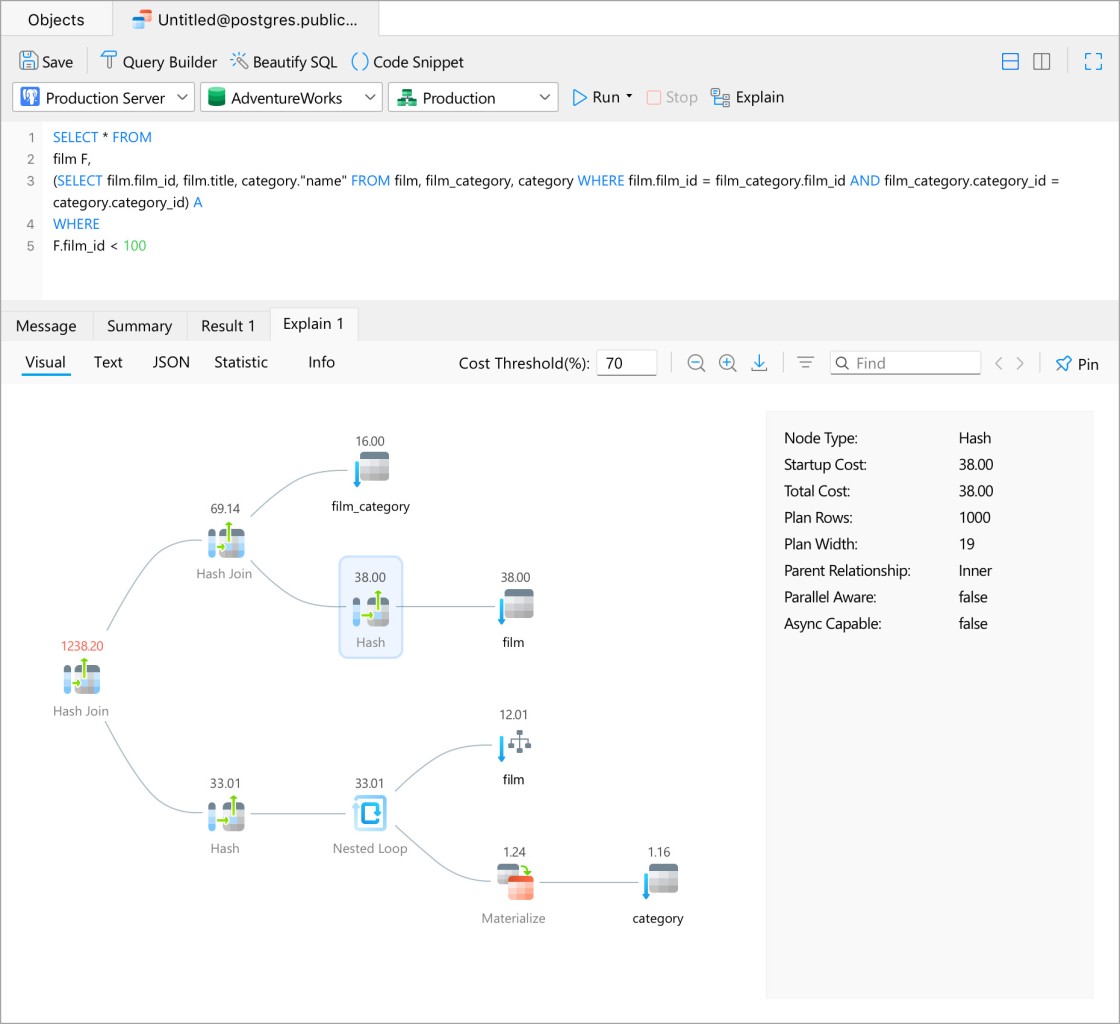
The main advantage of using Navicat is its visual tools that help when you’re not proficient with complex SQL queries or CLI operations. You can use Navicat’s SQL query builder to construct queries by simply dropping tables into the canvas and arranging them visually, or selecting specific columns or sections. It can also automatically complete your code, highlight syntax, and support custom snippets.
If you need to model data, there’s also a visual tool in Navicat where you can design, modify, and visualize the structure of your database using graphical elements, have it as an ER diagram, and make changes directly on that diagram. You can sync your changes to a live database and edit or review them safely because of the extensive history and version control.
You can use Navicat with cloud services like Amazon RDS, Microsoft Azure, Google Cloud, and Oracle Cloud, and the functionality doesn’t change. The tool supports safe connections with SSH and SSL support. Navicat also makes it easy to make automatic backups and restore workflows, which helps secure your data and avoid integrity issues.
With all the different database types, it’s important that Navicat supports transferring data and synchronizing them between databases of the same and different types. These actions can be automated or manual, and the utility includes features that help with data mapping so you can be sure that data flows correctly. Navicat also supports various file formats for importing and exporting data, becoming a comprehensive solution for multiple needs.
In addition to all those features, you can use Navicat with your team and collaborate in real time, synchronize your connection settings, queries, and models, and even create virtual groups that will work across different devices. All in all, Navicat is a super powerful tool that makes those critical processes easier and less prone to errors. You can buy Navicat either for a specific database type or for all of them, and the tool works on Windows, macOS, and Linux.
Is Navicat free?
While you can download Navicat and test it for free for 14 days, it’s not a free tool. You need to get a paid license to continue using it, but they come in multiple versions, depending on your needs. You can also choose between a perpetual license and a subscription-based model.
If you need to work with different database types at the same time, go for Navicat Premium. If you just need support for a specific database type, you can choose one of its specialized versions, like Navicat for MySQL. For all of those options, you can pick between the number of user seats and enterprise, non-commercial, and standard options.
What operating systems are compatible with Navicat?
Since Navicat is a cross-platform utility for various database types, you can install and run it on Windows 7, 8, 8.1, 10, 11, Server 2012 - 2022. For macOS, you need version 11.00 or higher, and on Linux, it supports Debian, Ubuntu, Fedora, Linux Mint, Deepin, and others.
What are the alternatives to Navicat?
DBeaver is an open-source utility for managing databases like MySQL, PostgreSQL, Oracle, and many others. It supports creating ER diagrams and has built-in SQL editors, and you can expand its features with various plugins. If you need a standard Community edition, you can use DBeaver for free, but it also has an enterprise-level version that requires a paid license. You can download DBeaver for Windows, macOS, and Linux.
MySQL Workbench is the official tool for working with MySQL and MariaDB and is available for free on Windows, macOS, and Linux. Use it to model data in visual tools, develop SQL queries and debug them, and administer your servers. However, it doesn’t support other database types and is a bit more complex.
Valentina Studio is a visual database management suite for MySQL, PostgreSQL, SQLite, and Valentina DB. It lets you edit schema and create ER diagrams, has a built-in SQL editor, as well as a data editor that shows information in a grid view. It can also create basic and advanced visual reports, and you can use it to transfer data between databases. It has a free and paid version for Windows, macOS, and Linux.