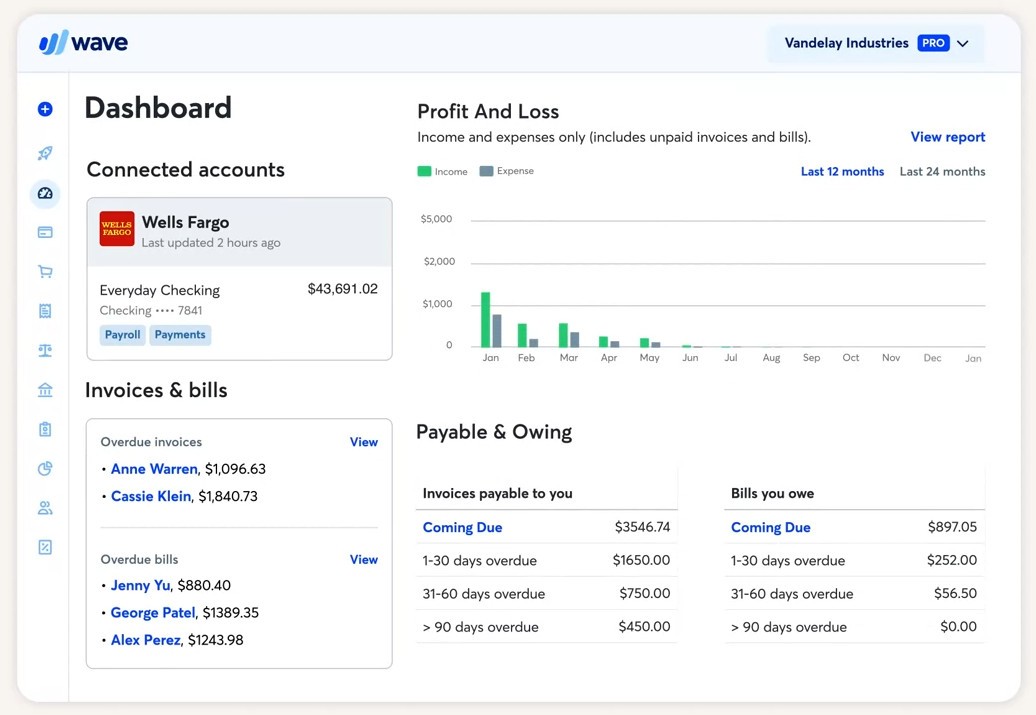
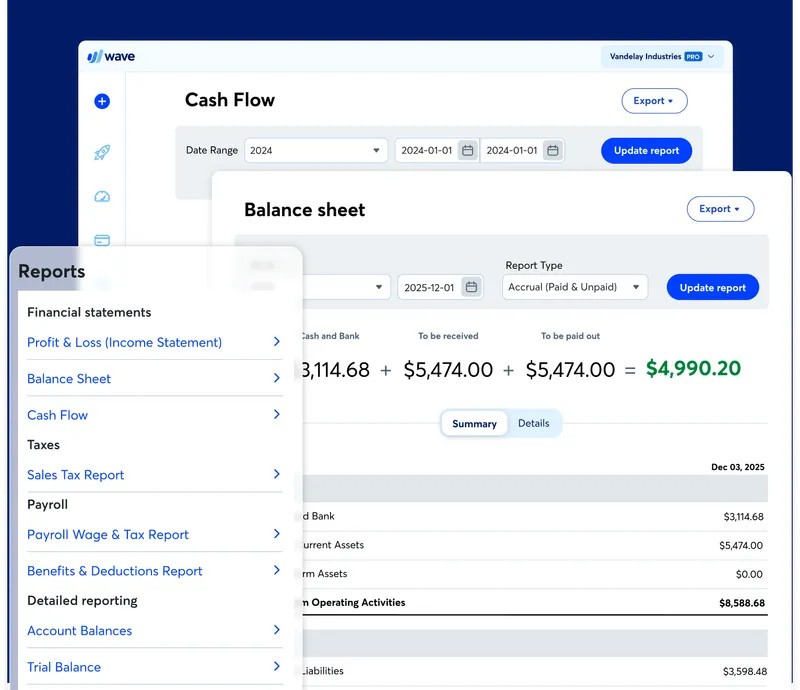
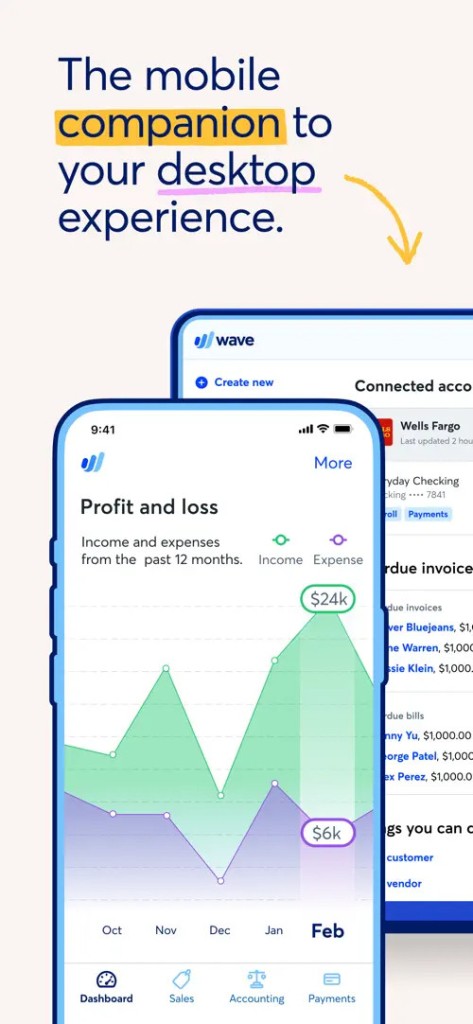
Wave is accounting software designed specifically for small businesses, freelancers, and self-employed professionals. It’s not the type of platform that tries to drown you in complicated finance lingo or heavy spreadsheets. Instead, it gives you a simple way to track where your money’s going, send invoices, record expenses, and keep your books tidy without the usual headache.
When you log in, you’ll find an easy-to-read dashboard that gives you an overview of your income, your expenses, and any outstanding invoices. It pulls in transactions from your connected bank accounts and credit cards, so you don’t have to spend hours entering things manually. If you’ve ever misplaced a paper receipt or struggled to remember what that $48 charge was for, Wave solves that problem too—you can snap a photo of your receipt, and it files it away under the right expense category.
It’s not only about tracking, though. Wave also lets you create invoices that actually look professional. Instead of sending out generic documents that feel rushed, you can add your own branding, send them straight to clients, and even let clients pay online. Everything stays recorded inside the system, so you don’t have to move numbers from one program to another. For people who don’t want to feel like they’re moonlighting as accountants, Wave is a welcome relief.
Why should I download Wave?
The simplest answer? It makes your financial life less stressful. Running a business, even a small one, involves numerous moving parts. Keeping track of who owes you money, what you’ve already spent, and whether you’ve been paid can get overwhelming quickly. Wave puts all of that in one place.
One of the biggest benefits is how it helps with cash flow. You can check at a glance which invoices have been paid and which ones are still outstanding. If a client opens your invoice but doesn’t pay right away, you’ll know. That kind of visibility makes it easier to follow up without feeling like you’re just nagging blindly.
Cost is another reason. Most accounting software comes with a subscription fee, and those fees stack up over time. Wave gives you its core features for free. That’s a huge deal if you’re just starting or running a side hustle and don’t want to sink money into something before you’ve made enough to justify it.
Professionalism also matters. Clients often make judgments based on small details, and sending an invoice that looks sharp makes you appear organized and trustworthy. And since Wave lets you accept payments directly through the invoice, clients are more likely to pay quickly. No more waiting weeks for a check in the mail.
There’s also peace of mind with security. Wave uses the same encryption levels banks do, so you’re not putting sensitive financial information at risk. If you’re the kind of person who does business on the go, whether in coffee shops or while traveling, that extra security matters more than you think.
Is Wave free?
Yes, and that’s one of the biggest reasons people flock to it. The base version of Wave, which includes accounting, invoicing, expense tracking, and receipt scanning, is free to use. You don’t need to worry about trial periods running out or limited access—those core tools stay free.
Now, there are add-ons if you want them. If you want clients to pay invoices directly using credit cards or bank transfers, Wave charges a small processing fee per payment. That’s pretty standard across most payment services. They also offer payroll services, which come at a monthly cost, and those are especially useful if you have a team and want to handle salaries and taxes without outsourcing.
The key thing here is that you’re not forced into paying for things you don’t need. If you’re a solo freelancer just sending invoices and keeping an eye on expenses, you can stick with the free plan forever. If your business grows, and you need payroll or integrated payments, you can add those features when the time is right. It’s flexible, which makes it stand out from other accounting tools that push you into pricey subscriptions upfront.
What operating systems are compatible with Wave?
Wave is also cloud-based and, therefore, is not confined to one operating system. You can access your account across all web browsers and without any consideration of whether you are using Windows, macOS, or even Linux. Such versatility means a lot since you are not obliged to download a huge software or fear its performance with your computer.
It has mobile apps, both iOS and Android. It may be translated as the possibility to send out an invoice on your phone, check your balances wherever you are, or post a receipt the moment you receive it. That mobile nature is invaluable to individuals who do not work in a general office environment, such as contractors, consultants, or freelancers who might be in and out of client offices all the time.
The fact that it is cloud-based allows you to easily share access with other persons. Your business partner, bookkeeper, or accountant can access and view the same information in their own system, without you sending them interminable spreadsheet files back and forth. It is cooperative but not complex, just what a majority of small business owners require.
What are the alternatives to Wave?
Naturally, Wave is not the only accounting tool. A few options can perhaps fit you better, depending on what it is you are after.
Zoho Books belongs to the bigger Zoho suite of applications that comprises CRM, email, and project management applications. Zoho Books is worth considering should you like the idea that you have all your business tools under one roof. It is a subscription, though it includes additional features, such as tracking of inventory, workflow automation, and high-level reporting. Those features may be worth the price to bigger small businesses or a growing team.
NCH Express Accounts is worth considering, in case you are the individual who likes software that is installed on the computer instead of cloud-based systems. It is based on Windows and macOS and provides you with invoice, accounts payable, and reporting management tools. It is not as collaborative or allows use on the go as Wave, but there are people who like the flexibility of a traditional desktop application.
Manager Desktop Edition (Manager.io) is a lightweight accounting software designed for small business owners, freelancers, and individuals who want an easy-to-use, cost-effective solution for managing their finances. It offers essential features like a general ledger, invoicing, expense tracking, accounts payable and receivable, along with optional tools such as inventory management and payroll. The interface is simple and intuitive, allowing users to activate only the functions they need without being overwhelmed, making it a practical and efficient tool for handling accounting tasks without unnecessary complexity or system slowdowns.