GnuCash.org is the official website for GnuCash, a long-standing open-source accounting program designed for individuals who want control over their finances without incurring the high fees associated with commercial software. It’s a desktop-based application that takes the principles of professional accounting and packages them into something regular users can manage.
At its foundation, GnuCash uses a double-entry bookkeeping system. That’s the same method professional accountants have relied on for centuries, where every transaction affects two accounts, ensuring the books stay balanced. If that sounds intimidating, don’t worry—the software is designed to make this easier to follow with clear categories and structured inputs.
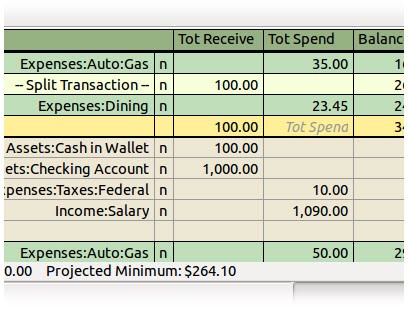
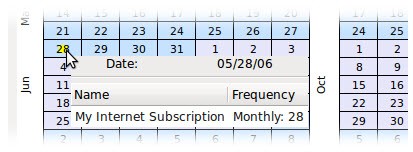
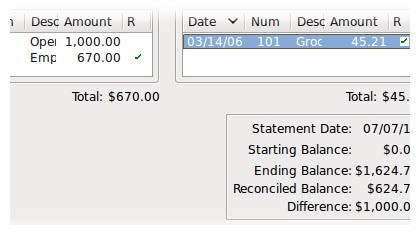
GnuCash isn’t just for balancing a checkbook. Individuals can use it to manage personal budgets, monitor credit card use, or track investments. Families might set it up to watch household spending. Small business owners can go further with it, using invoicing, vendor tracking, and accounts payable/receivable features. It also supports scheduled transactions, customizable reports, and investment tracking for stocks and mutual funds.
Because it’s open-source, there’s no company holding features hostage until you pay. Instead, it’s maintained by a global community of developers and users who continuously improve it. The website itself provides downloads, documentation, and tutorials, making it the central hub for anyone looking to adopt the software.
Why should I download GnuCash.org?
One of the most convincing reasons is cost. Many financial tools today work on a subscription model, which adds up over time. With GnuCash, you get a professional-level accounting system completely free. That’s a big deal for individuals who just want to track personal finances and for small businesses that can’t justify ongoing software expenses.
Another reason is reliability. GnuCash has been around for decades. It’s stable, regularly updated, and well-tested. You’re not experimenting with a brand-new app that might vanish next year. Instead, you’re tapping into a mature piece of software that’s been refined year after year.
Privacy is also worth mentioning. With cloud-based accounting apps, your financial data lives on someone else’s servers. Some people are fine with that, but others prefer to keep their financial information local. With GnuCash, your data stays on your own device unless you choose to share or back it up elsewhere. That sense of control appeals to anyone cautious about security.
Accuracy is another key strength. Because the program uses double-entry bookkeeping, it forces transactions to balance, which cuts down on mistakes. If something looks off, you’ll know quickly. That’s not just good for businesses—it helps regular people learn better financial habits too.
Finally, flexibility is a strong point. You could use it just to track monthly income and expenses, or you could build out a full accounting system for a small business. It scales with you, which makes it practical no matter your starting point.
Is GnuCash.org free?
Yes, it’s 100% free. No trial version that expires, no locked premium features, and no hidden costs. You download it directly from GnuCash.org and get access to everything it offers right away.
The software is licensed under the GNU General Public License (GPL). This guarantees that it will remain free, open to modification, and available to anyone who wants to use it. If you’re technically inclined, you could even tweak it to suit your exact needs. If not, you still get to enjoy the improvements made by others in the community.
This free model is particularly attractive for small businesses, freelancers, and households on tight budgets. Instead of paying $20 or more each month for a cloud-based tool, you can achieve much of the same functionality without adding another bill to your list. And while being free sometimes makes software look “less serious,” GnuCash is packed with robust features. Many people use it professionally and successfully.
What operating systems are compatible with GnuCash.org?
GnuCash is cross-platform, that is, it runs on a variety of major operating systems. That is why it is available regardless of the type of computer you possess.
The program is downloadable as a normal installer for Windows users. It is compatible with Windows 10 and 11, but also with antiquated versions such as Windows 7.
GnuCash is also packaged as an app bundle on macOS. It is as easy as simply dragging it into your Applications folder and installing. The features are identical to those of the Windows users, which leaves the Mac users without anything.
On Linux, GnuCash is often included in the package manager of that distribution. It is that you do not need to go out hunting to find installers; the software will most likely be in your system's repository. This is the reason many Linux users like it; open-source applications such as GnuCash are well integrated into the Linux environment.
It is open-source and supported by most systems, so updates make it compatible with the current ones. And because it does not require high-end hardware, it can actually be used on older machines as well, which opens it to anyone without the most recent computers.
What are the alternatives to GnuCash.org?
GnuCash is good, yet, depending on what you need, you may consider a couple of alternatives that operate a little bit differently.
Manager Desktop Edition (Manager.io) is also a free-to-use tool that comes in the desktop version, just like GnuCash. It has a trim modern interface, and it allows some basic accounting processes such as invoicing, expense management, and reporting. A good bet if you want a bit more visual polish, yet offline, is this.
Wave is a no-cost, Web-based accounting package that enjoys popularity with freelancers and very small enterprises. It has free accounting and invoicing, but optional services such as payroll do cost. The first benefit here is accessibility- you can access anytime, wherever you are. The trade-off is that in this way, your financial information is stored on the servers of Wave, which does not please everyone.
Zoho Books is a subscription service that offers a free plan; however, with a limited number of businesses that have a particular revenue level. It is a component of the Zoho suite that comprises CRM, project management, and more business applications. You can add Zoho Books to an already existing Zoho ecosystem. It is also polished and has many integrations, but not free except under the limited plan, as with GnuCash.