FAT32 remains a widely recognized file system since it supports various operating systems and devices, which makes it a standard choice for users who require multiple system compatibility. The FAT32 file system experiences universal operating system recognition because it works with Windows and any other OS, including macOS and Linux, as well as console gaming systems and media players.
The tool serves a valuable purpose since Windows imposes restrictions regarding FAT32 formatting of extensive storage sizes. The Windows OS prevents users from initializing data devices bigger than 32 GB using its built-in initialization features without FAT32 as an available format option. That’s where FAT32 Format comes in. The application enables large drive formatting beyond the Windows restriction, so users can easily create partitions.
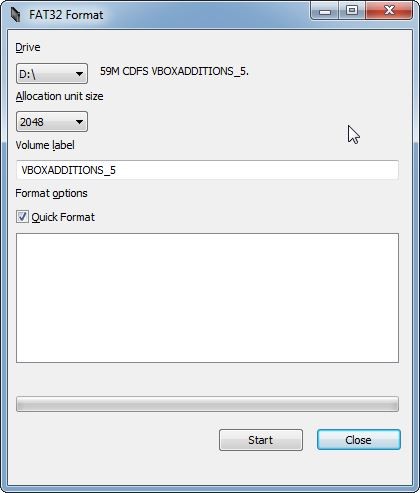
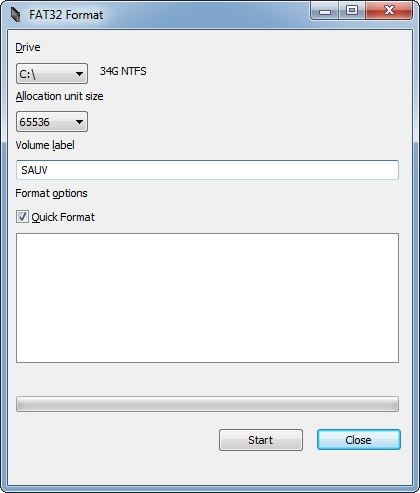
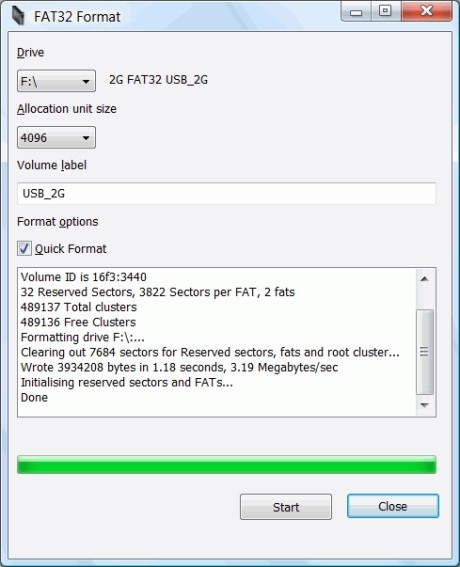
The user interface for this tool demands only a few steps, including drive selection followed by allocation size input, before the software automatically completes the operation. The utility works as a portable application that operates swiftly while needing no installation process for users who need to make storage devices usable across different operating systems. For your information, the software is no longer maintained. The latest version dates back to 2020, and it remains available for users who still need the tool.
Why Should I Download FAT32 Format?
FAT32 Format offers an essential solution for users who want to initialize data devices into the FAT32 file system format beyond the capacity restrictions enforced by the Windows OS. Your experience with Windows drive initialization reveals that FAT32 remains unavailable whenever the capacity exceeds 32 GB. The tool overcomes this limitation, so users can format drives of any dimension with ease. The procedure of setting up data devices for gaming consoles or establishing compatibility with older devices or media players can be easily handled by FAT32 Format.
The primary benefit of FAT32 is that it offers users exceptional compatibility. The Linux, macOS, and PlayStation-supported FAT32 system provides universal compatibility because NTFS functions primarily on Windows computers, and some devices reject exFAT. Gaming consoles such as PlayStation and Xbox need users to initialize their external devices with the FAT32 file system format. Similarly, older versions of macOS and Linux handle FAT32 better than NTFS. FAT32 stands as the most suitable file system option when working with outdated hardware units.
The main benefit of choosing FAT32 Format lies in its fast operation alongside simple functionality. The program maintains a compact size and operates without installation, which allows any user to begin it from any location without adding unneeded system data. A simplified user interface makes it simple for users to choose a drive, set allocation unit sizes, and format the drive in a short amount of time. Users benefit from the simplicity of FAT32 Format because the application presents a straightforward interface that avoids complex technical configurations.
The need for a FAT32 Format tool becomes essential for users who often use external data devices in their professional work. The application enables drive operations between different platforms while maintaining total system compatibility. Users can rely on FAT32 Format to handle the simple formatting requirements of their USB devices and SD cards, and external hard drives, which they need to use in car stereos, digital cameras, and smart TVs, respectively.
Is FAT32 Format Free?
Users can obtain FAT32 Format without payment since it comes as a free solution. Users can use FAT32 Format for free since the application does not contain hidden expenses or premium plans, or trial restrictions.
Every person has unlimited access to use this permanent tool as a standalone application. Users should find the utility convenient because the download does not need installation; therefore, they can start running it immediately post-download. Users can access every feature of FAT32 Format without paying any fees because the tool provides complete functionality at no cost.
What Operating Systems Are Compatible with FAT32 Format?
FAT32 Format tool operates through all Windows versions starting from XP up to XP, 7, 8, 10, and 11. Users can run FAT32 Format directly from its executable file because it functions without installation requirements and supports Windows 32-bit and 64-bit platforms.
FAT32 Format program operates as a Windows tool, yet it creates file systems compatible with a broad range of operating systems. Users can use the data device after initialization for macOS and Linux systems, alongside gaming consoles and smart TVs, as well as vintage devices that cannot support NTFS or exFAT. Users who regularly switch between various OSs will choose FAT32 Format because its universal acceptance makes it an optimal storage system.
What Are the Alternatives to FAT32 Format?
The tool FAT32 Format serves users effectively to transform drives into FAT32 file system format, but additional choices exist for users who demand supplementary functionality or diverse file system capabilities. Users have access to two types of alternatives for file system initialization: solutions that integrate built-in features and more complex options for advanced users.
Rufus stands as a popular alternative tool that enables users to initialize USB devices as well as create bootable media through its free and powerful interface. The main purpose of Rufus remains the production of OS bootable USB drives, but it comes equipped with its own FAT32 formatting tool. User groups requiring total formatting control should select this solution because it enables customized cluster size adjustment and boot sector manipulation.
Users can also utilize EaseUS Partition Master because it functions as an advanced partition management solution with extensive initialization capabilities. FAT32 Format operates as a single-purpose tool, but EaseUS Partition Master provides users with partition-manipulation functions and drive-partitioning capabilities. The tool works best for people who operate different data devices or need to adjust their disk space distribution effectively. Basic initialization features are available in the free version of the program, but more advanced tools are still only available to paying users.
Mac users seeking a FAT32 format option can use Disk Utility (included in macOS) because it serves as the most convenient built-in solution. The built-in firmware of external drive formatting in Disk Utility enables users to set FAT32 as "MS-DOS (FAT)" without needing any extra software. The Apple utility functions effectively for Apple users to initialize their storage beyond the 32 GB limitation present in Windows systems.