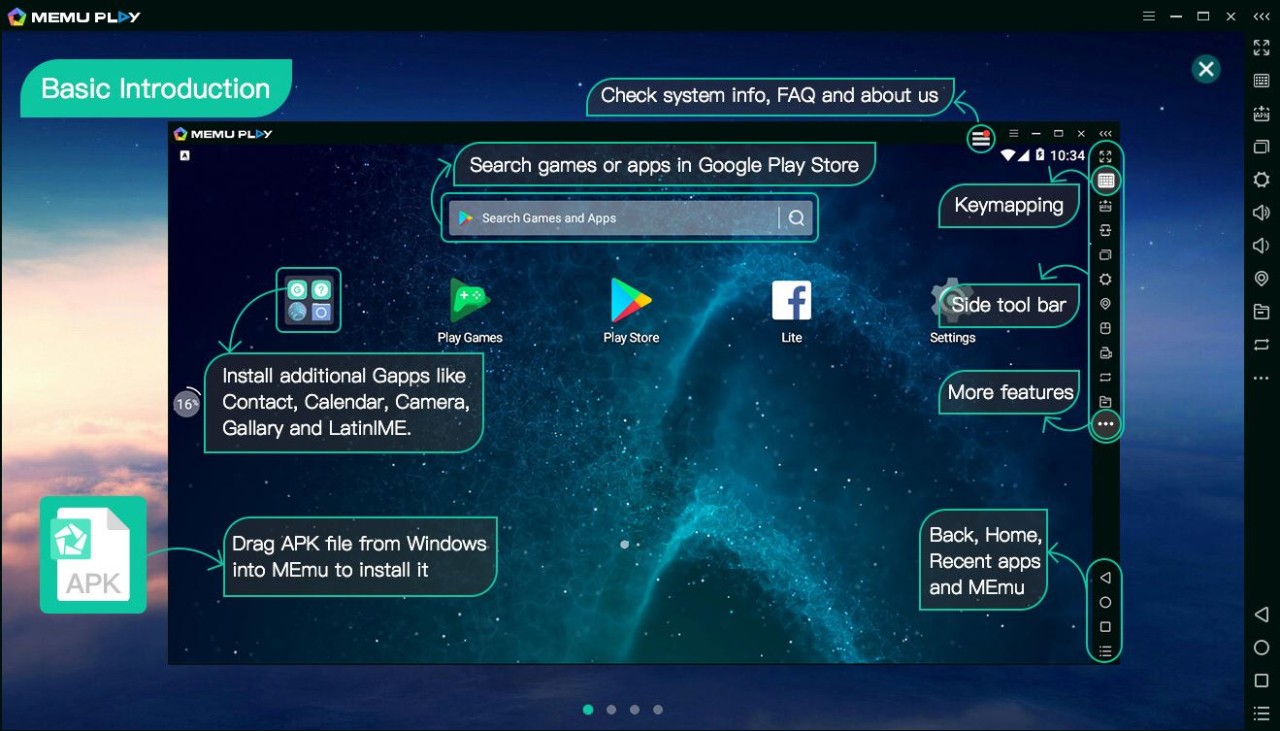
The MEmu Play application serves as an Android emulator, enabling mobile applications and games to run on Windows-based PCs. Using MEmu feels like operating an Android device on your PC screen, but it offers a larger monitor and enhanced controls that mobile platforms likely do not support.
After installation, MEmu allows users to launch their preferred mobile applications in computer windows or full-screen mode. The major advantage of this feature is that it gives users easy access to running mobile apps on their computers.
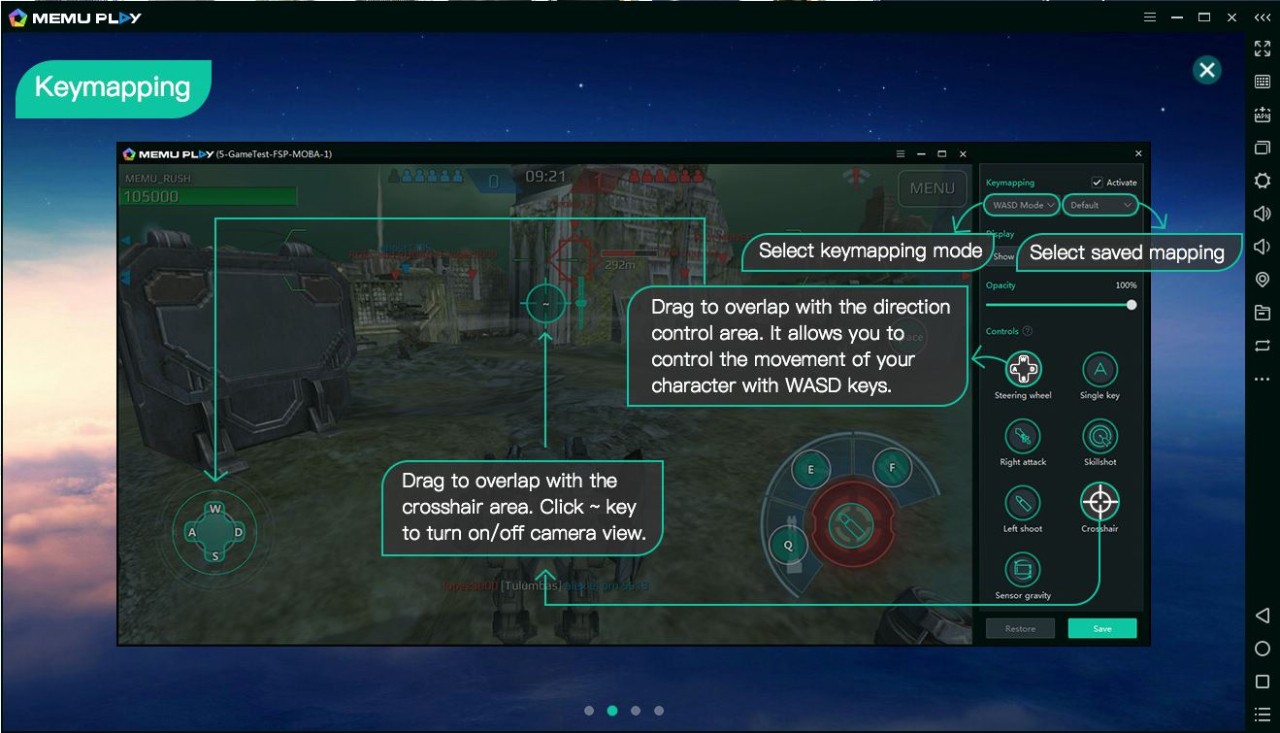
MEmu provides an interface that resembles how Android users navigate their devices, which helps new users feel comfortable when opening the platform. Within MEmu, users gain access to a native Google Play Store, along with a manual APK installation feature that provides greater control. The system allows users to map keyboard commands, which enables them to use standard PC peripherals to play touch-screen-oriented games.
The emulator runs smoothly on low-end computers, even though they were not designed to handle intensive tasks. Users can experience the best aspects of mobile devices on a desktop with MEmu, which lets them run applications like PUBG Mobile alongside productivity tools such as WhatsApp and Instagram.
Why Should I Download MEmu Play?
Users have various motivations for downloading MEmu, primarily stemming from the convenience it provides in their workflows. The platform removes every constraint of small display screens by doing away with them entirely. When viewed from a bigger screen, all tasks look easier to handle.
Through MEmu, users enjoy superior visual quality in their gaming experience, together with unobstructed screens and longer device uptime, eliminating the need for endless charging. The larger display provides significant advantages for gamers and other users. MEmu lets users create their own key maps through touch-sensitive controls that give mobile game players mouse-and-keyboard accuracy.
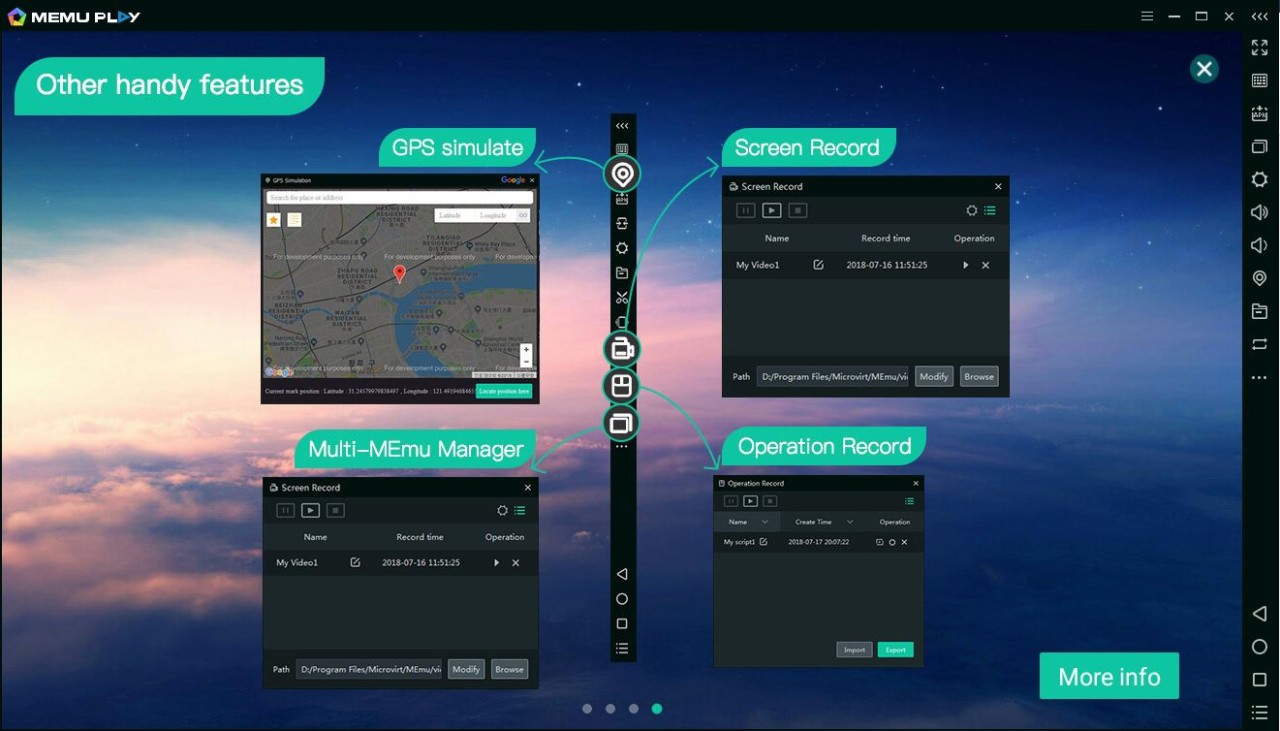
Gaming represents only one part of all the MEmu system capabilities. Developers, together with testers who need to test their applications against various Android versions, find MEmu suitable for their purposes. The software enables simultaneous use across multiple instances, supporting different apps and account management during operation.
Users benefit from playing games on one screen while conducting chat activities on a different window at the same time. Achieving such multitasking tasks through a phone system proves exceptionally challenging. And then there’s the performance. MEmu performs exceptionally well on high-quality hardware, as its performance settings allow users to adjust CPU and RAM management to suit their system's capabilities.
MEmu is a perfect tool for people who need mobile applications on their PC and task automation. Many users manage business pages on Instagram while chatting on Telegram using their full keyboard to improve efficiency in their tasks. MEmu enables you to perform these tasks without blocking your access to the regular desktop programs. The emulator is lightweight without adding bulk to your system. The application installs quickly and silently manages its own updates, without producing any advertisements or visual clutter. The application provides noise-free functionality thanks to its well-designed interface, which meets user expectations.
Users who have previously imagined running mobile applications on their computers will find MEmu to be their solution. The system is practical, and even users without technical experience can easily understand how it works.
MEmu enhances your viewing quality, improves digital interfaces, and increases available workspace. The application serves as both an entertainment solution and a utility for everyday tasks.
Is MEmu Play Free?
The MEmu Play application is free and requires no subscription fee. MEmu provides its core service free of charge to users, who can install apps and customize controls without paying. The software's fundamental aspects operate without limitations, and all core functions are accessible at no cost.
What Operating Systems Are Compatible with MEmu Play?
MEmu Play is made for Windows. The application supports the entire range of Windows versions from 7 through 11. A decent processor and reasonable RAM capacity enhance speed when using MEmu, but a basic machine will operate effectively without issues.
The application does not provide official support for macOS and Linux. Only Windows users will find MEmu useful, since it targets only the Windows operating system; alternative solutions should be sought if you use Mac products.
What Are the Alternatives to MEmu Play?
MEmu's position as a solid and dependable Android emulator does not prevent users from accessing other emulator alternatives. Based on your specific needs, including both performance and functionality patterns, you can select from the available options in the market.
The widely recognized application in this genre is BlueStacks, one of the most popular Android emulators. This popular tool has remained a major platform throughout several years of its existence. BlueStacks provides users with three primary advantages: built-in recording and macro capabilities, as well as a clear and user-friendly interface. Gamers seeking additional features will find this software excellent, as it supports numerous Android applications. The system resources usage of MEmu remains lower than that of BlueStacks.
Users also have the option to use NoxPlayer, as it offers features comparable to those of other Android emulators. This emulator enables users to customize keyboard controls and operate multiple instances, and it remains popular among users for its customization features. The application offers a smooth interface with easy navigation and, in some instances, lighter performance than BlueStacks. The developers update NoxPlayer regularly, ensuring it performs optimally for gamers and those who typically use Android applications. Users who encounter problems with MEmu often switch to Nox as their next emulator.
MSI App Player is an optimized version of BlueStacks, jointly developed by BlueStacks and MSI. The software shares ancestry with BlueStacks, yet its developers customized it to optimize MSI devices for higher frame-rate performance and efficiency. The version supports keyboard mapping and multi-instance capability, yet users with MSI devices may achieve better compatibility through a specific adaptation.