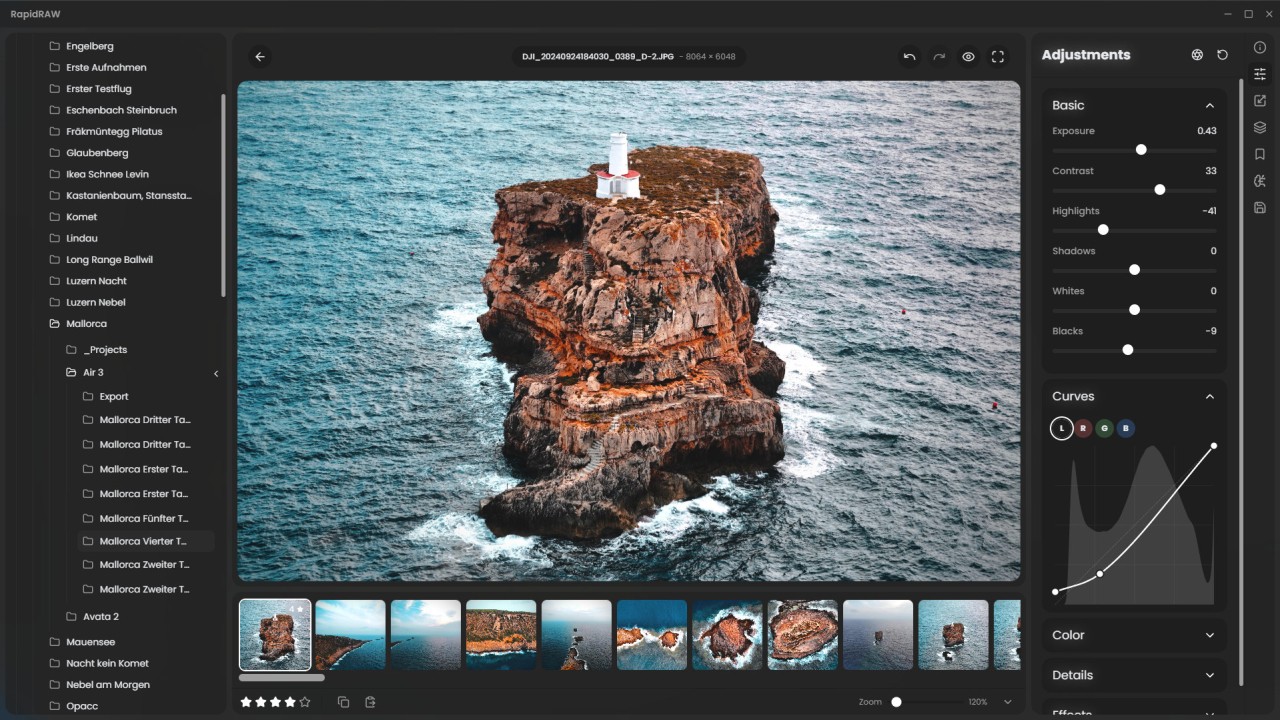
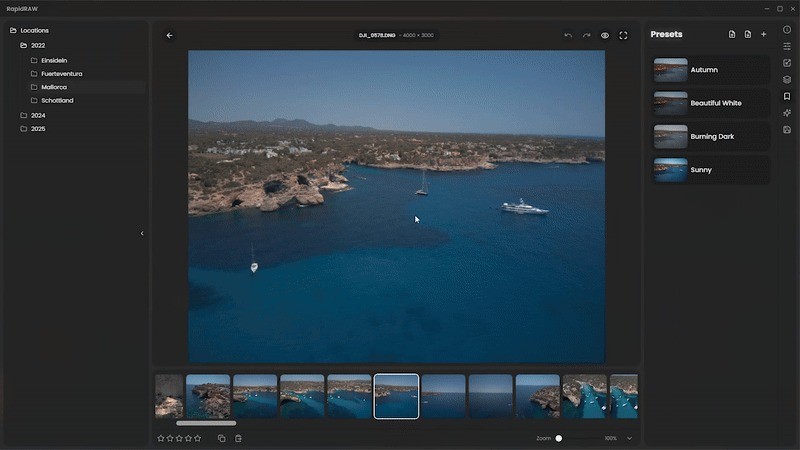
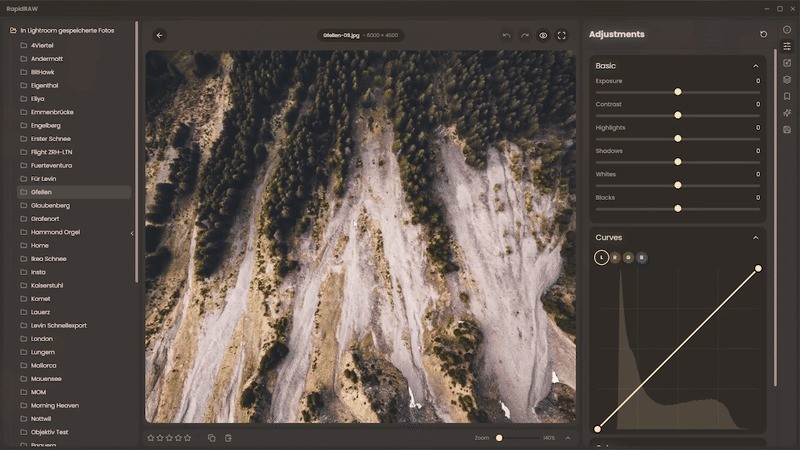
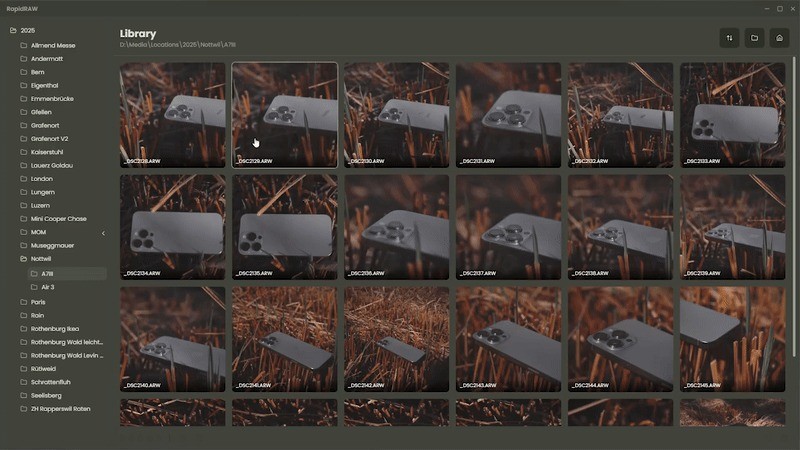
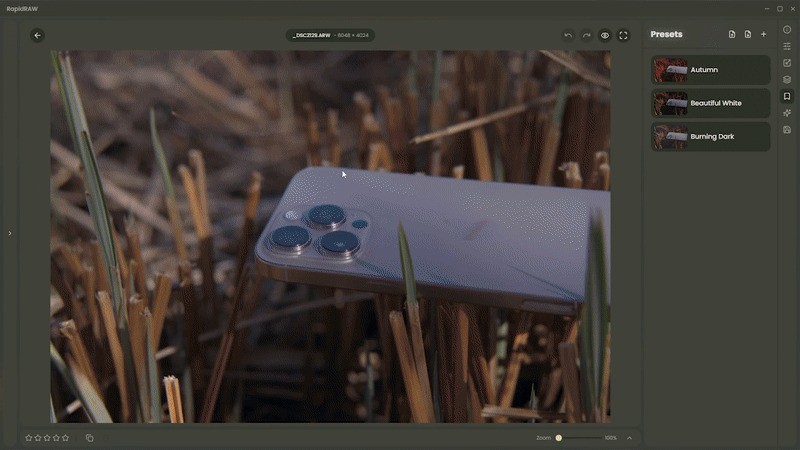
RAPIDRAW is an open-source RAW image processor designed for people who want a straightforward way to handle unprocessed photos from their cameras. If you’ve ever used a DSLR or a mirrorless camera, you already know that shooting in RAW gives you far more control than standard JPEGs. RAW files preserve every ounce of detail your sensor captures, which means more flexibility when editing exposure, color balance, or shadows. The downside? RAW files can be huge and sometimes tricky to work with unless you’ve got the right tools.
That’s where RAPIDRAW comes in. It was created to be lightweight, fast, and practical. Unlike bulky commercial software that often demands subscriptions, RAPIDRAW keeps things simple. It’s focused on delivering speed and efficiency so you can quickly preview and process RAW images without sitting through long loading times. It’s particularly appealing for photographers who don’t need a full-blown editing suite but want a clean and reliable way to view and convert their RAW shots into usable formats.
The project is hosted on GitHub, which also makes it transparent and accessible for developers or advanced users who might want to tweak or contribute. It’s not trying to compete with the big corporate software packages—it’s more like a minimalist’s tool that does one job well.
Why should I download RapidRAW?
The first reason many photographers give RAPIDRAW a try is its speed. Opening RAW files can be painfully slow on older computers or when dealing with hundreds of photos from a shoot. RAPIDRAW has been designed to cut through that bottleneck, letting you open, view, and handle RAW images far faster than heavyweight alternatives.
Another big plus is the simplicity of the interface. Some photo software overloads you with dozens of panels, buttons, and sliders, which can feel overwhelming if you’re not aiming to do complex retouching. RAPIDRAW strips all that away. It provides what you actually need—fast rendering, basic adjustments, and clean exports. If you’re in a workflow where you just need to batch-process images before handing them off to a client or uploading them online, RAPIDRAW is a lifesaver.
For hobbyists, it’s refreshing not to wrestle with software that constantly tries to upsell you premium filters or cloud storage. With RAPIDRAW, you open your images, tweak them if required, and get them out the door. That sense of control—without extra noise—is what makes it worth downloading.
On top of that, because it’s open-source, you’re never locked into one company’s ecosystem. No hidden paywalls, no sudden subscription hikes. You can use it as is, or if you’re technically inclined, customize it to suit your personal workflow.
Is RapidRAW free?
Yes, RAPIDRAW is completely free. You don’t have to sign up, pay a license fee, or agree to any subscription plans. Just head to the GitHub page, download the version for your system, and you’re good to go. For many photographers—especially those just getting into RAW processing—this makes it an attractive option. Instead of shelling out money for software you might not use to its full potential, you can start with RAPIDRAW and see if it fits your needs.
Free doesn’t mean limited here. While it doesn’t carry every advanced editing feature that professional photographers might look for, it covers the essentials without nagging you to upgrade. And because the project is maintained in the open-source community, updates and improvements are rolled out with transparency. It’s a solid reminder that good software doesn’t always need a price tag attached.
What operating systems are compatible with RapidRAW?
The cross-platform availability of RAPIDRAW is one of the strengths of this product. You do not have to exist in only one environment. The project is developed to support Windows, macOS, and Linux, thus enabling the majority of users to incorporate it into the working process without having to switch operating systems. It is a huge victory since some RAW editors are limited to serving one platform, and photographers are forced to scramble when changing machines.
When it comes to Windows users, it is easy to install, as you just have to download the installation file. On macOS, it is just as easy to use, but again, depending on your system settings, you may have to authorize the app to operate when it is not located in the official App Store. The fact that RAPIDRAW can run natively on Linux will be a welcome change to its users, who are often underserved with regard to creative tools. It is particularly convenient when one wants an open-source ecosystem and does not want to use Wine or emulators to open their RAW files.
RAPIDRAW is not a niche project because it has such wide compatibility. It doesn’t matter whether you are working at the computer, at home on your computer, on Windows, or working on a Linux workstation; you always have a similar tool in your pocket.
What are the alternatives to RapidRAW?
Naturally, no one tool suits all people, and some photographers will desire to use other RAW processing programs for feature comparison. Three well-known competitors to RAPIDRAW include RawTherapee, ON1 Photo RAW and DxO PureRAW. All of them have advantages and disadvantages.
RawTherapee is a free and open-source program that has already been around for some time. It offers a more comprehensive editing experience than the minimalist one of RAPIDRAW, and features more refined color control, noise reduction, and lens correction features. It is a bit harder to operate, and its learning curve is steeper, but it is great in case you do not want to pay anything and can use some professional-level software.
ON1 Photo RAW is a commercial product that incorporates RAW processing with full-fledged photo editing. It includes layers, filters, creative presets, and raw processing, closer to the heart of Adobe Lightroom. It is quite powerful and has a price, but it can feel bulky when you just want to do a fast conversion of your RAW file. Nonetheless, in the opinion of those users who prefer to have an all-in-one suite with increased creativity, ON1 Photo RAW is a favorite.
DxO PureRAW has established its market position through image quality improvements. DxO is an advanced image processing software that fixes optical flaws, manages noise, and enhances detail, among other things, with little or no effort on the part of the user. It is not inexpensive, but it is mainly a preprocessing tool, which is used along with other editors such as Lightroom. Unless image quality is what you need most when working with the RAW files, DxO PureRAW may be a tool to consider.