TubeMate YouTube Downloader is a simple application designed for downloading videos from YouTube and other popular streaming platforms such as DailyMotion and SoundCloud. You can choose their quality and format, or even extract audio into MP3. It is the perfect solution to save your favorite online movies and music to your device for offline viewing or listening, especially when internet access is restricted or limited.
TubeMate is a flexible tool that functions regardless of the location of the videos, supporting YouTube, DailyMotion, Vimeo, and Facebook. The application is highly intuitive, letting you search for any song, movie, or video with a single click and save it directly to your hard drive. Before downloading, you can select the desired resolution to suit your needs, and for YouTube content, TubeMate even includes a built-in converter that allows you to convert disk video/audio files between MP4, FLV, AVI, WAV, and any other format for any device. Higher-quality download options are available for subscribers.
You can download TubeMate for free on Windows computers and Android mobile devices, making it accessible for a wide range of users. Its simplicity, speed, and multiple download options make it one of the best tools for managing your offline media collection.
Why Should I Download TubeMate?
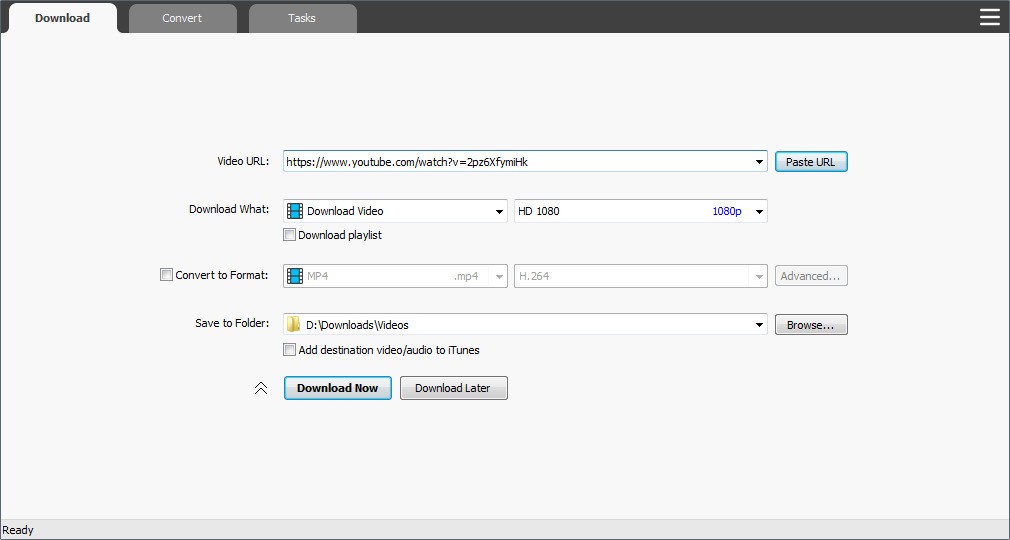
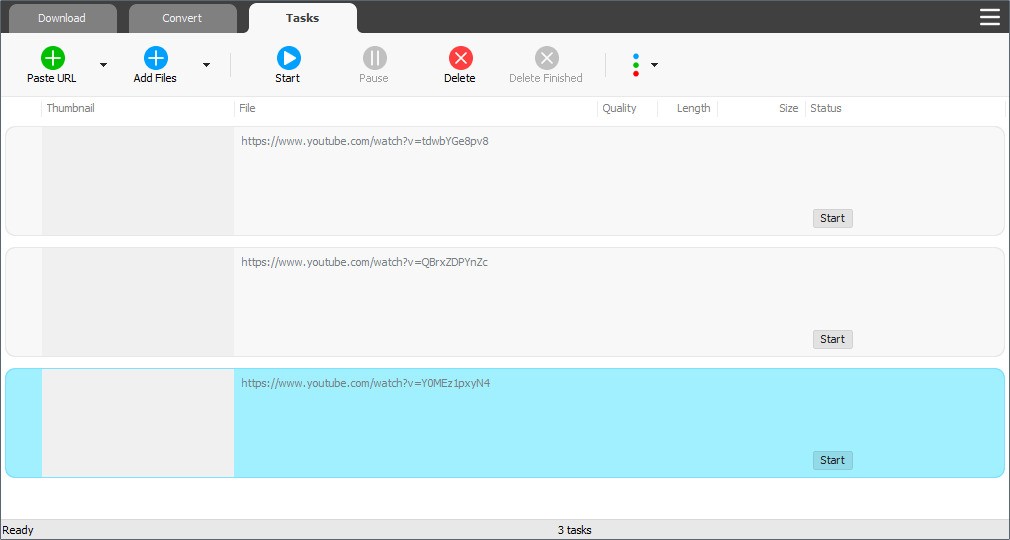
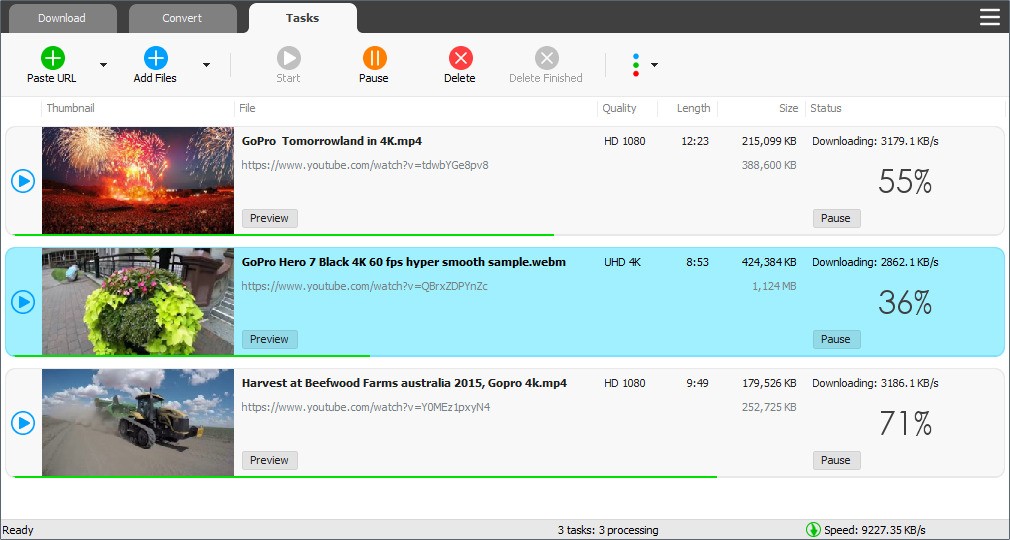
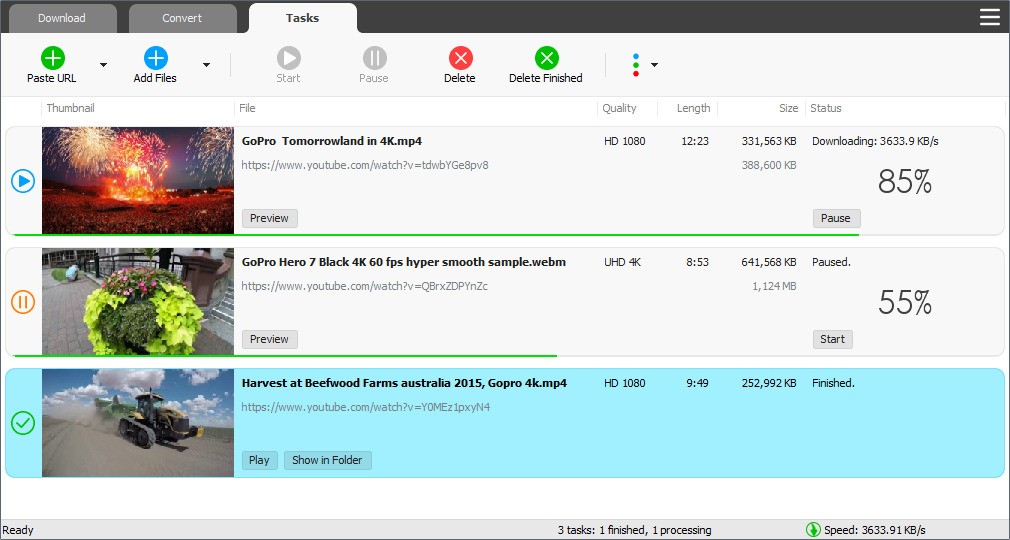
TubeMate should be downloaded by anyone who wishes to build a library of files on their drive. You can specify the format and quality of the output, add your video URL quickly by dragging and dropping it, or leave it exactly as it was. It’s a fast and reliable tool with an interface that is easy to use and understand, as it contains only three tabs. In Download, you specify the URL and other settings; the Convert tab allows you to transform the file into a different format; and in Tasks, you can see your queue and manage it by pausing downloads or clearing the ones that have finished.
You might also want to know that with TubeMate, you can add links to entire playlists you’d like to download; you don’t need to provide each link separately, which is an amazing time-saving solution. TubeMate automatically adds all the videos to the download queue, and they will be processed in the background. Because TubeMate makes use of multi-threaded connections to make the most of your internet connection, even large files can be downloaded quickly.
TubeMate also supports various qualities, including Ultra HD, so you can get videos in 8K and 4K but also 1080p/720p HD. You can also get the movie in various file types like MP4, MP3, AVI, WAV, and WMV, so you’re not limited to the original video format. The clips you’re downloading can also be saved as MP3s, so only their audio layer is extracted from the video. You only need to choose the start and end times to trim your file and save a portion of it.
The tool also has a built-in media player, so you can preview the quality of the video as it downloads or use it as an alternative to other tools, such as VLC or Windows Media Player. Any file you save through TubeMate can also be organized, as there are different options to manage your content library, such as changing file names or sorting them.
TubeMate is updated frequently to stay current and ensure that all of its features remain functional as the web protocols and technologies used by video streaming platforms continue to evolve. You can use this software on Windows computers or Android devices.
Is TubeMate free?
With the support of ads that get shown in the app, you can download TubeMate and use it completely for free on your smartphone or tablet. There aren’t any paid upgrade options either, so you get all the features described for free without any cost at all.
On PCs with Windows, TubeMate YouTube Downloader is distributed as shareware, also known as TBYB (Try Before You Buy) software. You can freely download and install the program on your computer for evaluation purposes. Unregistered users can try all the features of TubeMate for a 15-day free trial after installation. During the trial period, the app is fully functional and gives you access to all features, so you can test the program completely before making a decision.
What operating systems are compatible with TubeMate?
While the app was created primarily for Android devices, please note that you can’t simply download TubeMate from the Google Play Store. To use this tool, you need to visit the official website, get the TubeMate APK file, and install it on your device, but please make sure to change your device settings to allow such actions.
TubeMate is also available on various Windows versions, including Windows 7, 8, 10, and 11. Because of strict platform restrictions, it is not available on iOS or macOS devices from Apple. There’s also no official version for Linux machines.
What are the alternatives to TubeMate?
YouTube Catcher is one of many apps that let you download videos from various platforms. aTube Catcher is one of them. This software is available for Windows, and it is very similar to TubeMate, as it supports a wide range of formats and resolutions, multiple downloads, and extracting audio into MP3s. You can pull videos from YouTube, Dailymotion, Vimeo, and many other sites for free, but the app is also supported by showing you ads, so keep that in mind.
NewPipe, an open-source project, is another choice that is primarily made for Android. It’s a free application without any ads that focuses on its users' privacy and data protection and tries not to rely on things like proprietary Google services and APIs, as it only sends the minimum amount of data required to get the video. It specializes in getting videos directly from YouTube, and you can download it through the alternative app store called F-Droid. You can use it to play your videos in the background or convert them to audio data without worrying about your data getting leaked. Although it might not have all the features of other apps, NewPipe has an easy-to-use interface and performs its intended functions well. It also receives frequent updates to improve its security.
For anyone looking for an alternative to big, commercial video streaming services like YouTube, PeerTube is an excellent option. It’s not so much software designed to download videos; you should rather treat it as a video media platform that uses peer-to-peer to share movies and files between its users. You can access it through your browser, so it makes PeerTube available on a wide range of systems, including Windows, macOS, Linux, Android, and iOS devices. Because of this, it is accessible to a wide audience, which is frequently a problem with other tools of this kind. It also focuses on data and user privacy, supports a decentralized approach to sharing videos, and doesn’t need advertisers to keep the service going. In this way, you can enjoy different content and shared movies without the annoying intrusions of ads interrupting your playback.