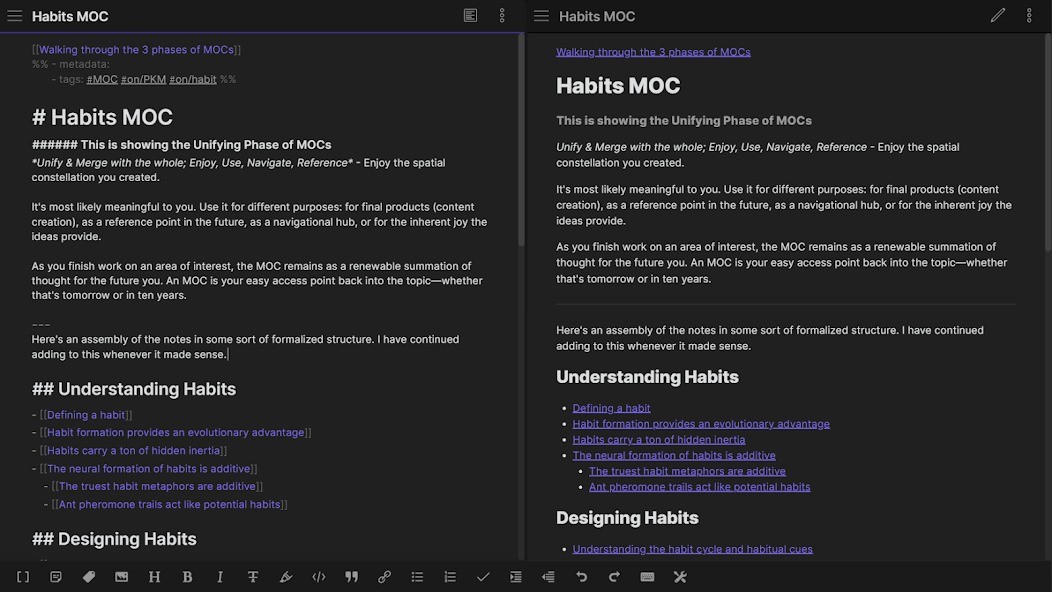
Obsidian serves as a thinking tool that provides quiet functionality for individuals who need virtual notes without paper documents. It is used as more than just a note-taking application. The system enables you to establish thought connections and accumulate knowledge through an analysis of your intellectual development across periods. Numerous Obsidian users rely on the tool to serve as their thought facility. People produce their notes either as personal diaries or brain-storage assets within the application.
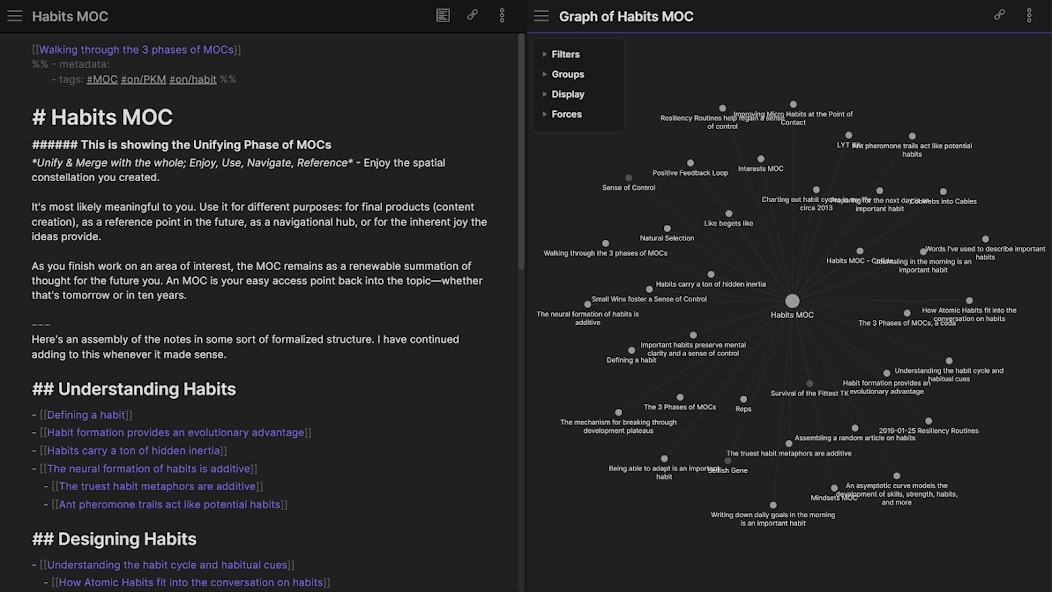
The main feature of Obsidian involves note relationships. The system enables note connections through links, which create fluid and alive groupings rather than random files. The application enables notes to form an organic web structure through its combination of links and backlinks, and graph visuals.
Obsidian distinguishes itself through its local-first attribute. All text created using this application automatically stores on localized device storage instead of distant cloud servers that lack user management. Your thoughts exist only within your control until you decide to share them. Markdown-based functionality gives Obsidian its authentic and genuine presentation. You avoid all formatting buttons since they lead to distraction. The application lets you express your thoughts while creating connections between them without creating any problems in the process.
The software grows into more than merely a document repository during its continuous usage period. Your own personalized space within Obsidian provides you with total control to construct understanding as you want, while deciding your own speed.
Why Should I Download Obsidian?
The experience of Obsidian offers users a transcendental note-taking solution that replaces traditional filing-cabinet interfaces. The application caters to users who wish to develop their ideas by interpreting their thoughts and creating meaningful connections between them that they can access later. A system to transform your thinking into growth-oriented ideas exists within this method. The application provides only essential tools to help you construct unique content that will become powerful in your own hands.
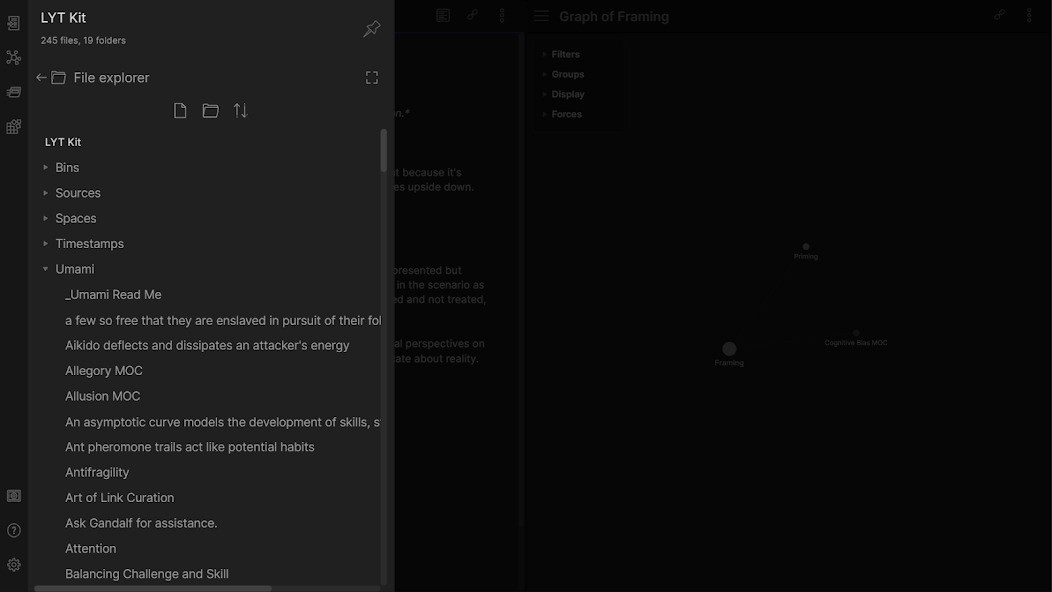
Features of Obsidian begin with the initial opening of a vault. That’s where your notes live. One can easily transfer their ideas since vault contents function as regular markdown files, which maintain future-proof security. From there, it’s up to you. The application allows users to make notes for daily usage and meetings while supporting extended research studies and long-running idea development across multiple years. The power of Obsidian exists in your method of establishing note connections. The relationships in Obsidian form automatically when users link their ideas together. Note-linking will eventually develop into a brain-function representation system.
The application displays your network through a graphical representation in its graph view. Graphs become visible and previous notes resurface because they now connect to new materials. Obsidian provides genuine functionality beyond linear patterns through its organic processing system.
The application ditches expectations about how users think and operate, instead with no set structure. This program allows its users to include only text content and links while maintaining a basic interface. The platform can be grown through community plugins that introduce new features, including calendars and task management tools, as well as spaced repetition systems and additional functionality. The application avoids any imposed structure for users. No preset structure exists in Obsidian because it gives users total autonomy to arrange their system as they need.
The app provides the highest level of privacy protection to users who prioritize security. Every part of your data exists only on your local system. Everything is local. The method of backup remains completely flexible to your needs. The official sync solution becomes available if you desire such capabilities. Users who wish to use cloud services including Dropbox or Git still maintain unrestricted access to configure them without restrictions. Obsidian doesn’t trap you. Obsidian provides necessary instruments then lets you use them according to your needs.
Any person who wants to write research or study, or simply needs brain organization, can utilize Obsidian. It’s not loud. It’s not flashy. This software both hears user requests, and this characteristic is uncommon among current software products.
Is Obsidian Free?
People can use Obsidian free of charge for their individual needs. The software offers complete free functionality, which allows users to download the program, create vaults, and leverage most core features with no obligation to pay. The standard version of Obsidian will serve all your personal note-building needs without requiring extra payments because Obsidian Sync or commercial licenses do not apply to solo users. The team displays appreciation for individual users throughout this free product.
What Operating Systems Are Compatible with Obsidian?
The Obsidian application works with all main operating systems currently available. The application enables installation on Windows, macOS, and Linux operating systems while omitting any additional configuration requirements. The application provides dedicated mobile versions available on both the Android and iOS platforms, so you can access your vaults regardless of your location.
The application provides a natural mobile experience that does not resemble a simplified version. Through its mobile applications, you can edit links and manage your notes using the same level of simplicity. Electronic sync and external synchronization maintain data consistency between devices when you enable Obsidian Sync or a different solution. The design of Obsidian fulfills your device preferences by maintaining consistent workflows across all devices.
What Are the Alternatives to Obsidian?
Users seeking a lightweight markdown-based system should consider Simplenote since it resembles Obsidian in essential features. The application maintains a clean interface without distractions and originates from the team that developed WordPress. The Simplenote application lacks both backlinking and graph view capabilities. The main purpose of this tool lies in making quick recordings that automatically replicate between different devices. The tool provides minimal organizational structure, which may create challenges for people who need detailed connections. The application delivers a fast system but succeeds better at providing basic functionality to those who seek simplicity.
UltraEdit functions as an alternative solution that presents itself through a competing approach. This tool functions mainly as a text editing software instead of a structured note application. The text editor UltraEdit delivers exceptional performance when processing both large files and advanced searches and syntax highlighting solutions. Technical documentation and code-heavy notes benefit from using this application instead of other alternatives. Those looking for a simple, dynamic interface for writing ideas and notes will often find UltraEdit too structured to be suitable.
Mark Text delivers a format that blends two distinct software choices. Users can access this editor as an open-source yet minimalistic tool that ensures a smooth writing experience. Users gain an uncluttered environment to write in Markdown with no intervening disruption. This application provides an excellent writing environment for individuals who seek a minimal solution without advanced features. This editor provides instant opening times and local storage capability while maintaining a non-protruding interface.