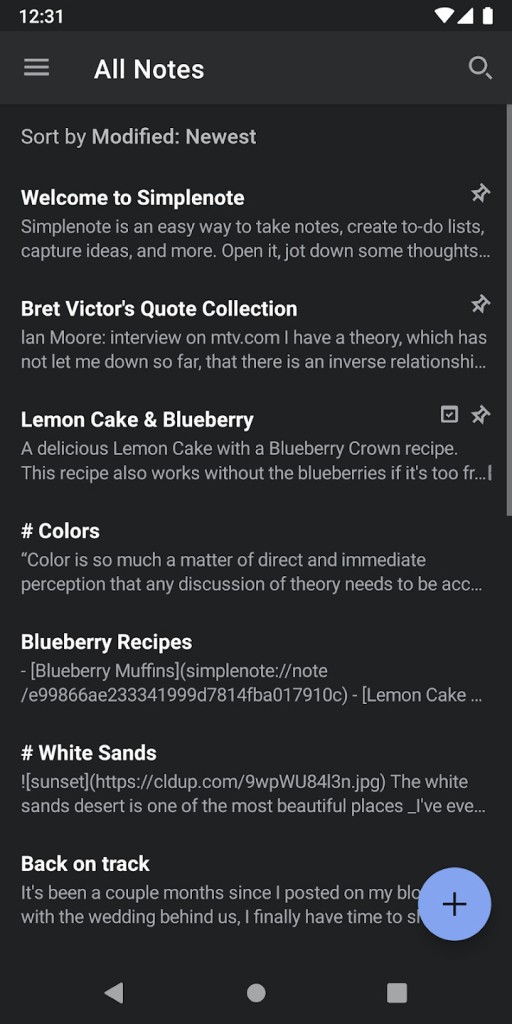
Simplenote functions exactly as its names suggest: users can write information, then arrange everything using a minimalistic design and features. The app exists to create a fast and straightforward method of note-taking while focusing users on their productivity. A clean writing environment without visual chaos or too much visual noise displays itself before users to think and write.
The Automattic company, which operates WordPress, developed Simplenote as an uncluttered tool that delivers functional note-taking solutions to users who want efficiency first. The program enables basic note-keeping activities such as task lists alongside blog idea documentation and extended text outlines through an interface that interrupts you only when necessary.
Thanks to the synchronization function, your notes transfer instantly between cellphones and computers, and tablets, ensuring version agreement all the time. The application serves your workflow silently while working in the background without drawing attention to itself.
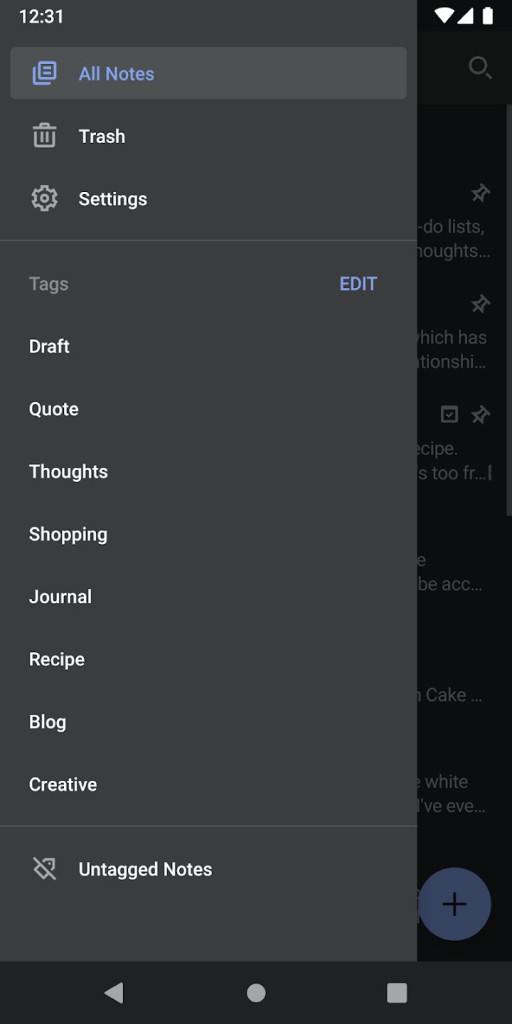
Simplenote is just that: simple. No rich formatting. No folders. Just tags. The great advantage of this application is that users need not learn any features, since they can begin right away. Simply opening the application allows you to begin typing notes that automatically save themselves. That’s it. The complete system operates on this principle, which directs users to document their thoughts before continuing on.
Why Should I Download Simplenote?
The app Simplenote deserves your download because it avoids the common problem of confusing apps with too many functions. Most contemporary note-taking apps deliver a multitude of useless features that conceal themselves from basic user navigation.
Simplenote displays everything in one place through its combination of basic text editing along with quick search capabilities and tagging system and automatic synchronization. No extra steps. No loading times. The app saves users from experiencing formatting issues when they move their notes between applications. What you see is what you get.
The tool finds natural compatibility both with programmers and authors. All text in Simplenote operates in plain format, which protects users from formatting issues when switching between markdown editors or content platforms. All writers benefit from Markdown because it helps maintain their concentration throughout the writing process. Developers prefer this format as it provides quick operation while staying out of their work processes. Students enjoy using Simplenote since the application performs all its functions without requiring subscriptions or feature restrictions.
The application possesses notable speed capabilities, which users should be aware of. Simplenote opens its interface quickly, followed by the immediate loading of your saved notes and instant data synchronization. You’re never waiting on it. Its minimalist look offers minimal visual distractions to users. Simplenote provides the ideal environment for completing that note and idea, or that checklist, because it avoids productivity-distractions.
Using Simplenote as a cross-device writer becomes effortless because of its automatic synchronization. Writing a note on your phone during morning hours lets you revise it on your laptop during lunchtime, followed by reviewing it on your tablet in the evening. One great feature of Simplenote is its version-saving ability, which lets you view past notes from any day throughout the previous period. And all of that is free. No sneaky paywalls. No upselling. Users receive uncomplicated yet straightforward access to their notes at all times from any location.
Simplenote suits best all those who prioritize organized mental clarity. People who create content through writing or develop software and attend school use Simplenote along with those who practice minimalism because this platform lets content speak for itself. Simplenote provides users with an elegant solution in a productivity tool market where tools have become oversized.
Is Simplenote Free?
Simplenote is completely free. You will find Simplenote cost-free with an absolute absence of subscription-based plans or undisclosed fees or premium release updates. All features of Simplenote including sharing and backups are immediately accessible to users when they install it.
What Operating Systems Are Compatible with Simplenote?
Users can access Simplenote from all the dominant operating systems currently on the market. Simplenote allows users to download the application through iOS and Android for mobile devices, alongside macOS, Windows, and Linux versions for desktop usage. Through its web version, users can access their notes using any computer without sharing personal data, since it requires only a login credential.
The system requirements for Simplenote are minimal, so that devices with older specifications can easily operate it. The application provides convenient access to users operating with multiple technological devices.
What Are the Alternatives to Simplenote?
Several alternative note-taking solutions exist besides Simplenote, which match its capabilities while introducing specific innovative features.
One strong contender is Obsidian. As an alternative to Simplenote, Obsidian delivers a linked thinking experience that enables knowledge map creation. The application presents itself as a markdown-based system, yet serves the purpose of structured thinking combined with long-form knowledge storage. Users can make note connections similar to wikis, thus making the platform valuable for system builders instead of casual note-takers. The ability to organize information through Obsidian demands advanced knowledge from users. The tool creates high demands on users because its complex nature can be overwhelming for people who want to maintain a simple setup.
For note-taking, if you are an Android user, did you know that Google provides a very simple and easy-to-use to use app? And what's more, it is also available for iOS users! With Google Keep, all your notes and lists are available straight away. You can collaborate on notes and share them with friends, family, coworkers, etc. And, of course, you can access all your notes from your Google account even in your browser.
Trying to find an editor instead of a note-taking application? Here are two choices among the long list of editors available.
The text program UltraEdit serves as a suitable choice for users. The professional environment of UltraEdit functions as a text editor for developers instead of serving as a note-taking application for text and code content. Programming professionals, along with those who edit extensive file systems, should probably use UltraEdit for their work. The useful features of this tool, such as syntax highlighting and large file handling, and macros, add complexity to its use and raise both learning barriers and cost requirements.
Mark Text serves as an editing platform that bridges the simplicity of Simplenote with the capability of Obsidian. Mark Text functions as an open-source markdown editor that offers visual writing benefits, together with plain text compliance. Users who seek formatting capabilities without advanced word-processor features should find Mark Text beneficial. The interface of this tool enables a proper format, dark theme mode, and keyboard shortcut functions that create an optimal writing environment. You cannot find cloud-sync functionality native to Ulysses, so you should consider adding Dropbox or Git to manage the same function.