Okular is an open-source program that allows you to read, view, or annotate documents in formats ranging from PDFs and ebooks to images. It's the perfect tool for students, teachers, business professionals, and individuals, as it supports commenting and highlighting in files, e-signatures, filling out forms, and version histories.
You can easily search through your files or browse page thumbnails to quickly find the part you need. Okular protects your privacy and does not collect or share any user data.
The platform was developed mainly for Linux computers, but you can now download it on Windows and macOS machines for free as well, making it an accessible and reliable choice. The tool has a simple interface, but it offers all the features you might need in a document reader.
Why should I download Okular?
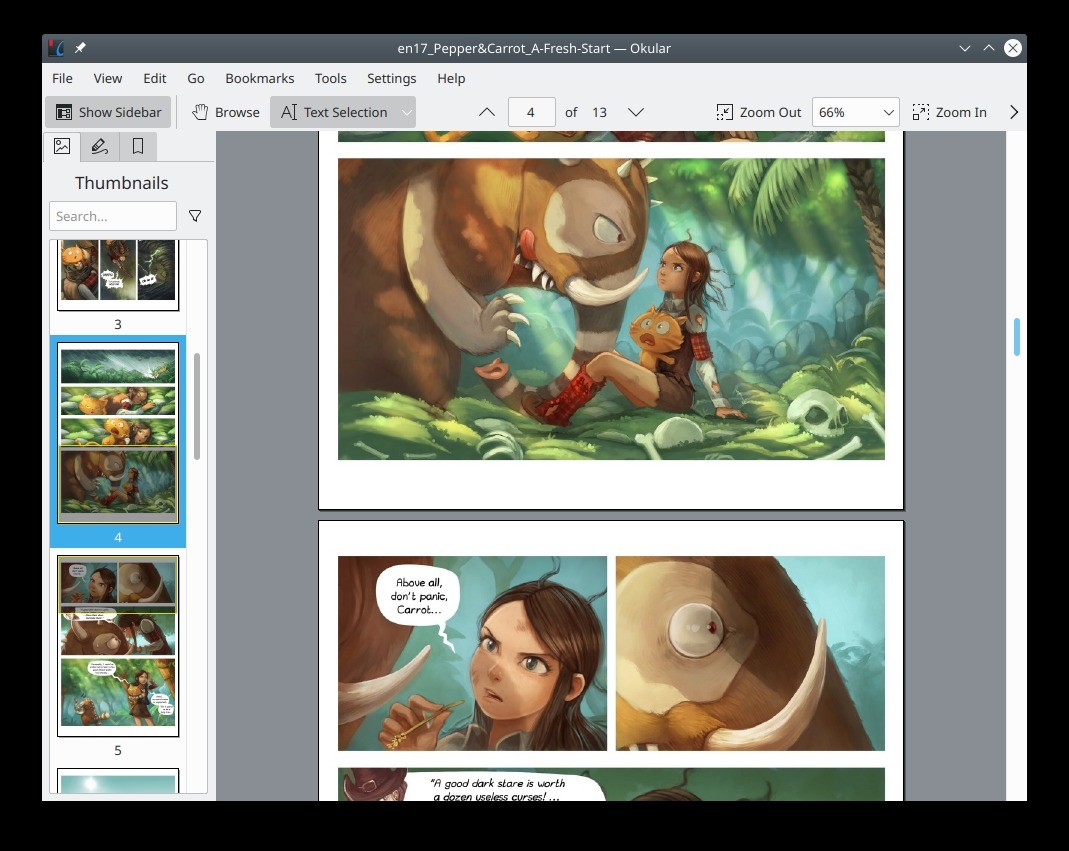
One of the main reasons people choose to use Okular is that it allows you to open and navigate different types of files; it's not limited to PDFs. You can use Okular to open ePub books, DjVu, PostScript, CHM files, CBZ or CBR formats for comics, and JPEG, PNG, TIFF, and BMP images. Because of the wide range of files it supports, you can use it as your default program for opening documents of any type without the need to install or pay for other tools.
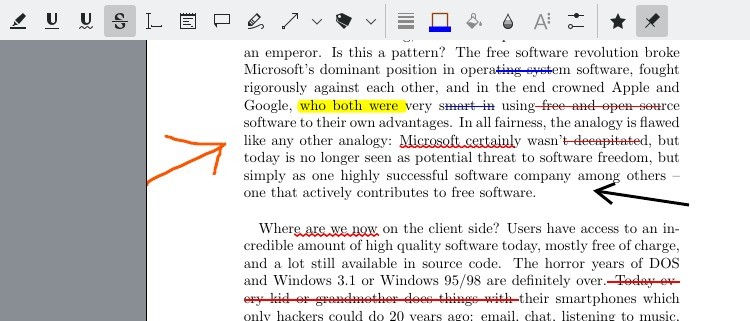
Okular also has a range of features dedicated to leaving notes and comments in files. You can highlight, underline, or strikethrough certain parts of text, leave pop-up notes, and insert text boxes and even drawings. You can also copy text, images, or tables from documents, even if they don't support OCR (Optical Character Recognition) technology.
Okular also has a built-in text-to-speech feature to read selected parts aloud for those who need to use screen readers. If you’d like to enlarge specific images or passages, you can use Okular's loupe and magnifier tool without zooming in on the entire page.
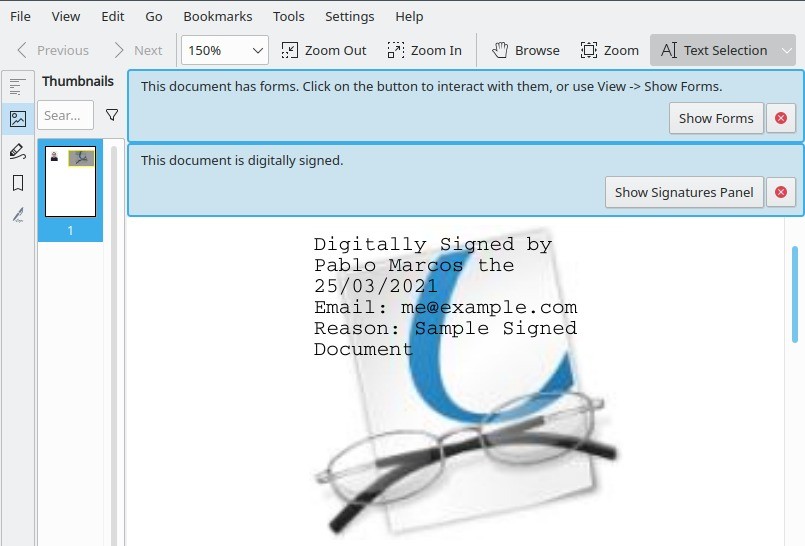
If your PDFs are formatted as interactive forms you can fill out, you can interact with them through Okular, including applying digital signatures. The tool also has a presentation mode feature so that you can easily display your pages on the full screen and navigate between them with your keyboard. When you download Okular, you can create your own bookmarks, browse through tables of contents, or skim through your documents by looking at the page thumbnails.
Since Okular is a free tool, you can launch it on any desktop and enjoy the same features and interface across different systems. This software does not have any built-in ads, it doesn't track your data, and it keeps your files local unless you share them. You also don't need an account or a license to use Okular.
Is Okular free?
Yes, since the tool is distributed under the GNU General Public License, you can download and use it without any cost; it's completely free. The software and its creators don't limit you in terms of who you want to grant access to your documents, so it's perfect for both commercial and personal use. It's a great alternative to other paid products that often require an expensive license or subscription.
What operating systems are compatible with Okular?
You can download Okular in various formats on Linux machines, but it can also be installed on Windows 10 or 11 (64-bit) and macOS computers (starting from version 10.15). Windows and Linux users can also get Okular in portable versions that don't need to be installed.
The tool is really lightweight and doesn't require high-end specifications or extensive access to resources to work smoothly, so you can use Okular on older computers.
What are the alternatives to Okular?
If you need something that will also work on mobile phones, then give Foxit PDF Reader a try. It's available on Windows, macOS, Linux, Android, and iOS, and you can use the free version or get a paid license. Depending on the option you choose, you can fill out or create forms, comment, print documents, edit files, set up different security mechanisms, utilize OCR to search for or copy text, and sign documents with digital signatures. You can also install Foxit PDF Reader on older machines with legacy systems, and the tool should have no problems with performance.
Adobe Acrobat Reader is a commercial alternative to Okular that has been on the market for a long time. You can use its free version to browse and annotate documents, but for other tasks, you'd need to get a paid license. Those can include reorganizing pages, scanning them using OCR technology, merging files, adding various multimedia, collaborating with others, or accessing enhanced security settings. It's a great tool that integrates with other Adobe products, making it an appealing choice if you have an Adobe Creative Cloud subscription.
For Windows computer users who need software that supports multiple file formats, SumatraPDF is a great option. You can quickly open files such as PDF, ePub, MOBI, DjVu, CBZ, and CBR, and the software can handle very big files without slowing down or draining your computer resources. It's a simple and straightforward viewer that doesn't offer annotation and other advanced features, but it's extremely fast and great for viewing documents. Sumatra PDF is an open-source tool that you can download and use for free, and you can even install it on very old systems like Windows XP. If you're a developer, you can expand the tool with new features or options and distribute it freely.