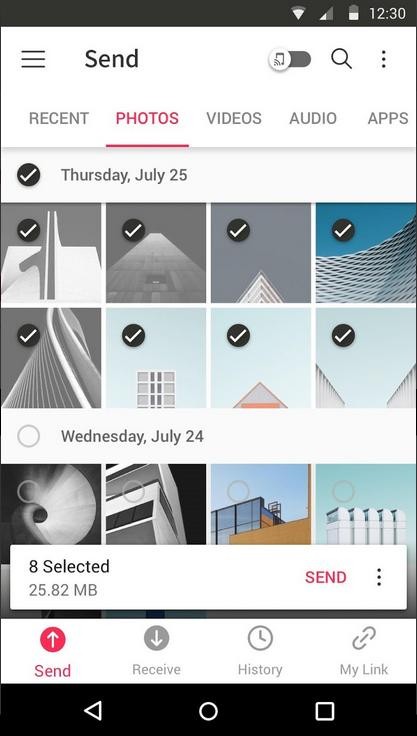
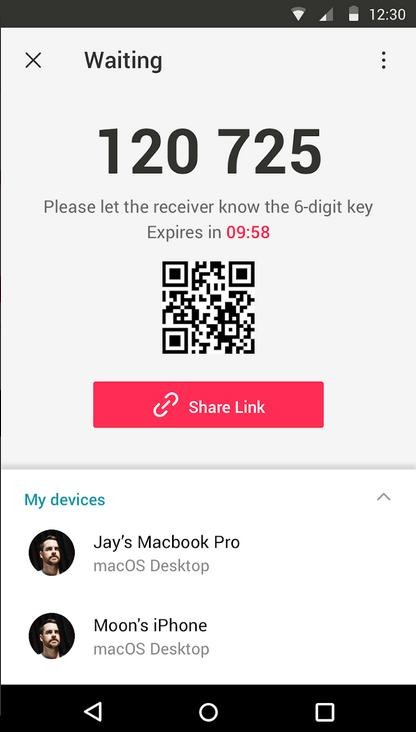
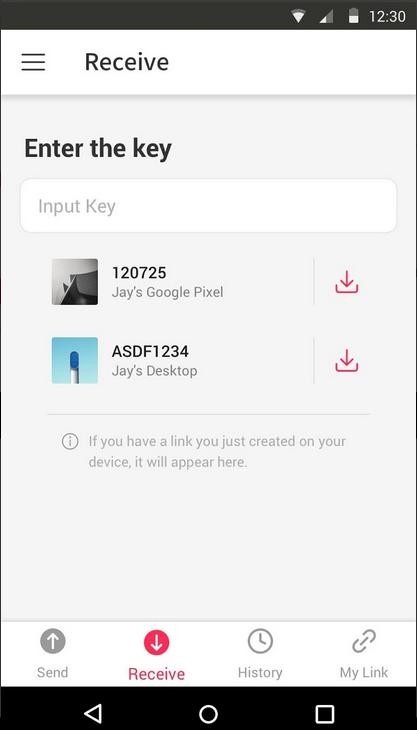
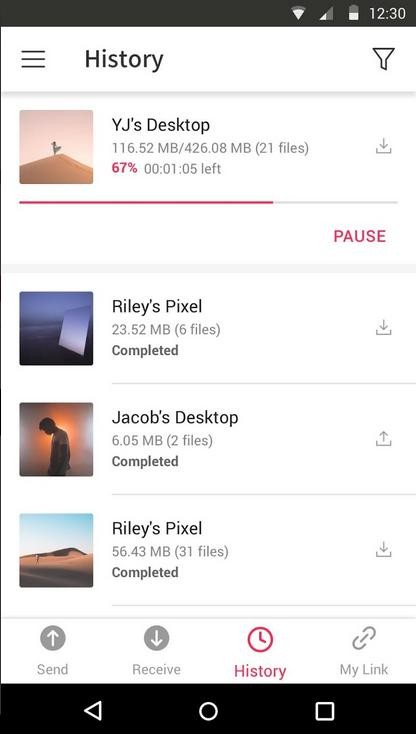
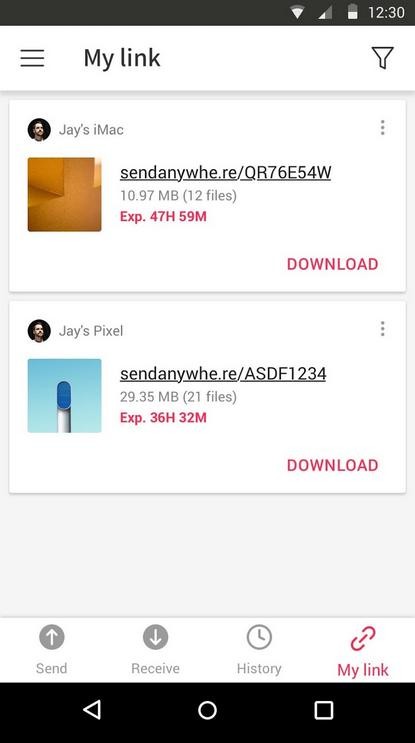
The file-sharing application Send Anywhere makes it convenient for users to exchange files across devices through its six-digit key method that works without cloud storage and complex setup steps. Users can exchange files right away using their unique six-digit key, which removes the requirement to rely on digital attachments or storage devices and Bluetooth transfer speeds. This file-sharing service enables users to transfer unlimited-sized content, thus providing a helpful method for those who need to share large files consisting of high-resolution images, videos, documents, or applications.
Files are transmitted through peer-to-peer (P2P) technology between devices when users choose Send Anywhere instead of conventional cloud-based sharing platforms. The absence of file transit through a server provides users with improved speed and privacy protection during their file-sharing operations. Users can operate the file-sharing function without needing account credentials because this enables quick and uninterrupted file transfers. The software provides device-to-device sharing through its Wi-Fi Direct features and offline functionality, which becomes useful for users who have limited or high-cost data plans.
Send Anywhere enables users to share files across different operating systems and other platforms as one of its main advantages. The software allows users to exchange files between smartphone and laptop and between operating systems while requiring no additional software installations from users. The straightforward design, together with reliable performance, has established Send Anywhere as a popular choice among people and businesses that require quick and efficient file transmission.
Why Should I Download Send Anywhere?
The main benefit users enjoy from using Send Anywhere is that it provides a simple user experience. Users can obtain file-sharing simplicity through Send Anywhere by making use of its generated six-digit keys instead of relying on cloud-based solutions, which require user accounts, logging in, and permission requirements. Users have nothing to worry about because file uploads aren't needed, together with storage limitations or email size restrictions. Send Anywhere enables users to transfer any file of unlimited size through an intuitive six-digit key.
Send Anywhere represents an excellent choice for users because it performs smooth, large file transfer operations. Traditional sharing through email attachments restricts the file size, which prevents users from sharing both high-quality videos and RAW images along with large documents. The Send Anywhere software enables users to transfer massive data files at full resolution without any size limits. Send Anywhere provides strong benefits to photographers and videographers, together with professionals who work with uncompressed data, because of its efficient data-sharing capabilities.
Speed is another strong factor. Send Anywhere delivers direct peer-to-peer file transfer that achieves faster speeds than file sharing through cloud-based methods. The file exchange occurs without delay if the sender and receiver have their devices connected to a shared Wi-Fi network. The file transfer stays efficient regardless of network type because Send Anywhere employs peer-to-peer technology. It functions as one of the fastest direct file-sharing applications currently available on the market.
Users who value privacy will find Send Anywhere to be a suitable option. Users must consider security breaches and unauthorized access to their file data, since most cloud-based file-sharing services maintain user information on remote servers. File transfers are protected through Send Anywhere since the app directs data straight from device to device instead of using third-party storage servers. Transfer operations are safer for handling sensitive data through the device-to-device method of file sharing than they are through cloud storage alternatives.
Users who need to transfer files between various devices should choose Send Anywhere because it works well for this purpose. Users can send presentations from their phones to laptop screens as well as transfer photos between desktops and tablets, while the app makes all Android-to-iPhone movements possible. File transferring can be done between Windows, macOS, Linux, Android, and iOS platforms because Send Anywhere functions as a cross-platform file-sharing solution.
Send Anywhere provides users with Wi-Fi Direct as an additional feature that allows file sharing while offline. The application delivers maximum utility in areas where Internet access is limited or among users who wish to reduce their mobile data use. Send Anywhere provides essential features through a basic user interface that makes it a practical choice for everyone who needs to transfer files between various devices.
Is Send Anywhere Free?
Send Anywhere provides users with the ability to transfer files using its cost-free basic version. The free edition allows users to perform essential file transfer operations like creating six-digit keys and peer-to-peer sharing, along with platform independence.
The premium version of Send Anywhere expands functionality with improved transfer speeds, together with ad-free operation, and enables users to integrate cloud storage options. The free version of Send Anywhere provides appropriate file-sharing abilities to meet typical user requirements, which establishes it as an affordable alternative to standard cloud storage services.
What Operating Systems Are Compatible with Send Anywhere?
Send Anywhere functions across multiple operating systems, which grants connection possibilities to every user. The software supports Windows, macOS, and Linux systems, which allows laptop and desktop users to conveniently exchange files. The mobile platform support for Android and iOS enables users to exchange files between mobile devices and computers or tablets.
Users of Send Anywhere enjoy web-based file transfer features accessible by any modern web browser without the need for program installation. The tool delivers browser-based file-sharing extensions for users who use Microsoft Edge or Google Chrome to transmit files regularly. The wide compatibility of Send Anywhere enables users to easily transfer files between all kinds of devices as well as different systems.
What Are the Alternatives to Send Anywhere?
The highly effective file-sharing service Send Anywhere maintains competition from alternative tools, which deliver similar features. Xender, along with ShareIt and Feem, represents the top alternatives available in the market.
Xender presents itself as a popular file-sharing application that transmits content quickly and works outside the range of mobile data plans. This application allows cross-platform file transfers for users working with Android, iOS, Windows, and macOS devices. File transfers using Xender finish in mere seconds, since the app requires neither cables nor internet to operate at this speed. Users can benefit from simultaneous file sharing through this platform since it serves as an excellent solution for bulk data transfers.
ShareIt functions as a solid file transfer system that uses a wireless method to connect different devices. The application functions similarly to Send Anywhere by eliminating dependence on USB or Bluetooth while using Wi-Fi Direct to perform rapid file transfers. Users can access the built-in media player function in ShareIt to stream music and videos right from the app interface. ShareIt's excessive advertisements within the application create negative user experiences, according to some users' criticism. Users choose ShareIt as their main file-sharing tool while acknowledging the existence of advertisements on the platform.
Feem functions as a privacy-focused file-sharing service that enables users to share files directly from device to device. Feem protects file exchanges through encryption, thus keeping data away from unauthorized access. Under such circumstances, Feem proves advantageous because it provides strong defenses against unauthorized access to sensitive content. Users can perform offline file sharing using this tool, which makes it suitable for data transfer needs when internet access is not available. Feem demonstrates strong security performance when compared to ShareIt functions, yet does not contain all the advanced features available in that application.