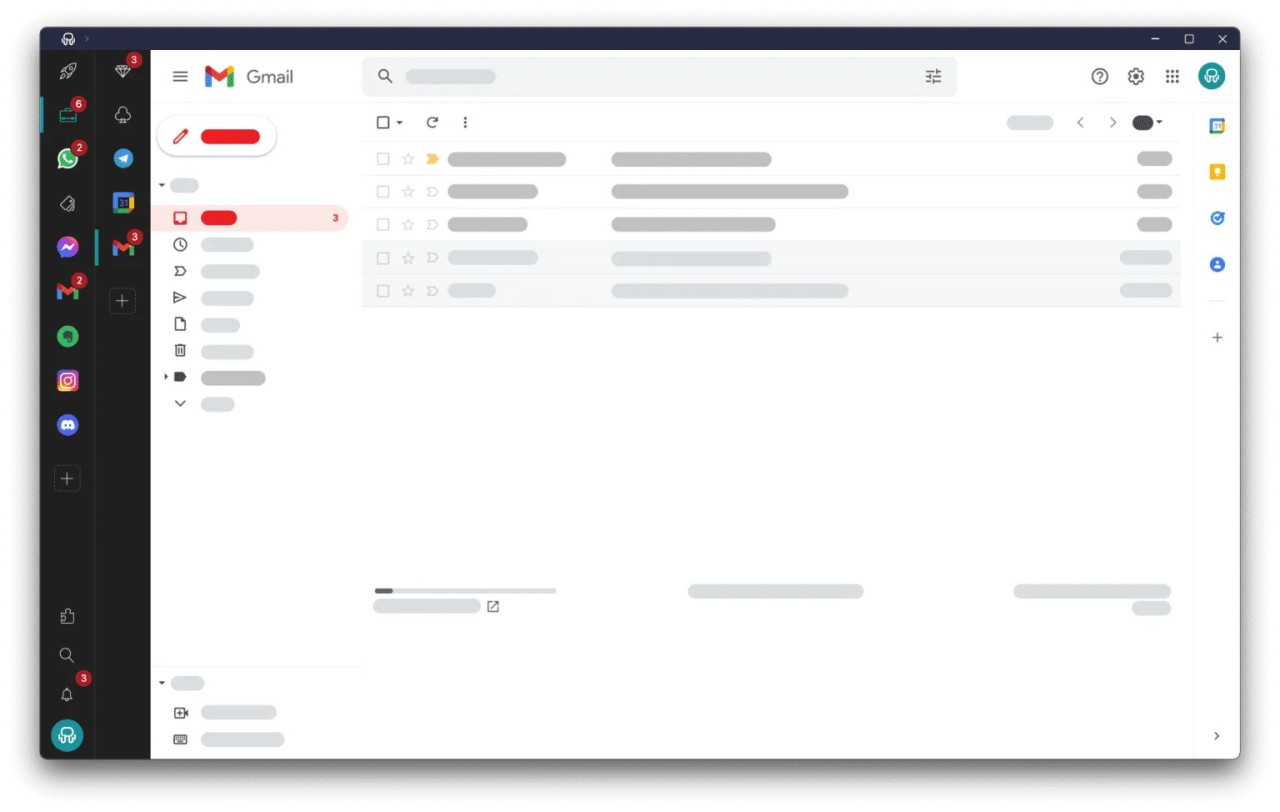
You can access your email, messages, and other messaging applications all in one window by using Rambox. You no longer have to move between many tabs, windows, and apps because Rambox brings everything to one dashboard. It’s possible to use Gmail, Slack, WhatsApp, Notion, Discord, or Trello, all at the same time from a single place.
Rambox is different because you can customize the way you carry out your work with all those tools. You can open work profiles apart from your usual ones, mute certain app notifications, and arrange your workspace to suit the way you think. Its features are especially good for users with several accounts or platforms, such as freelancers, people who work remotely, or members of fast teams.
Essentially, Rambox was created to help people work without extra effort. Now, you won’t have to look through your browser tabs to access your project dashboard. The experience of missing notifications will be eliminated since apps no longer bury each other. Rambox combines all your work applications, which makes your daily work routine easier to handle.
Why Should I Download Rambox?
If you have to open more than five apps at once to begin your work, Rambox is made for you. It’s not just about being efficient, but also about staying attentive to the task. Spare your time from switching between accounts, and you will have more time for the main tasks. All your communication and productivity tools are together in Rambox, so you focus on your tasks and get less distracted.
It feels very rewarding when your tools are organized and conveniently close to you. If you want, you can put competing services like Gmail, Outlook, and ProtonMail into the same Email group and switch between them very fast. You can put messaging apps in one location. In another way, learning to manage projects using platforms is valuable. It feels like making an online control center that goes with your day-to-day life.
Switching from one profile to another is very helpful for people who work with multiple teams or companies. It is possible to use separate settings for work from for your personal use. All your profiles are separate, which keeps you from accessing the wrong information at the wrong time. That’s why it is ideal for consultants, virtual assistants, agency workers, or people responsible for managing a number of clients.
Notifications are another strong point of Rambox. Indeed, constant notifications may stop you from concentrating properly. Using Rambox, you can pause the notifications from the applications you need to focus on when you are working deeply. You are able to communicate without being exhausted. If getting focus for an hour allows you to finish that task, you should mute everything. It only takes a moment to do it with a single click.
Rambox makes it possible to change even more details about your profile. You can adjust every app, pick reload timeframes, use spellcheck, and protect your work with a password. Rambox can be used on different kinds of devices. You can operate it on Windows, macOS, or Linux, and everything in it is synchronized with other devices thanks to one Rambox account. All your app settings, order of favorites, and counts are always there when you switch from your desktop to your laptop.
Rambox feels quiet, dedicated, and smooth to use. You need to spend much less time configuring the application, and can accomplish more work than before. One of its strengths is that you can use it easily without realizing how much time it has saved you.
Is Rambox Free?
Yes, you can use Rambox’s free version, which comes with key features and has access to numerous apps. For extra options such as limitless workspaces, session management, and additional premium app integrations, you can sign up for the Pro plan, which is charged every month or year.
What Operating Systems Are Compatible with Rambox?
Rambox is available for users with Windows, macOS, and Linux. No matter which device you use, all your settings are automatically the same because the app syncs your data. The app is built to run smoothly across all supported operating systems.
What Are the Alternatives to Rambox?
You might want to check out some other applications that are similar to Rambox, suiting your workflow and the number of tools you open daily.
There are plenty of workspace managers, yet Shift is one of the best. Email management is really important in this app, and it supports adding other apps such as Slack or Asana to your daily routine. Even though it provides a neat user interface and easy-to-use transitions, it focuses more on getting work done for people who check their email regularly. It’s preferable to have your project tools ready at hand, even if you work mainly through email.
Wavebox is another excellent choice as well. It makes it easier to work by mixing fast interfaces with useful functions. Just like Rambox, it gives you access to many apps in one location, but with more versatility in the browser. It allows you to put tabs together in a group, add extensions, and break the window into two parts. Those who like the structure of the workplace as well as browsing options can find their balance in Wavebox.
Anyone who likes control and customization should try Ferdium, which is both free and open-source. Using Ferdium, you can enjoy plenty of services, just as in Rambox, and customize your experience with themes and tips given by the community. It may not look sleek like premium ones, but it gives advanced users all the options they need without charging anything.
Although Opera is a web browser, it now comes with workspaces, sidebar messengers, and inside tools that imitate what managers of workspaces offer. If Opera is your preferred browser, and you don’t wish to add another application, using the Opera sidebar would allow you to organize your apps and communications in the same window.