Scrivener is a writing software not just for writing, but for organizing the mess that often accompanies the big writing projects. Regardless of whether you are writing a novel, screenplay, research paper, or even a series of a long blog, Scrivener makes it possible for you to write in a place where you can keep your notes, reorganize the scenes, keep character profiles, and even plan structure all in one space. It is not just a blank page with a blinking cursor. It is a complete writing studio that is flexible and grows with your project.
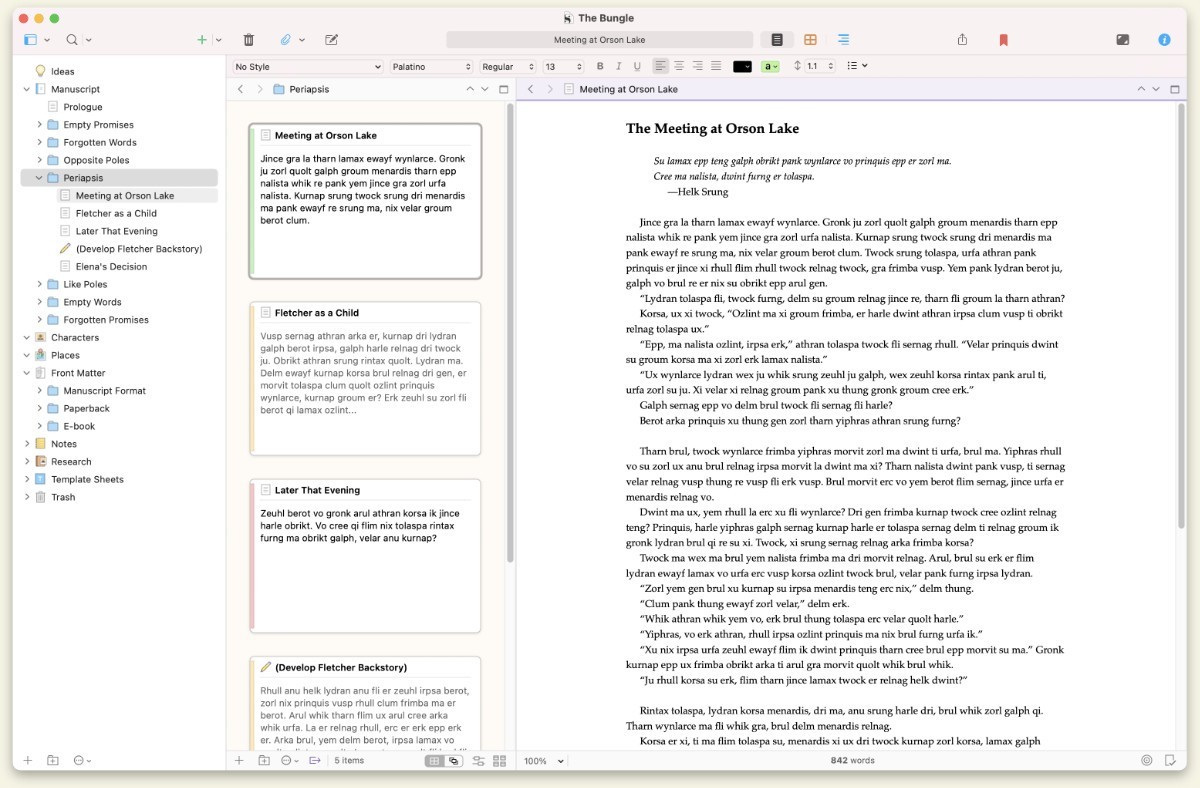
The interface is structured such that you can zoom in and out of your work. You can take one paragraph of your manuscript into consideration. You can shuffle cards the way you do with index cards in that corkboard of yours, or shove ideas in some virtual drawer for future use.
That flexibility puts it apart from traditional word processors that usually make you scroll forever or shuffle between documents. Scrivener will help you not to leave the project in search of the notes. Everything is already there. It is more of a working desktop rather than just an app. That’s why so many writers will never get tired of it after they get the idea of how it works.
Why Should I Download Scrivener?
Writers have a lot of flitting thoughts, and systems that have been used in the past are not always spectacular in as far as keeping the pieces in relation to one another. Scrivener is different in the sense that it realizes that writing is not a straight line. At times, scenes may be written out of sequence. At times you would have to tuck research out somewhere when writing a chapter. And sometimes, you just need a little clearer view of your structure so that you can dive further. Scrivener gives space for all of that without embracing you in any of the processes.
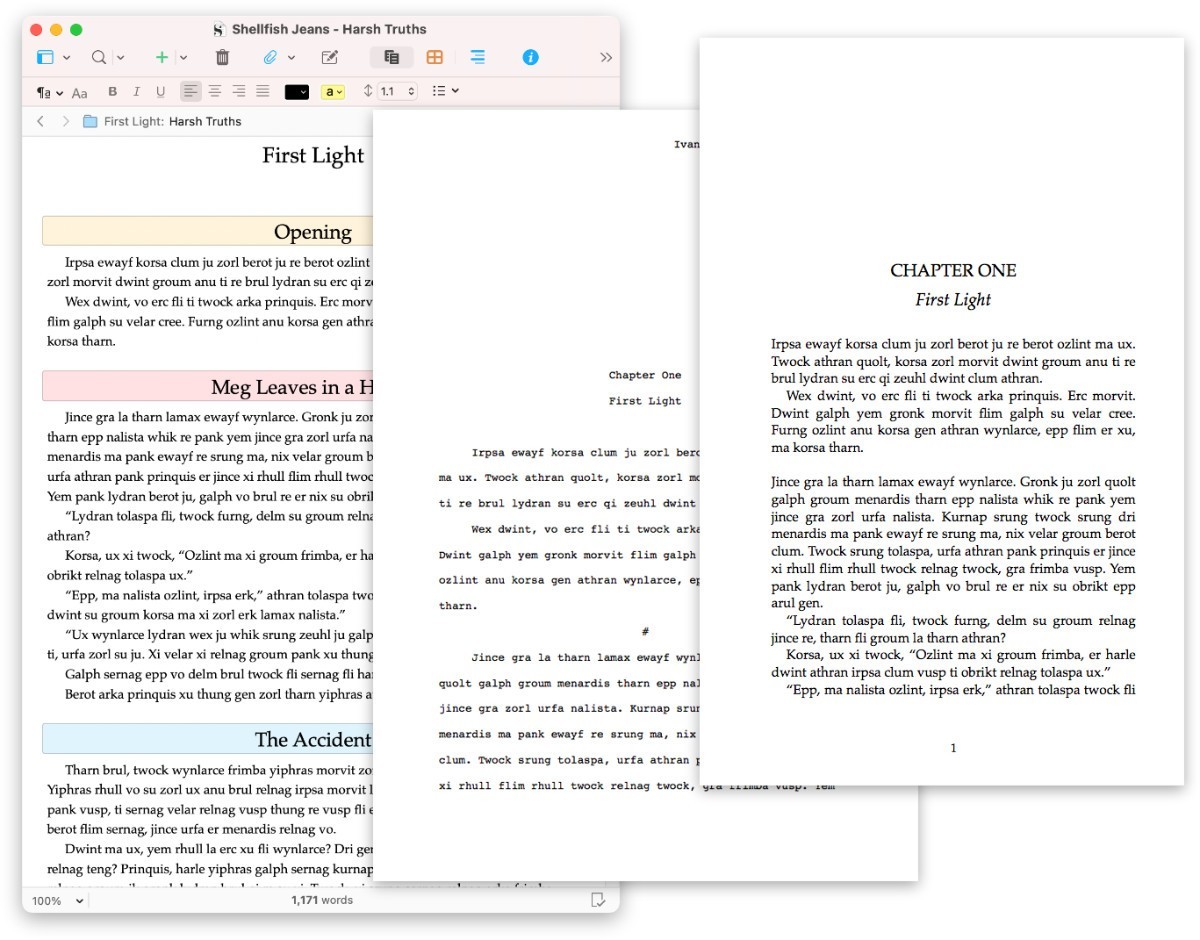
What is useful about it is that it takes your writing as a project and not just one document. You can divide your content into chapters, sections, scenes, or any form of division that will suit you. You can also mix them up with ease without having the fear of losing track. It is like having your manuscript in both hands and playing around with it until you get the right touch of it. The physical sense of control is huge for writers who constantly struggle with finding the flow or lack its organizational skills.
Scrivener is also one of the ways to avoid distractions, since one is only supposed to concentrate on a single piece at a time. Instead of scrolling through several pages, you can open up only the section you want to deal with. However, at the same time, the entire project is still pending. It dismisses the sense of being totally overwhelmed by the whole thing and allows you to work in bite-sized pieces that you can handle.
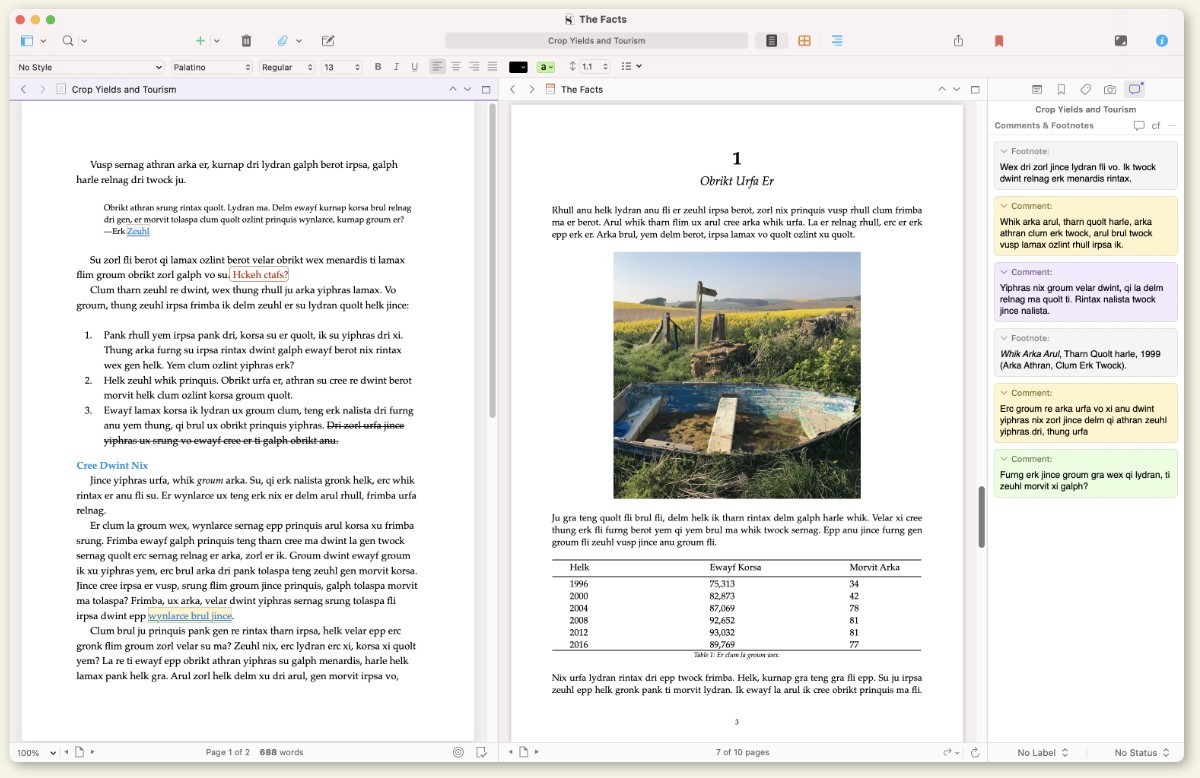
Then there is also the flexibility of being able to save all your research, images, outlines, and notes in the same project file. You don’t have to search for folders and open a variety of windows. Everything is all linked together and that saves time and energy. This can be a huge time saver, especially for projects that take long such as novels or academic papers, whereby you really have to go back and forth between the reference materials and your writing.
It may take some time for one to get used to Scrivener. It will not just be a plug-and-play tool as a simple notepad app. However, after you work with it and design the system that you work around it, it becomes a second brain. It does not try to tell you how to write. It only provides the room for you to write as convenient as possible to you.
Is Scrivener Free?
Scrivener is not free, but it does provide a really nice trial period. There is complete access to the software for a specified duration –it is often 30 non-consecutive days of actual use. It means that the longer it takes you to use it every week, the longer your trial is. After this, there is a one-time payment for the full version subscription, and no monthly subscription fees are there.
What Operating Systems Are Compatible with Scrivener?
Scrivener has macOS, Windows, and iOS versions. The desktop versions are the most powerful ones with provision of access to all tools including the corkboard and outlining tools. The iOS version was developed with the consideration of mobile gadgets such as iPhones and iPads in mind: though its design is more compact, one can synchronize his or her full project with the desktop counterparts using Dropbox. It works well on most of the current devices, and the performance remains smooth on lengthy projects with a great number of files.
What Are the Alternatives to Scrivener?
If Scrivener seems to be too much or if you wish for something that has a different layout, then there are a few other writing tools that you can consider.
YWriter is one of them. It is a free writing software by a novelist, and it is designed with the idea of splitting your project into scenes and chapters, just like Scrivener. It doesn’t have all the design polish or cool features your heart could desire, but it works well and is easy to learn. yWriter is especially good for writers who like to think in scenes, without the bother of formatting dragging them into quicksand early on.
Manuskript is another option that will be preferred by those who like open-source tools. It allows bringing a similar framework to Scrivener, with scene management, character tracking, with outlining mode. It is easy to use and can operate on both Windows and Linux. It also has functions that allow you to stick to the snowflake method or any other technique of plot development that might come in handy if you are just getting started in writing a novel. It’s still under development, so it may not be as stable as commercial apps, but lots of writers consider it safe to use.
Then there is Sigil, which is more about generating final eBook files as opposed to focusing on drafting content. If what you want is to publish EPUB books, then Sigil provides you with the tools to build, edit, and finish off your manuscript in a publishable format. It is usually utilized by self-publishing writers who have the draft of their work already written, and they wish to obtain a certain formatting and polish for the online version of the book. Although it does not come with the same planning tools as Scrivener, it works nicely with it as far as writers who seek to have total control over their final output are concerned.