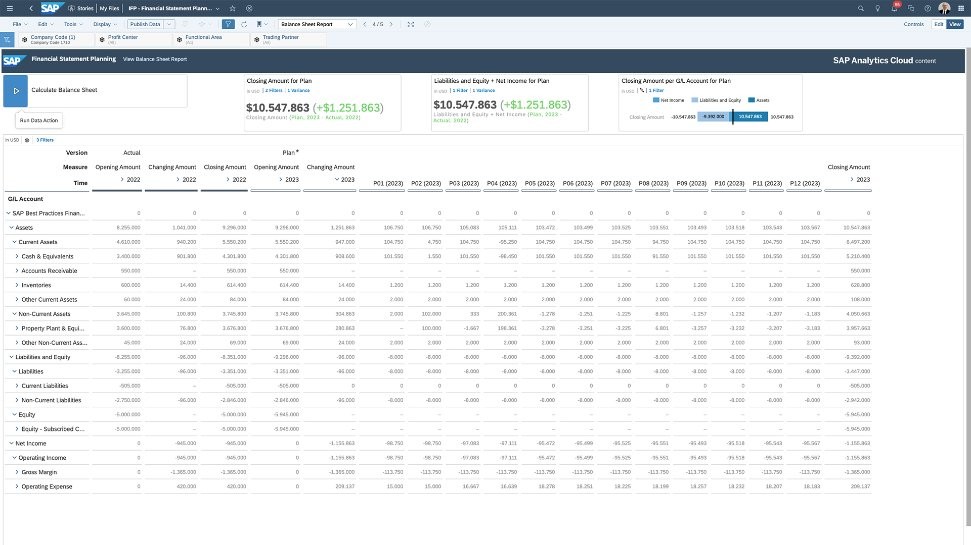
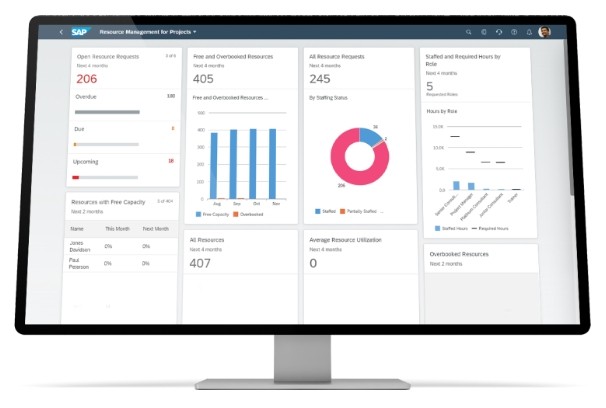
One of the most popular enterprise resource planning (ERP) systems in the world is SAP, which is an acronym for Systems, Applications, and Products for data processing. The company was started in Germany in 1972 by a group of engineers who desired to develop software that could manage all business operations using one integrated system. Nowadays, it has become a giant ecosystem that employs more than 100,000 people and has over 230 million cloud users all over the globe.
To put it plainly, SAP assists organizations in taking care of all aspects, including finance and human resources, logistics, procurement, and customer service. It consolidates information and establishes a single source of information within the departments. Businesses can work without running various systems that are not connected; therefore, there is accuracy and efficiency.
Its existing flagship product, SAP S/4HANA, operates on an in-memory database, which enables real-time processing of data. This enables businesses to respond to changes more quickly, be it to a new market demand, a delay in the supply chain, or a financial update. In-built artificial intelligence, analytics, and automation enabled SAP to change the decision-making process, collaboration, and innovative approach taken by companies.
Why Should I Download SAP
The largest strength of SAP is its integration. It is quite challenging because most businesses have difficulty when various departments have different software that do not liaise effectively. One system is finance, another is HR, another is sales, and the data is scattered. SAP addresses this issue by putting all these processes under a single roof. This implies that communication is effortless and all the sections of the organization operate using real-time and precise data.
SAP also scales easily. The system can expand with you, whether you have a small local enterprise or a global enterprise. It embraces your business model and assists you in automating processes, simplifying communication, and efficiently using resources. You may also add modules as required, such as finance, supply chain, customer relationship management, human capital, and analytics, among others.
One of the biggest motivations for businesses behind using SAP is its attention to AI-based automation. The redundancy of work, such as approvals, forecasting, or checks of inventories, is automated with SAP Business AI, leaving employees to do higher-level work. This intelligence is not merely an addition applied to the surface of the business; it is directly incorporated in business processes, and therefore, the system learns and advances with the course of time.
SAP is also the one that is characterized by security and reliability. Global businesses and governmental organizations rely on it due to its compliance, security, and scalability. Since its inception, SAP has been helping small start-ups as well as large corporations transition out of spreadsheets and manual work and onto the fully digital ecosystem.
Is SAP Free?
SAP is not free software, but it offers free trials and limited access to the software so that businesses can consider the advantages of the software and then make a commitment. Full versions are licensed based on the number of users, cloud storage, and choice of modules. In the case of small and midsize enterprises, SAP offers scalable pricing via cloud-based subscriptions and pay-as-you-grow. Enterprise-level plans are usually bought by large businesses and include integrations and special support. Pricing options and demos are available, in detail, on the official SAP site.
What Operating Systems Are Compatible with SAP?
SAP was developed in a versatile manner. It helps in on-premise and cloud-based deployment, allowing businesses the option to select what suits their infrastructure best. Traditionally, the SAP software was installed on either Windows or Unix systems, but the new SAP solutions are much more flexible.
SAP S/4HANA and Business Technology Platform (BTP) can be deployed on different environments, such as Linux, such as SUSE and Red Hat Enterprise Linux (RHEL). The system is also compatible with such large cloud providers as AWS, Microsoft Azure, Google Cloud Platform, and the Cloud infrastructure of SAP itself.
SAP applications are run on Windows 10/11 and macOS using browser-based portals or the SAP GUI client by desktop users. iOS users and Android users can have access to dashboards, workflows, and analytics on their mobile devices via the official SAP mobile app.
This is one of the greatest strengths of SAP. It does not tie businesses to a particular operating system or vendor. Rather, it is relatively seamlessly integrated into the ecosystem already adopted by a business, which helps to ease the digital transformation without necessarily disrupting the existing systems completely.
What Are the Alternatives to SAP?
Dolibarr is an open-source ERP and CRM platform that serves the needs of small and medium-sized companies. It has finance, HR, project management, and inventory modules that can be customized to suit your requirements. It also has lightweight and efficient software since it is modular, and you install what you require. Dolibarr is run on local servers or in the cloud and is an open-source system, which implies it has no licensing costs, just optional add-ons. It is best suited to those companies that need an inexpensive and community-based ERP system that is not as complex as enterprise-level systems.
One of the most popular alternatives to SAP is Odoo for growing and small businesses. It is a mixture of ERP, CRM, and eCommerce in one platform that has an easy-to-use interface and a variety of functions. Businesses have hundreds of apps available to them that include accounting, manufacturing, inventory, project management, and marketing automation. The greatest advantage of Odoo is that it is modular-based- you can begin with a few applications and add more as your requirements change. The Community Edition is free and open source, whereas the Enterprise Edition is provided with professional support and advanced integrations. Its ease of use and reduced cost of setup make it a viable option for companies looking at an all-in-one solution without heavy investment.
Rootstock ERP CRM is a cloud computing software that is based on Salesforce, and it is developed with manufacturing and distribution companies in mind. It is a combination of production, inventory, supply chain, and customer management. Users can enjoy the benefits of strong CRM and real-time analytics because it is based on Salesforce. The visibility of Rootstock is its strength; the companies can clearly see the materials, demand, and workflow, and hence can adjust to changes more rapidly. It is not open source, but it is highly scalable and is deeply integrated with Salesforce, which makes it a good fit for an enterprise looking to find a trusted cloud-based substitute to the on-prem or mixed on-prem and hybrid systems of SAP.