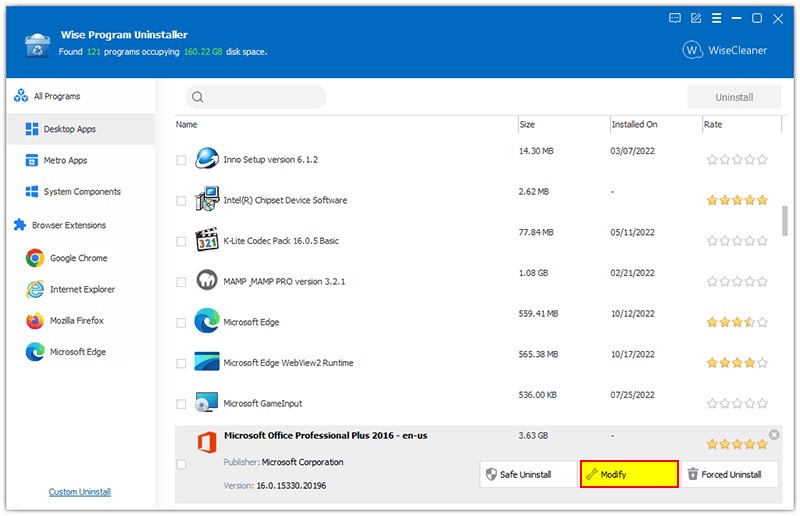
Wise Program Uninstaller is a Windows program that can be used to uninstall any application fully. It goes deeper than the default Windows uninstaller, getting rid of remnants of files, folders, and their registry keys that other uninstaller programs overlook. It doesn’t need installation, just put it on a USB, plug it into any PC, and it’s ready to go.
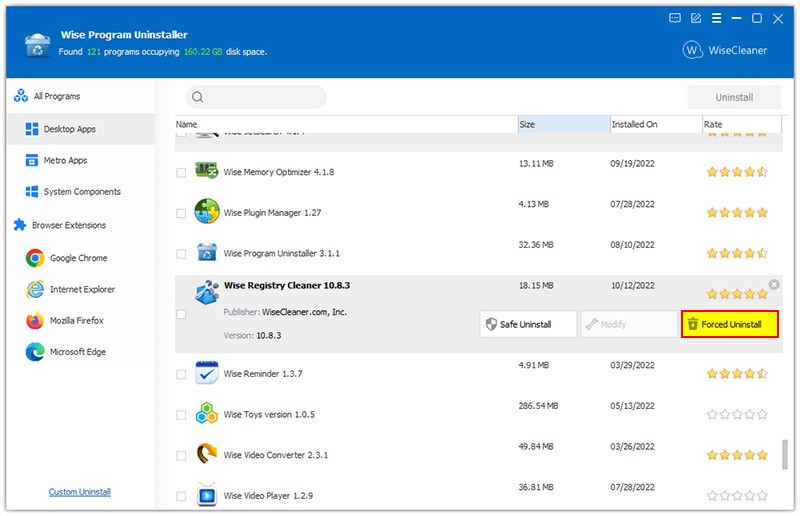
This is an easy program that is quite effective. It can remove third-party programs, built-in Windows apps, and even hidden UWP applications. Its Force Uninstall button assists in uninstalling damaged or obstinate programs that are hard to delete. When a program is not visible in the Control Panel, the Custom Uninstall option allows selecting the program's folder and deleting all its files.
The tool also checks the overall health of your system and installed software. It searches for files left behind, it purges the registry junk and it removes temporary files, and it maintains the startup settings or scheduling that slows down the PC. It takes care of the technical stuff without much noise, and it is simple to use when one wants to have a clean and fast computer.
Why Should I Download Wise Program Uninstaller?
Windows’ built-in ‘Add or Remove Programs’ tool doesn’t always get the job done. When you uninstall programs, they often leave behind empty folders and leftover registry keys. These remnants have the potential to lower performance with time. A Wise Program Uninstaller was created to correct that issue.
The instrument is miniature, convenient, and quick. No setup or registration is required; it is usable immediately. It traces the debris that other uninstallers fail to find and provides a complete cleanup. The Software Health utility identifies and removes leftover files from earlier software installations and improves startup performance.
The other significant feature is the Force Uninstall. When an app cannot be uninstalled or is corrupted, Wise scans the system and the registry to eliminate it fully. It also handles browser extensions easily; you can remove toolbars or add-ons from Chrome, Edge, or Firefox in one go.
The interface is practical. An option on the context menu allows you to uninstall the program in one click by simply right-clicking any of the shortcuts, no Control Panel search results, no multi-confirmation. It silently does its job and saves time. It keeps things clean, quick, and hassle-free, just does what it’s meant to do.
Is Wise Program Uninstaller Free?
Yes. Wise Program Uninstaller is free to download and use. There are no paid levels, background restrictions, or registration notices. Every feature, including Force Uninstall, browser cleanup, Software Health, and more, is free. It is a simple, uncomplicated tool that anyone can use to gain more control without having to purchase premium versions.
What Operating Systems Are Compatible with Wise Program Uninstaller?
Wise works with almost every Windows version, from Vista up to Windows 11. It supports both 32-bit and 64-bit systems, but it can also be used in laptops, desktops, and virtual machines. It is also portable and can be stored in an external drive and used on numerous computers without installation. It removes both classic Win32 software and UWP applications installed from the Microsoft Store. In Windows 10 and Windows 11, you can also uninstall built-in applications, which, in other cases, cannot be deleted.
It has a lightweight style, which is an advantage. It does not consume many resources, even on older machines. Even during a deep scan, it runs quietly in the background without slowing your PC. It’s secure, stable, and reliable, perfect for keeping your PC clean and running smoothly.
What Are the Alternatives to Wise Program Uninstaller?
Uninstall Tool is a handy and powerful alternative to CrystalIDEA. It concentrates on accurate deletion, identification of registry keys, startup entries, and concealed files formed in the process of installation. Its Install Tracker is a real-time one that keeps a track of everything that is altered by a setup program, so that you can reverse it on a later date. It is charged following a brief trial, but it is designed to be dependable and fast. The interface is a notch higher than that of Wise, and users who desire greater control over every uninstall can be drawn.
Revo Uninstaller is a popular maintenance program. It provides a variety of uninstall forms: between the Safe and the Advanced ones, to select the degree of elimination of a program. It also has a Hunter Mode that allows you to drag an icon on any open window so that the program can be uninstalled immediately. The free edition includes the majority of features, whereas the Pro edition includes real-time installation monitoring. Both inexperienced and experienced users believe in it to get deep, consistent cleanups.
HiBit Uninstaller is another free utility that not only covers the aspects of uninstalling software. Besides the program remover, it contains a junk cleaner, a startup manager, and a context-menu editor. Its deep-scan algorithm quickly and safely locates remnants of files and registry traces. One more feature of HiBit that enables its usage by a wide range of users is that it also has a portable version. The design is clean and modern, and it performs batch uninstallations very quickly. The practicality of it is that it is a zero-cost option that goes beyond just the removal of programs.