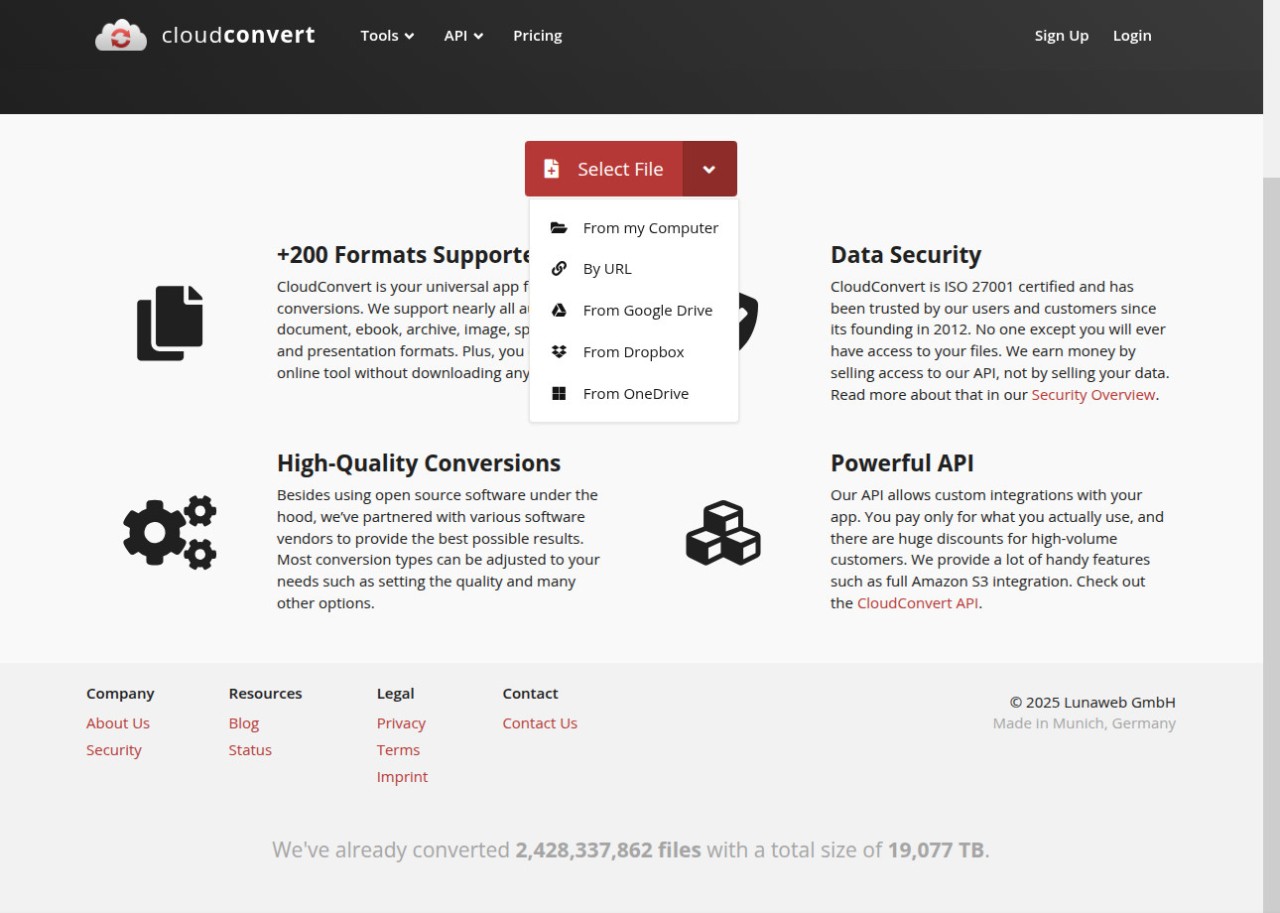
CloudConvert functions as a browser-based application that enables users to transfer any document type into multiple files with no device installation necessary. It allows users to convert files through an online browser interface, which lets them select a file and pick a conversion style before providing a download option for the transformed version.
CloudConvert processes every type of content, including videos and audio files, documents and eBooks, spreadsheets and images, and CAD drawings, with no issues. Changing file types is only one part of CloudConvert's functionality, as the service also ensures document usability throughout format changes.
A unique selling point of CloudConvert that distinguishes it from traditional converters is platform independence. The tool operates without specialized hardware equipment requirements and system compatibility issues. Everything happens in the cloud. Your system only needs the upload and download functions; the rest takes place on distant servers.
CloudConvert allows users to connect their files from Google Drive and Dropbox through its integration system, making it convenient for online file repositories. It’s smooth, minimal, and versatile. Users who manage different file types frequently can benefit from this software.
Why Should I Download CloudConvert?
You don’t need to download CloudConvert to use it. Access to the CloudConvert web platform gives you all the functionality you require.
The service functions across diverse operating systems, including Windows, Mac, Linux, and mobile platforms; all you need is an active internet connection. From challenging to straightforward, CloudConvert makes any conversion process simpler. Trying to access unsupported file formats produces a frustrating message that interrupts your workflow. The service CloudConvert instantly erases your conversion-related frustrations through its speed-driven performance.
The file extension modification requirement represents only one aspect of its functionality. File optimization, file compression, and trimming are other important features. When you upload a video to CloudConvert, you gain access to format conversion, video resizing, audio extraction, and bitrate value adjustment features. The options present themselves in a manner that gives you control of the process.
This application avoids unnecessary features that do not benefit the user. The application displays only essential tools that pertain to your active file creation tasks. Thoughtful design by the developers enables quicker work progress for users.
Many users appreciate CloudConvert because it supports an extensive list of formats; not just common ones, but obscure ones too. CloudConvert has the power to manage uncommon file types, so users can expect professional conversion support.
CloudConvert is the default tool for users with diverse content needs. Users appreciate this solution because it satisfies all their file processing needs in a single application.
The data safety provided by CloudConvert should appeal to privacy-minded users. The app places strong emphasis on how it handles your information. CloudConvert deletes files automatically after a brief period of time, unless users activate manual storage or disable tracking functions and advertisement interrupts during file processing.
Many users recognize the smooth user experience. The app allows you to perform deadline-based work or project tasks in a noise-free environment.
Through its API functionality, CloudConvert enables developers to integrate file conversion into their own application development frameworks. Regular users enjoy the platform because they can load files on the page and obtain their desired output format without requiring additional software and step-by-step instructions.
The service offers reliable performance.
Is CloudConvert Free?
CloudConvert works as a web application, so all operating systems that support modern browsers allow users to access it. The platform allows conversions for users of Windows, macOS, Linux, and ChromeOS computers, alongside Android and iOS mobile devices.
You don’t need to install any software to access CloudConvert. Simply open the platform in your browser, and you are set for converting files. CloudConvert automatically optimizes its functions to support any screen size, ranging from desktop to tablets and mobile phones.
What Operating Systems Are Compatible with CloudConvert?
All operating systems that support modern browsers allow users to access CloudConvert because it operates through a web interface. The platform allows conversion for users operating Windows, macOS, Linux, ChromeOS alongside Android and iOS systems.
The website requires no software installation for use because users can access CloudConvert through any web browser. Simply visit the platform through your browser and you are set for converting files. CloudConvert automatically optimizes its functions to support any screen size users use, ranging from desktop to tablet to mobile phone. Everyone can access this system in the most pure form.
What Are the Alternatives to CloudConvert?
CloudConvert has many benefits, but there are other file conversion tools to choose from as well. Format Factory is a desktop alternative for people who dislike online tools.
The Windows-exclusive Format Factory exists as a free utility tool that performs various conversion operations, including those related to video, audio, and image content. The local nature of this tool makes it suitable for working in an offline environment or performing multiple file conversions from a single location without requiring uploads through the network. The traditional interface appears dated, but the program delivers powerful conversion functionality and fast performance.
Another popular alternative is HandBrake. It is an open-source program that focuses on video files. HandBrake maintains an outstanding position when it comes to video encoding, compression, and transformation for streamable or device-specific formats because of its exceptional performance. The program enables complete customization during the output process, which lets users modify every detail. The program supports Windows, macOS, and Linux operating systems. People working with media production content or those looking to minimize large video files should give this software a go.
Then there’s Freemake Video Converter—a Windows-only tool. Beginners find the application easy to use because it offers clear visuals and fast presets. The Freemake converter tool transforms video files into formats suitable for YouTube, mobile devices, and DVD systems. The application provides limited flexibility when using advanced settings, even though it remains easy to use for beginners. Users who only need the basic functionality of the app can use the free version without needing to upgrade.