
Watching JioHostar in the USA is no longer possible after the platform’s rebranding. You can still find some Hotstar originals on third-party platforms. However, to watch JioHotstar in the USA, you need a VPN. JioHotstar, a merger of Disney+ Hotstar and JioCinema, now works exclusively in India. We’ll cover how to access and watch it with a VPN, which VPN to use for the job, and how to fix potential problems if your JioHotstar VPN isn’t working as it should.
How to Watch JioHotstar in USA With a VPN: Guide Updated in 2026
- Subscribe to a VPN that works with JioHotstar. We recommend NordVPN at 73% off +3 free months with the fastest Indian VPN servers.
- Install the VPN on the device you use for streaming.
- Open the VPN and sign in to it.
- Connect to a server in India from the server list.
- Watch JioHotstar in the USA by visiting the site or using a dedicated application. Sign-ups only work if you have an Indian payment method and a phone number to verify your account.
How to Watch JioHotstar in USA: Detailed Tutorial
If you want more details, here’s how it works. You need a VPN, and NordVPN offers servers in India, which provide an Indian IP address for access to JioHotstar in the USA. For a start, you must subscribe to NordVPN and set it up on your device. We strongly recommend NordVPN because it’s fast, offers unlimited data, and uses SmartPlay technology optimized for easy unblocking of streaming services. Once installed, launch the VPN and then sign in to it.
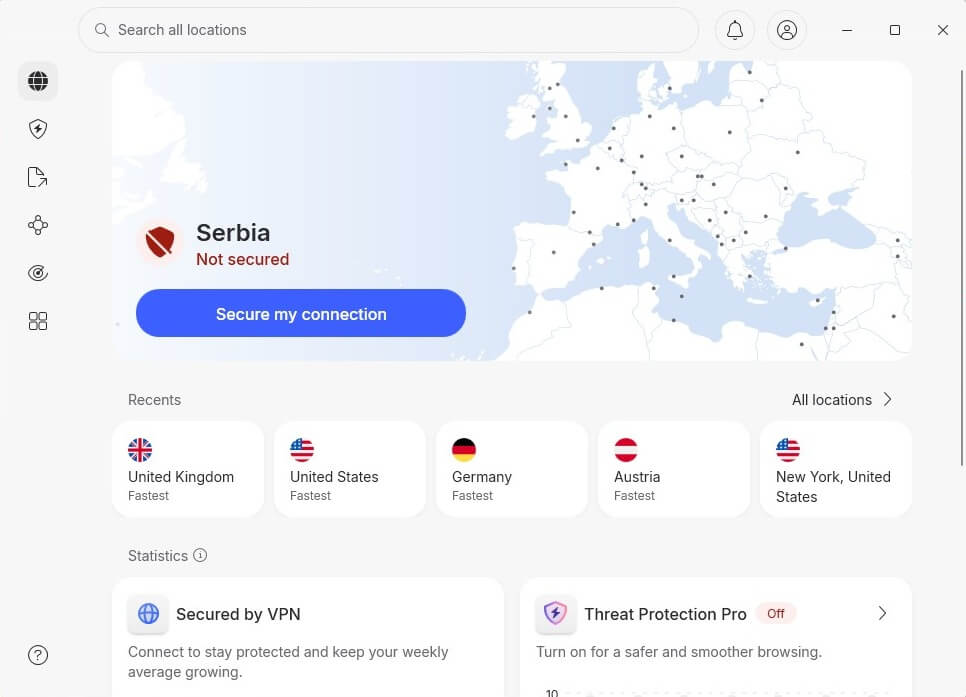
Since JioHotstar works only in India, you must pretend you’re there with an Indian IP. Go to the server list (choose All Locations) and search for India. Click on it, and NordVPN will then connect within seconds:
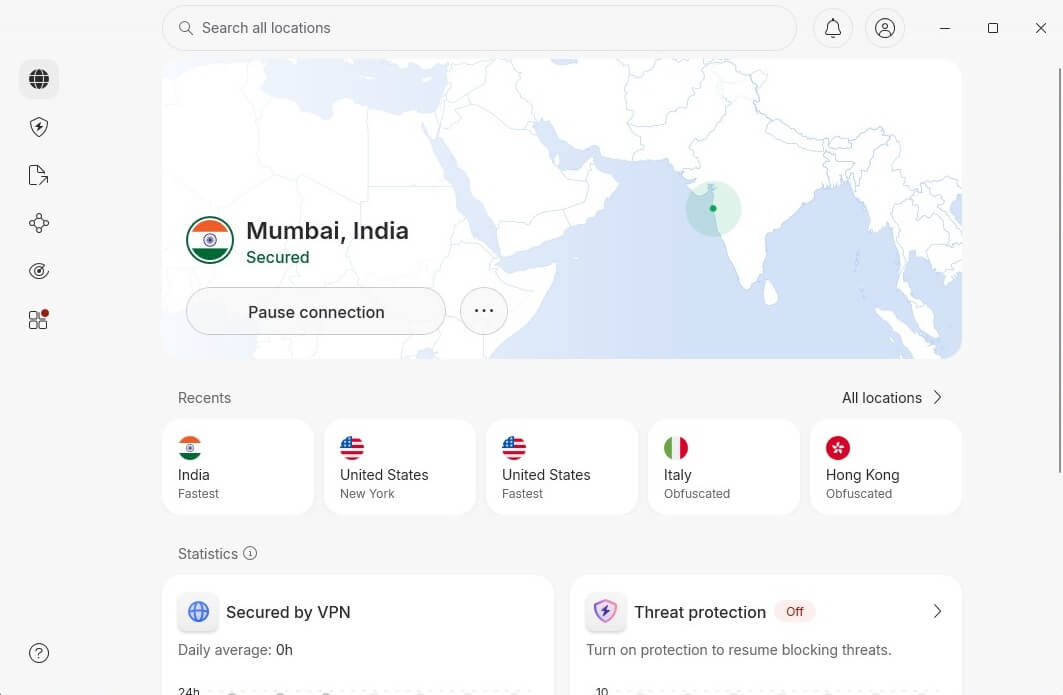
Now, all that’s left is to watch JioHotstar in the USA, provided you have an account. If not, you can sign in with your Indian phone number or by using a QR code in the JioHotstar app. It all works without issues.
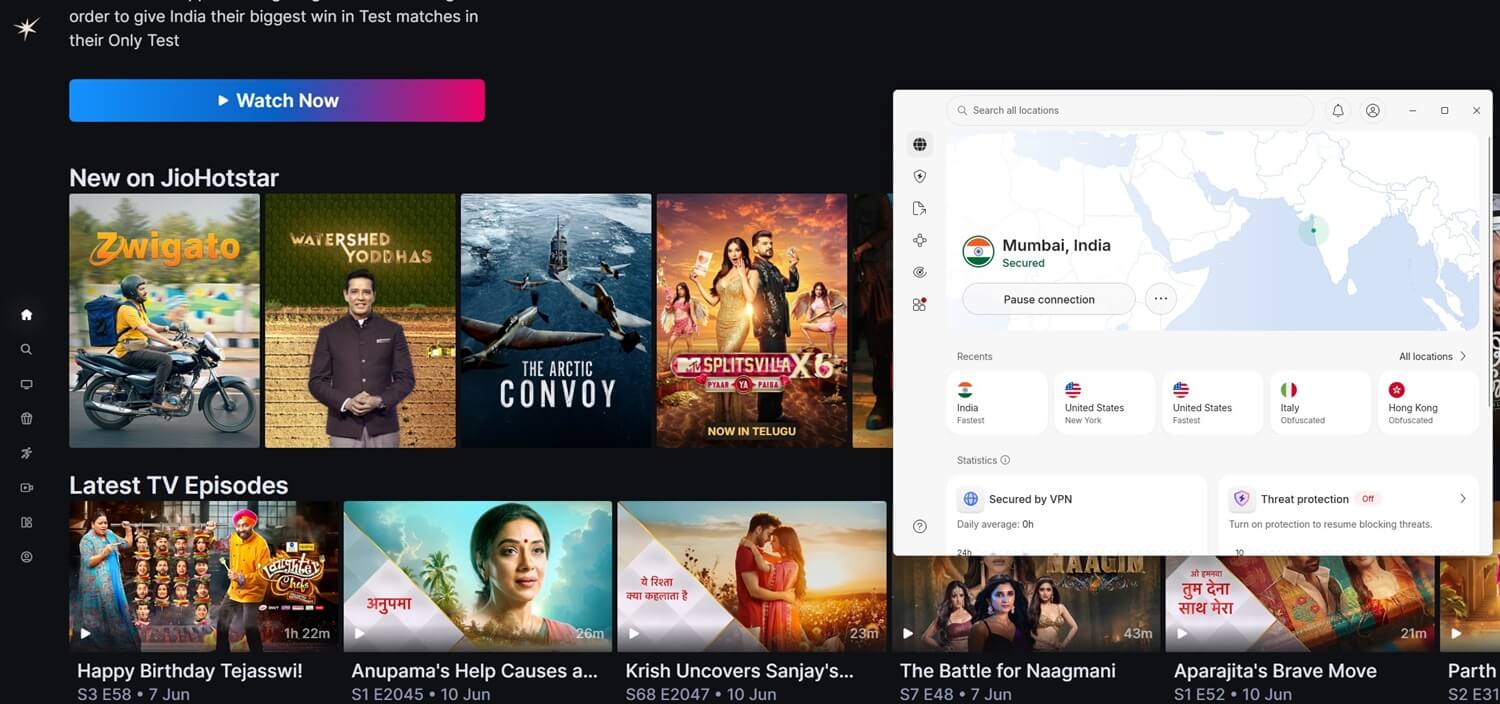
Unblock JioHotstar With NordVPN
Best VPNs to Watch Hotstar in the US
It’s no secret that you need a VPN to access JioHotstar outside India. While you’ll find traces of some Hotstar content in the USA, JioHotstar is where all the cool Bollywood content is. To find which VPNs work with JioHotstar USA, we tested 15 paid VPNs (free VPNs won’t work at all because they lack Indian servers) and narrowed them down to just three that truly stand out in 2026.
1. NordVPN: Best JioHotstar USA VPN in October 2026
Pros
- Fast servers in India
- SmartPlay technology
- Blocks trackers and ads
- App for Apple TV/Fire TV Stick
Con
- Not beginner-friendly
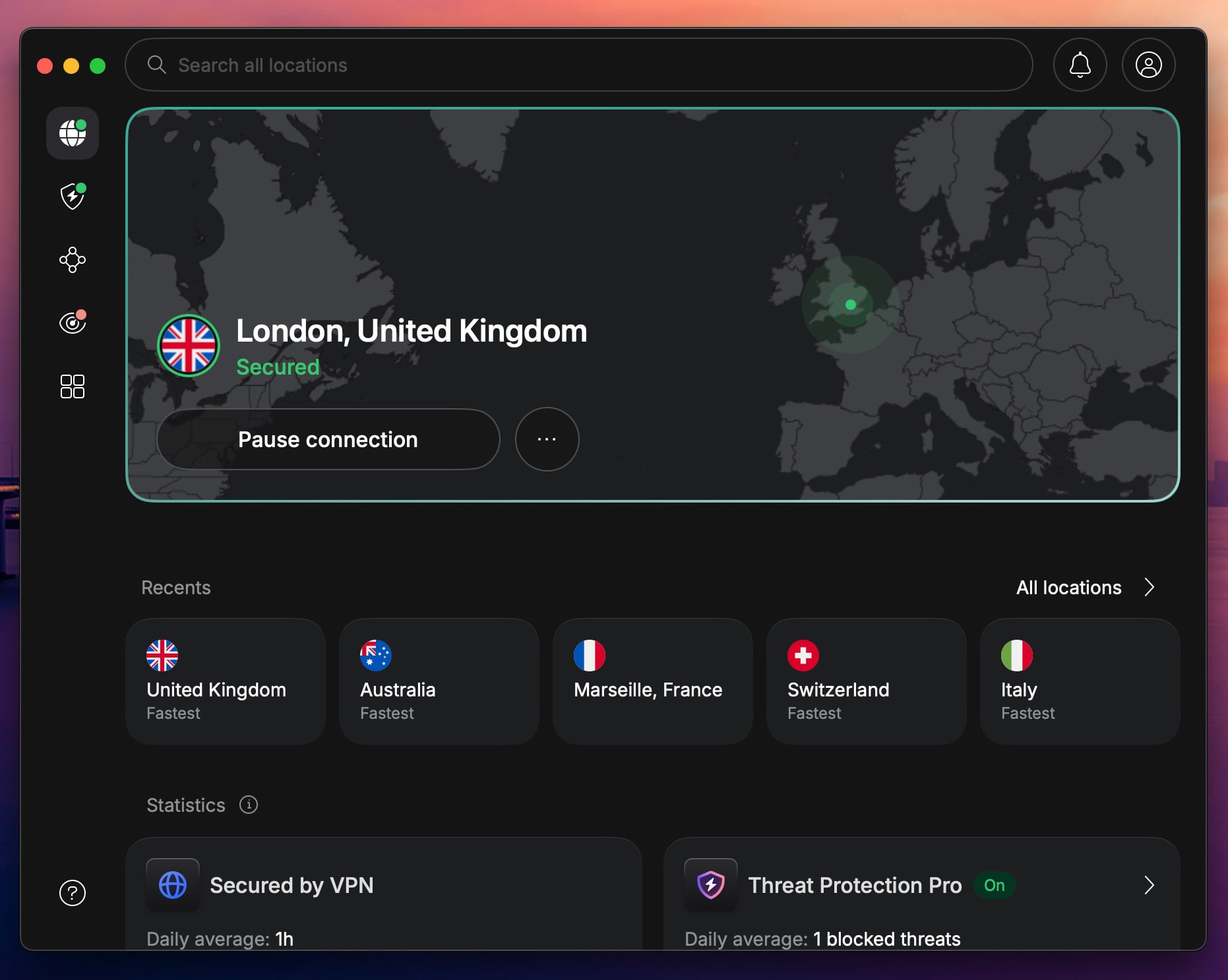
NordVPN is our top pick for watching JioHotstar in the USA. It’s the fastest VPN in our tests, and that matters for high-res streaming. We tested its virtual Indian server from New York. In tests, our native speed was 342 Mbps, but on the Indian server, it dropped to 300 Mbps, so that’s a small loss. When we streamed JioHotstar in the US, we put it in Full HD without any issues with buffering or slower loading. NordVPN is also the best VPN to use in India.
My personal favorite is SmartPlay, a technology that mixes a VPN with SmartDNS, resulting in exceptional unblocking capabilities that make NordVPN good for streaming. NordVPN is also capable of blocking ads, and using its Threat Protection Pro, we stopped trackers and ads on streaming sites, including JioHotstar. What sets it apart is compatibility. It’s among the rare VPNs with a native Apple TV app, perfect for Apple ecosystem users.
On top of that, NordVPN costs very little, and the starting price of $3 per month more than justifies the investment. A 3-day trial is available on Android, and there’s a 30-day money-back guarantee on all plans.
2. ExpressVPN: Fast VPN to Watch JioHotstar in USA in Full HD

Pros
- Fast and stable speeds
- MediaStreamer (SmartDNS)
- Blocks ads on streaming sites
- Affordable 2-year plans
Con
- Higher renewal price
If speed and reliability are your top priorities, ExpressVPN makes a strong case. We tested it the same as NordVPN, and recorded a speed of 296 Mbps, just a tad slower than NordVPN. It was still enough to watch JioHotstar in the USA in Full HD and not suffer from buffering. We tested its virtual server in Mumbai, and we also unblocked a few Indian TV channels. The VPN blocked ads and trackers, though, unlike NordVPN, it didn’t display blocked threats.
On the brighter side, ExpressVPN was very easy to set up. Its one-click apps were some of the best we used, with a UI identical across all platforms. ExpressVPN supports streaming devices, like Apple TV and Fire TV Stick, with 10 to 14 simultaneous connections based on the chosen plan. Speaking of plans, ExpressVPN is far from expensive, and it typically starts at only $2.49 per month with 4 free months for 2 years. ExpressVPN coupons drop that price.
And, of course, there’s a 30-day money-back guarantee on all plans, plus a 3-day free trial if you sign up on Android or iOS. To remind you, you can unblock JioHotstar in the USA even on mobile devices, and watch all the content using the JioHotstar app.
3. Private Internet Access: Unblock JioHotstar in USA for $2/mo
Pros
- Many Indian VPN servers
- Unlimited devices
- Works in censored countries
- Best VPN for privacy
Cons
- Outdated interface
- Slow on distant servers
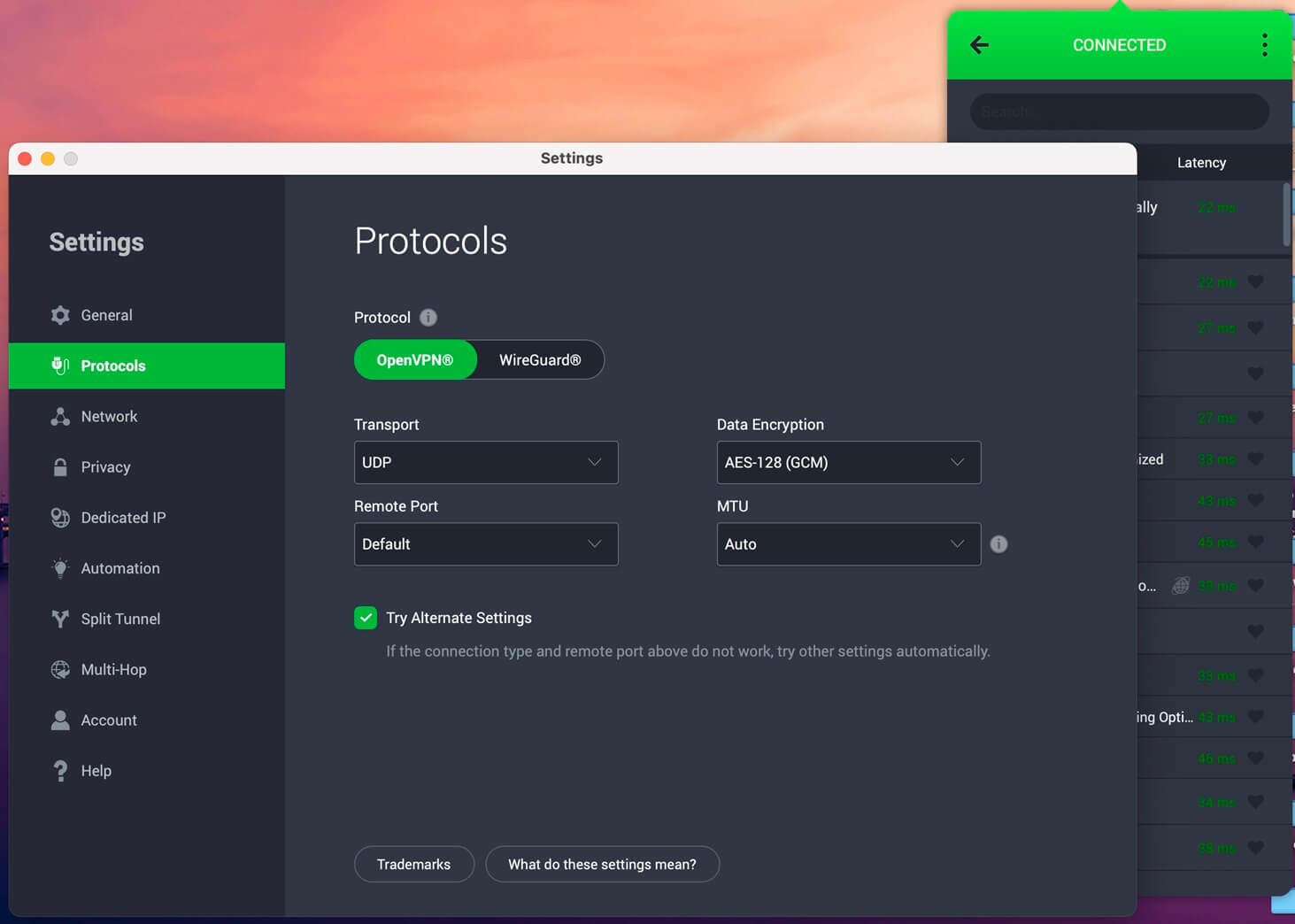
Here’s a budget VPN to watch JioHotstar in the United States: PIA. I love calling it a free VPN for India because it costs only $2, and during special promotions, it drops to $1.33 a month. For such a small price, PIA is very fast, and our tests on the virtual Indian server recorded a speed measurement of 288 Mbps (Base: 342 Mbps). WireGuard is the base here, and with it, PIA is stable and reliable for Full HD streaming; 4K resolution typically has some buffering.
PIA is the best cheap VPN you’ll get, with SmartDNS support, streaming-ready servers, and unlimited devices. While the app looks dated, it’s relatively simple to use, and the VPN holds its own in security and privacy against more expensive VPNs. With support for all major platforms, PIA is easy to set up for JioHotstar streaming in the USA. If you’re unsatisfied, you may get a refund within 30 days, or even test it without paying for 7 days on Android or iOS.
Can I Watch JioHotstar in the USA With a Free VPN?
No, you can’t, and we tested a couple of free VPNs to prove the point. We used Proton VPN, Hide.me, Windscribe, TunnelBear, and PrivadoVPN. They’re the most popular, and while a few, like Windscribe and PrivadoVPN, typically work with streaming services, they don’t work with JioHotstar in the US. In fact, they don’t work with JioHotstar at all, because they don’t have Indian servers. On top of that, JioHotstar very easily detects and blocks VPNs in 2026.
Yet, free VPNs are generally not designed to bypass these blocks, which is why they don’t work on Netflix or BBC iPlayer. Apart from simply not working, they limit speeds, monthly data, and compatibility, but above all, some free VPNs even store logs. The experience is riddled with issues, either way, which makes zero sense, since the cheapest VPN to watch JioHotstar in the US is only about $2 per month. It’s not like you’re investing a fortune.
Fix VPN Not Working With JioHotstar
Even the best VPNs can run into roadblocks with JioHotstar. If you’re seeing proxy errors, endless loading wheels, or regional restriction messages, don’t rage-quit yet. Here are a few tried-and-tested solutions that helped us fix the problem when JioHotstar got finicky:
- Switch servers within India. Yes, even virtual Indian locations can have off days. With NordVPN, just disconnect and reconnect to get a fresh Indian IP from the virtual location. This often solves the issue instantly.
- Clear your browser data. JioHotstar may still remember your previous (non-Indian) location. To remove stored location data, clear your browser’s cookies and cache. Then, reconnect the VPN and reload.
- Use Incognito mode. Sometimes browser extensions or trackers interfere with streaming sites. Open JioHotstar in an incognito/private window while your VPN is connected to an Indian server.
- Update your VPN app. Outdated apps can cause connection hiccups or fail to bypass newer detection methods. Make sure you’re using the latest version of your VPN app, especially after major Hotstar or VPN updates.
- Use a different device or browser. If the app or browser version you’re using is acting up, try streaming on another device or browser. We’ve had cases where NordVPN worked smoothly on Firefox when Chrome got stubborn.
- Contact VPN live chat support. Still stuck? Reach out to your VPN’s support team. NordVPN and ExpressVPN both have 24/7 live chat support, and they often know which specific servers are working with JioHotstar at that moment.
Conclusion
JioHotstar works only in India, but with the right VPN, you can unblock it in the USA and get back to watching the best Bollywood movies and series. We recommend NordVPN with fast Indian VPN servers, unrestricted data, and SmartPlay technology for streaming. In our tests, ExpressVPN and PIA also held their own for a slightly lower price. Pick one and watch JioHotstar in the US on any device, or even outside the United States entirely.
Frequently Asked Questions
🔔 Do I need a JioHotstar subscription to watch it?
Yes, you need a JioHotstar subscription to watch anything on the site or through the app. To subscribe, you need an Indian phone number and payment method, so if you're abroad and don't have any of these, it won't work.
🗽 Is JioHotstar available in USA?
No, it's not. JioHotstar is available exclusively in India, though people in the USA can watch it with a VPN connected to an Indian server.
🎁 Can I get a free JioHotstar subscription?
Yes, you can get a free JioHotstar subscription, but only in India, as a broadband user. Only AirFiber and JioFiber users are eligible for a free JioHotstar subscription. It's ad-supported and supports fewer devices. The paid version lets you stream in up to 4K and doesn't contain ads.