Nitro PDF has spent years building a reputation as the go-to alternative for people who want serious PDF tools without paying serious money every month. It handles the everyday stuff you'd expect, opening files, editing text, and rearranging pages, but it also digs into the heavier work like converting scanned documents into searchable text and pulling data out of forms.
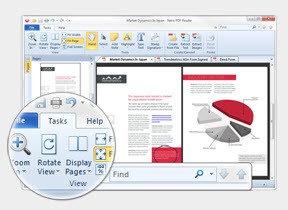
What tends to win people over first is the interface. If you've ever used Microsoft Office, Nitro will feel familiar within about thirty seconds. The ribbon-style toolbar puts the tools you actually reach for out in the open, so you're not hunting through nested menus every time you need to add a signature or drop in a comment. That sense of familiarity cuts down the learning curve for teams switching over from pricier software.
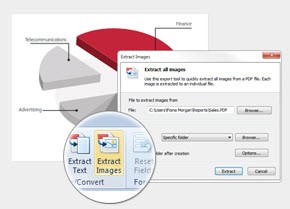
Editing is where Nitro earns its keep. You can click directly into a paragraph and start typing, adjust fonts and spacing, swap out images, and move blocks of content around without the layout falling apart. Its conversion engine turns PDFs into Word, Excel, or PowerPoint files and back again, and it holds onto formatting better than a lot of competing tools that leave you cleaning up mangled tables afterward.
Speed is a genuine selling point here, not just marketing copy. Nitro loads large documents quickly and processes batch conversions without the lag that bogs down heavier applications. If you regularly work through stacks of contracts, invoices, or reports, that responsiveness adds up over a workday. The app also runs OCR in the background so you can search and edit older scanned paperwork as if it were typed yesterday.
For anyone who signs documents for a living, Nitro's e-signature features remove a lot of friction. You can sign a file yourself, request signatures from other people, and track where each document sits in the approval process. It ties into cloud storage services too, so the files you need are available whether you're at your desk or working from a laptop somewhere else.
Nitro runs primarily on Windows, with browser-based and mobile access rounding out the experience for people who move between devices. It sits in a competitive corner of the market alongside Adobe and Foxit, and it holds its ground by offering most of what those names do at a friendlier cost. For small businesses and independent professionals especially, that math is hard to argue with.
The company sells the software through a one-time purchase as well as subscription plans, which gives buyers a choice that a lot of rivals no longer offer. Add in regular updates and responsive support, and you get a tool that keeps pace with how modern offices actually shuffle paper around, or rather, how they've mostly stopped shuffling paper at all.
Why Should I Download Nitro PDF?
If your job involves opening, editing, or signing PDFs more than once in a blue moon, Nitro pays for itself pretty quickly. It bundles the tools you'd otherwise cobble together from three or four separate apps, editing, converting, OCR, and e-signatures, into one program that doesn't demand a subscription to unlock the good parts.
The bigger draw for a lot of people is the price. Nitro delivers most of what the premium names offer while asking for noticeably less, and it still gives you the option to buy it outright instead of renting it forever. That appeals to freelancers and small teams who'd rather not add another recurring line item to the budget.
There's also the comfort factor. The layout borrows heavily from Microsoft Office, so most people find their footing without watching a single tutorial. You download it, open a file, and start working, which is more than you can say for some document software that seems designed to keep you guessing.
Is Is Nitro PDF Free?
Nitro PDF isn't free in the long run, but you can try it before spending anything. The company offers a free trial that opens up the full toolset for a limited stretch, long enough to see whether the editing, conversion, and signature features fit how you work.
Once the trial runs out, you'll need a paid license to keep going. Nitro sells the software both as a one-time purchase and through subscription plans, so you can pick whichever suits your habits. Buying it outright makes sense for people who want to pay once and forget about it, while the subscription route keeps you on the newest version automatically.
It's worth checking Nitro's site directly for current pricing and any promotions, since the numbers shift from time to time. Volume discounts are usually available too, which matters if you're kitting out a whole office rather than a single machine.
What Operating Systems Are Compatible With Nitro PDF?
Nitro PDF is built first and foremost for Windows, and that's where the desktop app feels most complete. It runs on current versions of Windows 10 and 11, and the installation is straightforward enough that you won't need IT breathing over your shoulder to get it going.
Mac users don't get the same dedicated desktop client, but Nitro hasn't left them out entirely. The company offers web-based access that works through a browser on macOS, letting you handle core tasks without a native install. It's not identical to the full Windows experience, though it covers the essentials.
Beyond the desktop, Nitro's cloud platform and mobile options let you reach your documents from phones and tablets. That flexibility means you can start editing a file on your work PC and pick it up later on another device without emailing yourself copies back and forth.
What Are The Alternatives To Nitro PDF?
Nitro is a strong pick, but it's far from the only option worth a look. The heavyweight in this space is Adobe Acrobat Pro, the tool that more or less invented the PDF and still packs the deepest feature set. It costs more than most rivals, though for demanding professional work it remains the yardstick everyone else measures against.
For something lighter on the wallet, Foxit PDF Editor delivers fast performance and a clean interface that wins fans among people who find Adobe bloated. PDFelement is another well-rounded choice, pairing a friendly design with solid editing and conversion tools at a competitive price point.
If cost is your main concern, PDF-XChange Editor offers a surprisingly capable free tier alongside affordable paid upgrades. Each of these handles the fundamentals well, so the right fit usually comes down to your budget, your operating system, and how often you're elbow-deep in documents.