The CyberGhost free trial is one of the most attractive out there, for a couple of reasons. First, it’s easy to get, and second, it stretches up to 45 days thanks to the money-back guarantee. A proper CyberGhost VPN free trial is vital when you want to test the waters before committing. So how does it work?
We explain how to test CyberGhost without paying up front and get a free trial of up to 45 days. We’ll also cover the CyberGhost free trial options across different devices and show you how to use this provider without any financial risk.
How to Get CyberGhost Free Trial October 2026: No Credit Card Needed
- Go to CyberGhost’s website.
- Download its app for Windows or macOS.
- Install the app on your PC and register an account.
- Open the email that CyberGhost sent you and click Activate Free Trial. You’ve now started a 24-hour CyberGhost free trial.
Try CyberGhost Free Trial for 24 Hours
Other options include a 3-day trial on Android, a 7-day trial on iOS, and a 45-day money-back guarantee on all devices. All is explained below.
CyberGhost Free Trial Variants Explained
The CyberGhost trial offer isn’t a watered-down version of the full app. It provides the same premium features you’d get as a paid user. In other words, there are no data or speed caps, no server limits, and no pop-ups trying to upsell the service. However, depending on your device, there are different offers:
- iOS: 7-day CyberGhost trial
- Android: 3-day free trial
- macOS & Windows: 24-hour free trial
- All devices: 45-day money-back guarantee
During that window, you get access to the entire CyberGhost network, including 12,000+ servers in 100 countries, dedicated streaming profiles, and essential tools like the kill switch, ad blocker, leak protection, and split tunneling (on Android). You can find more details in our expert review of CyberGhost VPN.
There’s no login required on desktop to start the trial, and on mobile, you can cancel your App Store subscription to avoid being charged. It’s rare to see a VPN offer this much up front. Most free trials hide features behind paywalls or ask for your credit card. CyberGhost lets you actually use the product as it should.
Start Your Free CyberGhost Trial
How to Get CyberGhost VPN Free Trial on Every Device
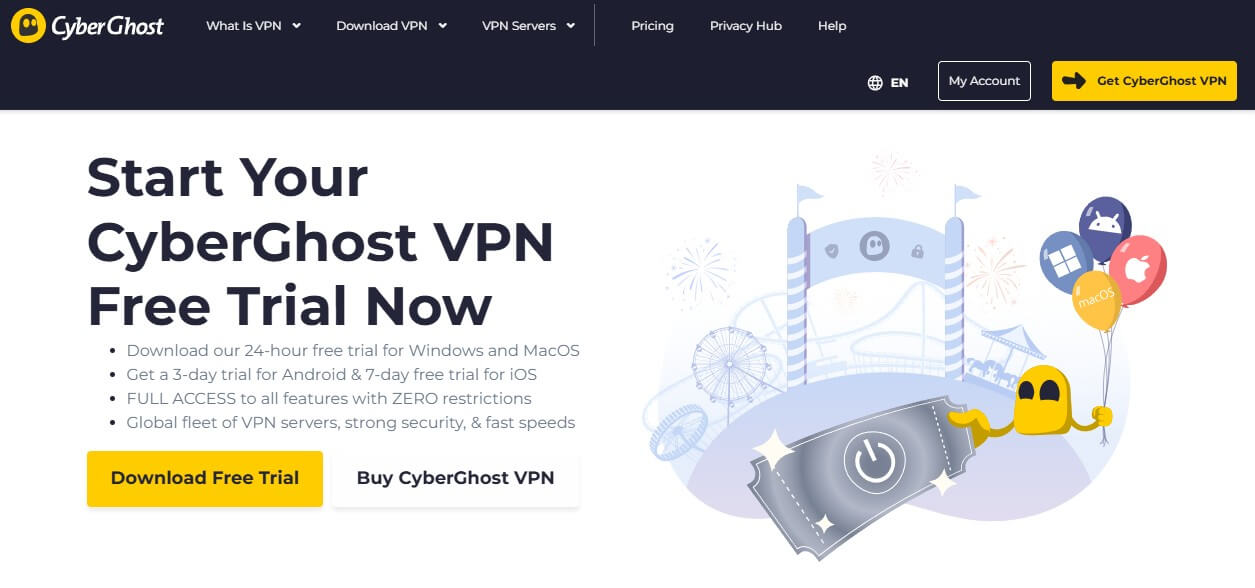
CyberGhost doesn’t lock its best features behind vague promos or half-baked demos. No matter the device, you get a legit free trial available with no strings if you cancel on time. As explained, you can test CyberGhost free of charge for 24 hours or go up to 45 days if a day sounds insufficient. Here’s how to do it.
💻 Windows & macOS: 24 Hours, No Card Required
CyberGhost is old school on desktop, in a good way. You don’t need to provide any payment information, and setup is lightning fast. Here are the required steps:
- Head to CyberGhost’s website and look for the VPN Free Trial option.
- Click Download Free Trial to grab the installer for your OS.
- Run the setup file and install the app.
- When the app launches, create a free account with your email. In this step, the VPN will not require any billing information since it doesn’t charge you upfront.
- Go to your email and look for an email from CyberGhost. Open it and then click Activate Free Trial to start.
- Boom. You now have 24 hours of full access to test everything from torrenting, speed, and ease of use to streaming, leak protection, and so much more.
⭐ Pro tip: Set a reminder, and when the clock runs out, you’ll need to upgrade or use the money-back guarantee to continue.
🍏 iOS CyberGhost Free Trial: 7 Days, With App Store Cancellation Option
CyberGhost offers the longest trial (a full week) on iPhones and iPads, but you’ll need to manage your subscription settings to avoid being charged.
- Download the CyberGhost app from the App Store.
- Open the app and tap Subscribe Now.
- Use Face ID or your Apple ID password to confirm the trial.
- Create your CyberGhost account with your email and a password.
To avoid getting billed:
- Go to Settings → Apple ID → Subscriptions
- Find CyberGhost and tap Cancel Free Trial
You’ll still have access for 7 days without worrying about a renewal charge.
📱 Android: 3-Day CyberGhost Free Trial, No Surprises
Android users get a shorter window, but the experience is identical to iOS.
- Install CyberGhost from the Google Play Store.
- Launch the app and hit Subscribe Now.
- Confirm the trial using your Google Play payment method.
- Set up your account, and you’re in.
To cancel:
- Open Google Play → Subscriptions → CyberGhost
- Tap Cancel Subscription before the 3-day window closes.
You won’t be billed unless you let the trial lapse, and yes, you’ll get all features during the free period, so you’re testing CyberGhost’s best available version.
↩️ 45-Day Money-Back Guarantee
The last CyberGhost free trial option isn’t a traditional trial. You’re essentially buying it and getting a refund. However, in the aftermath, you still don’t lose money, but you get the most extensive testing period: 45 days. Here’s how that works:
- Subscribe to CyberGhost and pick long-term plans (6-month or 24-month). If you go for the monthly plan, CyberGhost provides a 14-day money-back guarantee.
- Set up and install CyberGhost on your device.
- Enjoy the VPN’s premium features and test it thoroughly.
- On the last day (45th), contact CyberGhost’s customer support, cancel your plan, and get a full refund. In the end, you lost no money on this CyberGhost trial.
How to Make the Most of Your CyberGhost VPN Trial
CyberGhost gives you full-featured access during the trial, so there’s no reason to hold back. This is your window to test everything to decide whether it fits your everyday web browsing, streaming, and gaming needs.
Test Streaming Across Multiple Platforms
CyberGhost’s dedicated streaming servers are optimized for platforms like Netflix, Prime Video, BBC iPlayer, Hulu, and Disney+. Although it’s not the go-to VPN for Netflix, it’s still a very solid option. Each server is labeled by service and location, so it’s easy to match your needs with a single mouse click.
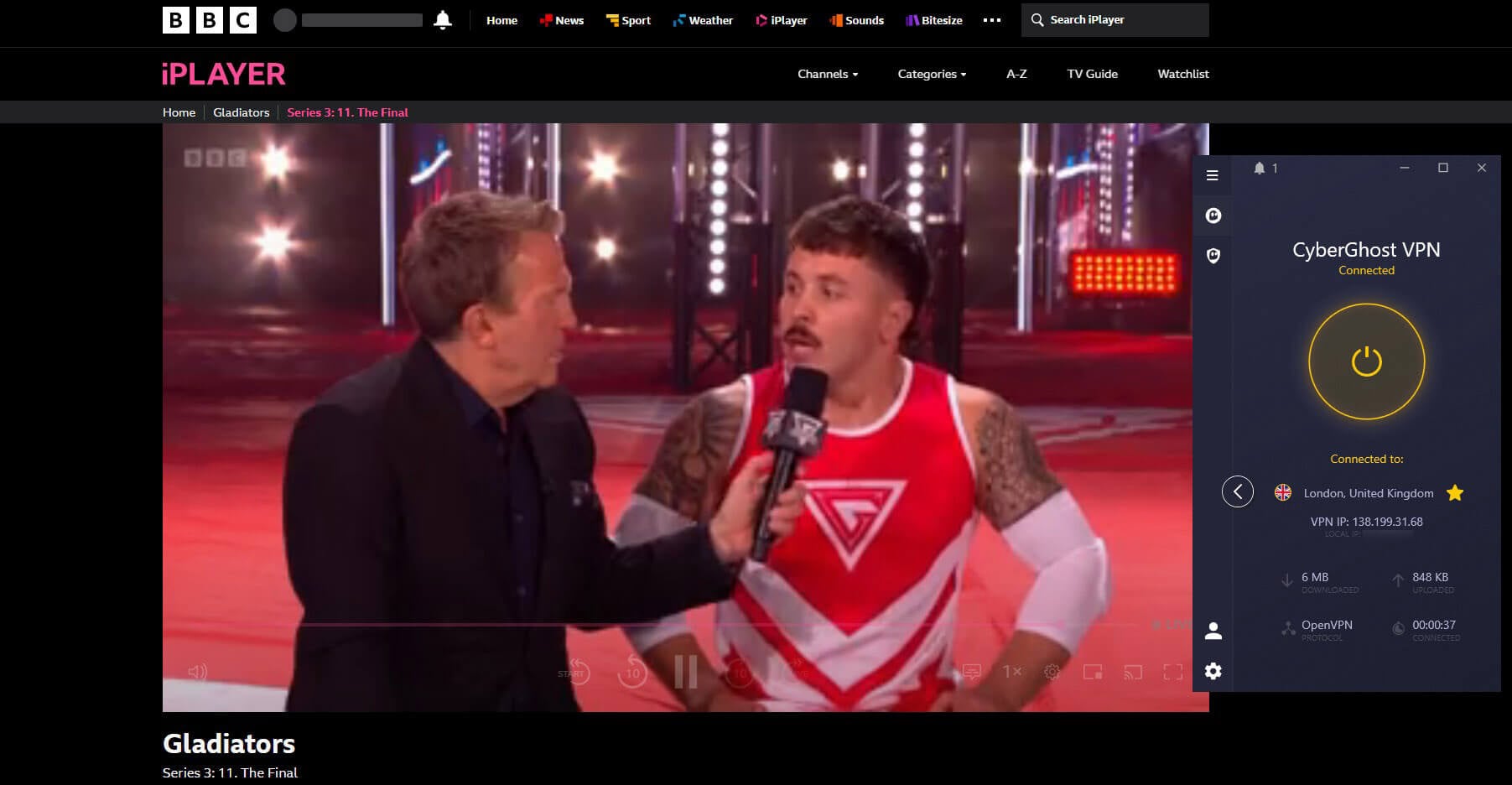
Use this time to test region-switching. Connect to its UK server to access BBC iPlayer, or hop to the US for Netflix and Hulu. Don’t forget to try Smart DNS on gaming consoles or smart TVs that don’t support native VPN apps. If streaming is a top priority, this trial is perfect to confirm performance before you commit.
Measure Speed, Gaming, and Torrenting Performance
CyberGhost claims strong speeds with 10 Gbps servers and support for WireGuard, but don’t take that at face value. Run speed tests using Speedtest.net on both local and distant servers. If you’re into online gaming, test latency and ping stability while connected to CyberGhost’s network.
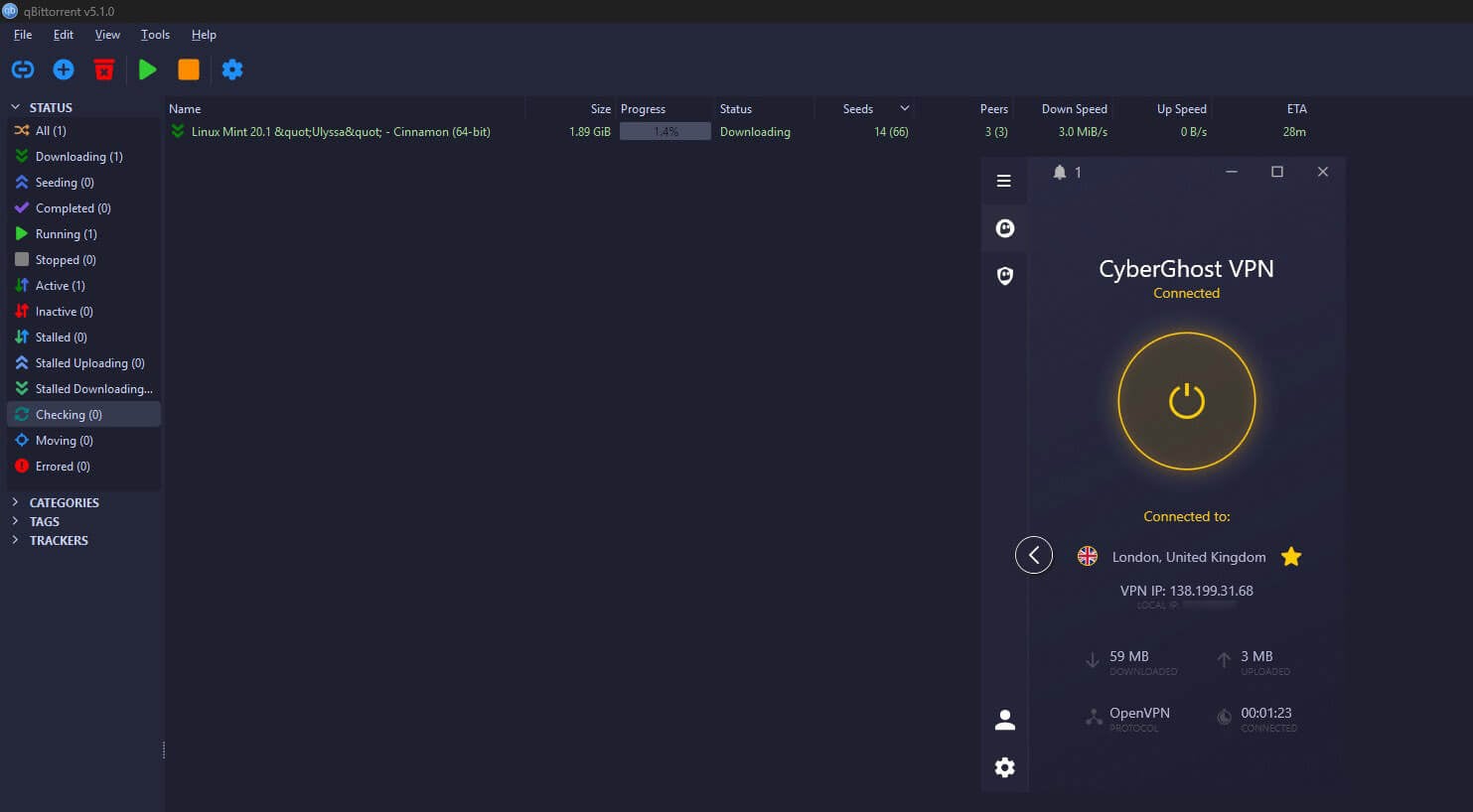
For torrenting, head to one of its P2P-optimized servers and try downloading a large file to see how bandwidth holds up. The trial lets you measure everything that matters under real-world load. Rest assured, CyberGhost is fully capable of improving your security and anonymity when downloading torrents.
Try CyberGhost’s Advanced Privacy Tools
This is where the CyberGhost free trial catches people off guard. CyberGhost has a variety of modern features, such as split tunneling on Android and a kill switch on all devices. Feel free to test them and see how well they work for you. Actually, CyberGhost VPN also blocks ads, which you can also test.
If you’re privacy-conscious, connect to a NoSpy server, owned and managed exclusively by CyberGhost in Romania, giving you tighter control and less external oversight. The trial lets you validate whether these tools are just marketing. Take notes, run tests, and see how CyberGhost stacks up in your day-to-day use.
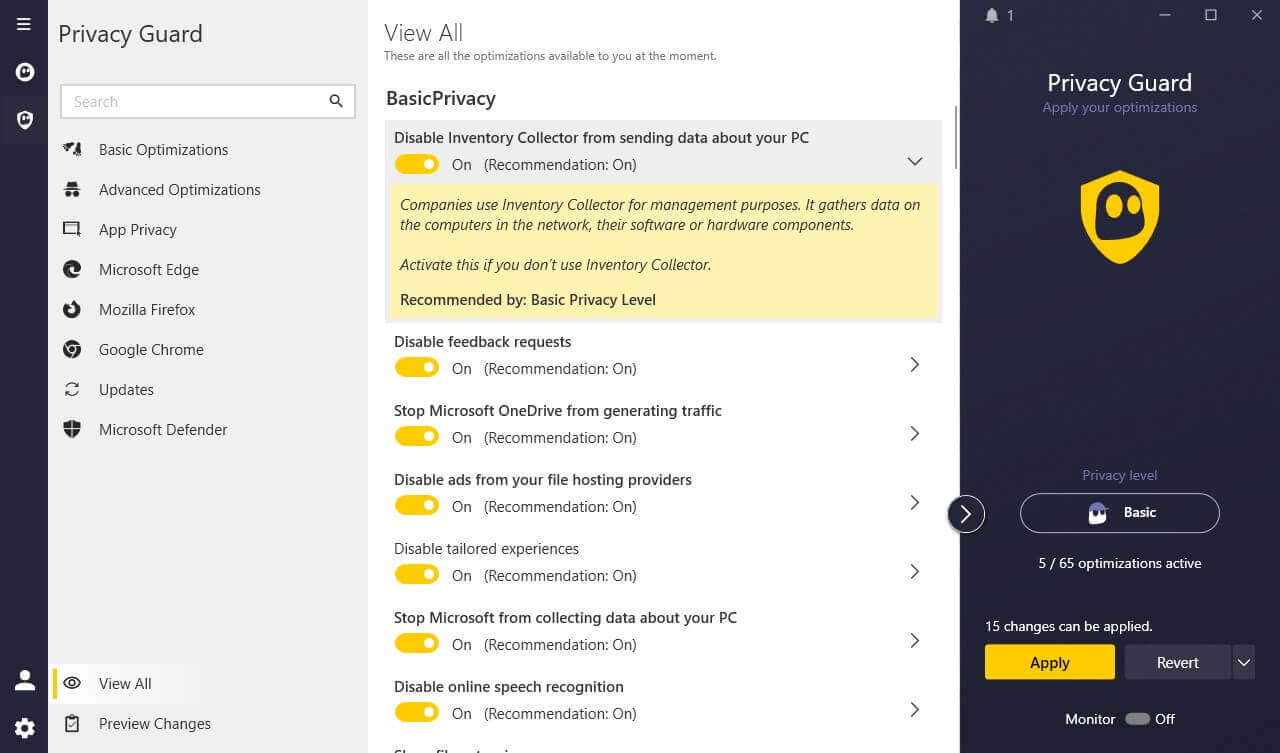
New Feature to Test: Privacy Guard. One of our favorite CyberGhost free trial features for additional privacy on Windows, blocking telemetry, data collection, online speech recognition, and more. Privacy-conscious users opting for a CyberGhost free trial should not miss this one.
Explore Features of CyberGhost
CyberGhost VPN Free Trial vs 45‑Day Refund Policy
CyberGhost gives you two ways to test the waters: a short, no-strings free trial and a longer 45-day money-back guarantee. Both have their perks, but knowing how to use them smartly can double your test drive.
Free Trial: A Quick, No-Charge Preview
The free trial is perfect for a quick, commitment-free check. You’ll get 24 hours on Windows and Mac, 3 days on Android, or 7 days on iOS, and the best part is, you don’t need to pay anything upfront on desktop. It’s great for evaluating performance, interface, and whether the features feel intuitive. But let’s be real: a day or two won’t show you how it performs during peak hours or in different use cases (like gaming, traveling, or heavy streaming).
Money-Back Guarantee: Longer Access, Real Test
CyberGhost’s 45-day money-back guarantee (or 14 days for monthly plans) gives you full access to every feature, just like a paying user, because you are one. The difference is that you can cancel anytime within the guarantee window and get 100% of your money back, no matter how much you’ve used it. It’s a much better way to test across real-life scenarios, like geo-switching on Netflix, sustained torrenting, or connecting through hotel Wi-Fi abroad.
Combine Both for the Ultimate Test Run
Want the full picture? Start with the free trial on your phone or desktop to get a feel. Then, sign up through the website (not the app stores) and tap into the 45-day money-back window. Together, you’re getting up to 52 days of full-feature access, and still walking away with your cash if it’s not the right fit.
Should You Upgrade, And When?
A CyberGhost free trial gives you a decent first impression, but the real decision comes down to how and where you plan to use the VPN. If the desktop trial ticks your boxes (fast speeds, no drops, smooth Netflix playback), then it’s worth locking in the long-term plan with the 45-day refund window. That extended access lets you see how it performs, especially during travel, streaming marathons, or remote work.
Plus, the longer plan gives you better pricing and the safety net of a no-questions refund if things go sideways. If you’re mainly a mobile user, don’t commit too early. Test CyberGhost on your phone or tablet first, check for app stability, background data handling, and how it performs on 4G vs. Wi-Fi. Android and iOS trials offer 3–7 days, plenty of time to gauge if it’ll keep up with your habits. To get the best available prices, read more about all CyberGhost promotions here.
CyberGhost VPN Free Trial: Conclusion
CyberGhost gives you free trials across every major platform, plus a generous 45-day money-back guarantee if you need more time to test it. Most services hide some of their features behind a paywall or shorten refund windows to a week. However, CyberGhost lets you go all in and test-drive it thoroughly. If you do decide to commit, you’ll have access to one of the largest server networks, optimized for real-world performance. Try it risk-free, and see how it holds up in your everyday digital life.
Try CyberGhost Risk-Free Today
Frequently Asked Questions
🆓 Is CyberGhost VPN free?
No, it's not free. CyberGhost is a premium VPN that costs up to $2.19 per month for the biennial plan. However, you can test CyberGhost free of charge by using its free trial on all desktop and mobile platforms.
✅ Can I use a CyberGhost free account?
Yes, you can make a CyberGhost free account while obtaining its trial. For instance, you'll make it when testing it for free on Windows and macOS. But your free account isn't valid forever, so to keep using the VPN, you must subscribe (pay for it).
💎 How can I test CyberGhost Premium for free?
You can test CyberGhost Premium for free by using its trial. There's a 3-day trial on Android, a 7-day trial on iOS, and a 24-hour trial on Windows and macOS. CyberGhost is also forever free as a browser extension, but it's only a proxy, not a VPN, so it's not advised for privacy or even unblocking restricted content.