Skip to content

How to Cancel Proton VPN and Get a Refund in 2026

By Florian Gray

Proton VPN has built a name for itself as the privacy-first alternative, backed by the creators of Proton Mail. While its encryption is rock solid, its refund policy isn’t your typical “no questions asked” deal.

Instead, Proton offers pro-rated refunds, meaning you only get back the unused portion of your subscription, and only if you purchased directly through them. If you paid with crypto, bundled Proton Mail and VPN, or signed up via the App Store, things can get complicated fast.

This guide explains Proton’s refund policy, who’s eligible, and how to cancel without losing your cool (or your encrypted inbox).

Proton’s Refund Policy vs. Real User Experience

Although Proton VPN is an excellent service (and one of the best free options, by the way), something may still have put you off. Proton VPN doesn’t promise a flat refund, it offers a pro-rated one. That sounds fair in theory, but in practice, the lines get blurry.

What the Policy Promises and What Actually Happens

Officially, ProtonVPN gives you 30 days to request a refund, minus the time you’ve used. But unlike other VPNs, they don’t automatically calculate your unused time at cancellation. You have to email support and ask, and sometimes it’s not clear what amount you’ll actually get back until it’s processed.

Real-world reports show that support is generally helpful, especially if you purchased your subscription directly from ProtonVPN.com. Some users have even received full refunds after light usage. But this usually happens only if you request it specifically and haven’t burned through a lot of data or switched between plans mid-billing cycle.

Where the Grey Zones Begin

Things get more complicated when you’ve subscribed to Proton Unlimited, which bundles ProtonVPN with Mail, Calendar, and Drive. Canceling just the VPN component is not possible in these cases; your refund is tied to the entire plan.

Since Proton Unlimited includes Mail, Drive, Calendar, and VPN under one plan, you can’t cancel VPN alone. Refund eligibility is judged across the entire bundle. So even if you barely used the VPN, heavy Proton Mail or Drive use may reduce or void your refund.

It also gets murky if you’ve made a payment through crypto. ProtonVPN is privacy-first, so it allows anonymous crypto payments, but it won’t refund them unless there’s a very specific issue. And even then, they usually offer Proton credit instead of cash.

A Refund? Maybe. A Clear Answer? Not Always.

The support team is responsive, but the refund experience lacks transparency. There is no dashboard estimate or refund slider.

You get a manual process that depends heavily on your usage and timing. Because Proton is built for privacy and security, it leans towards caution when processing reversals.

It’s not a bad system. It’s just not built for convenience. And if you’re expecting the same breezy refund experience you’d get from NordVPN, ProtonVPN might leave you slightly frustrated.

How to Cancel Your Proton VPN Subscription

Canceling ProtonVPN is simple if you go through their website, but once again, third-party purchases or Proton Unlimited bundles require a few extra steps.

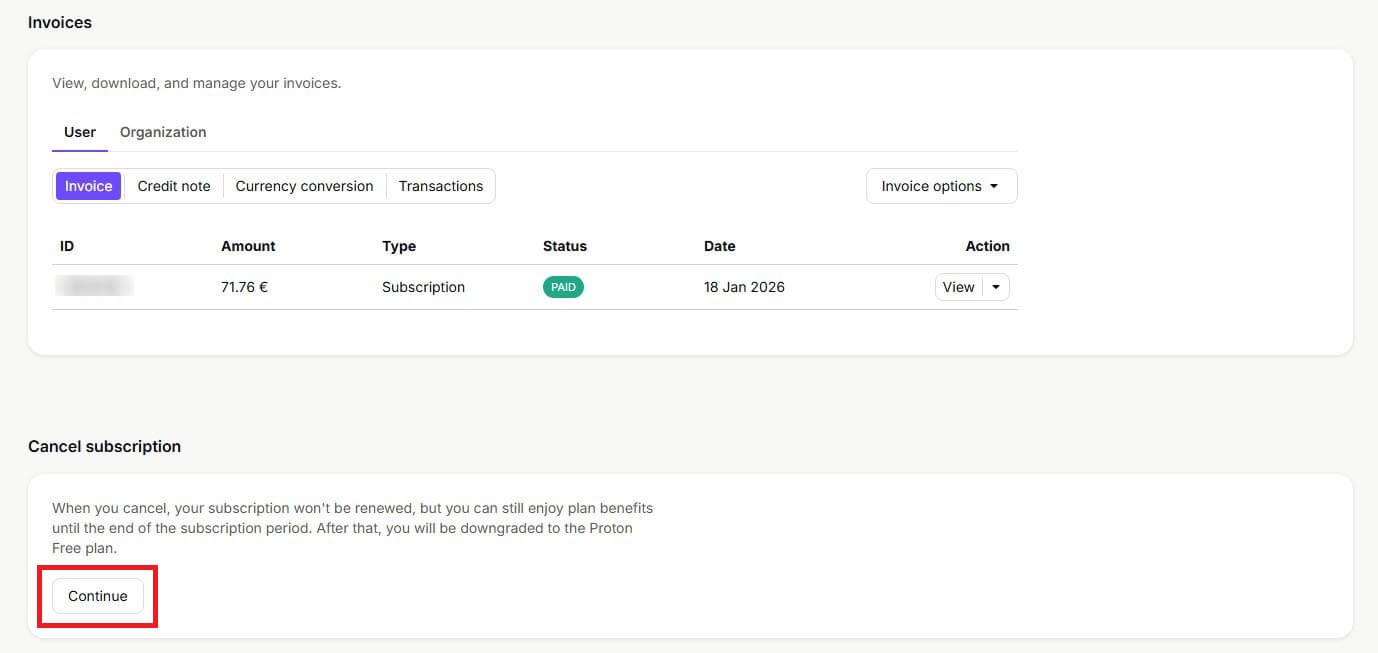
Cancel Proton Vpn Subscription
© Gizmodo.com

If You Subscribed via the Proton VPN Website (Most Common)

This is the easiest route and the only one officially covered by Proton’s 30-day money-back guarantee.

  • Step 1: Visit Proton VPN’s website and sign in to your dashboard.
  • Step 2: In the sidebar, click on “Downgrade Account.”
  • Step 3: On the next screen, confirm by clicking “Downgrade to Proton Free.”
  • Step 4: Once downgraded, go to Proton’s support page.
  • Step 5: Fill out the refund form with your email, plan details, and a short reason.
  • Step 6: Click “Send Support Request” and wait for their team to respond (typically within 12–24 hours).

Proton won’t process refund requests unless your account is first downgraded to the free plan. This tells their system you’re no longer using paid services.

If you’d rather email directly, you can also contact [email protected]. Just mention that you’ve downgraded your account and now wish to request a refund.

If You Subscribed via iOS (Apple App Store)

Apple handles all subscriptions made through its App Store. Unfortunately, Proton cannot process your refund, only Apple can.

  • Visit Apple’s “Report a Problem” page.
  • Log in with your Apple ID and find your Proton VPN purchase.
  • Select “Request a Refund”, choose a reason, and submit.

Keep in mind: Apple tends to reject refund requests made after a delay, so the sooner you act, the better your chances.

To cancel future billing, go to Settings > [Your Name] > Subscriptions > Proton VPN > Cancel Subscription.

If You Subscribed via Android (Google Play)

Google also handles its own billing, and Proton’s refund policy won’t apply here either.

  • Head to Google Play Order History.
  • Find your Proton VPN subscription and click “Request a Refund.”
  • Fill out the form, explain your reason (e.g., accidental purchase), and submit.

While you wait for a response, cancel the subscription by opening the Play Store app and navigating to Profile > Payments & Subscriptions > Subscriptions > Proton VPN > Cancel.

What Happens When You Cancel Proton Unlimited

Cancelling Proton Unlimited affects your entire Proton account, not just the VPN. Unlimited bundles in Proton include Mail Plus, Drive Plus, VPN Plus, and more.

Storage & Service Downgrades

When you downgrade to a lower or free plan, you must delete emails or files exceeding the new storage limits (500 MB for Mail, 5 GB for Drive on the Free tier). Proton prevents the downgrade unless your account fits within those new limits. You retain all existing data, but if you’re over quota, you’ll lose the ability to send/receive emails or sync files until you free up space.

Add‑On Features & Premium Support

Canceling Unlimited also removes premium extras like secondary email aliases, custom domains, and priority customer support. While you won’t lose access to your data immediately, these features will become disabled when your payment cycle ends.

Refund Eligibility

Refunds for Proton Unlimited are pro-rated, not full refunds like Proton VPN Plus. That means if you’ve used some of the cycle (whether via Mail or VPN) your refund will be reduced accordingly .

How to Actually Request a Refund

ProtonVPN doesn’t include a quick “refund” button in its dashboard. The process is manual, and your chances improve when your request is clear and well-explained.

Where to Send the Request

The best option is to use Proton’s official support form. This ensures your request is properly logged and routed to the right team.

Alternatively, for more complex cases (like cryptocurrency payments, plan downgrades, or Proton Unlimited bundles) you can email Proton support directly at [email protected].

What to Include in Your Request

To avoid delays, make sure your message contains the following:

  • The email address linked to your Proton account
  • The date of purchase (or at least the month and year)
  • The payment method (credit card, PayPal, crypto, etc.)
  • A brief reason for the refund, whether it’s billing confusion, poor performance, or accidental renewal.

Proton support is generally responsive, but requests that are polite, concise, and well-documented tend to get resolved faster.

What Happens After You Cancel

Canceling ProtonVPN doesn’t slam the door shut, but depending on your setup, you can expect a few things.

Once you cancel automatic renewal, your current billing cycle will continue until the end date. You won’t lose access immediately, as Proton doesn’t cut you off until your paid term runs out.

If you request a refund and it’s approved, your account may be downgraded to the free tier immediately, cutting off access to premium VPN or Mail features. Otherwise, you retain access until your current billing cycle ends.

Better Alternatives to Proton VPN: Our Recommendations

If Proton VPN’s limitations, pricing, or refund hassles have you eyeing the exit, the good news is that you’ve got solid options. Whether you’re after blazing speed, international streaming access, or deeper customization, these alternatives hit where Proton VPN sometimes misses.

NordVPN
Mac Windows Android iOS Linux Router

 9200 servers

 167 covered countries

 30 days money-back guarantee

 10 simultaneous connections

Mac Windows Android iOS Linux Router

9.4 /10

Monthly price
3,09 $
27 MONTHS
4,99 $
12 MONTHS
11,99 $
1 MONTH
Our opinion: The best overall VPN for reliability and security
Speed
Security
Features
Ease of use
Customer support
Value for money
SEE MORE
1
ExpressVPN
Mac Windows Android iOS Linux Router

 3000 servers

 105 covered countries

 30 days money-back guarantee

 10 simultaneous connections

Mac Windows Android iOS Linux Router

9.1 /10

Monthly price
2,79 $
28 MONTHS
4,99 $
15 MONTHS
12,99 $
1 MONTH
Our opinion: The fast and easy to use quality VPN
Speed
Security
Features
Ease of use
Customer support
Value for money
SEE MORE
2
Private Internet Access
Mac Windows Android iOS Linux

 27000 servers

 91 covered countries

 30 days money-back guarantee

 Unlimited connections

Mac Windows Android iOS Linux

9 /10

Monthly price
2,19 $
26 MONTHS
7,50 $
6 MONTHS
11,99 $
1 MONTH
Our opinion: The best VPN at affordable rates
Speed
Security
Features
Ease of use
Customer support
Value for money
SEE MORE
3

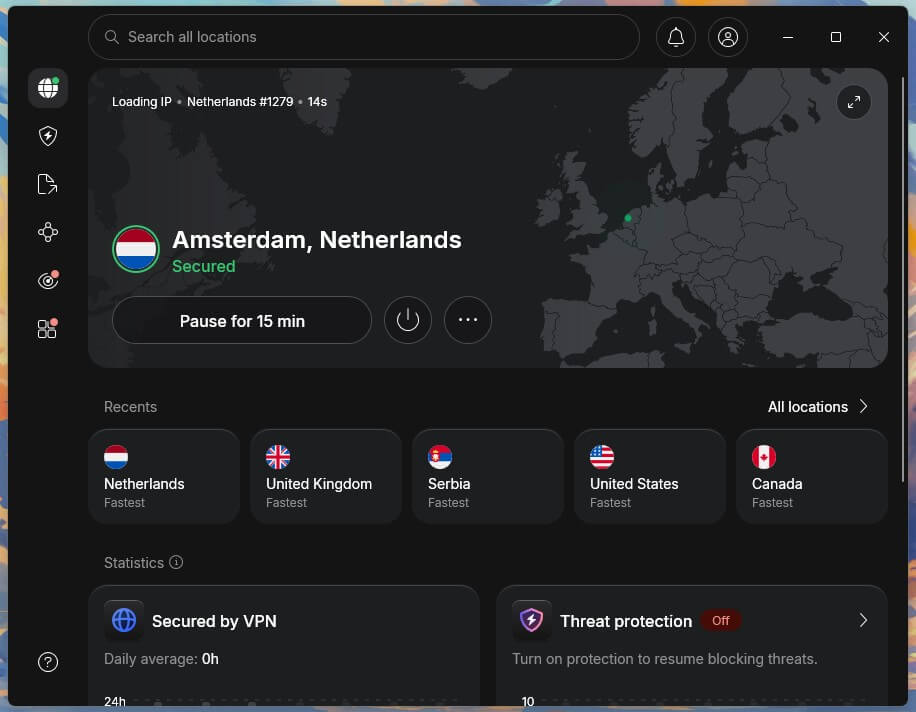
1. NordVPN — Best for Speed and Full-Feature Privacy

Nordvpn
© NordVPN

NordVPN has the same privacy-first foundation as Proton (zero logs, top-tier encryption, and jurisdiction outside of surveillance alliances), but it builds on that with real-world speed and versatility. Thanks to its proprietary NordLynx protocol, the servers remain consistently fast across continents, which makes a noticeable difference for 4K streaming, large downloads, and latency-sensitive tasks like gaming or video calls.

You also get premium features that actually matter, like Threat Protection, which blocks trackers, malicious websites, and ads even when the VPN is disconnected. Need a dedicated IP for secure logins or home-office stability? That’s built in as an optional add-on. And if you’re managing multiple devices across platforms, NordVPN’s clean, unified apps make setup painless — whether it’s your phone, router, or Fire Stick.

Read the full comparison between Proton VPN and NordVPN to confirm your choice.

Try NordVPN Now

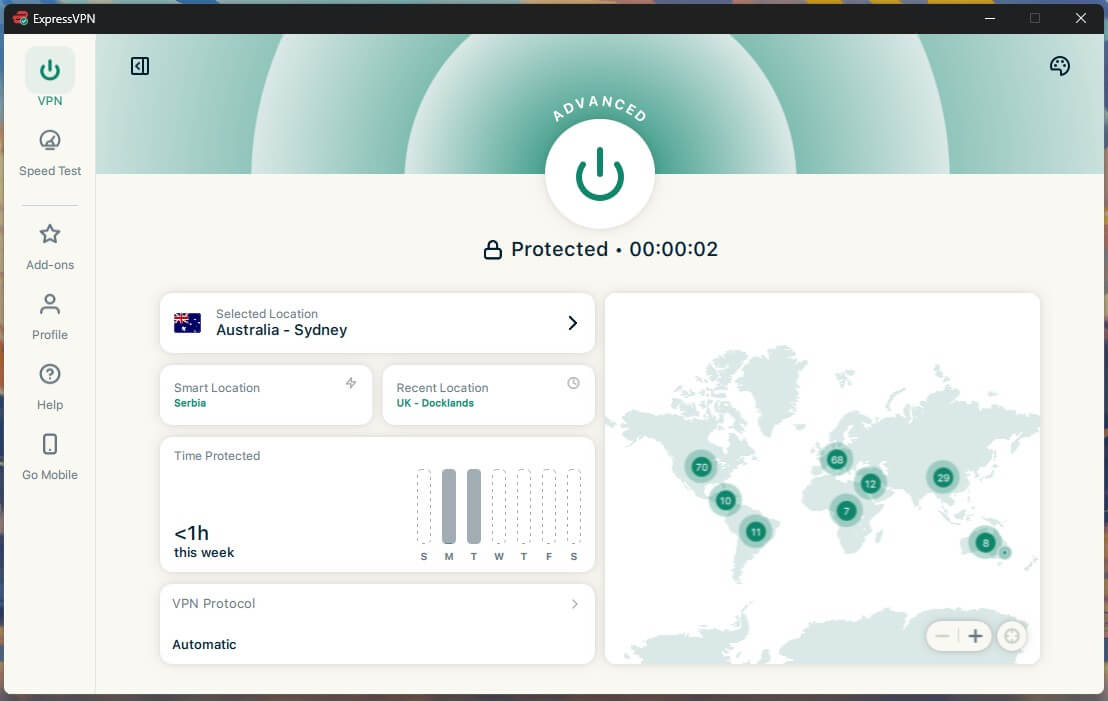
2. ExpressVPN — Streamlined Setup and Better International Support

Expressvpn
© ExpressVPN

ExpressVPN is all about sleek performance and ease of use. It uses its in-house Lightway protocol to deliver near-instant connections with low battery impact, especially on iOS and Android. That makes it an excellent Proton alternative for casual users who want one-click streaming access without fuss, with no toggling settings or switching protocols to stay connected.

Beyond that, it’s got the global reach Proton VPN lacks. Around 3000+ servers in its list means you can tap into a wider spread of Netflix libraries, unblock local news from anywhere, and skip geo-blocks while traveling. It’s also one of the few VPNs with a native app for Apple TV, so you’re not stuck messing with SmartDNS or sideloading tricks. It just works, and that’s a win.

Try ExpressVPN Now

3. Private Internet Access — Great for Power Users Who Want Total Control

Private Internet Access
© Private Internet Access

Private Internet Access is the control panel of VPNs. Unlike Proton, which leans toward simplicity, PIA gives you the keys to everything, from encryption standards and port forwarding to custom DNS servers and automation scripts. It’s an ideal pick for devs, torrenters, or anyone who wants a privacy setup they can tweak down to the packet level.

You also get excellent reach with servers in all 50 US states, making it one of the most flexible choices for streaming geo-restricted content, accessing niche sports coverage, or avoiding local blackouts. It doesn’t win on aesthetics or beginner-friendliness, but if your goal is raw power with a side of affordability, PIA’s hard to beat.

Try Private Internet Access Now

Final Thoughts

Canceling ProtonVPN doesn’t mean you’re leaving privacy behind, but it’s worth recognizing what you’re walking away from. Proton is one of the few VPNs that grew out of an encrypted email project, and that shows in its privacy-first DNA.

That said, if you’re frustrated with its limited server variety, inconsistent support, or refund guesswork, there’s a better balance out there.

NordVPN is the natural next step. It delivers on Proton’s privacy values while adding the speed, streaming power, and support muscle Proton sometimes lacks. With a 30-day refund window, global coverage, and features like Threat Protection and Meshnet, it’s a VPN that doesn’t force you to choose between security and usability.

ExpressVPN is also a great choice, as we demonstrated in the ExpressVPN vs. Proton VPN comparison.