You fire up Atresplayer to catch the latest episode of La Casa de Papel or tune into RTVE for live news—only to be greeted with a frustrating error: “This content is not available in your region.” Maybe you were hoping to stream a La Liga match on Movistar+ or enjoy some Spanish reality TV on Telecinco while traveling abroad. Instead, you’re stuck staring at a block that seems impossible to get around.
Whether you’re an expat missing home, a traveler wanting familiar shows, or just someone trying to keep up with Spanish culture, running into these restrictions is annoying. Paying for a subscription and still being locked out? That’s even worse. So how do you get past these barriers and watch Spanish TV like you never left Spain? Let’s find out.
Why Can’t You Watch Spanish TV Abroad?
Spanish TV networks and streaming platforms don’t block viewers abroad just to be difficult—it’s all about licensing and broadcasting rights. Content providers sign agreements that limit where certain shows, sports events, and movies can be streamed.
These deals often restrict local platforms to Spanish viewers only. So, when you’re outside Spain, the platform uses your IP address to detect your location and automatically denies access to content it’s not licensed to show in that region. If you’re curious, we have an article that explains what geo-blocking is and how to bypass it.
It’s not just about regional rights either—different countries have varying censorship rules and broadcasting laws that influence what’s available. That’s why traveling abroad often means losing access to your favorite Spanish channels, despite having legitimate access back home.
Top Ways to Watch Spanish TV Channels Outside Spain
When it comes to watching Spanish TV abroad, proxies, Smart DNS services, and VPNs are the most common options. Proxies can change your virtual location, but they’re often unreliable with streaming platforms and don’t secure your connection.
Smart DNS services, on the other hand, work well for bypassing geo-blocks without slowing you down, but they can be hit-or-miss depending on the platform and offer no privacy protection.
VPNs, however, cover all bases. They let you change your IP address, encrypt your connection for added security and consistently work with popular Spanish streaming services. That’s why, if you’re looking for a solution that’s reliable, secure, and easy to use, a VPN is your best bet.
Now that you know why a VPN is the top choice, the next question is: Which ones are worth it? Let’s check out the best VPNs for watching Spanish TV channels live abroad.
Best VPNs to Watch Spanish TV Abroad in 2026
We’ve already covered how VPNs can solve the frustrating issue of geo-blocked Spanish TV channels and streaming platforms, but with so many options out there, choosing the right one can still be tricky. Not all VPNs perform the same—some slow down your stream, while others might get blocked altogether. The last thing you want is to pick a VPN that causes more problems than it solves.
That’s why we’ve done the work for you—narrowing down the best options to make your choice simple. Here are the top VPNs that consistently perform when it comes to watching Spanish TV outside Spain.
1. NordVPN
If you’re looking for a VPN that covers all bases for watching Spanish TV abroad, NordVPN is your go-to solution. As the best VPN for Spain, it offers fast speeds, robust security, and user-friendly features for a smooth and reliable streaming experience.
With 60+ servers in Spain out of 7300+ servers in 118 countries, NordVPN makes it easy to access popular Spanish platforms. During our tests, its servers in Madrid and Barcelona delivered consistently high speeds.
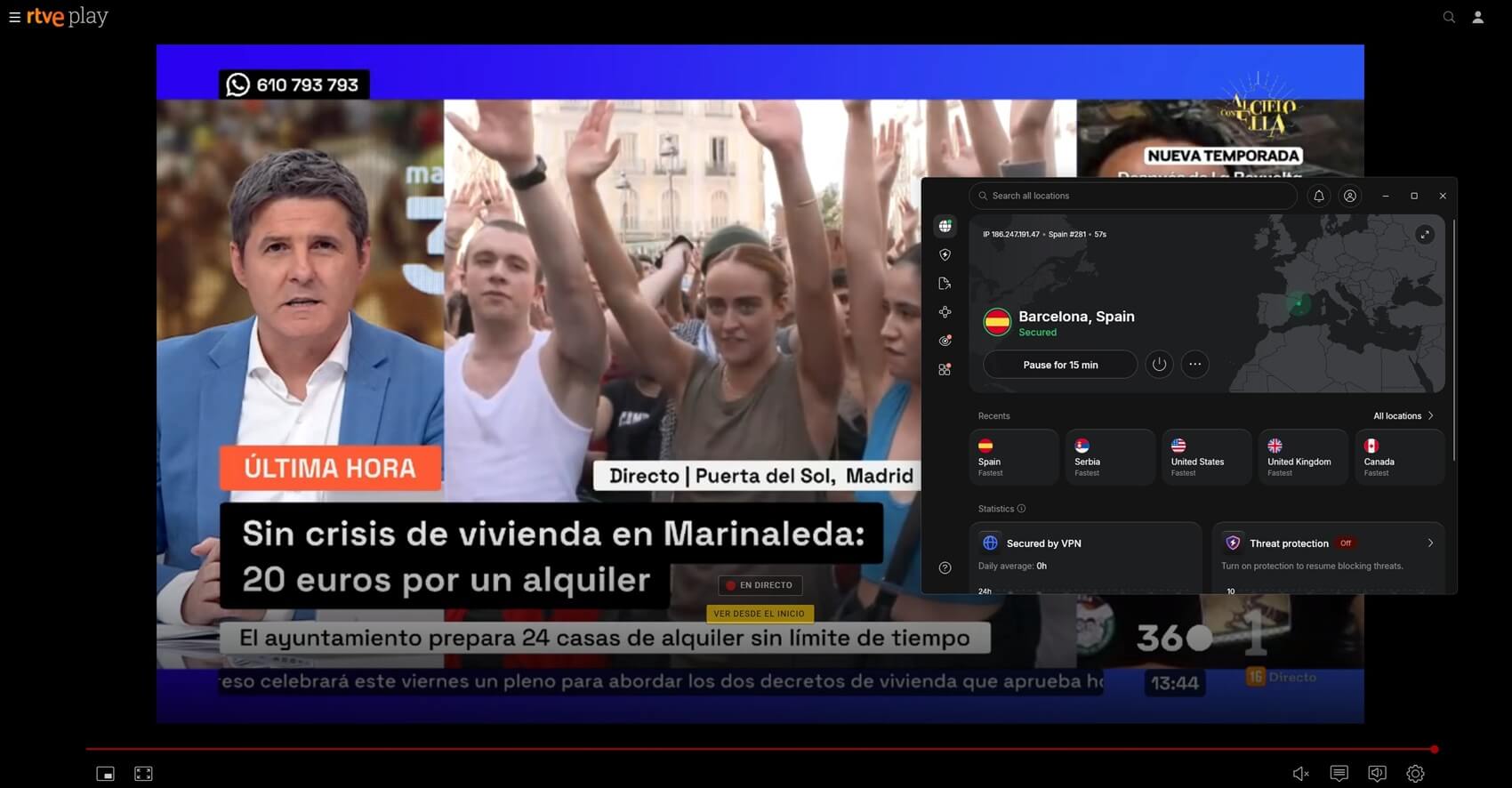
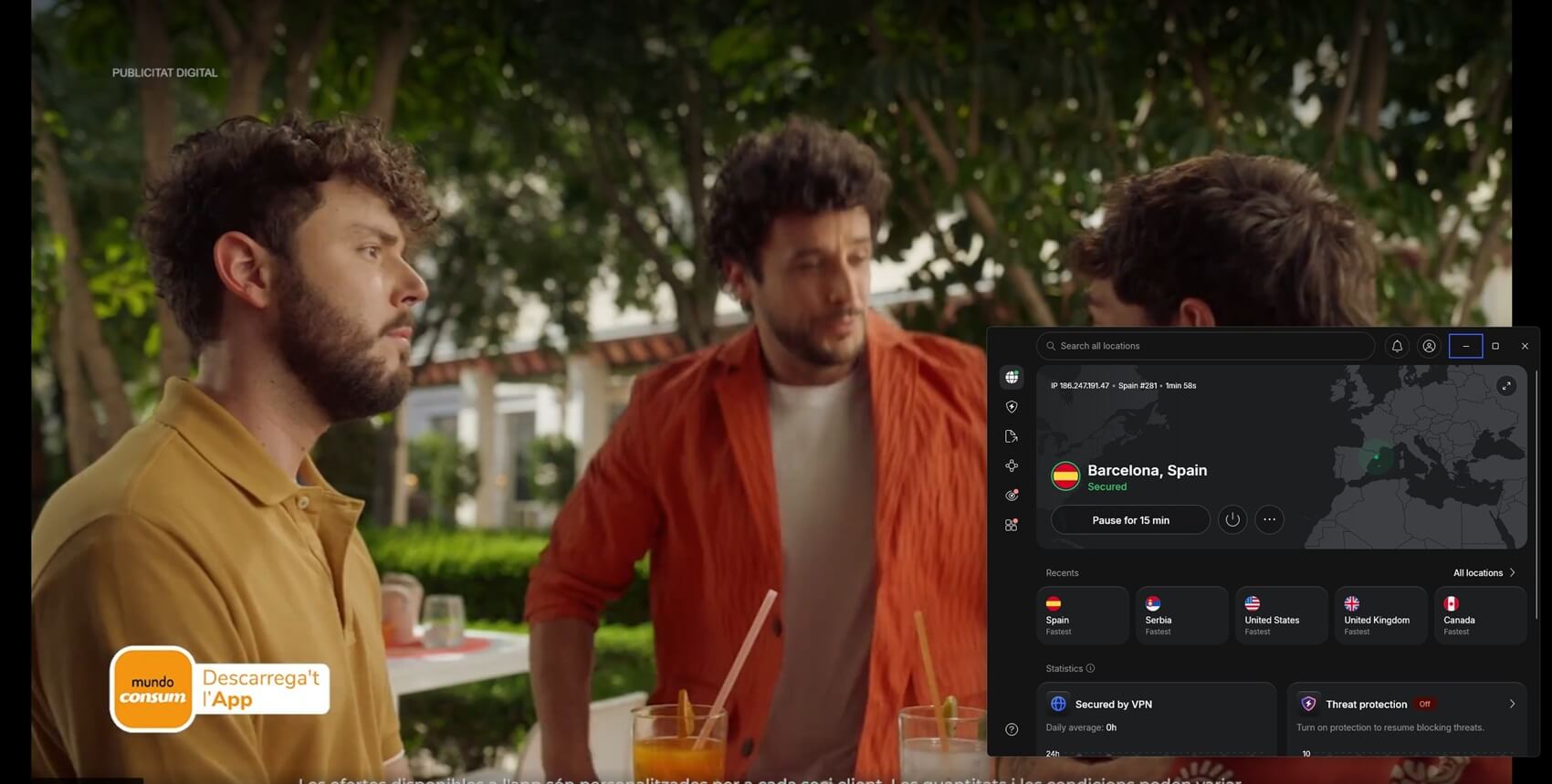
The speed drops were only around 5-7%, we not only unblocked the Atresplayer but were also able to stream in the highest resolution without buffering, making it perfect for binge-watching local shows while traveling. As you can see in the screenshot below, we were able to access Spanish TV channels from the US.

The key factor behind its impressive speeds is NordLynx, NordVPN’s proprietary protocol built on WireGuard. It provides faster connection times and smoother streaming without compromising security.
Another standout feature for streaming is SmartPlay, which automatically bypasses geo-restrictions without requiring manual DNS configurations while offering VPN connectivity—just connect to a Spanish server, and you’re ready to stream.
If your device is part of a highly restrictive network or wants to hide from ISP tracking, the NordWhisper protocol and obfuscation are an added bonus. It helps bypass strict VPN blocks while keeping your connection private. With 10 simultaneous connections on a single account, you can stream across multiple devices without hassle.
NordVPN supports all prominent platforms, and in case your device doesn’t support VPN, you always have router support. Starting at just $3 per month on long-term, well-curated plans, NordVPN is the best option for accessing Spanish TV from abroad.
All plans come with a 30-day money-back guarantee, so you can try them risk-free. If you’re on iOS or Android, you also get a special 7-day free trial.
Pros
- 60+ Spanish servers
- The best speeds
- Most reliable option for streaming
- Obfuscated servers
- Router support & wide compatibility
- 7-day free trial on iOS and Android
- Excellent design
Cons
- Advanced features can overwhelm beginners
2. ExpressVPN
As discussed in our full ExpressVPN review, the service is all about simplicity and convenience. It comes preconfigured, making it an excellent choice for those who want to start streaming Spanish television without dealing with complex settings.
It has easy-to-use apps on most platforms and allows up to eight simultaneous device connections, making it convenient for households with multiple users. For devices that don’t support native VPN apps, it offers router support, allowing secure Spanish TV streaming on any connected device.
If you don’t have access to a router that supports VPNs but want to stream, its MediaStreamer with SmartDNS capabilities comes in handy. While you might miss out on the benefits offered with a full VPN connection, it offers quick access to most blocked streaming platforms.
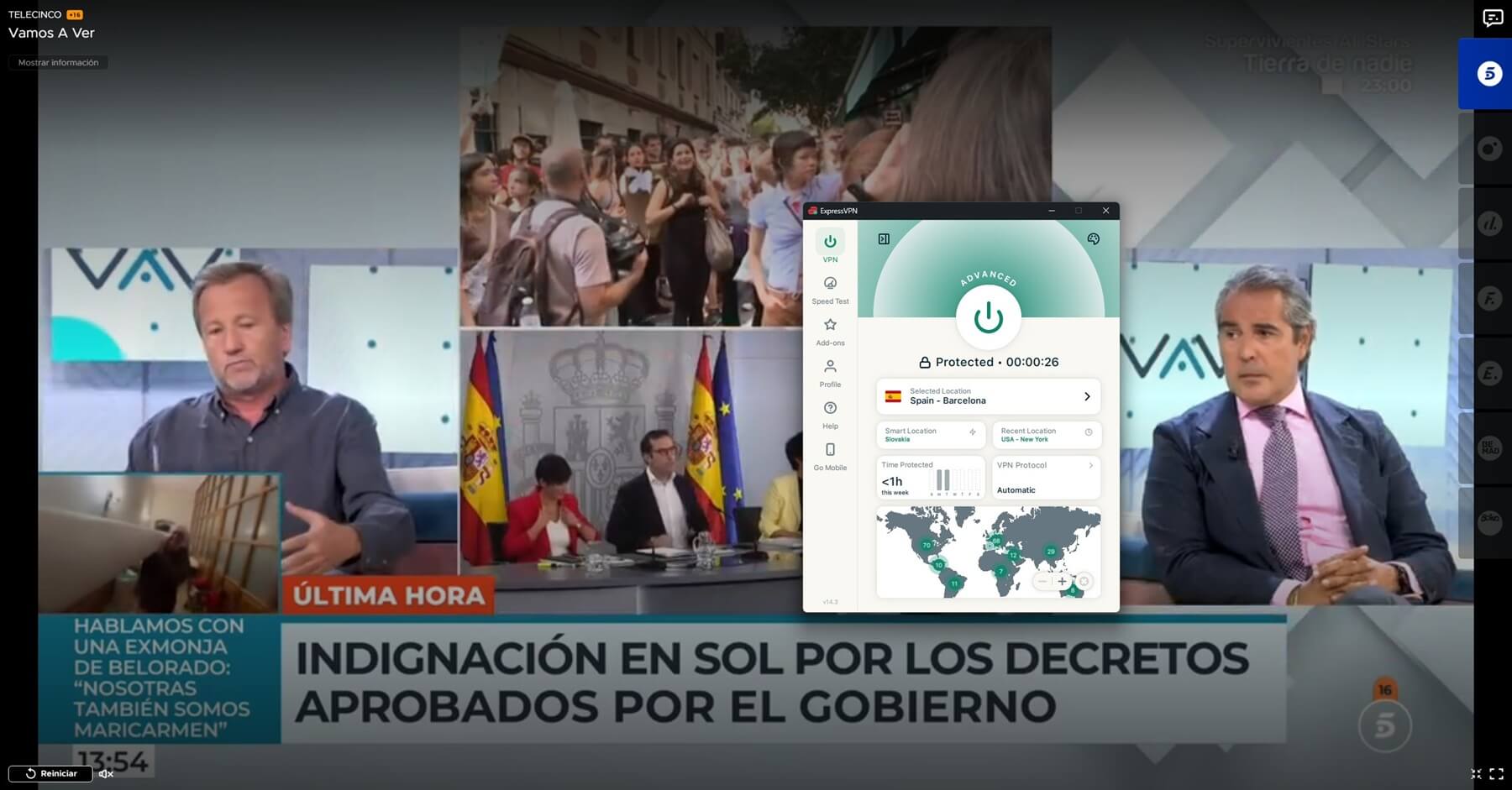
With 3000+ servers in 105 countries, including Madrid and Barcelona, it provides quick access to Spanish content and performs reliably. During testing, we noticed a 7–9% speed drop. However, it didn’t impact streaming, and we easily unblocked RTVE Play, allowing us to watch in high resolution. Know that on this free TV channel, you will be able to watch the Vuelta a España and many other sporting events, movies, and series.

This is possible through the Lightway protocol, which is built for speed and stability. It is based on WireGuard technology to establish faster connections while maintaining robust security. Plus, all its servers help you bypass ISP throttling regions.
ExpressVPN’s 30-day money-back guarantee and the 7-day free trial on Android and iOS let you try it risk-free while enjoying uninterrupted access to Spanish content. The only catch is that it starts at over $5 per month on long-term plans, making it expensive.
Pros
- Servers in Madrid & Barcelona
- Easy-to-use apps on all devices
- Fast speeds
- MediaStreamer for quick unblocking
- Wide compatibility & router compatibility
- 7-day free trial on iOS and Android
Cons
- Expensive price tag
- Lacks advanced features
3. Private Internet Access
If you’re looking for a VPN that covers every device you own, Private Internet Access (PIA) is the top choice. It offers unlimited device connections under a single subscription, making it ideal for large households or individuals with multiple gadgets.
PIA’s global network includes servers in Madrid and Valencia, giving you quick access to Spanish content from abroad. Like the above VPNs, PIA was also able to unblock Spanish television. In our testing, we were able to access Telecinco and stream in high resolution despite a 9–12% speed drop.
Try Private Internet Access Now
It uses 10 Gbps servers for stable, fast connections and offers the latest WireGuard protocol. PIA’s versatility extends to customizable encryption settings. You can choose between 128-bit AES for faster speeds or 256-bit AES for stronger security.

PIA works seamlessly on most platforms. If you’re using streaming devices or gaming devices, the Smart DNS feature makes sure that you can still access Spanish content without a direct VPN connection.
However, if you’re also looking for the security benefits of a VPN while streaming, PIA supports router installations, allowing you to secure your entire network and stream Spanish TV on devices that don’t natively support VPN apps.
With plans starting at just $2 per month on long-term subscriptions, PIA combines affordability with rich features. Plus, it includes a 30-day money-back guarantee, so you can test it out risk-free while enjoying reliable access to Spanish TV from anywhere.
Pros
- Servers in Madrid & Valencia
- Unlimited device connections
- Smart DNS for easy streaming
- Open-source apps
- Affordable pricing on long-term plans
Cons
- No free trial
- Interface could be better
- Only offers core features
Setting Up a VPN to Stream Spanish TV from Anywhere
Watching Spanish TV from abroad is easy with a VPN. Just follow these simple steps, and you’ll be streaming your favorite shows in minutes.
Step 1: Choose a VPN with Spanish Servers
Start by selecting a VPN that has servers in Spain. Popular choices like NordVPN, ExpressVPN, and Private Internet Access offer reliable Spanish servers. Connecting to a server outside of Spain won’t work for unlocking Spanish TV platforms unless those services are available in the selected country.
Step 2: Download and Install the VPN App
Download the VPN app on your preferred device—whether it’s a smartphone, laptop, tablet, Smart TV, or streaming device like Firestick. If your device doesn’t support VPN apps, you can install the VPN on your router to cover all connected devices in one go.

Step 3: Connect to a Spanish Server
Once installed, open the app and connect to a server located in Spain. This gives you a Spanish IP address, which helps you bypass geo-restrictions. If you face issues accessing content, some VPNs offer special streaming servers or features like obfuscation to improve access.

Step 4: Start Streaming Your Favorite Spanish TV Channels
With the VPN connected, visit the streaming platform you want to watch—such as RTVE, Antena 3, Movistar+, or Telecinco—and start enjoying your shows. If you experience buffering, try switching to a server optimized for streaming to improve performance.
Why Free VPNs Aren’t Worth It?
Free VPNs might seem like a cost-effective solution, but they come with significant drawbacks. Most offer limited servers, often without reliable options in Spain, making it hard to bypass geo-restrictions on Spanish TV.
Even if you connect, expect slow speeds, data caps, and constant buffering that ruin your streaming experience—HD/FHD/4K streaming is practically impossible with these limitations.
Privacy is another major concern. Many free VPNs log and sell your data to third parties, exposing you to the very risks you’re trying to avoid. Unlike premium services that uphold strict no-logs policies, free providers often cut corners on security. Plus, customer support is rarely available, leaving you stranded when issues arise.
While the idea of a free VPN is appealing, premium options like NordVPN, ExpressVPN, and PIA offer far better value. With faster speeds, unlimited data, 24/7 support, and dedicated servers in Spain, you’ll enjoy smooth, uninterrupted streaming.
Most even come with money-back guarantees and free trials, making them a risk-free investment for a hassle-free viewing experience.
Common Issues When Streaming Spanish TV Abroad
Even with a VPN set up correctly, streaming platforms sometimes detect and block VPN connections. If you’re having trouble accessing Spanish TV, here are some quick and practical solutions:
- Switch to a Different Spanish Server: Sometimes, streaming platforms block certain servers. If you can’t access a platform, try connecting to another Spanish server (like those in Madrid, Barcelona, or Valencia). Many VPNs offer multiple options—switching often does the trick.
- Clear Cookies and Cache: Websites use stored cookies to track your location. If you’ve accessed the platform before using a VPN, these cookies may reveal your actual location. Clear your browser’s cookies and cache, restart the browser, and try again.
- Change Your VPN Protocol: Not all VPN protocols bypass geo-restrictions effectively. If you’re facing issues, switch to WireGuard for faster speeds or use obfuscated/streaming-optimized servers for improved access to Spanish channels.
- Use a Browser Instead of the App: Streaming apps often rely on GPS and network to detect your real location. If the app isn’t working, use a web browser while connected to the VPN—this reduces the chances of location detection.
- Check Your Router VPN Setup: If your VPN is set up on a router, verify the configuration. An incorrect setup can prevent streaming altogether. If your router doesn’t support VPNs, SmartDNS is an alternative (though it lacks encryption). Some VPN services, like NordVPN’s SmartPlay, combine both features for enhanced access and security.
Final Thoughts
Streaming Spanish TV abroad doesn’t have to be complicated or frustrating. With the right tools, you can easily stay connected to your favorite shows, news, and sports channels no matter where you are.
While geo-restrictions can be a hassle, using a VPN is the most straightforward and reliable solution. Just a few simple steps can eliminate those annoying location blocks, letting you enjoy Spanish content like you’re back home.
If you’re looking for a VPN that offers fast speeds, stable connections, and hassle-free access to Spanish TV, NordVPN is your best choice. With its extensive network of Spanish servers, advanced security and privacy features, and streaming and obfuscation capabilities, it makes the entire unblocking and streaming process smooth and straightforward.
FAQs on Streaming Spanish TV Abroad
Can my streaming account get blocked for using a VPN?
Streaming services focus on blocking VPN servers, not user accounts. If a VPN is detected, you’ll likely see a region error instead of facing any penalties. Using streaming-optimized or obfuscated servers helps avoid detection.
Can I use a VPN to watch Spanish TV on mobile data?
Yes, you can. A reliable VPN works on both Wi-Fi and mobile networks, letting you stream Spanish TV wherever you are. For better performance, choose a VPN with lightweight protocols like NordLynx (from NordVPN)—they work well even on 4G or 5G connections.
Will a VPN affect my streaming speed?
VPNs may cause a slight speed drop due to encryption. However, top providers offer high-speed servers and protocols like NordLynx to keep streaming smooth and buffer-free. Plus, with streaming-optimized servers a common offering on most prominent VPNs, you’re all covered.
Can my internet provider know I’m using a VPN?
Your ISP can see you’re connected to a VPN but won’t know what you’re watching. Obfuscation features help hide VPN usage, preventing speed throttling while you stream Spanish TV.
Can I use one VPN account on multiple devices to watch Spanish TV?
Yes, most top VPNs allow multiple simultaneous connections under one account. This means you can watch Spanish TV on your phone, laptop, Smart TV, and other devices simultaneously without needing separate subscriptions.