💡 Stream Spanish TV in USA – Solution: Use NordVPN to unblock Spanish TV channels in the USA in October 2026. Connect to a Spanish VPN server and watch Telecinco, RTVE, Mediaset, and other Spanish TV channels live. With this trick, you also unblock Netflix Spain with the finest local series and movies.
How to Stream Spanish TV in the US: Unblock RTVE, Telecinco, and More
- Subscribe to a VPN. We recommend NordVPN at 73% off.
- Set up a VPN on your device.
- Launch the VPN and sign in.
- Connect to a VPN server in Spain to get this IP address.
- Watch Spanish TV in the US and enjoy it live without restrictions.
Why You Can’t Watch Spanish TV in the USA
Geo-restrictions are common because of licensing agreements that dictate where content can be shown. Streaming platforms, broadcasters, and content providers don’t have the rights to air shows, sports, or live TV everywhere, so they restrict access based on your location.
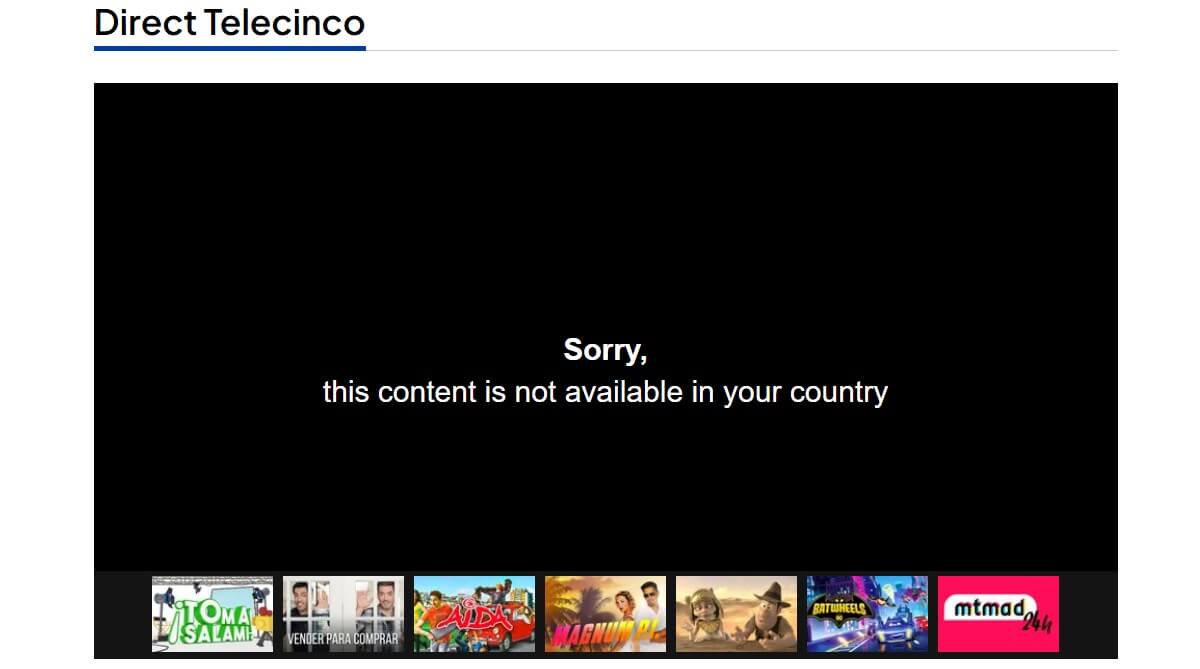
These restrictions are enforced using IP tracking, which detects where you’re streaming from. It’s the same reason why Netflix has different content libraries, and it’s what happens with Spanish TV. When you try to stream from the US, the platforms recognize your location and deny access.
How to Watch Spanish TV in USA With a VPN?
A VPN replaces your old IP address with a Spanish IP address. In turn, it makes you appear in Spain and provides access to Spanish TV channels in the USA or elsewhere. Not all VPNs are streaming-friendly, and not all have reliable Spanish servers. NordVPN does, and it’s our #1 VPN for this purpose.
To start, click above and get NordVPN for 73% less. It’s risk-free thanks to a 30-day money-back guarantee, so if you no longer need it, a refund is on the table. Once subscribed, install NordVPN on your device.
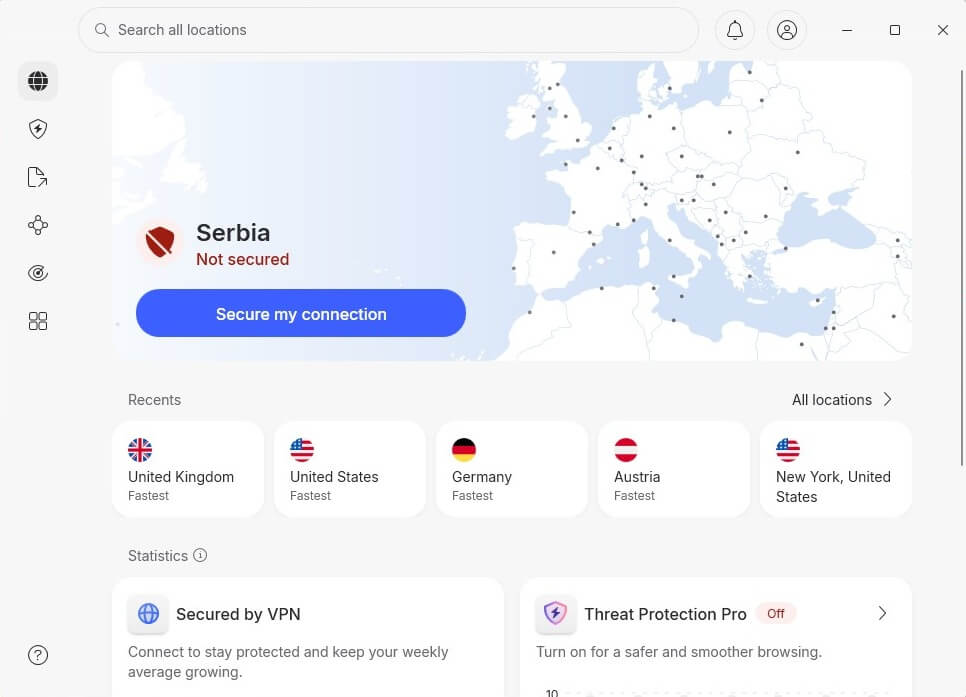
Go to the server list by clicking All Locations or the Search Bar and locate Spain. One click is all it takes to connect and get a Spanish IP address.
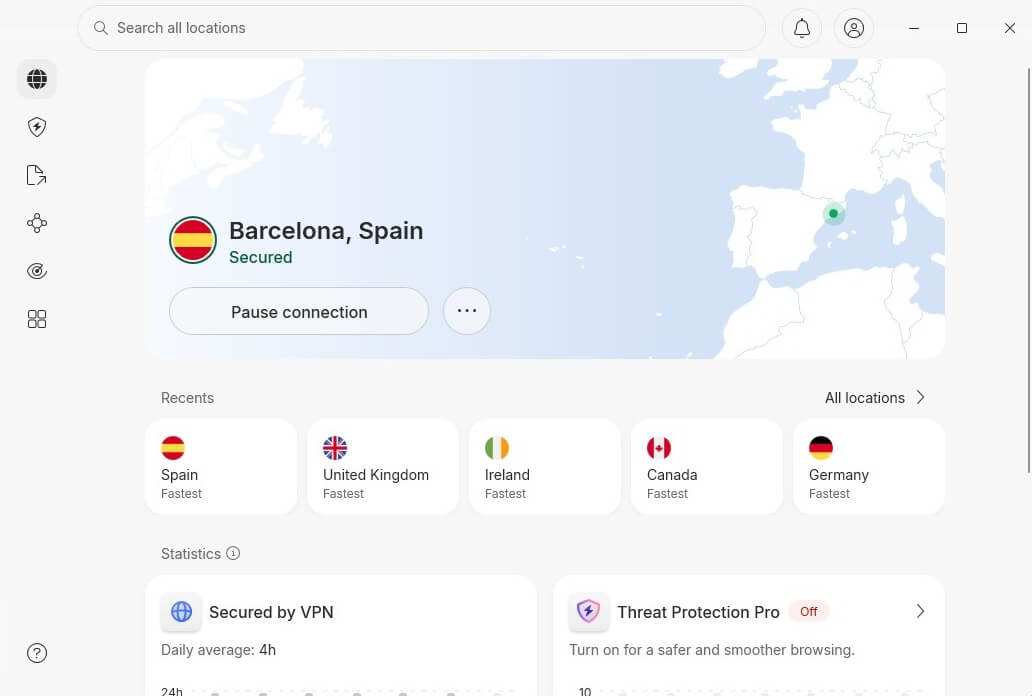
Now, you can watch Spanish TV live in the USA. To prove this works, we tried streaming Telecinco outside Spain (in the US), and it worked very well. Rest assured, Netflix Spain will also work when you go abroad.
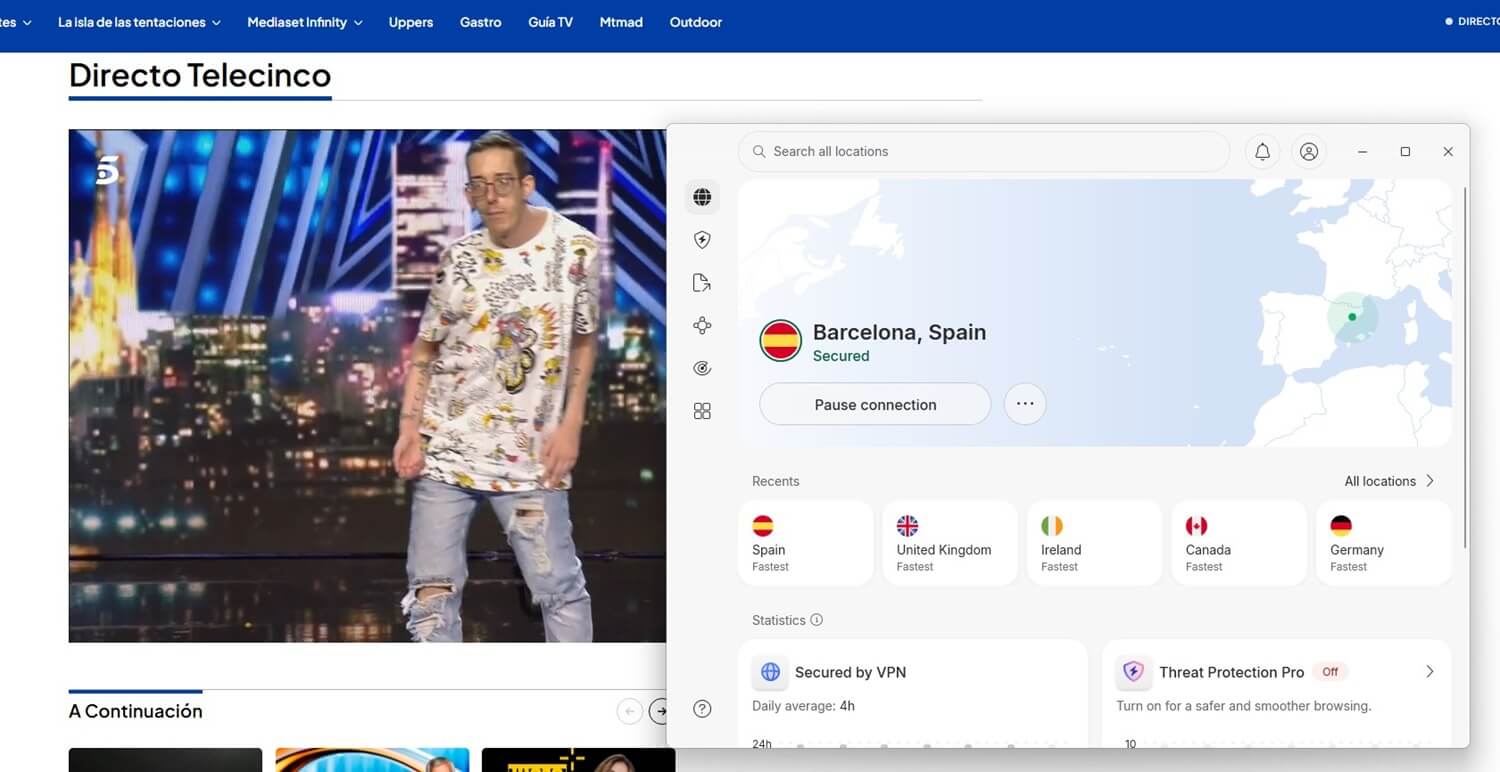
Best VPN for Watching Spanish Television in the USA
Not all VPNs are capable. Some slow down your stream, and worse, you can get blocked. To watch Spanish TV without issues, you need a VPN with fast Spanish servers, strong encryption, and the ability to bypass restrictions consistently. Here are the best options to get you started.



 9200 servers
 128 covered countries
 30 days money-back guarantee
 10 simultaneous connections
9.4 /10

20396 servers
148 covered countries
30 days money-back guarantee
10 simultaneous connections
9.2 /10

3000 servers
105 covered countries
30 days money-back guarantee
10 simultaneous connections
9.1 /10
1. NordVPN: Best to Stream Spanish TV in the US Overall
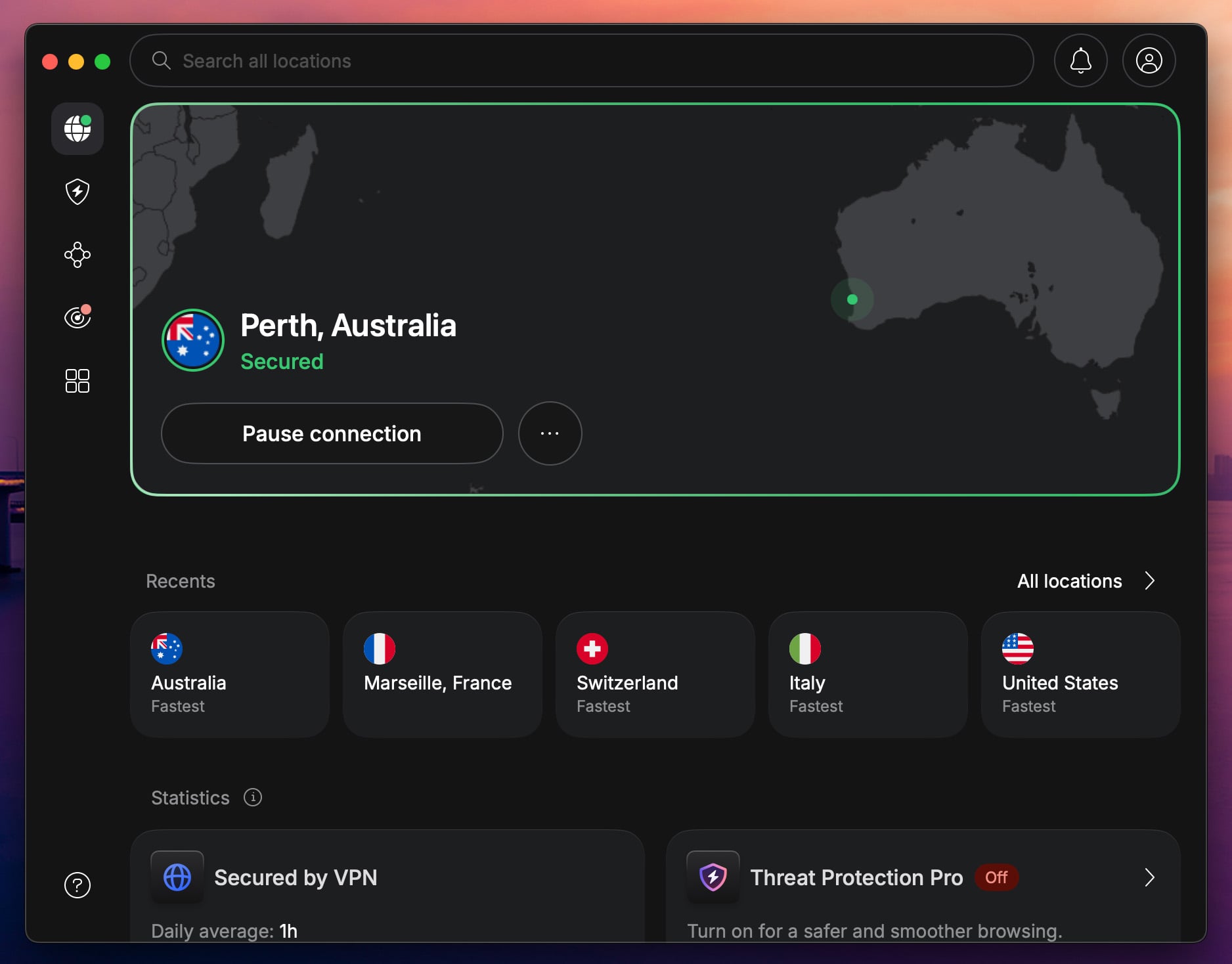
As the best VPN for Spain, NordVPN is also a top choice for watching Spanish TV in the US. It offers fast Spanish servers, strong unblocking capabilities, and airtight security. Widely known and recommended, it easily bypasses geo-restrictions while maintaining a stable and private connection.
Pros
- Fast Spanish servers
- SmartPlay for streaming
- Compatible with all systems
- Unlimited bandwidth
- Many security features
Con
- Not very user-friendly
⚡ Fast & Reliable Spanish Servers
With 60+ servers in Spain out of a massive 9,400+ server network in 137 countries, it has consistently high speeds. When we tested it on a base 80 Mbps connection, the speed drop was only 5-7 Mbps, which is minimal. As all servers are streaming-optimized, you’re set for buffer-free streaming, where VPNs usually struggle.
💯 Unblocks Spanish TV Without Detection
When we tried to watch Antena 3 Live, NordVPN unblocked the channel, letting us stream live in the highest quality without buffering. Its obfuscated servers and NordWhisper protocol help bypass VPN restrictions, making it a reliable choice for accessing geo-restricted Spanish content.
🔐 Security Without Compromising Speed
Beyond unblocking, NordVPN keeps your connection completely private. The NordLynx protocol, based on WireGuard, encrypts your traffic and protects you from tracking and monitoring. NordVPN also offers SmartPlay. It combines SmartDNS with a VPN, letting you enjoy the best of both worlds.
💻 Multi-Device Support
NordVPN is available on multiple platforms for watching Spanish TV. With 10 simultaneous connections, it’s great for those who stream across multiple devices. If you have a device that doesn’t support VPNs, router support becomes useful. It’s also one of the best VPNs for routers now.
Starting at just $3 per month on long-term, well-curated plans, NordVPN is the best option to access Spanish TV from the US. If you’re on iOS or Android, you also get a 3-day free trial, and all plans come with a 30-day money-back guarantee, so you can try it risk-free and without a fuss.
2. ExpressVPN: Best for Speed and Ease of Use

If you want a hassle-free way to watch Spanish TV channels in the USA, take ExpressVPN. With a simple interface and pre-configured settings, it’s perfect for those who want a VPN that works without configuration.
Pros
- Speedy Spanish servers
- Easy-to-use apps
- Good for unblocking sites
- Reliable in-house protocol
- Cheap 2-year plans
Cons
- Higher renewal cost
- Light on features
⚡ Fast, Secure, and Stable with Lightway
ExpressVPN’s in-house Lightway Turbo protocol has stable and fast connections, giving you a secure and smooth connection. When we tested the speeds, the drop was around 6-8% of 80Mbps, which is assuring. The TrustedServer technology (RAM-based servers) keeps your activity out of reach, as all data is wiped with a reboot.
💡 MediaStreamer for Non-VPN Devices
One of ExpressVPN’s biggest advantages is MediaStreamer, a SmartDNS that lets you unblock Spanish TV on devices that don’t support VPN apps. Instead of setting up a VPN, MediaStreamer bypasses geo-blocks instantly.
💯 Modern Spanish Servers with Reliable Access
ExpressVPN has high-speed streaming servers in Madrid and Barcelona, designed for streaming Spanish content without lag. You can also benefit from 3,000+ servers in 105 countries. When we tested RTVE Play, ExpressVPN unblocked it, allowing us to watch Live TV in HD without buffering.
On top of it, ExpressVPN is also reduces ISP throttling, resulting in better and smoother streaming, no matter the channel or streaming service.
📱 One-Click Setup on Any Device
ExpressVPN offers support for all platforms, and if you aren’t happy with MediaStreamer due to its lack of security, it also offers router support, securing all your devices at once. With up to 14 simultaneous connections, you can watch Spanish TV on multiple devices at once without a fuss.
Starting at just $2.79 per month, ExpressVPN remains affordable for anyone with a computer or phone. The 3-day free trial on mobile devices and a 30-day money-back guarantee on all plans let you test it risk-free and stream Spanish TV in the USA. To learn more about it, read our review of ExpressVPN.
3. Private Internet Access: Best Cheap VPN for Spanish TV Streaming
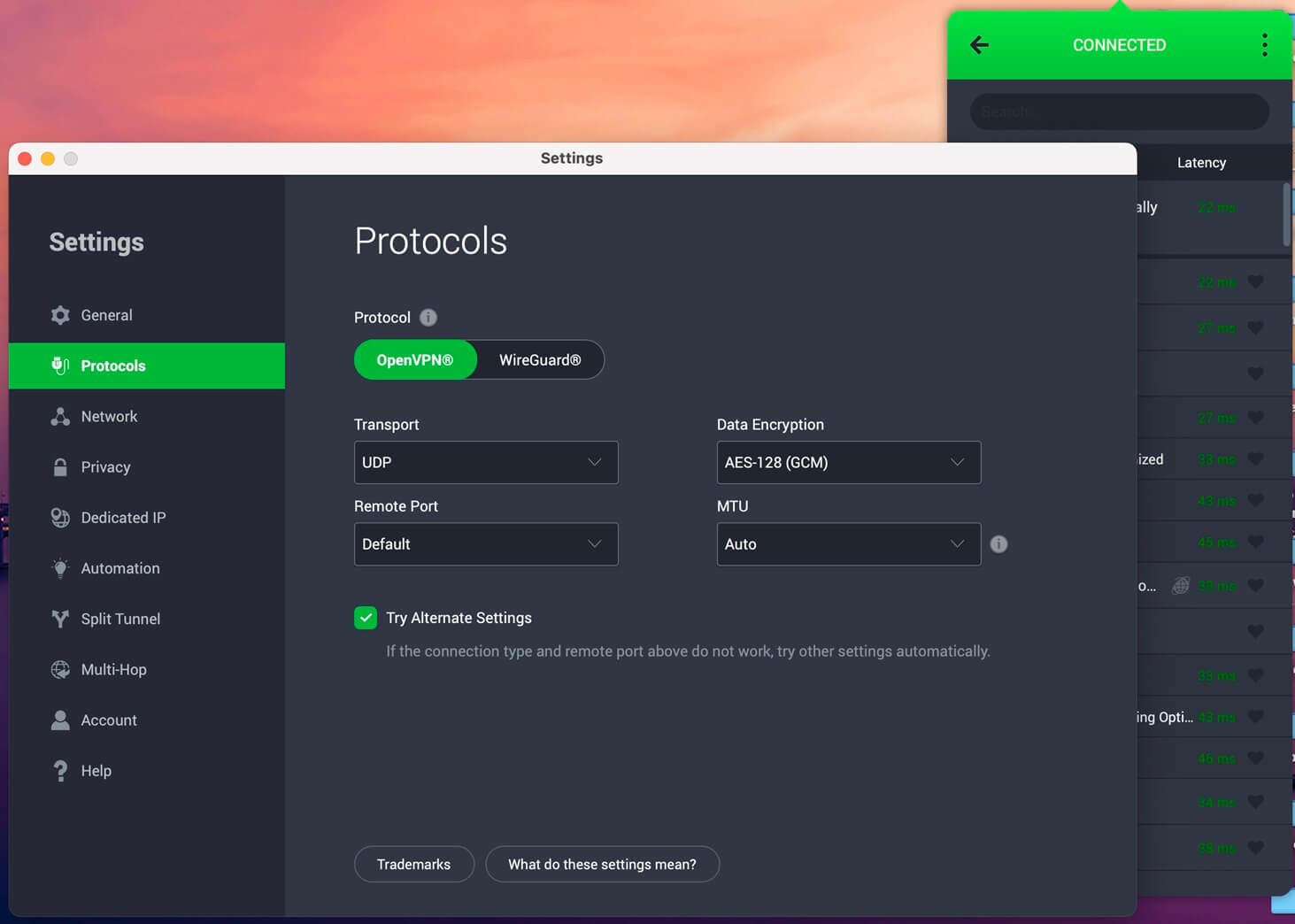
Private Internet Access is a budget-friendly VPN with strong privacy, also optimized for HD streaming. Plus, it is one of the few VPNs whose apps are open-source, so everything is transparent from PIA’s end.
Pros
- Unlimited devices
- Wide server network
- Traffic obfuscation
- Ad blocker is included
Cons
- Cluttered UI
- Not the fastest VPN
Try Private Internet Access Now
⚡ Streaming-Optimized Servers
PIA’s fast and reliable servers in Spain are optimized for streaming, offering a smooth and stable connection. We were able to watch Telecinco Live without restrictions or buffering. While the speed drop was significant, around 10-12%, it is still fast enough for lag-free streaming on major platforms.
🥷 Obfuscation to Bypass VPN Blocks
Some Spanish platforms use advanced VPN detection, but PIA’s obfuscation feature (Shadowsocks) helps disguise VPN traffic, making it look like regular internet usage. This allows you to access geo-restricted content without triggering VPN blocks, making it more reliable for Spanish streaming services.
🔐 Customizable Security with Open-Source Encryption
PIA gives you the freedom to customize encryption settings. You can choose 128-bit AES for speed or 256-bit AES for extra security. With the latest WireGuard protocol, you get a balance of privacy and performance.
💯 Unlimited Device Connections – Best for Families
Unlike other VPNs set to a certain number of simultaneous device connections, PIA allows unlimited simultaneous connections. It’s the best choice if you share your VPN with family or multiple devices. In case your device doesn’t support VPNs, you can still use a VPN with router support.
PIA is one of the cheapest premium VPNs. Starting at $2 per month, it is significantly less than most top-tier VPNs. There’s a 7-day free trial and a 30-day money-back guarantee, so you can try it risk-free.
Watch Spanish TV in the USA: Summary
If you want consistent access, high-quality streaming, and security on top, NordVPN is the best pick. With fast, streaming-optimized Spanish servers, obfuscation to bypass VPN blocks, and SmartPlay for secure streaming, it lets you watch your favorite Spanish shows fuss-free.
If you’re having trouble deciding on a VPN, we recommend reading the comparison between ExpressVPN and NordVPN for more information. Also consider Private Internet Access if you are on a budget. All 3 VPNs are ultimately risk-free, so streaming Spanish TV live in the USA can be costless.
Frequently Asked Questions
❓ How to get Telecinco abroad?
To watch Telecinco outside Spain, connect to a VPN server in Spain. With a Spanish IP, you can access this and other Spanish TV channels easily.
❓ Can I stream Spanish TV in USA?
Yes, you can, but only with a VPN. Most of the Spanish TV content (series, movies, and licensed shows) is unavailable abroad. To unblock and access it, use NordVPN and connect to a Spanish server.
❓ Can I watch Spanish TV in USA with a free VPN?
You can't because free VPNs often lack Spanish servers, plus, they limit bandwidth and data, making them unsuitable for limitless streaming. You can get a premium VPN free trial for 30 days and watch Spain TV abroad temporarily; good if you're on a business trip or vacation outside Spain.