
BBC iPlayer, ITVX, Channel 4, and My5 are free in the UK but blocked in Canada. From our test PC in Europe, ITVX showed only a black screen with no error message. On UK servers, NordVPN, Proton VPN, and ExpressVPN unblocked iPlayer, ITVX, and Channel 4, and every stream started in two to three seconds.
UK TV From Canada in Four Steps, 2026
- Sign up for NordVPN, then add it to a laptop, tablet, or streaming stick.
- Select London or Manchester in the server list.
- Register for free on ITVX, BBC iPlayer, or Channel 4, entering a UK postcode when prompted.
- Start ITV1, BBC One, or Channel 4 live, or open any episode.
Signing Up for UK Channels on a UK Server
With a UK server connected in the VPN app, open itv.com, bbc.co.uk/iplayer, or channel4.com and create an account. ITVX, BBC iPlayer, and Channel 4 stream only to a UK IP address. You’ll enter a UK postcode, your email, a password, and your date of birth to register on each. BBC iPlayer also requires a TV licence declaration, and ITVX and Channel 4 show ads.
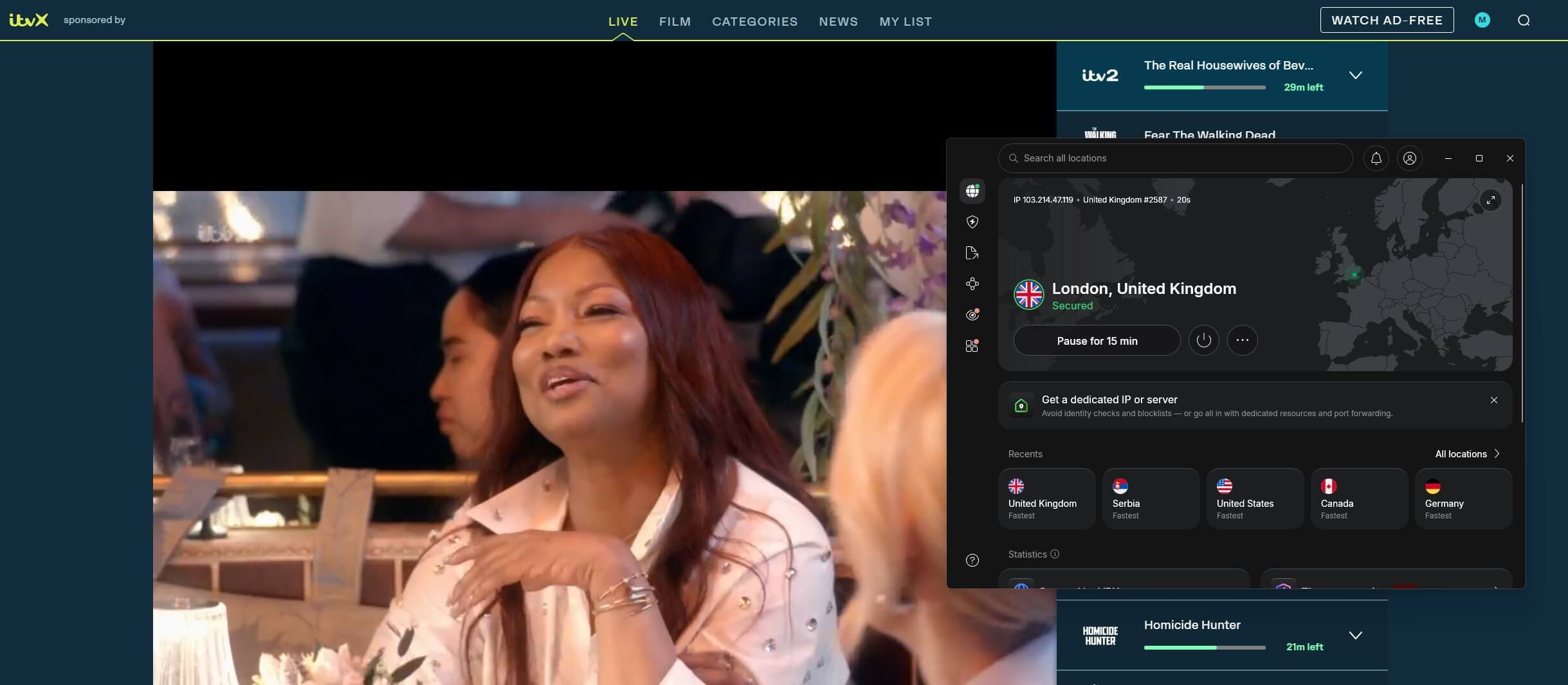
ITV1’s Good Morning Britain redirected us to STV Player on NordVPN’s London server, ExpressVPN’s Manchester server, and Proton VPN. An IP lookup on the Manchester server still read Manchester, England. STV Player played the show on the three VPNs.
Three VPNs Compared on UK Channels
Our October results, measured on a 190.36 Mbps baseline from a Windows 11 PC in Europe.
| VPN | UK servers | BBC iPlayer, ITVX, Channel 4, STV Player | My5 | UK download |
|---|---|---|---|---|
| NordVPN | 440+ in 4 cities | Unblocked | Live and on demand | 184.73 Mbps |
| Proton VPN | 849 in 6 cities | Unblocked | On demand only | 178.89 Mbps |
| ExpressVPN | 7 locations, count undisclosed | Unblocked | Live and on demand | 185.74 Mbps |
VPNs That Unblock UK TV in Canada
- NordVPN: Best for live UK channels, including ITV1 and My5 Live.
- Proton VPN: Best for servers in Scotland, Wales, and Northern Ireland, alongside London and Manchester.
- ExpressVPN: Best for minimal speed loss, dropping 2.4% below our baseline.
1. NordVPN: Best for Every UK Channel From Canada
Pros
- My5 live unblocked
- NordWhisper protocol
- Edinburgh and Glasgow servers
Cons
- Monthly rate increases
- Idle-app VPN conflicts
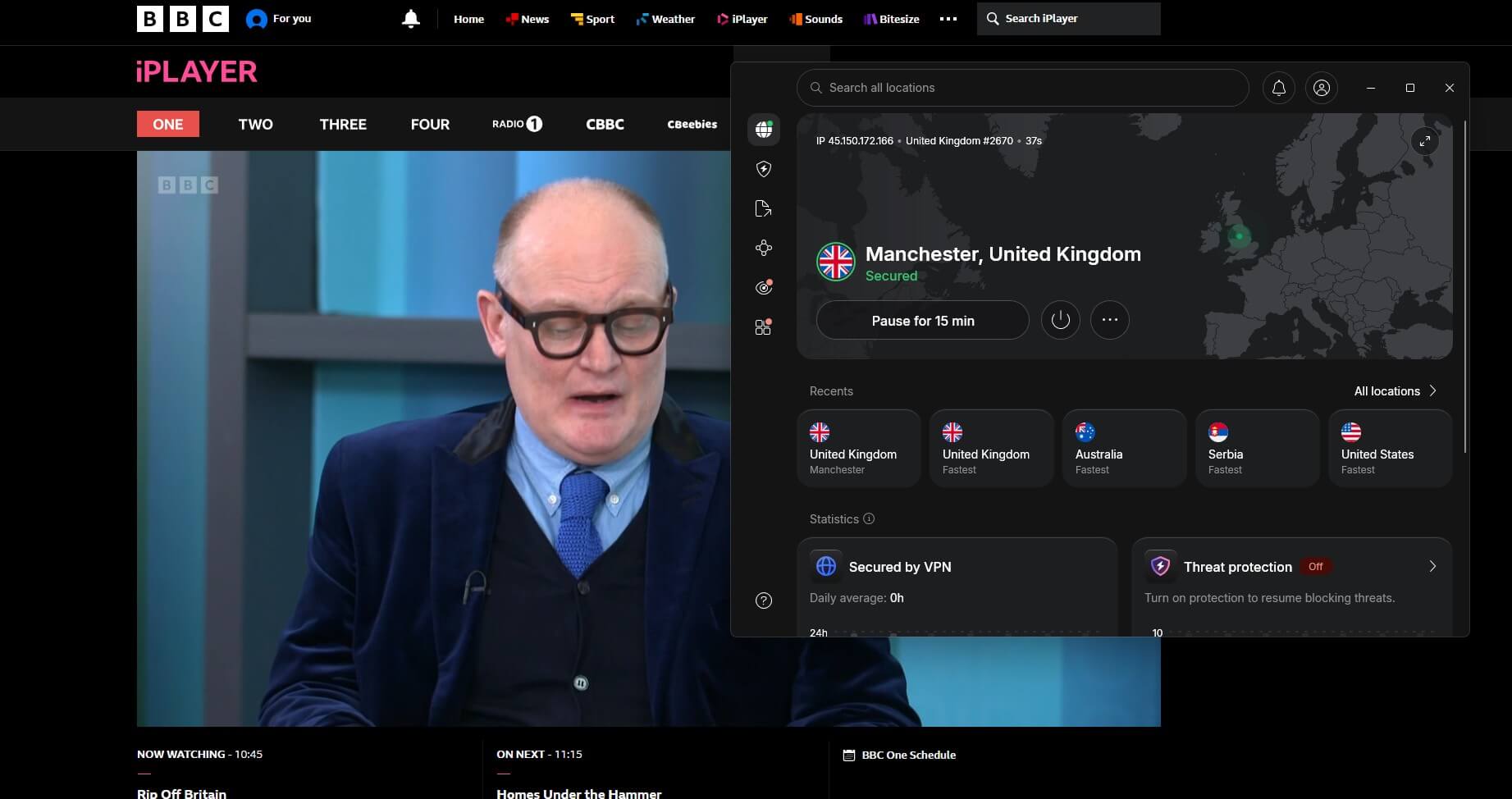
NordVPN unblocked BBC iPlayer, ITVX, Channel 4, STV Player, and My5’s live channels on UK servers, with ITVX tested on London. It kept 184.73 Mbps of our 190.36 Mbps baseline on a UK server. NordVPN’s site lists 440+ UK servers across four cities. On a phone, it lost 20.3% of a 54.7 Mbps connection, the best result in our Android VPN tests.
Our main complaint was the Windows app. On some days it wouldn’t connect while ExpressVPN was installed and idle, and fixing it took a restart and a new sign-in. Signing up for 27 months brings NordVPN below $3.50 a month, and monthly billing is about $15.
2. Proton VPN: Best for Scotland, Wales, and Northern Ireland
Pros
- Live ITVX unblocked
- STV Player unblocked
- SOC 2 Type II audit
Cons
- My5 live blocked
- No Samsung TV app
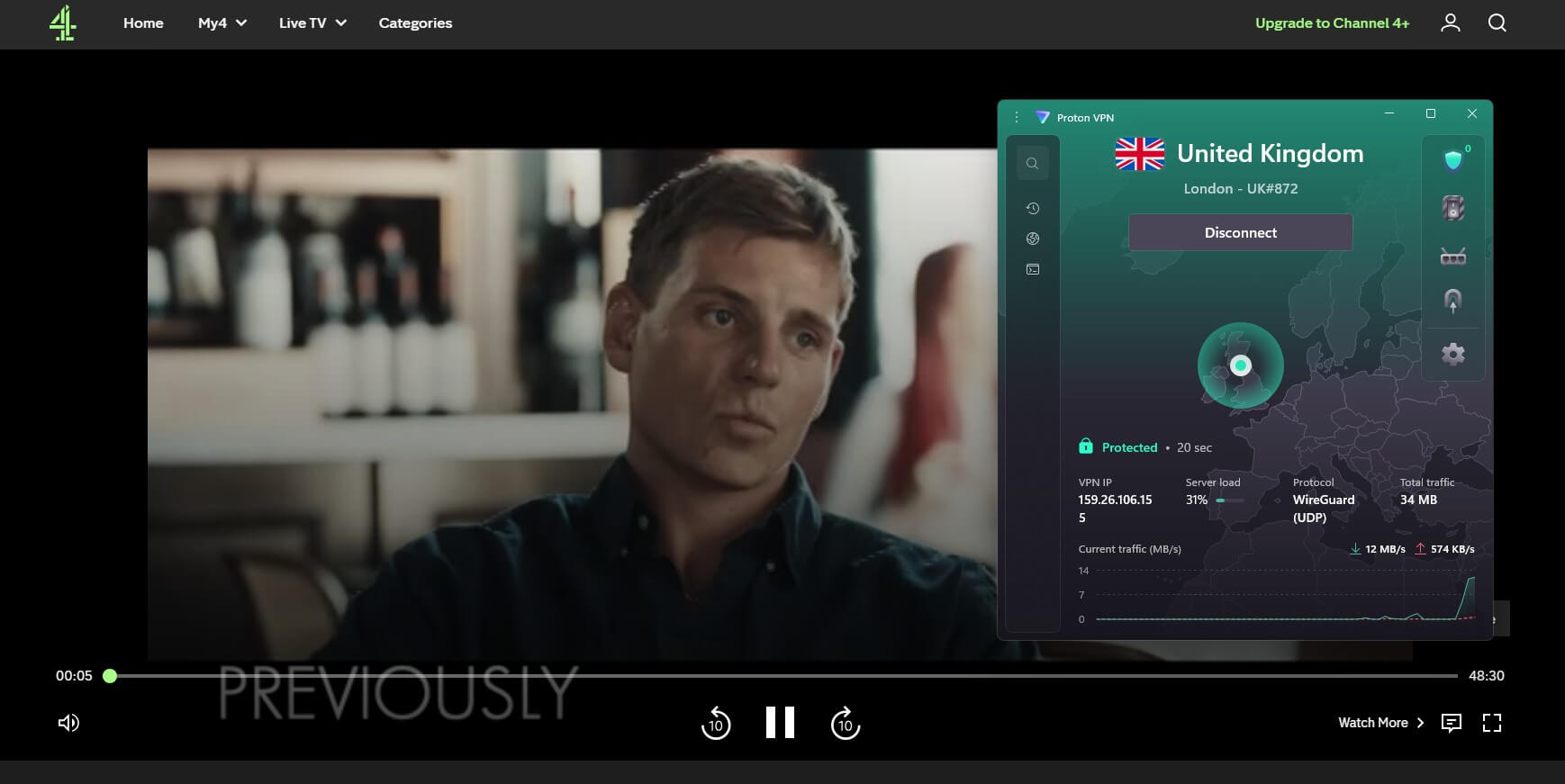
Proton VPN unblocked BBC iPlayer, Channel 4, STV Player, and ITVX, which had blocked it in an earlier round. My5’s live channels stayed black, and only its on-demand shows worked. Download speed on its UK server was 178.89 Mbps, 6.0% under our baseline. Its 849 UK servers span Belfast, Cardiff, Edinburgh, Glasgow, London, and Manchester.
For Samsung and LG TVs, Proton VPN requires a router setup: it offers neither an app nor Smart DNS for those sets. Paying for 24 months keeps Proton VPN under $3 a month, while a single month costs about $10. Renewal is around $84 a year, one of the lower renewals in our cheap VPN rankings.
3. ExpressVPN: Best for Minimal Speed Loss
Pros
- WireGuard and Lightway
- My5 and STV unblocked
- Midlands and Tottenham servers
Cons
- Past ITVX detections
- Confusing Add-ons menu
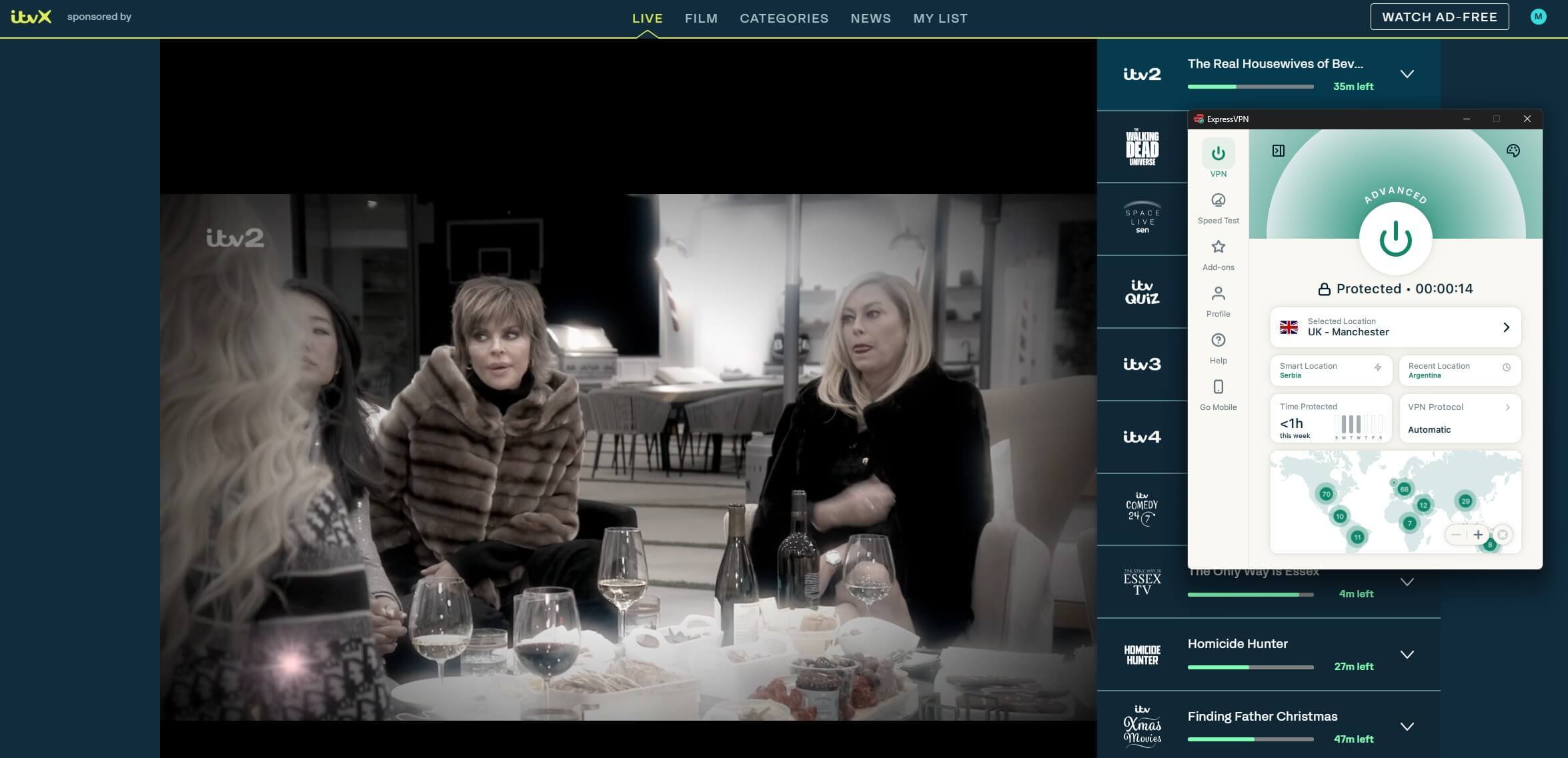
At 185.74 Mbps, ExpressVPN lost 2.4% of our baseline on a UK server, the smallest drop among our UK results. No UK service we tried detected it, including ITVX Live and My5 Live. ITVX detected it a few times in an earlier round, and in this one every stream played. ExpressVPN lists seven UK locations but publishes no server count.
The redesigned app puts the ad blocker under Add-ons, which we found confusing. ExpressVPN costs under $3 a month when paid for 28 months. The 15-month term is about $5 a month. Our fastest VPN rankings cover its speeds on other servers, and ExpressVPN vs NordVPN compares the two head-to-head.
UK Channels That Work From Canada
- BBC iPlayer: free for UK IP addresses, after a TV licence declaration. Our BBC iPlayer in Canada guide covers it in detail, and the best VPNs for iPlayer are ranked separately.
- ITVX: ITV1, ITV2, ITV3, and ITV4 live, soaps such as Coronation Street and Emmerdale, and Disney+, Hulu, and FX series added since July 2025. Our ITVX guide for other countries covers the service beyond Canada.
- Channel 4: free, with a UK postcode at sign-up.
- My5: free, from Channel 5.
- STV Player: STV’s free service for ITV1 programs in most of Scotland.
- NOW and Sky Go: paid. NOW requires a UK credit card, and Sky Go requires a Sky subscription. Our Sky Go VPN guide covers Sky’s app, and Sky Sports from North America covers its live sport.
For viewers outside Canada, our British TV abroad guide covers these channels by country.
BritBox Canada Without a VPN
BritBox streams in Canada with no VPN for about $11 a month or $110 a year in Canadian dollars, before sales tax. BBC Studios bought out ITV’s international share in February 2024, and BritBox UK closed that April, when its catalog moved to ITVX. BritBox has no live ITV1 channel, so live UK TV and new ITVX episodes still require a UK IP address.
When Live UK Shows Air in Canada
The UK is five hours ahead of Toronto for most of the year. The difference by region:
- Newfoundland (St. John’s): 3.5 hours behind the UK
- Atlantic (Halifax): 4 hours behind
- Eastern (Toronto, Ottawa, Montreal): 5 hours behind
- Central (Winnipeg): 6 hours behind
- Mountain (Calgary, Edmonton): 7 hours behind
- Pacific (Vancouver): 8 hours behind
Good Morning Britain, which airs from 6 a.m. to 9 a.m. UK time on weekdays, starts at 1 a.m. in Toronto and at 10 p.m. the previous evening in Vancouver. The UK and Canada change their clocks on different Sundays in March and in the fall, so for a few weeks each year the difference is one hour shorter.
Fixing UK TV Errors in Canada
- Black player, no error message: ITVX detected an IP address outside the UK. Open the VPN, confirm the UK server is active, then clear itv.com cookies and refresh the player.
- Good Morning Britain opens in STV Player: press play, and the show streams in STV Player.
- Black My5 Live on Proton VPN: watch My5 on demand, or use NordVPN or ExpressVPN for live channels.
- iPlayer, ITVX, or Channel 4 detects the VPN: connect to another UK server. Location spoofing in ExpressVPN’s Chrome extension is the fallback on that VPN.
Free VPN Accounts and British TV
Windscribe and PrivadoVPN free accounts unblocked BBC iPlayer and Channel 4 on UK servers, but ITVX blocked them. Hide.me‘s free account unblocked none of the streaming services we tried. Free Proton VPN accounts receive a random server and never offered us a UK location. Data caps on these free accounts are compared in our free VPN rankings.
Conclusion
NordVPN unblocked every UK channel, including My5 Live, and ranks first. Proton VPN unblocked ITVX on servers across six UK cities, except My5 Live. ExpressVPN kept more of our speed on a UK server than NordVPN, with the same channel results. Canadian viewers who watch ITV1 and My5 live should start with NordVPN. Proton VPN renews for less than NordVPN, and its only miss was My5’s live stream.
UK TV in Canada FAQs
Does ITVX work in Canada?
No, ITVX is licensed for the UK only and shows a black screen to Canadian IP addresses. Connecting through a UK VPN server lifts that block for live TV and episodes.
Can you watch ITVX in Canada for free?
Yes, ITVX's ad-supported tier is free. From Canada, it requires a VPN with a UK server and a UK postcode at registration, so the VPN subscription is the only cost.
Is BritBox available in Canada?
Yes, BritBox sells subscriptions in Canada at roughly $11 CAD monthly, plus tax. BBC Studios is its sole owner, and it requires no VPN on a Canadian connection.
What UK TV can you watch abroad?
The free British services are BBC iPlayer, ITVX, Channel 4, My5, and STV Player, and a UK IP address unblocks them abroad. Paid services such as NOW TV also require a UK payment card.
How do you watch ITVX in Canada?
With NordVPN or Proton VPN set to a UK server, register on itv.com using a UK postcode. Live ITV channels and episodes then play as they do in the UK.
How do you watch UK TV in Canada?
Canadians can use a VPN on a UK server for free services like BBC iPlayer and ITVX, or subscribe to BritBox, which works in Canada without one.
What time is Good Morning Britain on in Canada?
Good Morning Britain airs from 1 a.m. to 4 a.m. in Toronto and from 10 p.m. to 1 a.m. in Vancouver, the evening before, on weekdays.