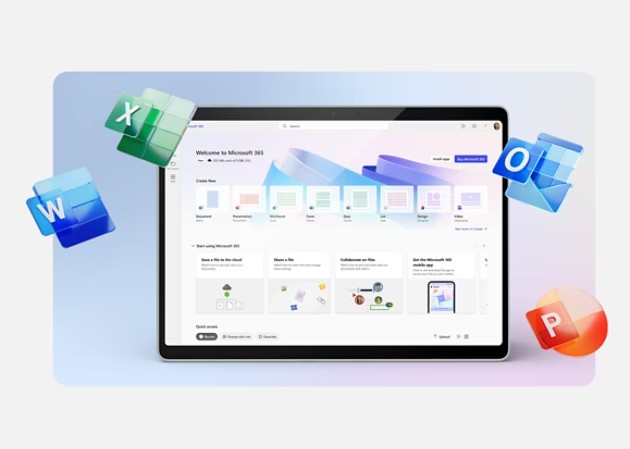
Microsoft Office is a complete collection of productivity software created by Microsoft. It is designed to handle word processing, data analysis, presentation creation, and email management across a range of use cases. Word, Excel, PowerPoint, and Outlook form the core of the suite, with OneNote, Access, and Publisher included in certain versions.
Microsoft Office has been available for multiple decades and has become a standard tool in workplaces, schools, and home computing environments worldwide. Its combination of a familiar interface, powerful features, and reliable document compatibility has made it the default productivity solution for most organizations.
The suite gives users all the tools needed to work efficiently, whether preparing reports, analyzing data, building presentations, or managing email. Each application works well with the others: spreadsheets can be embedded in Word documents, Excel datasets linked to presentations, and files shared across the suite without format loss. Templates are customizable, macros handle repetitive tasks automatically, and multiple users can collaborate on the same document in real time through built-in editing and comment tools.
Cloud integration through OneDrive makes file storage and sharing easy. Work started at the office can continue at home or anywhere else without manually transferring files. Microsoft 365 integration brings collaborative cloud tools together with the Office applications, and Microsoft has continued expanding mobile and web versions to serve users who work across different devices.
Note that the newest version of the Office suite is Microsoft Office 2024. Only older versions of Microsoft Office Professional still include Microsoft Publisher, as Microsoft has ended support and development for that application.
Why Should I Download Microsoft Office?
Microsoft Office works as an integrated system of applications that supports productivity across every function of a modern work or study environment. The most compelling reason to download it is the breadth of what it covers within a single coherent platform. Writing reports, building spreadsheets, creating presentations, and managing email all happen inside one suite, reducing the need to switch between incompatible tools or worry about file format issues.
Word is a professional document creation tool that goes well beyond basic word processing, offering formatting capabilities and layout controls suited to everything from a quick memo to a polished multi-section report. Excel handles everything from simple arithmetic to complex data analysis through pivot tables, graphical charts, and an extensive formula library. PowerPoint gives users the tools to build presentation slides that communicate visually and clearly. Outlook manages email, calendar, and contacts in a structured environment that keeps professional communication organized and searchable.
The collaboration features are a practical strength of the suite. Multiple users can edit the same document simultaneously, with changes saved to cloud storage in real time and visible to all collaborators instantly. Comments can be added directly inside documents, which removes the need to manage multiple document versions and makes giving and receiving feedback more efficient. Users working within Microsoft Teams can access linked documents and work on them together without leaving their meeting environment.
Compatibility across the suite produces consistent results regardless of platform or device. Secure file sharing, PDF export, and various data format choices all contribute to a clean workflow. The applications behave consistently whether running on a laptop, a tablet, or through a browser, which matters for users who move between devices throughout their day. Formatting is preserved reliably when documents are shared between Office users, which is part of why it remains the standard in most professional settings.
Security is another reason many users and organizations choose to download Microsoft Office. The suite receives regular updates addressing new threats, and OneDrive cloud backup protects files against local hardware failure or accidental deletion. A Microsoft 365 subscription delivers automatic access to the latest application versions without needing to pay for each new update separately. For businesses and individual users who depend on reliable, secure document management, Microsoft Office continues to be the most thorough solution available.
Is Microsoft Office Free?
Microsoft Office is available through a few restricted free options, but the standard version requires payment.
Standalone Office versions, such as Microsoft Office Professional Plus Edition 2021, can be purchased as a one-time license without ongoing costs. These provide full desktop application access without cloud services or future updates. The newest version of the standalone is Microsoft Office 2024, and it no longer supports Publisher, which has been replaced by Microsoft Designer.
Microsoft Office online gives access to basic versions of Word, Excel, and PowerPoint in a browser at no charge, though these lack the advanced capabilities of the desktop versions. A Microsoft 365 subscription unlocks premium features and cloud storage.
What Operating Systems Are Compatible with Microsoft Office?
Microsoft Office installs on both Windows and macOS systems. The permanent license version of Microsoft Office Professional Plus Edition 2021 is available for both operating systems. After installation, product activation is required to unlock all premium features and verify authenticity.
Mobile apps for Android and iOS allow document creation and editing away from a desktop, and Microsoft 365 subscribers can access files from any device with a browser. Microsoft Office supports users across a range of devices and operating systems, with each version delivering stable, compatible performance.
What Are the Alternatives to Microsoft Office?
LibreOffice is a popular free and open-source alternative. It includes applications closely equivalent to those in Microsoft Office: Writer for documents, Calc for spreadsheets, and Impress for presentations. The biggest advantage is cost: LibreOffice is completely free for anyone unwilling to pay for a subscription or license. It supports Microsoft file formats, including DOCX, XLSX, and PPTX, which makes sharing documents with Office users practical. The feature set is sufficient for most intermediate users who need core office tools without any ongoing payment commitment.
WPS Office is a lightweight alternative with a familiar interface that works well with Microsoft Office file formats. It runs efficiently on older hardware and includes Writer, Spreadsheet, and Presentation applications that closely mirror Word, Excel, and PowerPoint in layout and functionality. A free version is available with advertising, while the premium edition removes ads and unlocks additional features. Cloud storage integration is more limited than Microsoft's, but for users who want a compact and fast office suite that handles common document tasks reliably, WPS Office is a solid option.
Google Workspace, formerly known as G Suite, is one of the most widely used alternatives for teams and distributed work environments. Google Docs, Sheets, and Slides all run in the browser and require only a Google account to use at the basic level. Real-time collaborative editing is one of its strongest capabilities, with multiple users able to work on the same document simultaneously without any manual synchronization. Files save automatically to Google Drive, which provides 15 GB of free storage. The platform works well for users who prioritize collaboration and remote accessibility, though it offers fewer advanced desktop-grade features compared to what Microsoft Office provides. Offline features remain somewhat limited relative to installed software, but for distributed teams and remote project work, it is a highly practical choice.