An iPhone switches networks all day: home Wi-Fi in the morning, cellular on the commute, then the office network. A VPN has to keep up with every switch without draining the battery or slowing down the apps you use most. Apple also limits what VPN apps can do on iOS, so some features you’d expect from a desktop VPN aren’t there.
So a VPN that’s great on a laptop isn’t automatically the best VPN for iPhone users. We tested five on an iPhone 17 Pro, checking speed and battery drain on each.
The 5 Best iPhone VPNs in 2026
- NordVPN: Best overall, with the fastest speeds we recorded on iOS
- Proton VPN: Best for privacy, with an open-source iOS app
- ExpressVPN: Best for battery life, with the simplest iOS app
- Surfshark: Best value, with privacy extras like rotating IP addresses
- Private Internet Access: Best for fine-tuning, with the most iOS settings
iPhone VPN Test Results at a Glance
| Average speed loss | Extra battery drain | Devices at once | iOS split tunneling | Starting price | |
| NordVPN | 13.6% | 2% | 10 | No | $3.49/mo |
| Proton VPN | 17.5% | 2% | 10 | No | $2.99/mo |
| ExpressVPN | 16.2% | 1% | 10-14 | IP addresses only | $2.99/mo |
| Surfshark | 21.4% | 3% | Unlimited | Websites only | $2.49/mo |
| Private Internet Access | 24.2% | 3% | Unlimited | Domains only | $2.19/mo |
Best iPhone VPN Apps We Tested
Every figure comes from an iPhone 17 Pro on home Wi-Fi that tests at 54.7 Mbps down and 37 ms ping, the delay before a server responds, with no VPN. We connected each VPN to UK, US, and Japanese servers on its default protocol, the method it uses to connect (WireGuard, NordLynx, or Lightway), then tested battery drain over a 20-minute YouTube session at 1440p with every extra protection enabled.
1. NordVPN: Best VPN for iPhone Overall
Pros
- Minimal speed loss on iOS
- Siri Shortcuts
- Quantum-safe NordLynx
- Low ping on distant servers
- Blocks trackers and malicious sites
- Dark Web Monitor
Cons
- Dense iOS interface
- No iOS free trial
- Costly renewal
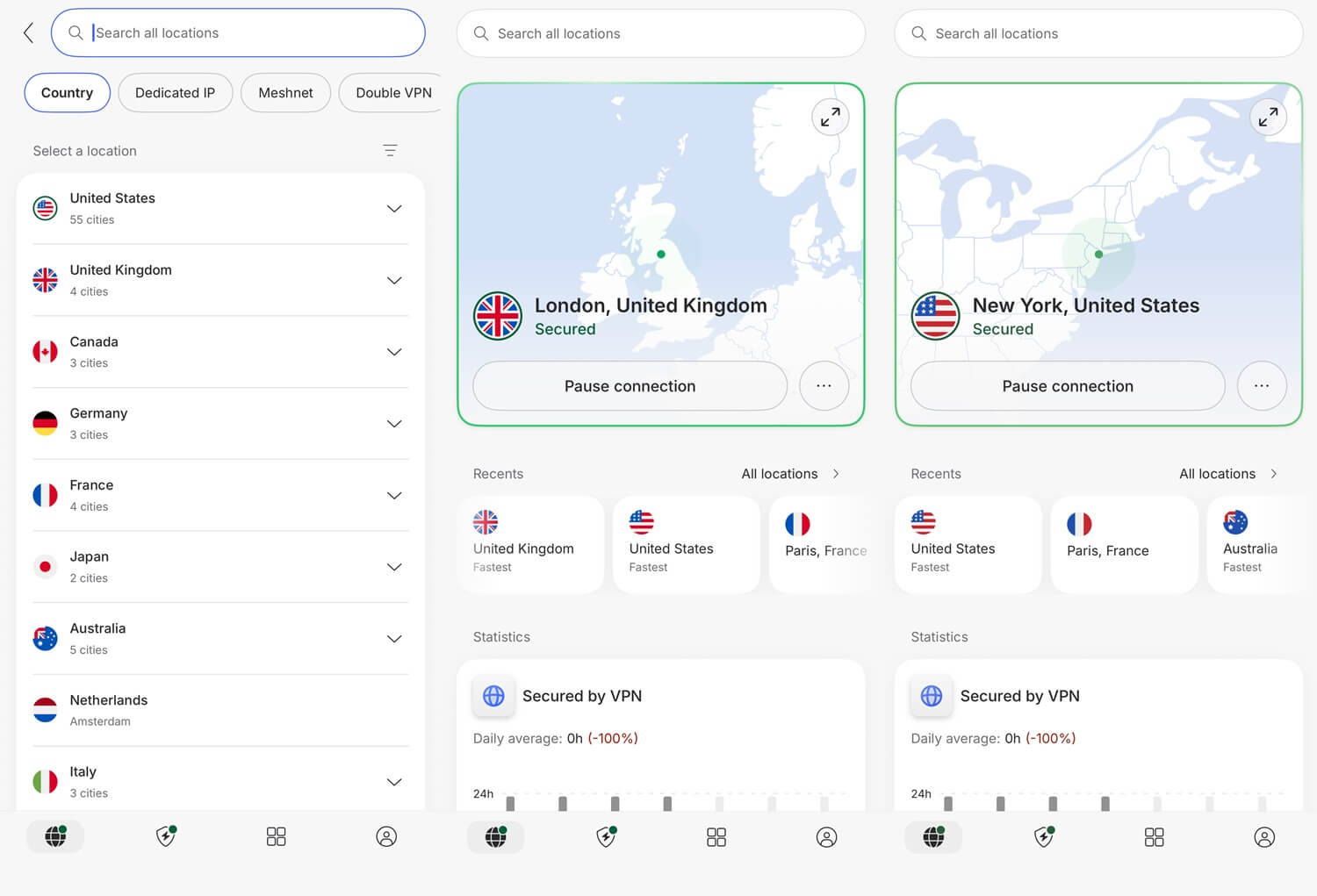
NordVPN lost the least speed on our iPhone, at a 13.6% average speed loss, and its UK server came in at 52.11 Mbps, close to our 54.7 Mbps Wi-Fi. That’s fast enough for 4K video, with room to spare. It also had the lowest ping on the two distant servers, 102 ms to the US and 203 ms to Japan, the hardest location for every VPN. Lower ping makes calls and games more responsive.
Quantum-safe encryption, which protects today’s traffic from future quantum computers, is a single toggle, and Siri Shortcuts connect the VPN by voice. NordWhisper disguises traffic on networks that filter VPNs. Next-gen antivirus stops trackers and malicious sites on iOS, though iOS doesn’t allow the file scanning NordVPN offers on Windows and macOS.
The app fits many features onto a small screen and takes longer to learn than ExpressVPN’s, though on most days, you’ll only use the Quick Connect button. NordVPN’s 3-day trial works only on Android, so on an iPhone, you subscribe and rely on the 30-day money-back guarantee instead.
Independent auditors have checked the no-log policy six times, the last four by Deloitte, and our NordVPN review has the details of each audit. A 27-month Basic plan, under $3.50 a month, covers 10 devices, and it renews at about $140 a year, so start on the longest term.
2. Proton VPN: Best iPhone VPN for Privacy
Pros
- Open-source iOS app
- Unlimited free plan
- Swiss company
- Secure Core double-server protection
- Stealth on the free plan
- Tor over VPN servers
Cons
- No quantum-safe encryption
- No Smart DNS
- Couldn’t unblock Hulu or ITVX
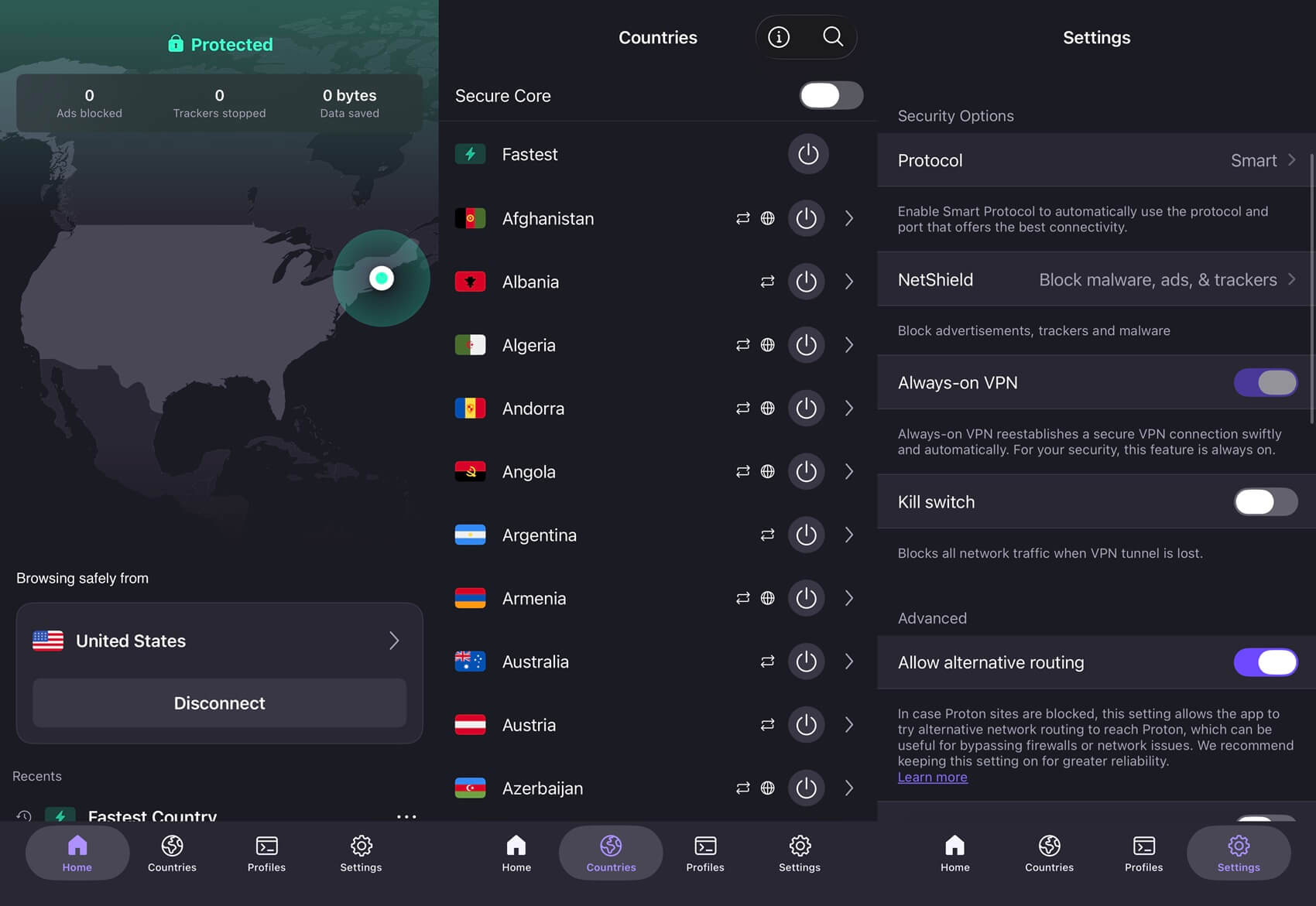
Proton VPN was third fastest, losing 17.5% of its speed on average, with 50.48 Mbps on the UK server at 47 ms. Its Android app lost 27.0% of its speed on the same Wi-Fi, so the iPhone version is noticeably faster, and no other VPN showed a wider difference between platforms. Its iOS app is published on GitHub for researchers to examine, and Switzerland belongs to no surveillance alliance.
So the no-log claim rests on readable code and a favorable legal base. Secure Core sends your traffic through an extra server that Proton VPN owns in Switzerland, Iceland, or Sweden before it connects to the server you chose. Tor over VPN servers are there too, but .onion addresses still require a Tor browser such as Onion Browser.
Free accounts keep the Stealth protocol, so even the free plan can disguise your connection on networks that block VPNs. Proton VPN has no quantum-safe encryption, so if you want that protection now, choose NordVPN, ExpressVPN, or Surfshark. There’s no Smart DNS either, the feature that unblocks streaming on TVs without a VPN app, so use Proton VPN’s Apple TV app on a TV instead.
Proton VPN also couldn’t unblock Hulu, Pluto TV, or ITVX in our desktop testing, so choose NordVPN or ExpressVPN if you watch those. On the two-year plan, Proton VPN is under $3 a month, and it renews at about $84 a year.
3. ExpressVPN: Best iPhone VPN for Battery Life
Pros
- Lowest battery drain
- Obfuscation always on
- Simplest iOS layout
- Low UK ping
- Native tvOS app
- Diskless servers
Cons
- No multi-hop
- Sparse iOS settings
- Renewal jumps sharply
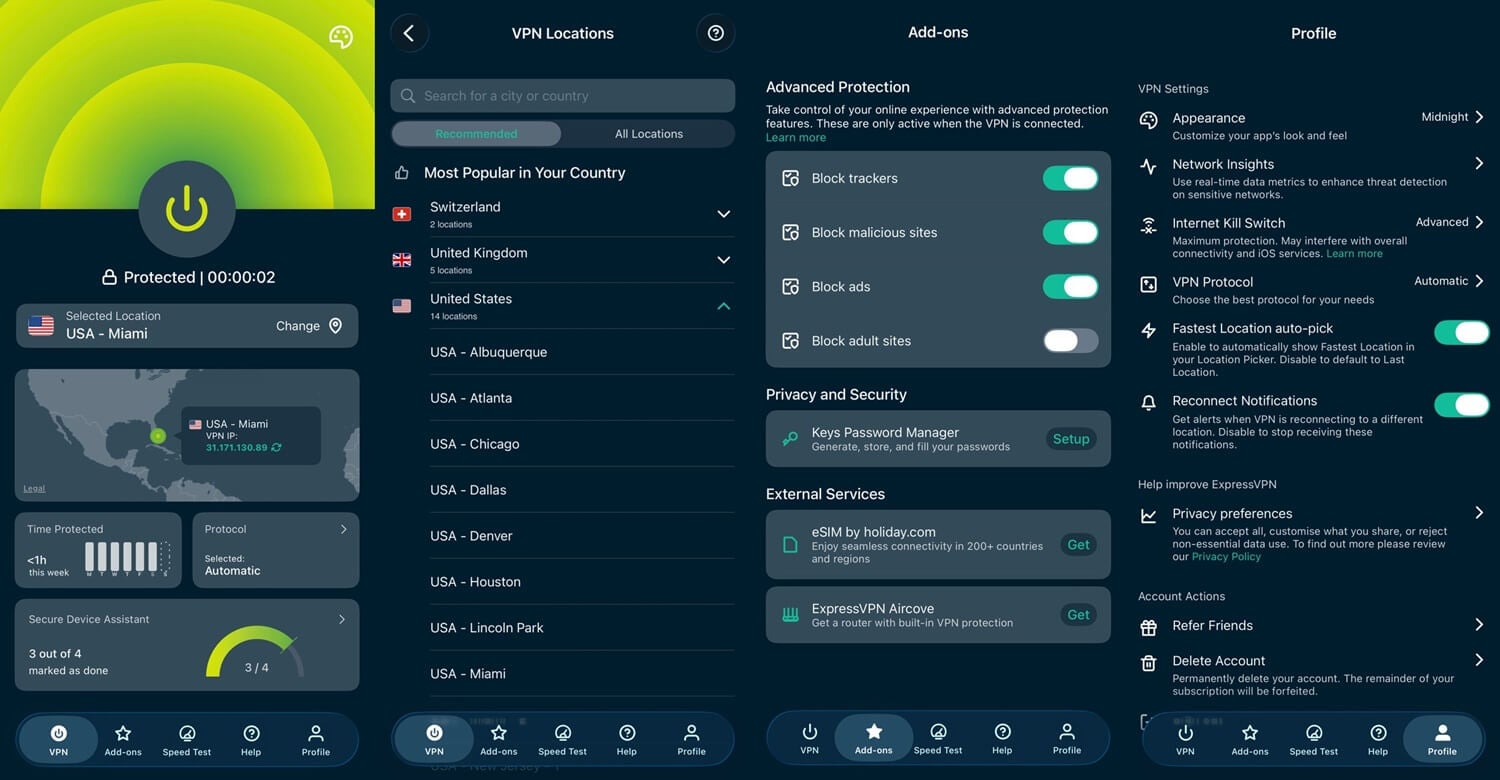
ExpressVPN was a close second on speed, at a 16.2% speed loss, and won the battery test. Twenty minutes of 1440p video with its protections enabled used just 1% more battery than with no VPN, while the others used 2% or 3% more, a difference you’d notice by evening. On the UK server, its 44 ms ping beat every other VPN we tested on iOS.
Obfuscation, which disguises VPN traffic, is always on, with no protocol list to work through, so a filtered school or office network requires no setup. ExpressVPN has a native tvOS app for an Apple TV, and MediaStreamer covers TVs without VPN apps. The servers write nothing to disk, and ExpressVPN operates from the British Virgin Islands, outside the Five, Nine, and Fourteen Eyes alliances.
That simplicity costs you some control. It doesn’t offer multi-hop, a connection through two servers in a row, and PIA has far more settings to adjust. Most iPhone users won’t miss either. ExpressVPN is under $3 a month on the 28-month Basic plan, covering 10 devices. It renews at about $100 a year, so set a reminder before the first term ends.
4. Surfshark: Best Value iPhone VPN With Extra Privacy Tools
Pros
- Rotating IP addresses
- Dynamic MultiHop
- Alternative ID
- Camouflage mode
- Week-long App Store trial
- No connection limit
Cons
- Weak Japan speed
- Slow to connect
- Nine Eyes country
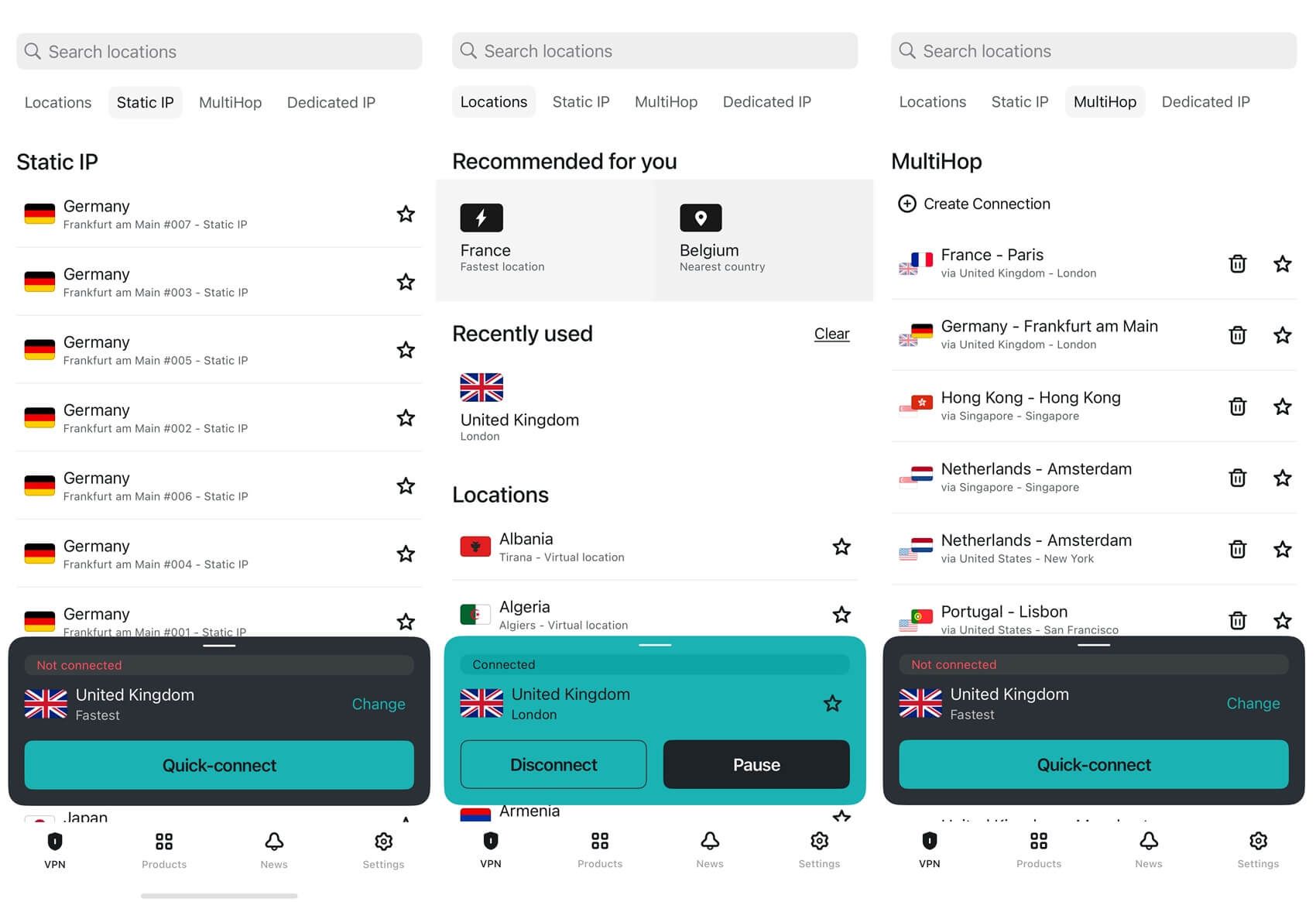
Surfshark costs under $2.50 a month on the Starter plan and still includes privacy extras. The rotating option changes your IP address on a timer while the session stays connected. Dynamic MultiHop lets you choose both servers in a two-server chain, and Alternative ID creates a throwaway identity for sign-up forms. The Surfshark One plan adds antivirus for a Mac, and one subscription covers every Apple device you own, with no connection limit.
Its 21.4% average speed loss put it fourth, and that average covers two very different results. Its UK server managed 50.42 Mbps, only 0.06 Mbps behind Proton VPN. On the Japanese server, it dropped to 33.81 Mbps, a 38.2% speed loss. Stick to servers in Europe or North America, and it keeps pace with the leaders.
Connecting takes noticeably longer than on NordVPN or ExpressVPN. You notice it when you unlock the phone for a quick check, so leave it connected. Its Dutch base falls within the Nine Eyes alliance, though Deloitte confirmed Surfshark keeps no IP addresses, browsing history, session data, or timestamps. The App Store trial lasts seven days, and our Surfshark review goes through the desktop apps.
5. Private Internet Access: The Cheapest Way In
Pros
- Unlimited devices
- Domain split tunneling
- Shadowsocks proxy
- DNS-level ad blocking
- Seven-day trial
- Apple TV app
Cons
- Slower on distant servers
- Dated iOS design
- Weak streaming record
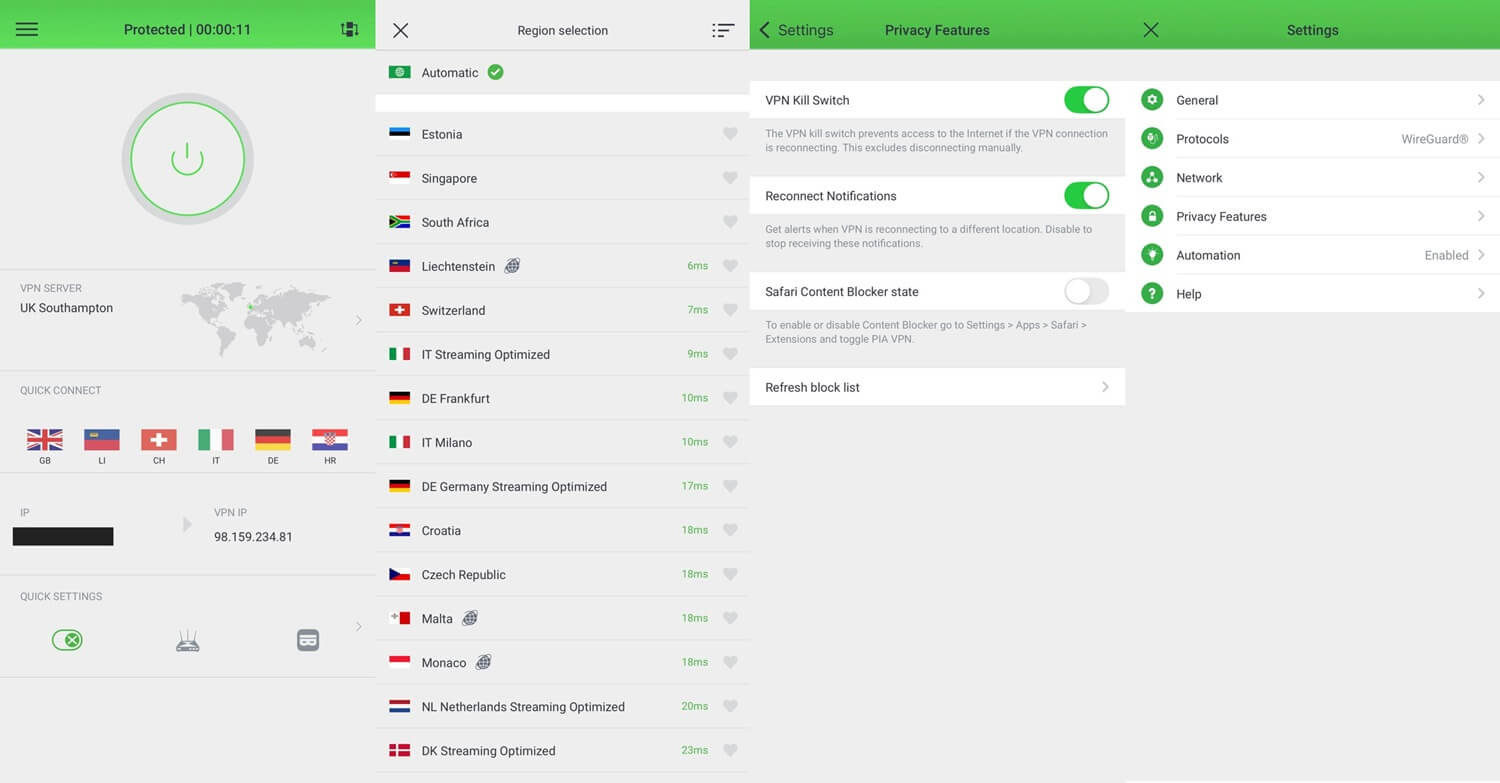
PIA came fifth, with a 24.2% average speed loss, 48.65 Mbps on the UK server, and 34.42 Mbps on the Japanese one, where its 249 ms ping was the highest we recorded on iOS. That’s still enough for HD video, and PIA has the lowest price in our ranking. It also offers the most settings on iOS. Split tunneling, which lets some traffic skip the VPN, works in a limited form, letting you name domains that stay outside the tunnel.
Shadowsocks, which works only with OpenVPN, disguises traffic on a filtered network, MACE blocks ads and trackers at the DNS level, and a tvOS app covers an Apple TV. Device connections are uncapped, and the trial lasts seven days. PIA’s apps were our least favorite to use, and clutter that’s merely untidy on a monitor becomes a problem on a phone screen.
Its streaming record is also weak: it couldn’t unblock Netflix Japan, Prime Video, HBO Max, JioHotstar, or Hulu in our desktop testing, so stream with NordVPN or ExpressVPN instead. The PIA review covers its desktop apps and the court cases that tested its logging claims. PIA costs just over $2 a month, about $57 for the first 26 months, and the same amount each year after that.
How iPhone VPNs Differ From Desktop Apps
- Network handoff. A phone moves between Wi-Fi and cellular dozens of times a day, and each switch is a moment when the VPN can drop and your own IP address can show. NordLynx and Lightway were designed for that, and they reconnect quickly after a switch.
- Battery. Our 20-minute video test put the extra drain at 1% to 3%, which adds up when the VPN stays on from morning until night. WireGuard-based protocols use less power than OpenVPN, so leave the app on its automatic protocol setting.
- Split tunneling. Apple doesn’t allow the per-app version Android has, so an iPhone can’t send one app outside the VPN while the rest goes through it. PIA’s domain list, Surfshark’s website Bypasser, and ExpressVPN’s IP-based exclusions are the closest substitutes.
One iOS setting helps with network switches. Go to Settings, then General, then VPN & Device Management, and tap the info icon beside your VPN. Enable Connect On Demand so the VPN reconnects after a network change.
Free VPNs for iPhone
The App Store lists hundreds of free VPNs, and most of them are a poor trade. Caps of 500 MB to 2 GB a month are typical, an hour of HD video at most, and the free apps with no cap are usually funded by selling browsing data instead. Proton VPN’s free plan avoids both problems. It has no data limit, and its no-log policy is independently audited.
The limits are strict: one device at a time and no say over the server location, which the app picks from ten countries at random. Its assigned US server tested at 33.12 Mbps on our iPhone, a 39.5% speed loss, and the free plan couldn’t unblock Netflix US. If those limits are a problem, PIA is the cheapest paid VPN in our ranking.
Conclusion
On an iPhone, a VPN has to stay fast and connected as you move between networks, without draining the battery. NordVPN does that best for most people. It lost the least speed and had the best ping on the American and Japanese servers, though its interface takes some getting used to. If the VPN stays on all day, choose ExpressVPN instead: it used the least battery in our test and requires the least attention.
Choose Proton VPN if privacy comes first, for its open-source code, its Swiss base, and the only free plan we’d install. Surfshark is the best value for privacy extras if you avoid servers in Asia, and PIA costs the least while offering the most settings. If you mostly stream on your phone, skip Proton VPN and PIA, which couldn’t unblock several services in our tests, and start with NordVPN.
Frequently Asked Questions
What is the best VPN app for iPhone?
NordVPN is the best VPN for iPhone, with fast iOS speeds, low ping on distant servers, and quantum-safe encryption. Proton VPN is the better fit for privacy and has a free plan.
Does the iPhone have a built-in VPN?
Not as a service. iOS can connect to a VPN server through its settings but has no servers of its own, and iCloud Private Relay doesn’t change the country websites see.
What is the fastest VPN for iPhone?
NordVPN is the fastest VPN for iPhone. NordLynx, its WireGuard-based protocol, keeps most of a phone’s connection speed and reconnects quickly when the iPhone switches between Wi-Fi and cellular.
Is there a good free VPN for iPhone?
Yes, Proton VPN’s free plan. It has no data limit and an audited no-log policy, and its Stealth protocol helps on restrictive networks, though it allows one device and assigns the server.
Can a VPN change an iPhone's location?
Yes. A VPN changes the iPhone’s IP address to one in the chosen country, so websites and streaming apps see that location, though GPS-based apps still use the phone’s physical position.