Type “VPN” into the Chrome Web Store and you’ll see hundreds of results, many with millions of users and names you’ve never heard of.
The well-known VPN brands are in there too, but their extensions are separate products from the desktop apps that built their reputations. An extension can block more than its app, much less, or stop working the moment the app closes, and the store listing won’t tell you which.
So choosing a VPN for Chrome means judging the extension on its own. We installed the Chrome extensions from five well-known VPNs and tested each one inside the browser, with no other blocker running. Here’s what each extension does once you click Add to Chrome.
The Best Chrome VPN Extensions Right Now
- NordVPN: Best overall, and the most installed VPN extension by far
- Proton VPN: Best for privacy, with double-hop servers inside Chrome
- ExpressVPN: Best ad blocking in the browser
- Surfshark: Best for extra browser tools, with no desktop app required
- Private Internet Access: Best for site permission controls
Best VPN Extensions for Chrome Compared
Every result in the table comes from the extension itself, tested in Google Chrome. The ad-blocking column shows how many of the 135 ad and tracker domains on d3ward’s test page each extension stopped. The data column shows what each company declares in its Chrome Web Store privacy section.
| Extension | Works without the app | Ads and trackers blocked | Per-site control | Data declared in the store | Price |
| NordVPN | Yes | 52% | Exclude from VPN | Location | About $3.50/mo |
| Proton VPN | Yes | No ad blocker | Split tunneling | Sign-in details | About $3/mo |
| ExpressVPN | Proxy Mode only | 87% | Smart Routing (Proxy Mode) | None | About $3/mo |
| Surfshark | Yes | 79% | Bypass list | None | About $2.50/mo |
| Private Internet Access | Yes | 8% | Whitelist | None | About $2/mo |
None of the five leaked our real IP address through WebRTC, the browser feature behind video calls that can expose it around a proxy.
The 5 Best VPNs for Chrome in 2026
1. NordVPN: Best Chrome VPN Extension Overall
Pros
- Works with the desktop app closed
- Excludes chosen sites from the VPN
- Scam and phishing site blocking
- Widest country list
- Unblocked Netflix libraries in the browser
Cons
- Misses many ads
- Requests access to your downloads
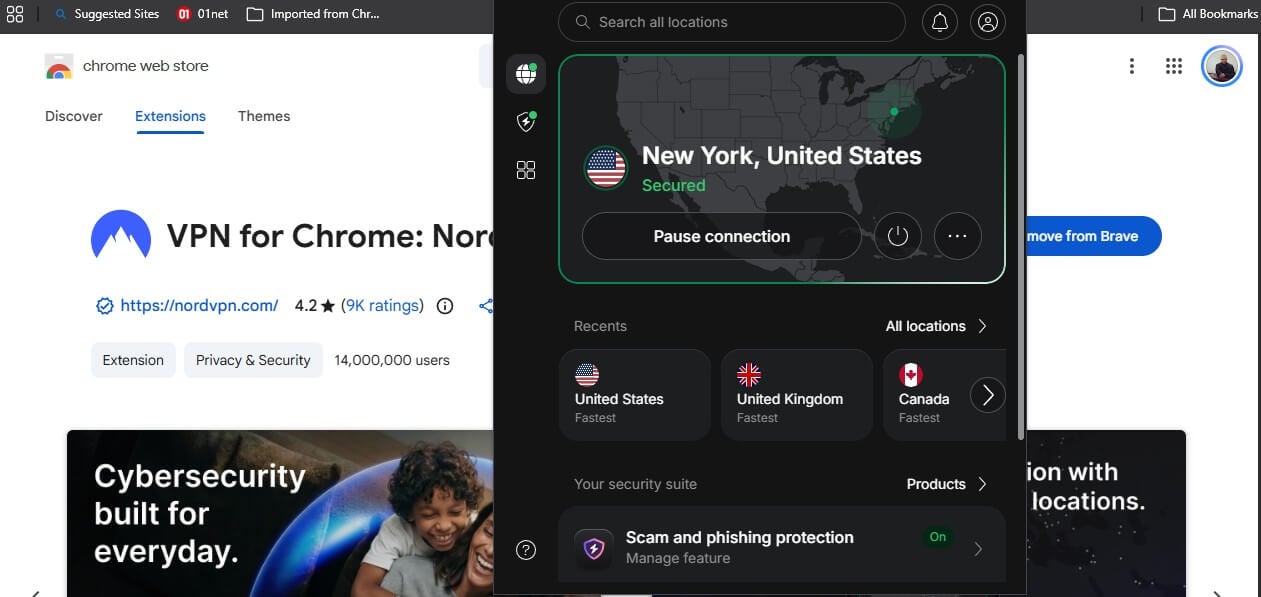
NordVPN’s Chrome extension has around 16 million users, roughly four times the other four combined. It connects on its own with the desktop app closed, which is what most people expect from an extension. It includes the full country list, 152 in the app, along with scam and phishing protection and time zone spoofing.
So a site checking your clock sees the same country as your IP address. With the location matched, the extension was enough to unblock Netflix libraries in our tests without opening the app. The Exclude from VPN panel takes a domain or an IP address and keeps it outside the tunnel, with a checkbox for subdomains.
That’s useful for a bank that blocks VPN connections, since the rest of Chrome remains protected. Ad blocking is the weak spot. The extension stopped 70 of the 135 test domains, while next-gen antivirus in the desktop app stopped 76%. Keep a separate ad blocker if ads bother you.
As for price, the Basic plan costs about $3.50 a month on the two-year plan, and the subscription covers the apps and the extension. NordVPN’s desktop app adds Meshnet and Double VPN on top.
2. Proton VPN: Best Chrome Extension for Privacy
Pros
- Double-hop servers inside Chrome
- Lets chosen sites skip the VPN
- Works without the desktop app
- Swiss privacy law
- Lean list of requested permissions
Cons
- No ad or malware blocking in the extension
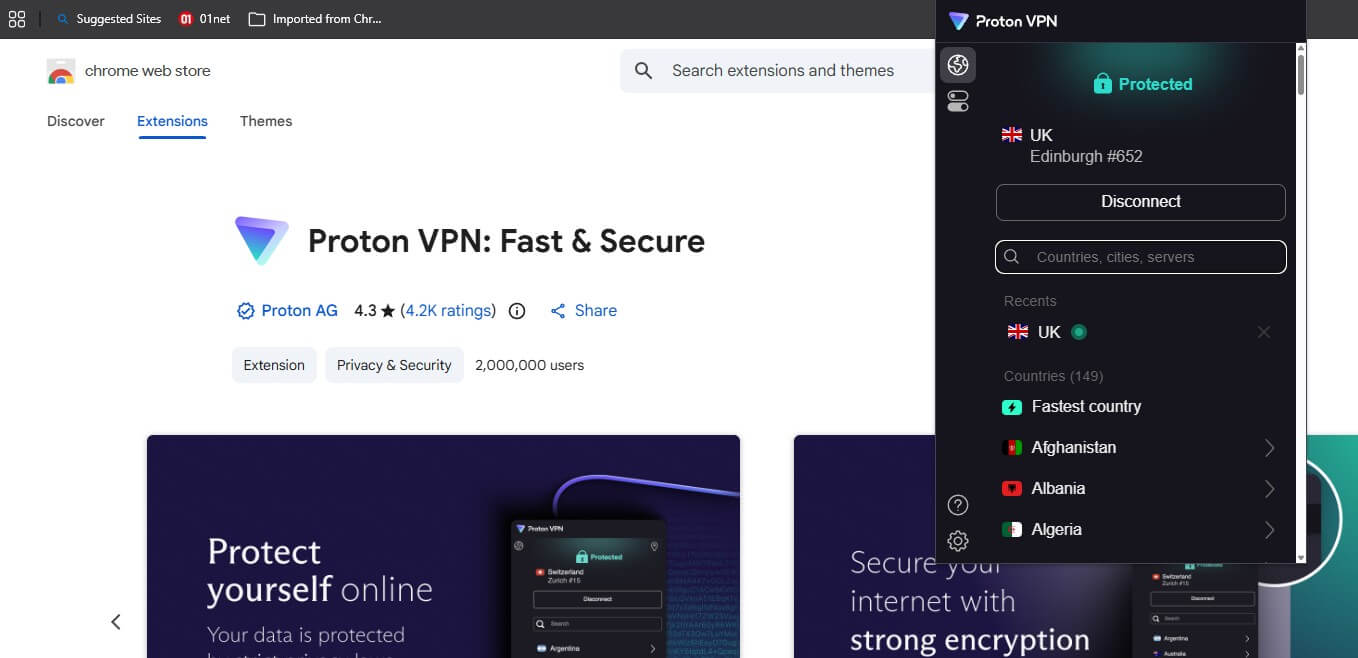
Proton VPN brings more of its privacy tools into the browser than any other extension we tested. Secure Core sends your connection through a second server in a privacy-focused country such as Switzerland first. As a result, the server that connects you to websites never sees where you came from.
Split tunneling lets you name sites that skip the VPN, and the country list covers 149 countries. The missing piece is ad blocking. Proton VPN’s extension has no ad blocker, and it stopped only 10 of the 135 test domains, about what Chrome does with no protection.
NetShield, its blocker in the desktop apps, stopped 93% on the same page, but it doesn’t come to Chrome. If blocking ads is why you want an extension, pair it with a separate ad blocker or choose ExpressVPN. Beyond ads, the extension works on its own, with no desktop app installed.
Our Proton VPN review explains its audit record and Swiss jurisdiction. The VPN Plus plan costs about $3 a month on the two-year plan, with a 30-day refund window.
3. ExpressVPN: Best Ad Blocking in Chrome
Pros
- Strongest ad and tracker blocking
- Can protect the whole computer
- Hides your real location from websites
- Blocks scam and phishing sites
Cons
- Full protection requires the desktop app
- Site rules work in Proxy Mode only
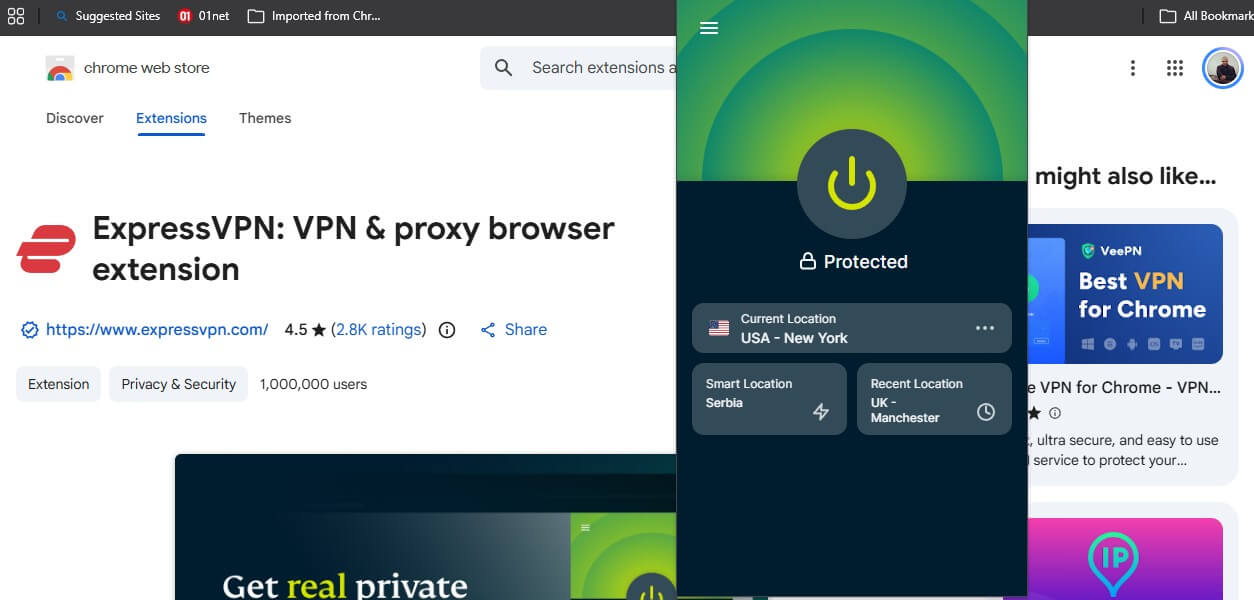
ExpressVPN’s extension blocked 118 of the 135 test domains, or 87%, the best result of the five. Surprisingly, that beats ExpressVPN’s own desktop app, which stopped 71%. For a browser-first setup, that alone makes it worth considering. How it connects is the trade-off.
In Remote Control Mode, the extension drives the desktop app, which protects every app on the computer. However, close ExpressVPN’s app and the extension stops working. Proxy Mode works on its own, and ExpressVPN describes it as limited protection that covers this browser only. Smart Routing works in Proxy Mode too.
It sends chosen sites through a different country or around the proxy, which helps when you only want to unblock specific websites. Both modes blocked WebRTC leaks in our tests, and location spoofing stops sites from reading your real position through Chrome’s geolocation.
Web Protection also blocks scam and phishing sites on every plan. ExpressVPN’s desktop app also tied for the smallest speed loss in our tests. The Basic plan costs about $3 a month on the two-year plan.
4. Surfshark: Best for Extra Browser Tools
Pros
- Blocks cookie pop-ups
- Warns you about breached sites
- Checks Gmail for scam messages
- Same ad blocking as the desktop app
- Unlimited devices
Cons
- Largest download of the five
- No double-hop servers in the extension
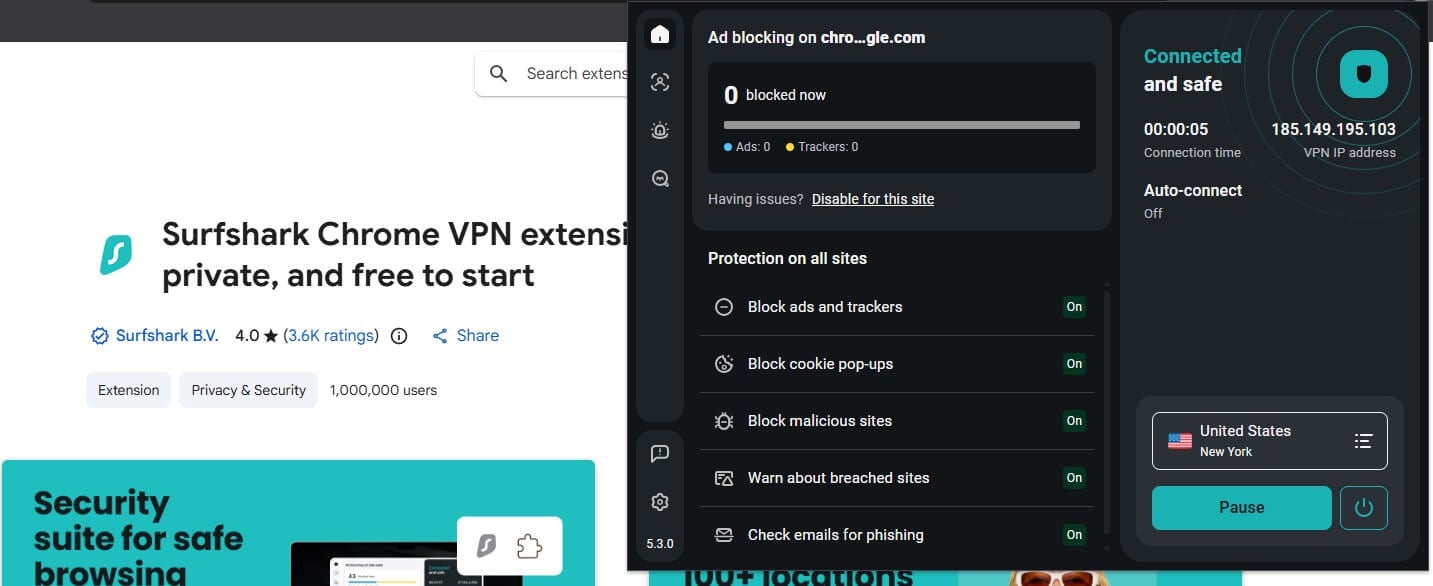
Surfshark packs the most tools into its extension, and all of them work with no desktop app installed. Alongside the VPN, it includes ad and tracker blocking, cookie pop-up blocking, malicious site blocking, breach warnings, and a scam checker that reads Gmail messages for phishing patterns.
The bypass list turns off the VPN, the ad blocker, or both for sites you name. On the test page, it blocked 107 of 135 domains, or 79%. That matches CleanWeb in the desktop app exactly, so Surfshark is the only one of the five where the extension and the app block the same amount.
All those tools make the download several times larger than the others, which only affects a laptop short on storage. In the desktop app, Surfshark unblocked every streaming service we tested except ITVX. The Starter plan costs about $2.50 a month on the two-year plan.
5. Private Internet Access: Best for Site Permission Controls
Pros
- Blocks site access to camera and microphone
- Removes tracking tags from links
- Turns off autofill for cards and addresses
- Smallest extension of the five
- Lowest price
Cons
- Ad blocking barely works
- Broadest permission requests
- No verified publisher badge
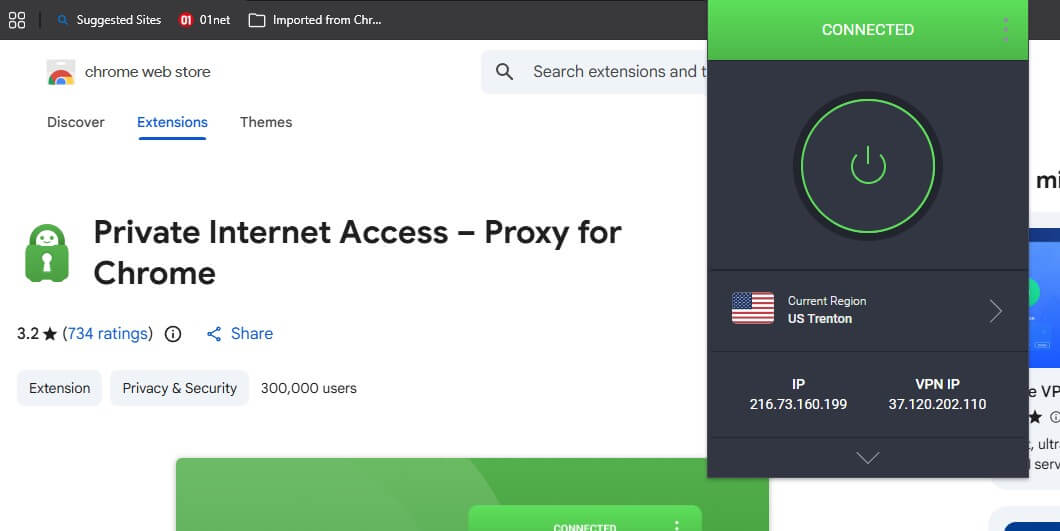
PIA’s extension has 14 toggles across Security, Privacy, and Tracking, the widest set of browser controls of the five. It blocks sites from using your camera, microphone, and location, and it turns off network prediction and autofill for cards and addresses.
It also deletes third-party cookies and referrers and removes tracking tags such as UTM and FBCLID from links. MACE, its ad blocker, is the problem. With every other toggle off and MACE on, the extension stopped 11 of 135 domains, or 8%.
On the desktop, MACE blocks 96%, and we repeated the browser test six times to be sure. So treat the extension as a privacy toolkit and leave ad blocking to the app or another extension. PIA is also the only one of the five without a verified publisher badge in the store, and it has the lowest rating.
On the plus side, it’s the cheapest at about $2 a month, which puts it near the top of our low-cost VPN ranking.
Chrome VPN Extension vs VPN App
A Chrome VPN extension covers Chrome, while the desktop app covers the whole device. With only the extension active, email clients, torrent apps, games, and video calls keep using your normal connection. An IP check in any of them shows your real IP address.
To change your IP address for everything on the computer, use the app.
Ad blocking differs too, which store listings never mention. Here is each extension against its own desktop app on the same test page:
| VPN | Chrome extension | Desktop app |
| NordVPN | 52% | 76% |
| Proton VPN | No ad blocker | 93% |
| ExpressVPN | 87% | 71% |
| Surfshark | 79% | 79% |
| Private Internet Access | 8% | 96% |
Two more differences affect safety:
- None of the five has a kill switch, which, in an app, cuts your internet when the VPN drops. So if an extension disconnects, Chrome’s traffic goes out unprotected. Extensions also can’t use WireGuard or OpenVPN, the encrypted protocols the apps use, because they work through Chrome’s proxy settings.
- A Chrome extension does nothing for Chromecast either, since the stream passes to the Chromecast and leaves the browser behind.
Each of these subscriptions covers both, so the practical setup is the app for the device and the extension for changing location inside Chrome. The same split applies if you use a VPN on a Chromebook: the extension covers the browser, and the Android app covers the rest.
Are Chrome VPN Extensions Just Proxies?
Mostly, yes, and the VPN companies say so themselves. NordVPN’s listing is titled “VPN for Chrome: NordVPN proxy protection”, and PIA’s is “Private Internet Access – Proxy for Chrome”. ExpressVPN calls its standalone setting Proxy Mode. A proxy changes where your traffic appears to come from without the device-wide protection of a VPN app.
Even so, these five extensions do encrypt the browser’s traffic to their servers. For browsing on public Wi-Fi, streaming, and getting past geo-blocks, that’s enough. For work where a dropped connection would expose something sensitive, it isn’t.
ExpressVPN in Remote Control Mode is the exception, because the protection comes from the desktop app it controls.
Do VPN Chrome Extensions Collect Your Data?
The five extensions we tested declare little or nothing. Every Chrome Web Store listing has a Privacy section where the developer states what data the extension handles:
- NordVPN: declares location data and states it isn’t sold or used for anything beyond the extension’s core function. The extension uses your location to choose the nearest server and to match the time zone to it.
- Proton VPN: declares sign-in details only.
- ExpressVPN, Surfshark, and PIA: declare that they collect no data.
Permissions are a separate question. All five ask to read and change data on every site, because a proxy has to handle every page you open.
Beyond that, NordVPN requests download access, ExpressVPN requests permission to talk to the desktop app, and PIA requests the camera, microphone, location, and cookie controls behind its toggles. To see them, open chrome://extensions, click Details under the extension, and read the list.
Free extensions from unknown developers are the ones to watch. A listing with millions of users and no paid product behind it often funds itself by selling browsing data, so check its Privacy section before installing.
Does a VPN Extension Stop Google From Tracking You in Chrome?
No. An extension changes your IP address inside Chrome, but Chrome itself still reports to Google in two ways:
- Secure DNS: Chrome’s built-in DNS-over-HTTPS can send your lookups to Google instead of your VPN’s servers, which tells Google every site you open. Turn it off under Settings, Privacy and security, Security, Use secure DNS.
- Chrome Sync: while you’re signed in to a Google account, Chrome keeps syncing your bookmarks, history, and open tabs. Signing out, or using a guest window, does more for privacy than any extension.
WebRTC leaks are the one Chrome problem an extension does fix, which is the strongest reason to use it alongside the app.
Is There a Good Free VPN for Chrome?
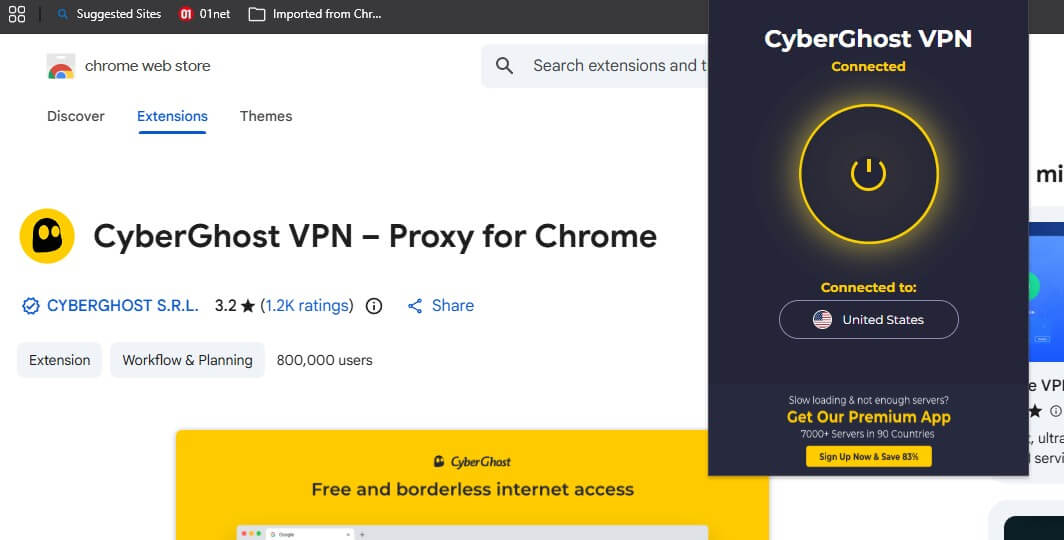
Yes, two of the five have one. Proton VPN’s extension works on its free plan with no data limit, although the server is chosen for you. CyberGhost also offers a separate Chrome extension that’s free and requires no account.
Our best free VPNs for Chrome covers those and the free extensions to avoid. Every paid VPN we ranked also comes with a 30-day money-back guarantee, so you can test one before committing.
How to Add a VPN to Chrome
- Subscribe to a VPN, since the paid extensions require an account. For ExpressVPN’s Remote Control Mode, install the desktop app as well.
- Open the Chrome Web Store and search for the VPN by name, then check that the listing shows the company’s own website.
- Click Add to Chrome, then pin it from the puzzle-piece menu next to the address bar.
- Sign in with your VPN account.
- Confirm WebRTC protection is on in the extension’s settings.
- Choose a country and connect.
Chrome extensions only work in Chrome on a computer. On Android and iOS, Chrome doesn’t support extensions, so install the VPN’s mobile app instead.
Conclusion
Which extension is right depends on what you want Chrome to do. NordVPN is the best all-round choice, because it works without the app, lets sites skip the VPN, and covers the most countries, though its ad blocker misses many ads.
For privacy-first browsing, Proton VPN brings double-hop servers into the browser, and if blocking ads is your priority, ExpressVPN stopped the most. Whichever you install, treat the extension as a proxy for Chrome and the app as the VPN.
Both come with the same subscription, so running them together costs nothing extra and protects what the extension can’t cover.
Frequently Asked Questions
Does a VPN extension slow down Chrome?
No, only slightly. A browser extension sends traffic through one server without encrypting the whole device, so pages usually load at close to normal speed when the server is nearby.
Can a Chrome VPN extension unblock Netflix?
Yes, some can. Extensions from NordVPN, ExpressVPN, and Surfshark can match the browser's reported location to the server, which helps streaming sites that check more than the IP address.
Why do websites still know my location with a VPN extension?
Chrome can share location through its geolocation feature, separate from the IP address. Location spoofing in an extension, or blocking location access in Chrome's site settings, stops that.
Does a VPN extension hide browsing from an employer?
No, not on a work computer. Company devices often run monitoring software that sees activity before it reaches the extension, and a workplace network may block VPN connections altogether.
Should you use a VPN extension and app at the same time?
Yes, when both come from the same company. The app protects the whole device, while the extension adds browser tools such as WebRTC blocking, site exclusions, and location spoofing.