ChromeOS has no native VPN apps. Every VPN for Chromebook is either an Android app from the Play Store or a Chrome extension. The two protect different things. The Android app covers the whole device; the extension covers the browser. ExpressVPN’s Chrome extension opens in Remote Control mode, which drives its desktop app. ChromeOS has no desktop app, so the extension has to be toggled to Proxy Mode.
ExpressVPN’s own description of that mode is blunt: limited privacy protection, browser only. We tested all five extensions in Chrome. None includes a kill switch, none leaked an IP address through WebRTC, and their ad blocking ranged from 8% to 87%. Here’s our detailed list and review.
Best VPN for Chromebook 2026: The Shortlist
- NordVPN: Best Chromebook VPN overall, with an extension that works on its own
- Proton VPN: Secure Core and split tunneling inside the browser
- ExpressVPN: Simplest Android app, and the extension requires a setting change
- Surfshark: Unlimited devices, and the fullest Chrome extension here
- CyberGhost: Cheapest, with a free extension that requires no account
VPN for Chrome OS Compared
Both paths matter for a VPN on Chromebook, so this table covers each one. The extension figures come from our own testing in Chrome. None of the five extensions leaked our IP address through WebRTC, and none includes a kill switch. The Android apps do.
| VPN | Android app | Extension works alone | Extension ad blocking | Price |
| NordVPN | Yes | Yes | 52% | $3.49/mo |
| Proton VPN | Yes | Yes | None | $2.99/mo |
| ExpressVPN | Yes | Proxy Mode only | 87% | $2.99/mo |
| Surfshark | Yes | Yes | 79% | $2.49/mo |
| CyberGhost | Yes | Yes, free | None | $1.99/mo |
5 Best VPNs for Chromebook in 2026
1. NordVPN: Best Chromebook VPN Overall
Pros
- Extension works alone
- Widest country coverage
- Site exclusion built in
- Meshnet between your devices
- Independently audited
Cons
- Weak extension ad blocking
- High renewal price
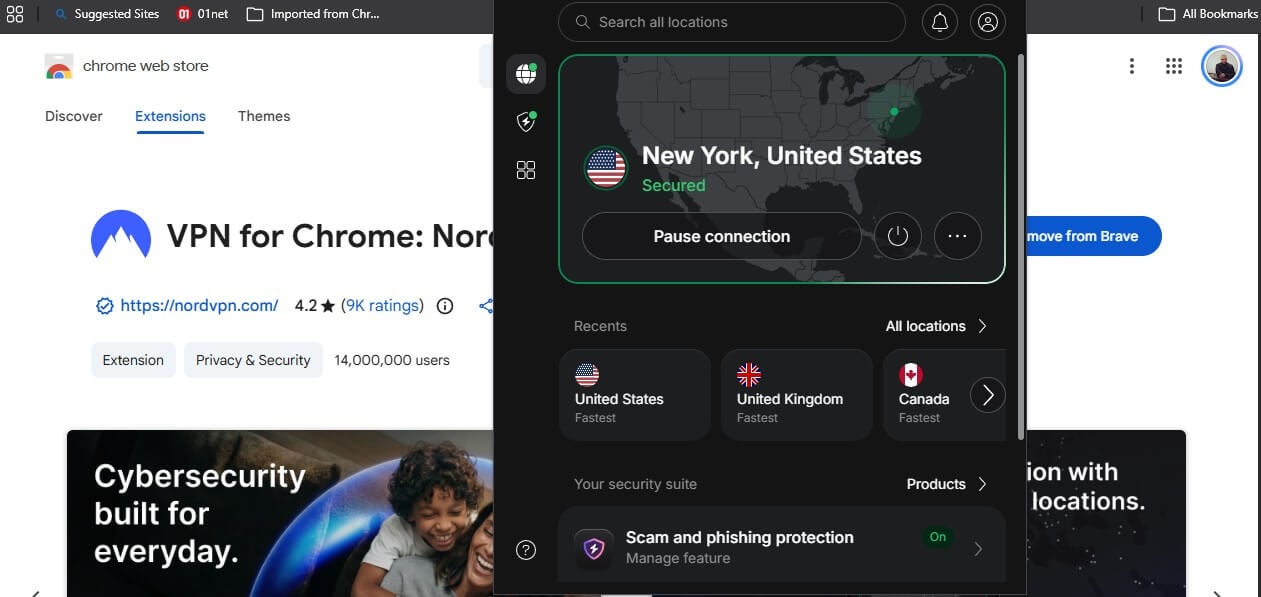
NordVPN covers both Chromebook paths properly. The Android app installs from the Play Store and protects everything on the device. The Chrome extension connects on its own with no other software present, so a managed Chromebook with a locked Play Store keeps a working VPN. The app lists 152 countries, the widest coverage of the five. It also loses 7.8% of download speed in our desktop testing, the smallest drop we have recorded.
NordLynx is built on WireGuard, so it’s light on the low-powered CPUs most Chromebooks use. In the browser, you get scam and phishing blocking, plus an Exclude from VPN panel. Enter a domain or IP address, and it stays outside the tunnel. Ad blocking in the extension is the weak part: it stopped 52% of tracker domains on d3ward’s test, compared to 76% for the full version in our NordVPN review.
Meshnet is the Chromebook-specific bonus. It links up to 60 of your own devices over encrypted tunnels. A Chromebook can then open files on a home desktop without either being on the same network. The Basic plan costs $3.49 a month with a 30-day money-back guarantee.
2. Proton VPN: Best Privacy Tools on ChromeOS
Pros
- Secure Core in the browser
- Split tunneling per site
- Open-source audited apps
- Swiss jurisdiction
- Free plan available
Cons
- No ad blocker in the extension
- Mid-table download speed
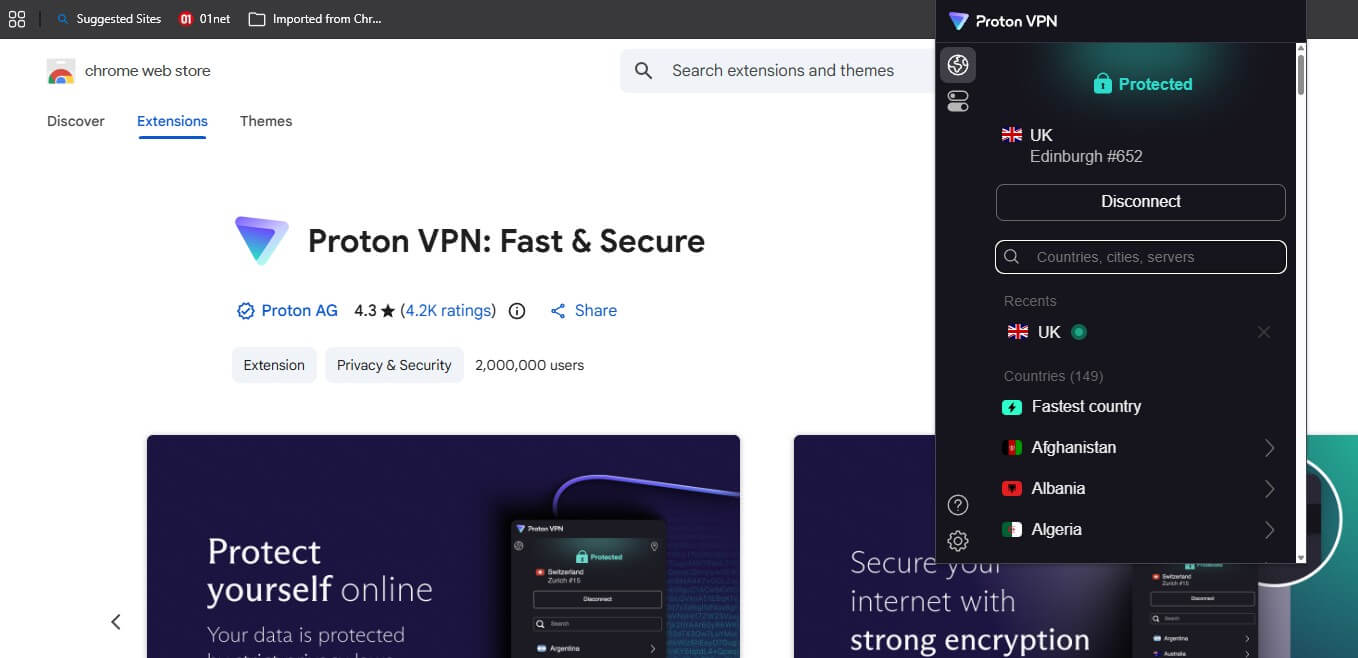
Proton VPN puts two privacy tools in the browser that nothing else here offers. Secure Core passes the connection through a second server in Switzerland before it exits, and split tunneling lets you name sites that skip the VPN, which solves the bank or school portal that blocks VPN connections. The Android app lists 149 countries and loses 10.2% of download speed, which places it mid-table. Every app is open source with independent audits behind it.
Switzerland stays outside both intelligence-sharing alliances, as our Proton VPN review sets out. Ad blocking is the shortfall. NetShield stops 93% of tracker domains on the desktop and doesn’t come to the extension, which our testing confirmed. Proton VPN also has a free plan with unlimited data. The paid plan costs $2.99 a month, with the same 30-day money-back guarantee.
3. ExpressVPN: Simplest App, With One Setting to Change
Pros
- Best extension ad blocking
- Simplest app to learn
- Light on slower processors
- Long public audit history
Cons
- Extension requires Proxy Mode
- No site exclusion
- Highest renewal here
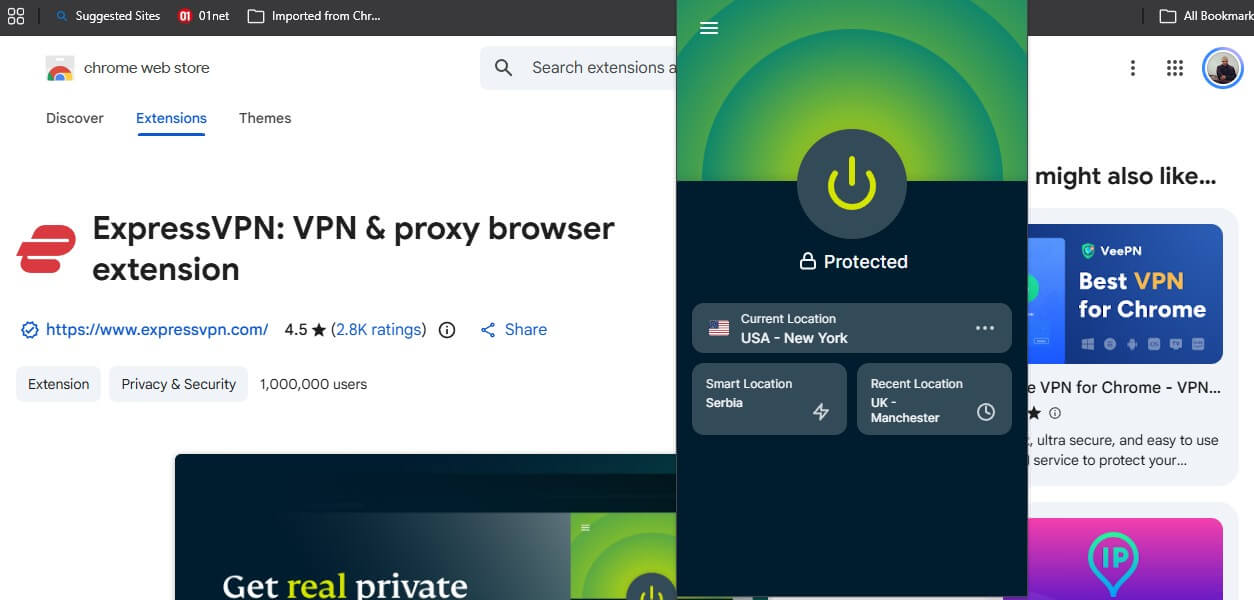
ExpressVPN’s Android app is the easiest of the five to learn, with one connect button and sensible defaults. Lightway is light enough that a cheap Chromebook processor copes with it. It also loses 7.8% of download speed, equal to NordVPN. Its Chrome extension blocked 118 of 135 tracker domains, or 87%, ahead of every other extension here and of ExpressVPN’s desktop app. On a managed Chromebook where only extensions install, that matters.
One setting requires changing. The extension opens in Remote Control mode, which expects a desktop app, and ChromeOS has none. Switch it to Proxy Mode in the extension settings, and it connects on its own. ExpressVPN notes that the mode covers the browser only. WebRTC leaks stayed blocked in both modes when we tested. The Basic plan costs $2.99 a month, renewing at $99.95 a year. Our ExpressVPN review has the full picture.
4. Surfshark: Unlimited Devices and the Fullest Extension
Pros
- Unlimited devices
- Cookie pop-up blocking
- Bypass list per site
- Leanest permissions
Cons
- Largest extension download
- Slower to connect
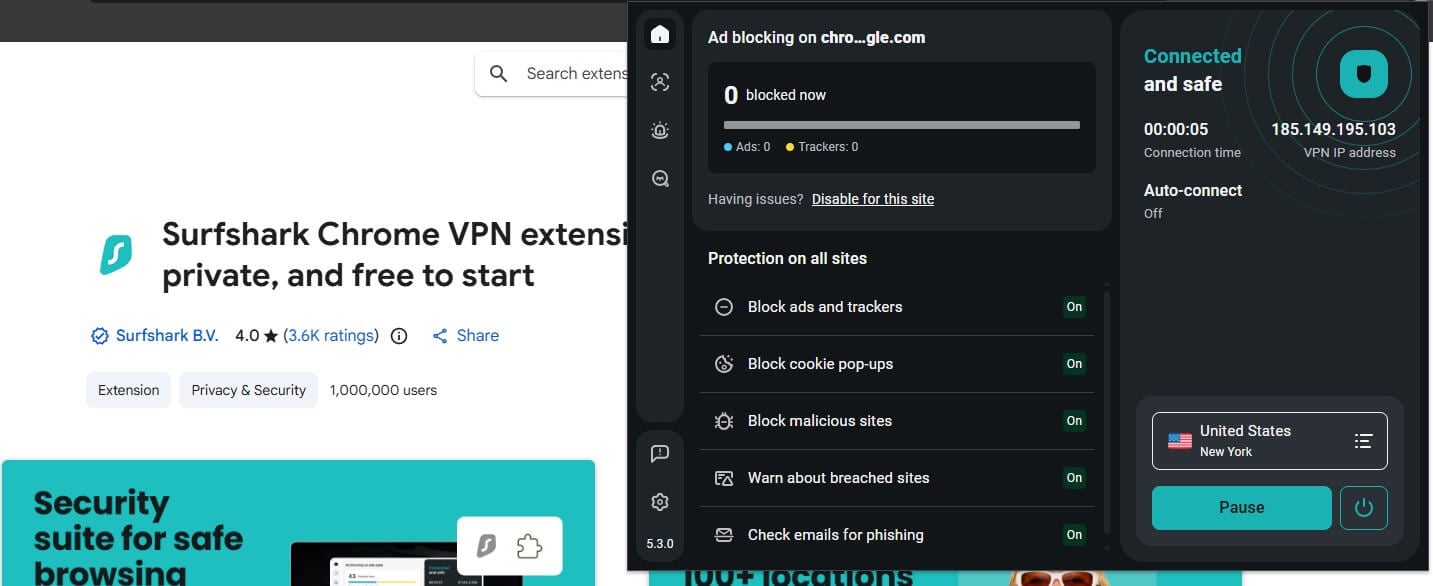
Surfshark suits a household where the Chromebook is one of several devices, since every plan covers unlimited connections. One subscription protects the Chromebook, two phones, a television, and a laptop. Its Chrome extension includes more tools than the other four. Ad and tracker blocking at 79% on d3ward, cookie pop-up blocking, malicious site blocking, breach warnings, and a bypass list that turns the VPN or the blocker off for named sites.
It also requests the fewest permissions of the five, covering site data and privacy settings only. The Android app lists 100 countries and loses 9.6% of download speed. Our Surfshark review covers the antivirus on the One plan, which is 30 cents a month more. The Starter plan costs $2.49 a month, one of the least expensive here, with a 30-day money-back guarantee.
5. CyberGhost: Cheapest, With a Genuinely Free Extension
Pros
- Free extension, no account
- Longest refund window
- Low ping nearby
- Lowest price here
Cons
- Lowest device limit
- No obfuscation
- Weakest ad blocking
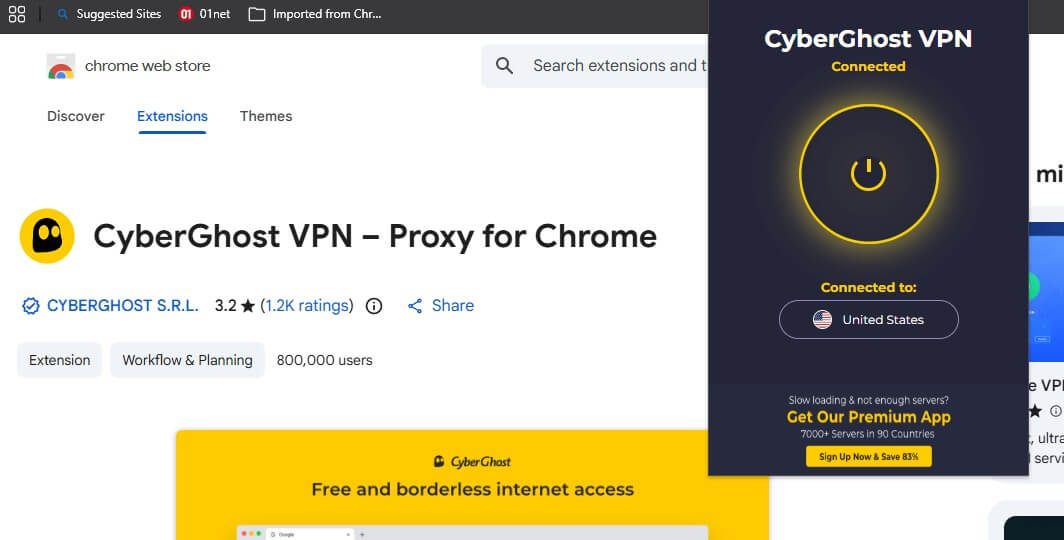
CyberGhost’s Chrome extension is free with no subscription and no account, which makes it the one genuinely free way onto a Chromebook that installs in a minute. It is also the most basic tool here. A proxy with a short location list, no ad blocking, and none of the browser controls the paid extensions include. The paid service is the cheapest of the five and recorded the lowest ping to nearby servers we have measured, at 39 ms.
Distance is its weakness, and its blocker stopped 68% of tracker domains in our CyberGhost review. Seven devices is the lowest allowance here, and there is no obfuscation, so a school network filtering VPN traffic will block it. The 2-year plan costs $1.99 a month with a 45-day money-back guarantee, the longest in the category.
Android App or Chrome Extension on ChromeOS?
Use the Android app where you can. It protects everything on the Chromebook, including apps outside Chrome, and it includes a kill switch for a dropped connection. No Chrome extension here has one. The extension is the fallback, and it works as a proxy instead of a full VPN. It covers only Chrome traffic, which is enough for streaming, browsing, and geo-restricted sites.
Two advantages stand out. Extensions install where the Play Store is blocked, and several block ads better than their own desktop apps do. One approach to avoid is installing a Linux VPN client through the ChromeOS Linux container. It protects the container and leaves the rest of the Chromebook exposed.
VPN for School Chromebook: What Actually Happens
School and work Chromebooks are managed through Google Admin, and the administrator decides what installs. Three outcomes are possible:
- The Play Store is blocked, extensions allowed. Install the Chrome extension instead. This is the most common setup, so the extension results in the table decide the pick.
- Both are blocked. There is no clean way in at the user level. The manual OpenVPN or L2TP profile under network settings also requires permissions a managed device usually withholds.
- The device is yours, enrolled for school use. Removing it from management restores both installs, and that decision belongs to whoever owns the device.
Check your institution’s acceptable use policy before installing either one. Our school VPN guide covers the wider situation, including what a network filter can and can’t see.
Free VPN for Chromebook
- Proton VPN’s free plan is the best free VPN for Chromebook. Unlimited data, no ads, no card required, and the same audited no-log policy as the paid tier. You get a country chosen for you from a short list, and streaming platforms stay blocked. For a student Chromebook used for browsing and coursework, it is enough.
- CyberGhost’s Chrome extension is free, with no account required. It changes your apparent location in Chrome and does nothing else, which makes it the quickest free option on a managed device where extensions install.
- Hide.me’s free plan has unlimited bandwidth and a handful of locations. It supports no P2P, and streaming services detect it.
Check the Play Store or Web Store permissions on every other free VPN for Chrome OS. Our free VPN guide covers which ones are safe to install, and the free trial page covers testing a paid service without paying.
How to Install a VPN on a Chromebook
- Subscribe to a VPN.
- Open the Google Play Store on the Chromebook. If it is missing or greyed out, the device is managed, so skip to step five.
- Search for the VPN by name, install it, and sign in with your subscription details.
- Allow the VPN configuration when ChromeOS prompts, then pick a country and connect.
- If the Play Store is unavailable, install the Chrome extension from the Web Store, checking that the listing shows the company’s verified domain.
- Switch the kill switch on in the Android app, or confirm WebRTC protection is on in the extension.
- Check the result at browserleaks.com, where the IP address and DNS should both match the country you chose.
Chromebooks released before 2017 have no Play Store, so the extension or a manual profile is the only way in. Installing on a router covers every device on the network at once, including a Chromebook that blocks everything else.
Best VPN for Chromebook: Conclusion
NordVPN covers both paths properly. Its Android app has the widest country list, and its extension connects on its own with site exclusion built in. Proton VPN follows with Secure Core and split tunneling inside the browser, neither of which any rival extension offers.
ExpressVPN blocks the most ads in the browser at 87%, once its extension is switched to Proxy Mode. Surfshark suits a household with devices to spare, and CyberGhost is the cheapest way in, with a free extension for people who won’t pay.
Frequently Asked Questions
What is the best VPN for Chromebook?
NordVPN. Its Android app covers the whole device across 152 countries, and its Chrome extension connects without any other software, which suits a managed Chromebook.
Does a Chromebook have a built-in VPN?
No. ChromeOS supports OpenVPN and L2TP profiles in network settings, and an Android app or Chrome extension is faster and includes more features.
Can I use a VPN on a school Chromebook?
It depends on the administrator. Managed devices can block the Play Store, Chrome extensions, or both. Where only the Play Store is blocked, an extension usually installs.
Is there a free VPN for Chromebook?
Yes. Proton VPN's free plan has unlimited data and no ads, and CyberGhost's Chrome extension is free with no account required.
Should I use the Android app or the Chrome extension?
The Android app. It protects everything on the Chromebook and includes a kill switch. Extensions cover browser traffic, and none has a kill switch.
Do VPNs slow down a Chromebook?
Slightly. The fastest lose under 8% of download speed. Protocols built on WireGuard are lighter on the low-powered processors Chromebooks use.