Brave Shields blocked 92 of the 135 ad and tracker domains on d3ward’s test in our November tests, with no extension installed. It doesn’t hide the IP address, and that requires a VPN. We tested five VPN extensions in Brave. Each blocked WebRTC leaks and unblocked BBC iPlayer, and four matched our 190.36 Mbps baseline on a UK server. NordVPN ranks first. Brave’s own VPN costs $9.99 a month, and BBC iPlayer blocked it.
VPN Extensions for Brave Ranked (2026)
- NordVPN: Best overall. It works without the desktop app and lets chosen sites skip the VPN.
- Proton VPN: Best for privacy tools, with Secure Core and split tunneling in the browser.
- ExpressVPN: Best ad blocking, at 87%, with the desktop app required.
- Surfshark: Most features without the desktop app, and no device cap.
- Private Internet Access: Cheapest, with the most browser privacy toggles.
What Brave Already Blocks
We ran d3ward’s ad block test in Brave three ways. With Shields down, 10 of 135 domains were blocked, or 7%. Shields on its default setting blocked 92, or 68%, and Aggressive mode blocked the same 92. By default, Brave also:
- Randomizes the browser fingerprint, so each site sees a different fingerprint, and it changes again after each restart.
- Blocks third-party cookies and third-party storage, and clears partitioned storage when the session ends.
- Blocks cookie-consent pop-ups and warns about phishing and malware sites.
- Sends a Global Privacy Control signal on desktop and Android, asking sites not to sell or share your data.
- Encrypts Brave Sync data on the device when Sync is on, and stores it on Brave-operated servers.
None of this changes the IP address sites see or hides your browsing from the network on public Wi-Fi. For Brave’s own traffic, a VPN extension swaps the IP address. A VPN app does both for every app on the device. With Shields covering most ad blocking, an extension’s own blocker adds little in Brave, and the ranking rests on features such as split tunneling.
Brave VPN vs a VPN Extension
Brave sells its own VPN, Brave Firewall + VPN, powered by Guardian. It covers all device traffic, including apps outside Brave, and each device requires the Brave browser. Brave VPN’s no-logs policy has been independently audited, and its firewall blocked 93% on the same ad-block test.
| Brave VPN | VPN extensions tested | |
|---|---|---|
| Price | $9.99 a month or $99.99 a year | $1.99 to $3.49 a month |
| Covers | The whole device | Brave only, except ExpressVPN |
| Kill switch | iOS only | None in the extensions |
| Split tunneling | Android only | Per site on four of five |
| BBC iPlayer | Blocked | Unblocked on all five |
| Refunds | 7-day trial, card required | 30-day money-back guarantee |
In our Brave VPN review, it kept 60% of download speed, Netflix showed no US-only titles, and five more streaming services blocked it. At $99.99 a year, it costs more than 27 months of NordVPN’s Basic plan, $94.23. For a head-to-head with a paid rival, see Brave VPN vs ExpressVPN.
Best VPNs for Brave
Extensions tested in Brave on a Windows 11 PC in Europe in November, on UK servers against a 190.36 Mbps baseline. Ad blocking is the extension alone on d3ward’s 135-domain test.
| Extension | Works without the app | Ad blocking | Per-site control | UK download |
|---|---|---|---|---|
| NordVPN | Yes | 52% | Exclude from VPN | 190.67 Mbps |
| Proton VPN | Yes | None | Split tunneling | 190.17 Mbps |
| ExpressVPN | Proxy Mode only | 87% | None | 181.03 Mbps |
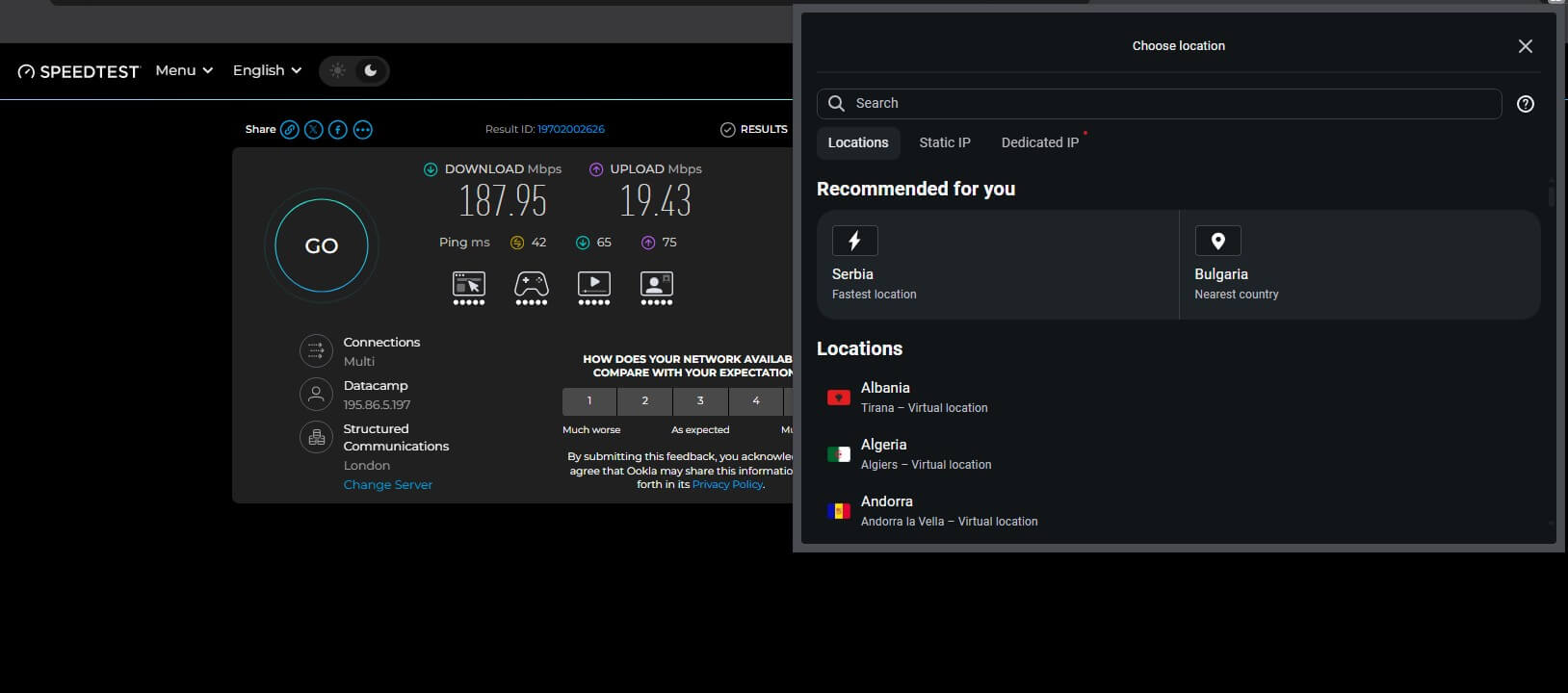
| Surfshark | Yes | 79% | Bypass list | 187.95 Mbps |
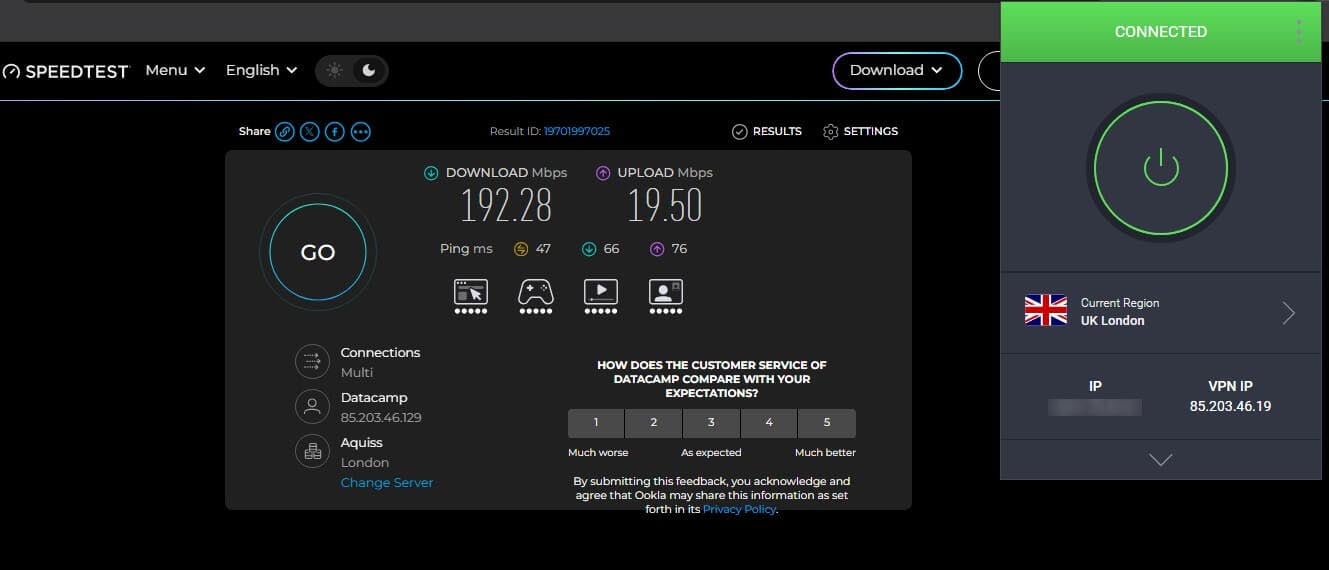
| Private Internet Access | Yes | 8% | Whitelist | 192.28 Mbps |
None of the five includes a kill switch. The two readings over our baseline fall within normal test variation, so four extensions cost no measurable speed.
1. NordVPN: Best VPN for Brave Overall
Pros
- Works without the app
- Site exclusion list
- Scam and phishing blocking
- Most installed extension
Cons
- Weak extension ad blocking
- Requests download access
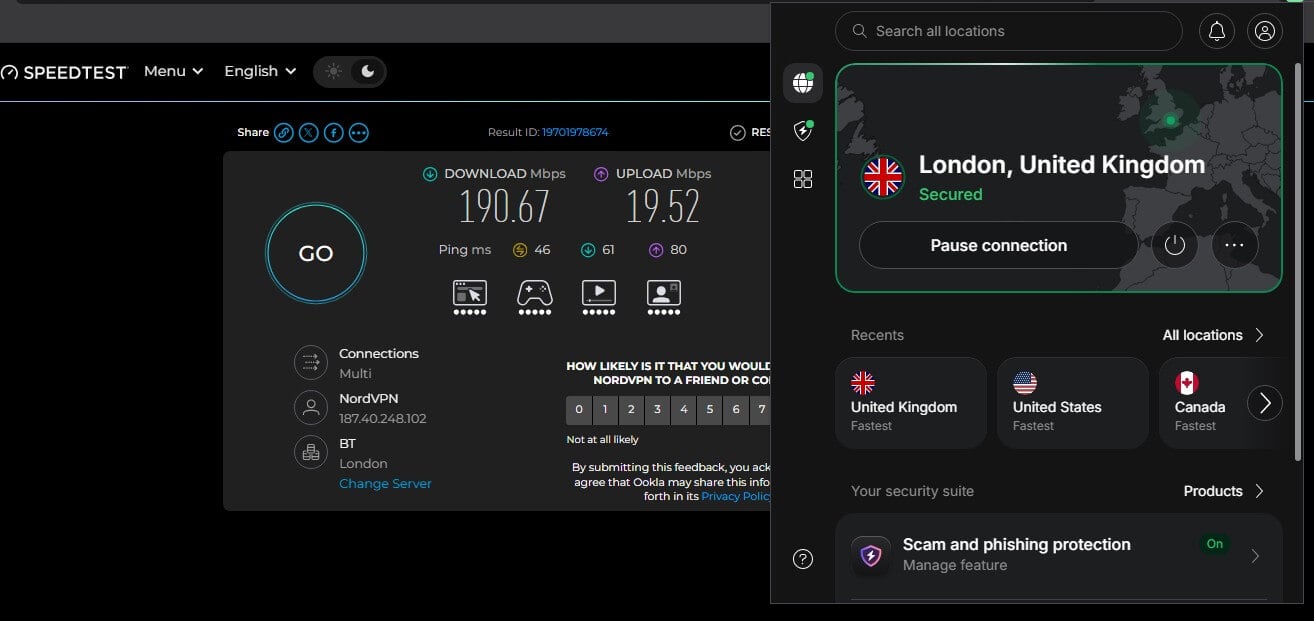
NordVPN‘s extension connected on its own with the desktop app closed, and its London server measured 190.67 Mbps. The Exclude from VPN panel accepts a website or an IP address and lets it connect without the VPN, which helps with banks that block VPN connections. Scam and phishing protection comes with it.
Ad blocking is the weak point: the extension stopped 52% on d3ward, against 76% for the desktop app. The extension also requests permission to manage downloads, which none of the other four do. The desktop app adds Double VPN and obfuscated servers. NordVPN’s Basic plan is $3.49 a month over 27 months, refundable for 30 days.
2. Proton VPN: Best for Privacy Tools in Brave
Pros
- Browser Secure Core
- Split tunneling by site
- Swiss jurisdiction
- No app required
Cons
- No ad blocking
- NetShield app-only
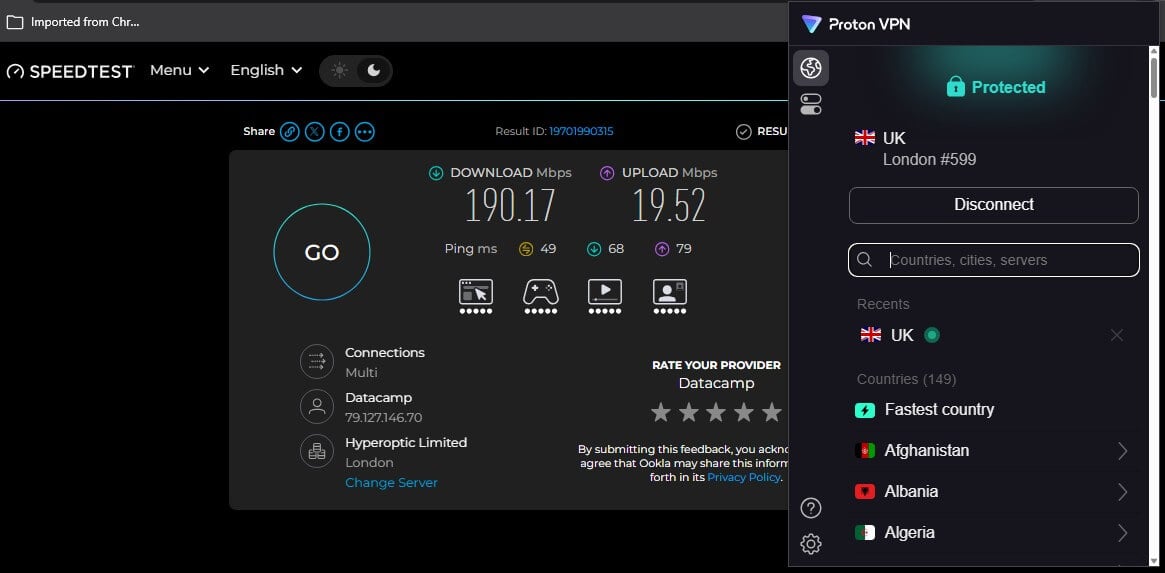
Proton VPN‘s extension has no ad blocker, and Brave covers most of that. On d3ward, the extension stopped only 10 of 135 domains, while Shields blocked 92 on its own. Secure Core sends traffic through a second server in Switzerland, and split tunneling lets chosen sites skip the VPN. Through the extension, London #599 measured 190.17 Mbps, and the country list covers 152.
NetShield, which blocked 93% on the desktop, stays in the app. The desktop apps are compared in Proton VPN vs. NordVPN. VPN Plus costs $2.99 a month on a two-year term. Proton VPN takes $71.76 at checkout and renews at $83.88 a year.
3. ExpressVPN: Best Ad Blocking in Brave
Pros
- Strongest ad blocking
- Controls the desktop app
- Spoofs browser location
- Highest store rating
Cons
- Requires the desktop app
- No site exclusion
ExpressVPN‘s extension blocked 118 of 135 domains, or 87%, the best of the five and more than its own desktop app’s 71%. By default, it starts in Remote Control Mode, where it drives the desktop app and protects the whole device. Close the app, and the extension stops working. Proxy Mode makes it standalone, and ExpressVPN itself describes that as limited privacy protection for this browser only.
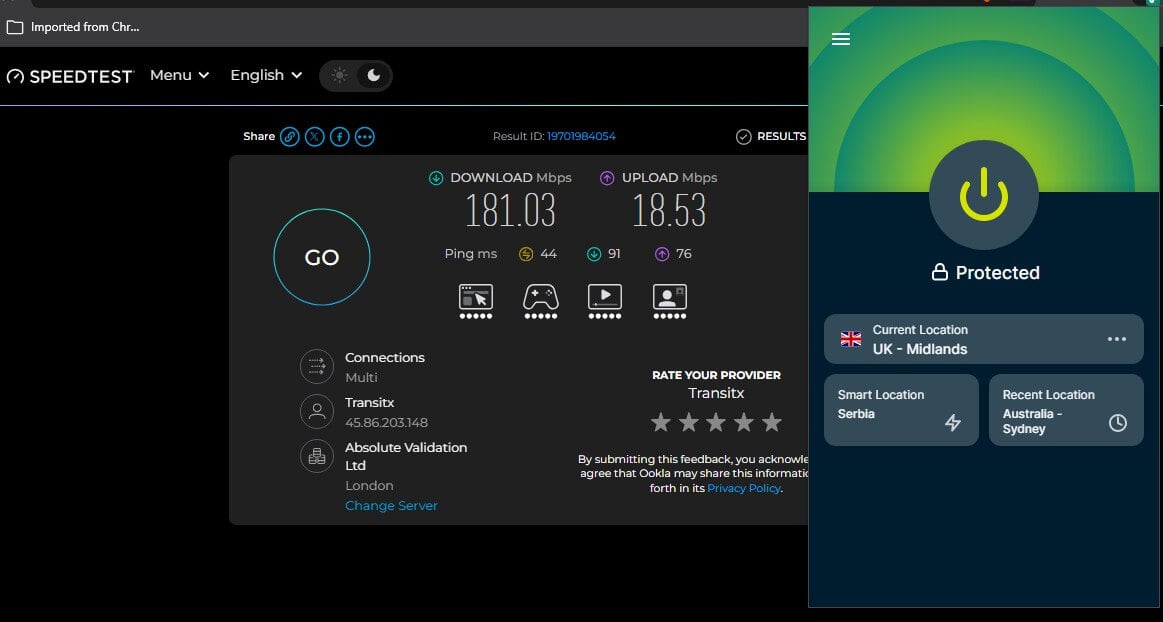
It still blocked WebRTC leaks in our tests. On UK – Midlands, the download came to 181.03 Mbps. There’s no site exclusion, so every site passes through the VPN. ExpressVPN vs NordVPN puts the two desktop apps side by side. At $2.99 a month, ExpressVPN’s Basic plan is billed as one $83.72 payment covering 28 months.
4. Surfshark: Best Standalone Feature Set
Pros
- Strong ad blocking
- Bypass list per site
- Gmail scam checker
- No device cap
Cons
- Largest install size
- Low store rating
Surfshark‘s extension does the most without the desktop app. It blocked 107 of 135 domains, or 79%, the same as CleanWeb on the desktop. It adds breach warnings and a Gmail scam checker, and its bypass list turns off the VPN, the ad blocker, or both for sites you pick. Its cookie pop-up blocking repeats what Brave already does.
Speed in London was 187.95 Mbps. At 96.9 MB, the extension is roughly nine times the size of NordVPN’s, and its 4.0 store rating trails the others except PIA’s 3.2. There’s no cap on devices per subscription. Surfshark bills $67.23 for 27 months of the Starter plan, $2.49 a month.
5. Private Internet Access: Most Browser Controls
Pros
- Blocks camera and microphone
- Strips tracking parameters
- Smallest install size
- Least expensive pick
Cons
- Weak ad blocking
- Broadest permissions
Private Internet Access has 14 toggles in its extension, more than the other four. It blocks camera, microphone, and location access, disables autofill for cards and addresses, and strips UTM and FBCLID parameters from links. Its third-party cookie blocking overlaps Brave’s own. MACE is the letdown. In the extension, it stopped 11 of 135 domains, or 8%, against 96% on the desktop, and we repeated the test six times.
The permissions are the broadest of the five, and the listing has no verified publisher badge. PIA recorded the highest London figure, 192.28 Mbps. At $1.99 a month for two years, it’s the least expensive of the five. The desktop app is weighed against NordVPN’s in NordVPN vs PIA.
Brave Settings to Check With a VPN Extension
Three Brave settings change how a VPN extension behaves:
- WebRTC IP handling policy: under Settings, Privacy and security. Brave’s Default policy lets WebRTC check every network interface outside Tor tabs, which can reveal your own IP address to a site around a proxy. The five tested extensions blocked it. Choosing “Disable Non-Proxied UDP” adds a safeguard in the browser itself.
- Allow in Private: Brave turns extensions off in private windows. Each one is re-enabled from its Details page, and the same toggle applies to Tor windows, so an allowed VPN extension also works there.
- Use secure DNS: at brave://settings/security. It uses the system’s DNS provider by default. A custom DNS provider such as Cloudflare receives lookups in place of the VPN’s DNS servers, so leave it on the default when a VPN app is connected.
Extensions work on Brave’s desktop version only. On Android and iOS, the choice is Brave VPN or a VPN app, and our best VPN rankings cover the apps.
How to Add a VPN Extension to Brave
- Subscribe to a VPN. Each tested extension requires a paid account, and ExpressVPN also requires its desktop app in Remote Control Mode.
- Open the Chrome Web Store in Brave and search for the VPN by name.
- Select Add to Brave, confirm the permissions, and pin the icon to the toolbar.
- Sign in and connect to a country, then check Brave’s WebRTC IP handling policy.
The same five extensions are covered for Chrome in our Chrome VPN extension guide.
Best VPN for Brave: Our Pick
NordVPN ranks first. Its extension works without the app, lets chosen sites skip the VPN, and adds scam and phishing blocking to what Shields already stops. Proton VPN comes second for Secure Core and split tunneling, since Shields covers the ad blocking its extension lacks. ExpressVPN is the pick for whole-device protection, provided its desktop app stays open.
Surfshark packs the most into a standalone extension, and Private Internet Access costs the least. Brave VPN covers the whole device from Brave’s menu, and at $9.99 a month it was the only option BBC iPlayer blocked.
Brave VPN FAQs
Does Brave have a built-in VPN?
Yes, as a paid add-on. Brave Firewall + VPN costs $9.99 a month or $99.99 a year, covers up to 10 devices with Brave installed, and starts with a 7-day trial.
Can Chrome VPN extensions be used in Brave?
Yes. Brave is built on Chromium and installs extensions from the Chrome Web Store, so NordVPN, Proton VPN, and Surfshark add to Brave with the same features they have in Chrome.
Is there a free VPN for Brave?
Yes, with limits. Proton VPN's free extension works in Brave with unlimited data and a country chosen for the user. Other free Chrome VPN extensions install in Brave the same way.
Do VPN extensions work on Brave for Android or iPhone?
No. Brave supports extensions on desktop only. On a phone, the options are Brave VPN or a separate VPN app, and the app covers every other app too.
Is a VPN still useful with Brave Shields on?
Yes, to hide the IP address. Shields blocks ads, trackers, and fingerprinting, and it leaves the IP address visible to sites and unencrypted traffic visible on public Wi-Fi.
Is Brave VPN worth it?
Only for convenience. It switches on from the browser with no separate app, and it costs more than most paid VPNs, streams poorly, and offers its kill switch on iOS alone.
Can WebRTC leak an IP address in Brave?
Yes, on Brave's default WebRTC policy. A proxy extension without WebRTC protection can leak it, so choose an extension that blocks it or set "Disable Non-Proxied UDP."