
Outside the US, Hulu won’t play its library, but a US subscription still works abroad if a VPN connects you to a US server first. NordVPN unblocked Hulu on a New York server, in a desktop browser and in the phone app. Some VPNs fail at sign-in, though, including Proton VPN and PIA in our tests. Hulu + Live TV subscribers who moved within the US have a different fix, an account setting for their home network.
Hulu From Abroad: 4 Steps for 2026
- Choose a NordVPN plan and download the app to your computer or phone.
- Select a US server and connect. New York worked in our tests.
- Sign in at hulu.com or in the Hulu app with your US account.
- Play a show or movie, and switch to another US server if Hulu shows a region error.
Changing Your Hulu Location Abroad
Hulu checks the IP address of every connection, and a VPN replaces yours with one from its US server. Connect before you go to hulu.com or launch the app, then sign in and play as usual. Our October Hulu test connected each VPN to New York from a Windows 11 PC in Europe, with Hulu loaded in a browser. NordVPN, ExpressVPN, and Surfshark unblocked Hulu, and CyberGhost did too.
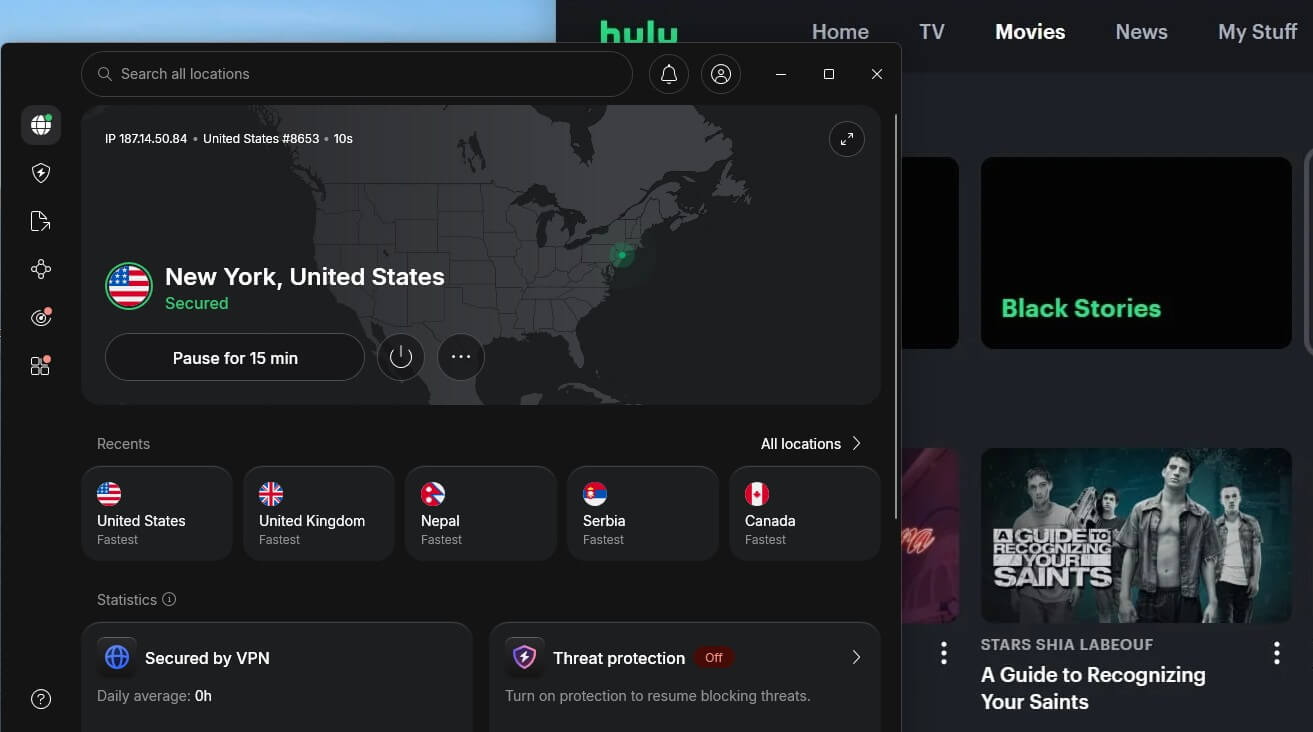
Hulu never asked for location access. On my phone, the Hulu app played with NordVPN connected, again with no location prompt. Proton VPN and PIA faced a different issue. Hulu sent a verification code at sign-in, then said the code was wrong, and a resent code produced the same message. The same account signed in on NordVPN, ExpressVPN, and Surfshark, which points to the VPN connection.
Our best VPN for Hulu guide compares the VPNs that worked. There’s one limit a VPN can’t fix: Hulu accepts only US payment cards. Existing US subscribers can use Hulu abroad this way, but a viewer without a US card can’t start a subscription, even on a US server.



 9200 servers
 128 covered countries
 30 days money-back guarantee
 10 simultaneous connections
9.4 /10

20396 servers
148 covered countries
30 days money-back guarantee
10 simultaneous connections
9.2 /10

3000 servers
105 covered countries
30 days money-back guarantee
10 simultaneous connections
9.1 /10
Changing Your Hulu + Live TV Home Location
Hulu + Live TV ties local channels to a home network, set from a living room device or the Hulu account page while you’re on your home internet connection. After a move, connect to the new network, go to your account page, and click Set or Change Home under Privacy and Settings. Hulu’s rules for it:
- Four changes a year: Hulu allows four home location changes in a 12-month period. Beyond that, Hulu asks subscribers to contact its support team.
- Residential connection only: mobile hotspots and shared Wi-Fi, such as dorm or office networks, can’t serve as Home.
- Check-in every 30 days: phones and tablets keep Live TV working away from home only if the Hulu app is launched on the home network at least once every 30 days. Without a check-in, on-demand shows still play.
- Travel: on a trip in the US, a phone or tablet keeps the same national channels and regional sports networks, but local affiliates switch to those of your current location. Hulu supports Live TV travel only within the US.
A VPN doesn’t move the home network on file, because Hulu registers Home from the living room device’s network. On phones, Hulu can also check GPS for Live TV, so a VPN alone can’t switch Live TV to another city.
Smart DNS for Hulu on TVs and Consoles
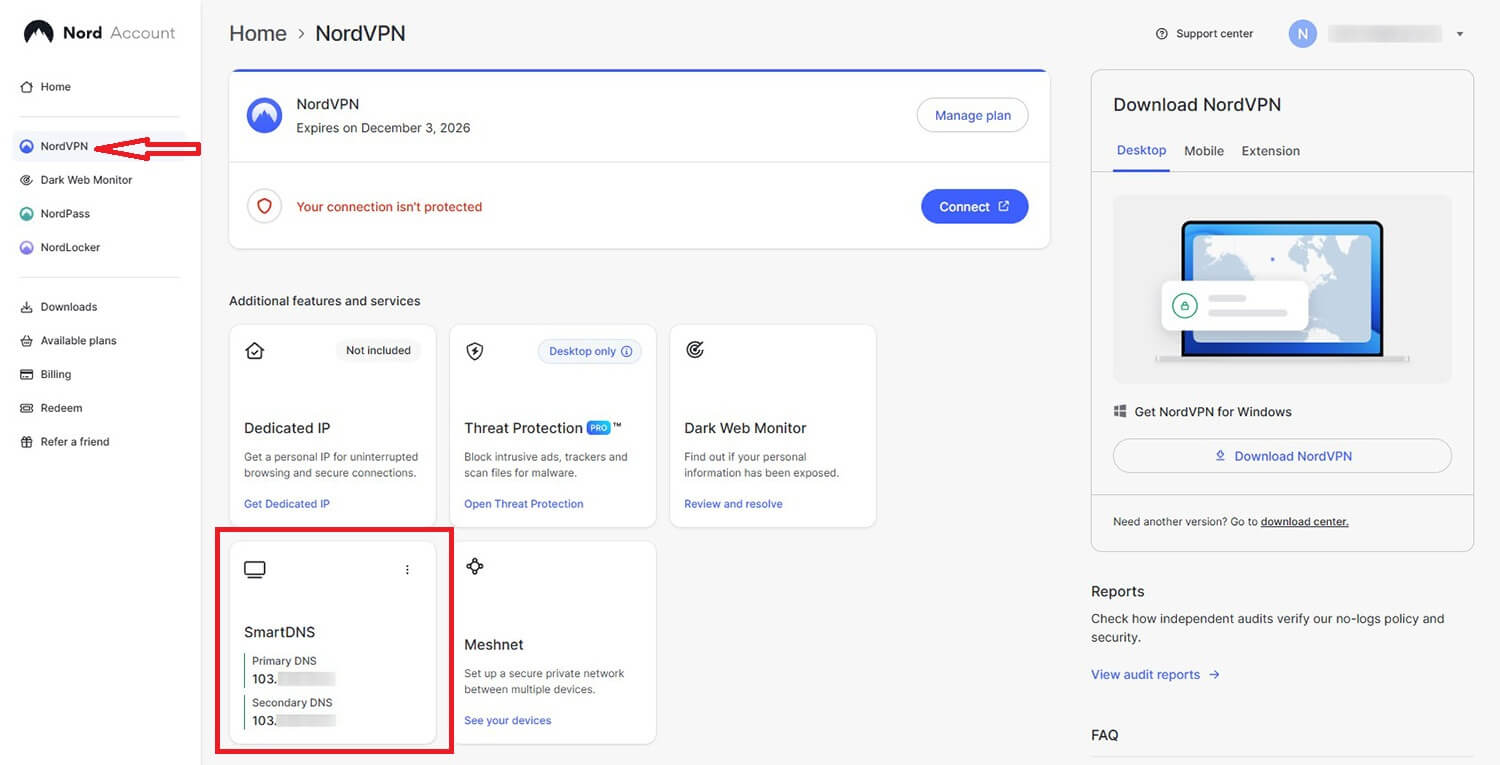
Smart DNS reroutes only the requests a streaming service uses to check your location, without encrypting the connection. It’s another way around geo-blocking, used on smart TVs and game consoles, and NordVPN’s SmartDNS and ExpressVPN’s MediaStreamer include it. We didn’t test Smart DNS with Hulu, so the VPN app is the method we can confirm. On a Fire TV Stick, a full VPN app installs directly.
Fixing Hulu Location Errors
Hulu errors on a VPN usually trace back to the IP address, and two fixes cover the common cases:
- Switch US servers: another server has a different IP address if Hulu has flagged the first one.
- Change VPNs if the sign-in code fails: a correct code marked as wrong points to a VPN that Hulu detects.
Final Thoughts
How you change your Hulu location depends on your plan. For the on-demand library, Hulu required a US IP address and a working sign-in in our tests, and NordVPN, ExpressVPN, and Surfshark met both conditions on New York servers. Hulu + Live TV is different.
Its local channels follow the home network on your account, which moves only when you update it from the new home. The same US connection unblocks other US streaming services, which our USA VPN guide covers.
Hulu Location FAQ
Can you change your location on Hulu?
Yes. Subscribers abroad can unblock their regular library through a VPN's US servers, and Hulu + Live TV subscribers can move their home location four times a year.
Does Hulu work outside the US?
No. Hulu's library plays only on US IP addresses, so subscribers traveling abroad have to connect to a US VPN server before signing in.
Why does Hulu say a verification code is wrong?
A detected VPN connection is the likely cause. Hulu sends the sign-in code but won't accept it from a flagged IP address, so switching VPNs solves it.
How many times can you change your Hulu home location?
Four times in a 12-month period, and each change requires a connection to the new home network. Past that limit, further changes go through Hulu's support team.
Can you sign up for Hulu outside the US?
Not without a US card. Hulu's checkout accepts no foreign cards, so a VPN helps existing subscribers traveling abroad, but new viewers outside the US can't subscribe.
Does Hulu + Live TV work abroad?
No. Hulu streams Live TV only in the US, so subscribers traveling abroad lose live channels, though on-demand shows still play through a VPN's US server.