Since 2017, people have been asking how to make WhatsApp calls in Qatar. The authorities officially restricted WhatsApp voice and video calling in 2017, making Qatar one of the most VPN-dependent countries in the world for VoIP access. While the messaging app still works, the moment you try to connect a voice or video call, the line goes dead. But it’s not just this app; Telegram, Viber, Signal, FaceTime, and other end-to-end-encrypted apps are blocked.
How to unblock WhatsApp calling in Doha, Qatar, and use the app normally in 2026? With a VPN, there’s no two-way about it. A VPN in Qatar, a good one, actually helps to sidestep censorship, unblock VoIP services, and stream without geo-blocks. Let me explain how to make WhatsApp calls in Qatar and which VPN to use. If you’re short on time, here’s a recap that explains all you must know.
How to Make WhatsApp Calls in Qatar: Tutorial for October 2026
- Subscribe to a VPN. I strongly recommend NordVPN because it’s the fastest and most secure VPN, currently at 75% OFF.
- Install a VPN on your phone or computer.
- Open the VPN and log in to your account.
- Connect to a server outside Qatar. Pick any VPN server abroad where WhatsApp works without VoIP restrictions.
- Open WhatsApp and start calling. It should now be fully usable, without a single restriction on voice and video call functions.
Why Use a VPN to Unblock WhatsApp Calls in Qatar?
If you’re in Qatar, WhatsApp calling won’t work out of the box. That’s not your phone’s fault. It’s because of Qatar’s nationwide VoIP restrictions, enforced by local ISPs under government regulation. There are other workarounds. Some people try proxy apps, VoIP routers, or third-party calling services with awkward setups and sketchy privacy policies. But most of them are unreliable, easily blocked, or they leak your data.
This is where a VPN (Virtual Private Network) comes in. A good VPN encrypts your traffic and reroutes it through a secure server in a VoIP-friendly country, like the US, UK, or Germany. That means your ISP (or the government) has no idea you’re trying to make a WhatsApp call. Meanwhile, your call connects like normal, and you’re free to talk to your people in full clarity. VPNs also protect your privacy.
It’s especially vital on public Wi-Fi, when you’re calling from a hotel or airport. And with VPNs like NordVPN, you get obfuscated servers that are built to work in restrictive regions like Qatar. It just runs in the background, quietly doing its job while you get on with your conversation.
How to Make WhatsApp Calls in Qatar: Detailed Tutorial
Setting up WhatsApp calls in Qatar isn’t hard, but you need the right tool and a few quick tweaks. Once you’ve installed a reliable VPN, the rest takes less than five minutes. We used NordVPN for this guide because it worked on the first try and stayed connected without breaking a sweat.
Enjoy WhatsApp Calls in Qatar With NordVPN
Here’s how to do it right:
- Step 1: Sign up for a reliable VPN: Head to NordVPN’s website and choose a plan. Long-term subscriptions offer the best value, and you’re protected by a 30-day money-back guarantee.
- Step 2: Download and install the VPN app: Install the NordVPN app on your smartphone (iOS or Android). It also works on tablets, laptops, and routers, but for WhatsApp, your phone’s the key.
- Step 3: Connect to a VoIP-friendly server: Open the VPN app and connect to a server in a country where WhatsApp calls are unrestricted. We had the best results with servers in Israel, Germany, the UK, and the Netherlands.
- Step 4: Launch WhatsApp and start a call: Once connected, open WhatsApp and make a voice or video call as usual. You’ll notice it connects instantly without any delay or error.
- Step 5: Switch servers if needed: If one server doesn’t work or call quality is rough, disconnect and try another country. NordVPN has tons of options, and most work smoothly in Qatar.
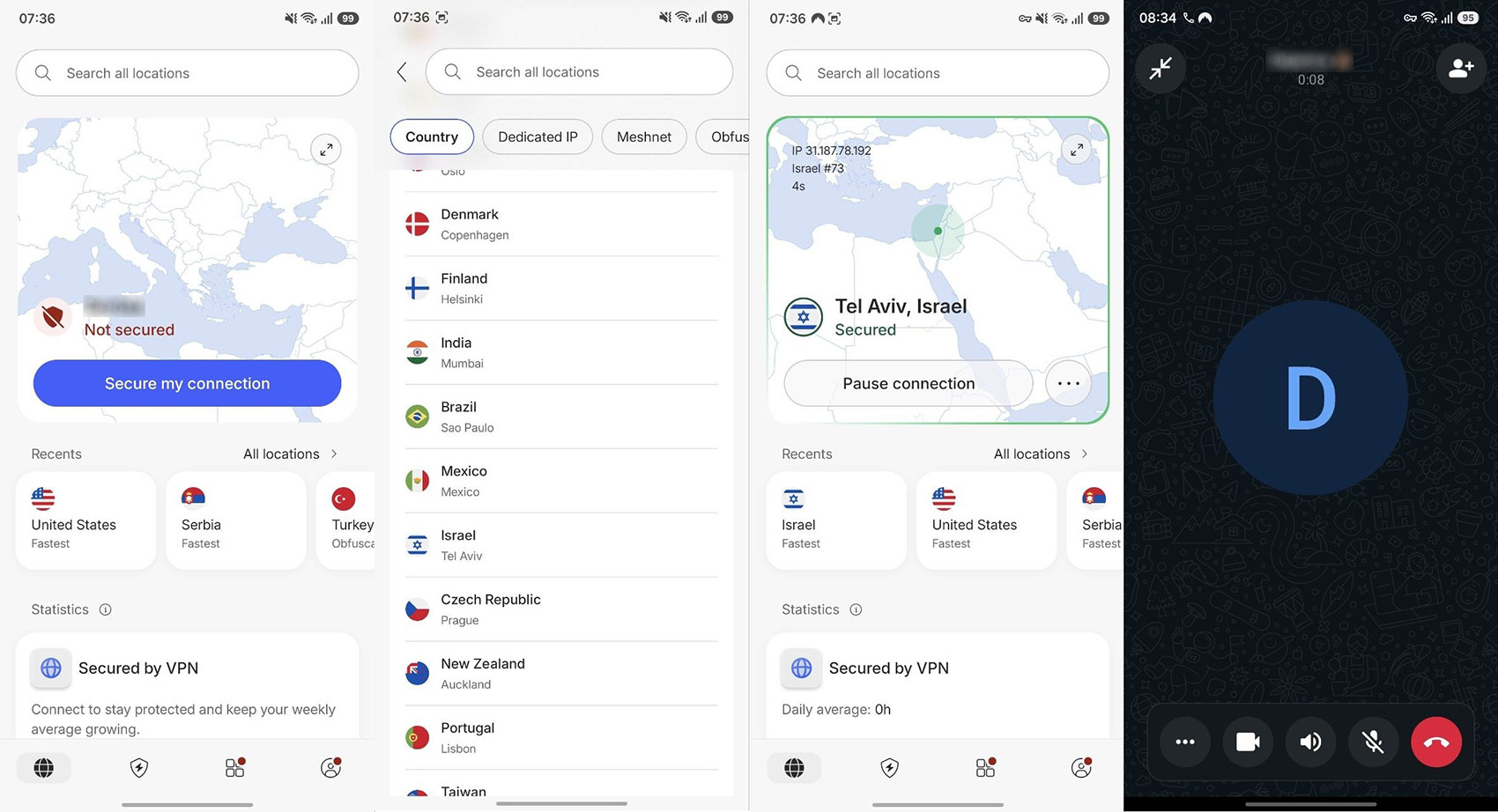
The best part is that you only have to do this once. From there, keep your VPN connected whenever you’re calling, and WhatsApp will work just like it does back home, easy, secure, and totally unblockable. This trick can also help you make FaceTime calls from Qatar, or any other country, if needed.
Best VPN for WhatsApp Calling in Doha and Qatar
If you’ve ever tried making a WhatsApp call in Qatar, you know the frustration: it rings, then drops, or worse, doesn’t even connect. Not every VPN that promises to work in Qatar does. We tested the big names to see which ones could cut through the country’s strict VoIP filters and deliver smooth, stable calls.



 9200 servers
 128 covered countries
 30 days money-back guarantee
 10 simultaneous connections
9.4 /10

20396 servers
148 covered countries
30 days money-back guarantee
10 simultaneous connections
9.2 /10

3000 servers
105 covered countries
30 days money-back guarantee
10 simultaneous connections
9.1 /10
1. NordVPN: Best VPN to Make WhatsApp Calls in Qatar
Pros
- Traffic obfuscation
- Bypassing network filtering (NordWhisper)
- Fast speeds for VoIP calls
- Auto-connect function
- Servers in 137 countries
Con
- Could be cheaper
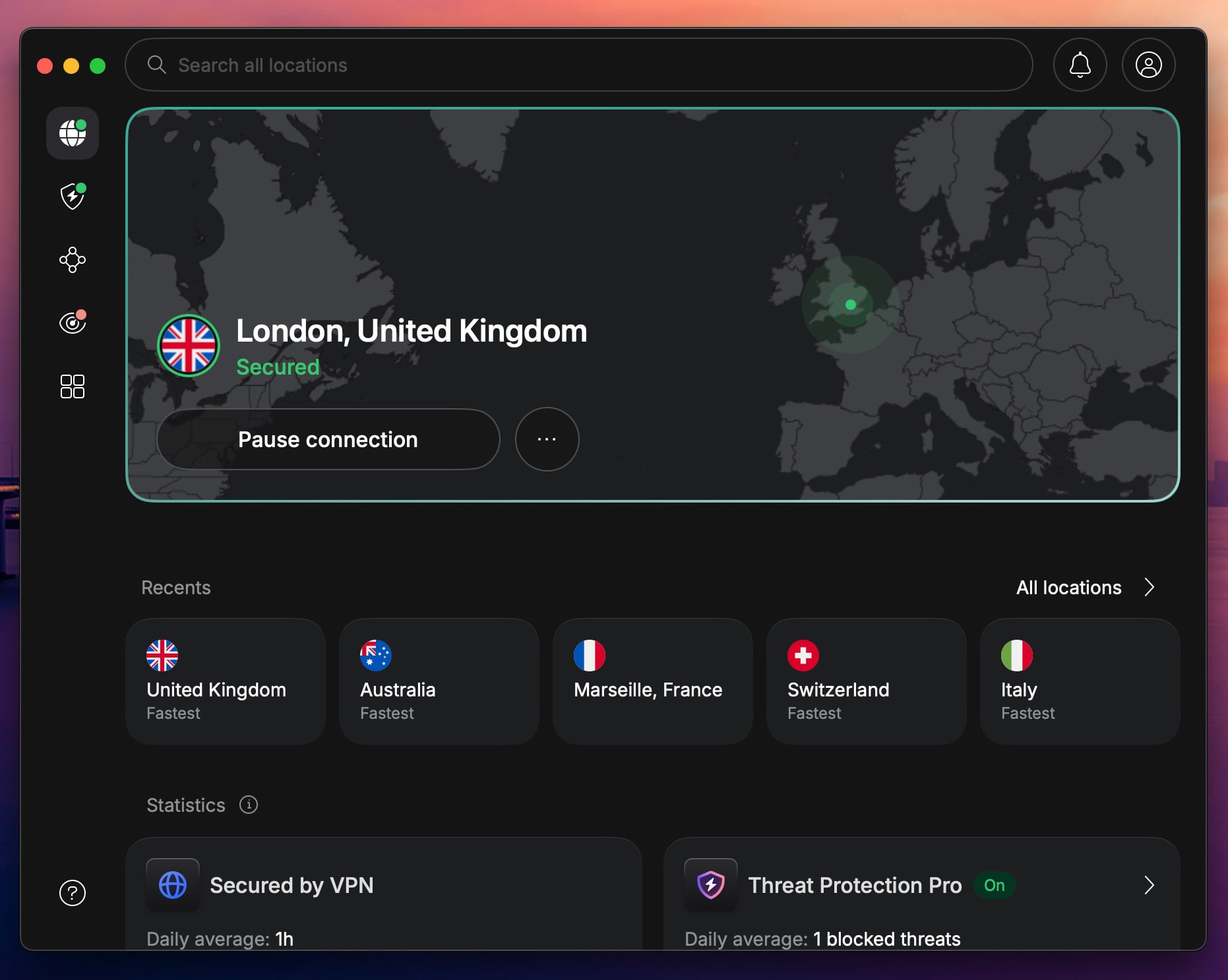
If you’re in Qatar and serious about unblocking WhatsApp calls, NordVPN is your best shot at getting smooth, stable voice and video without interruptions or call failed messages. This is also the leading VPN in the UAE, particularly in Dubai, should you plan to visit. We tested NordVPN over mobile data and home Wi-Fi in Doha and Al Wakrah, connecting to nearby VPN servers in Cyprus, Israel, and Turkey, and the difference was immediate.
WhatsApp calls that wouldn’t connect at all suddenly rang through in seconds. Voice quality was crystal clear, and video held stable with no buffering, during 10-15 minute calls. The secret is obfuscated servers that disguise your VPN traffic like normal HTTPS browsing. This is crucial in Qatar, where regular VPN connections can get throttled or blocked. With obfuscation, our test calls flew under the radar over sensitive mobile networks without a fuss.
NordVPN also uses NordLynx, a protocol based on WireGuard. It’s fast, secure, and optimized for low-latency connections for real-time voice communication. In our test, it delivered consistently lower ping and fewer dropped packets than OpenVPN. The mobile app (iOS + Android) is simple to use. Tap, connect, and forget it’s running. You can enable Auto Connect to be protected 24/7.
It’s no coincidence that NordVPN is one of the most used VPN apps on Android. NordVPN starts at just around $3.49/month on a long-term plan, and you’re covered by a 30-day money-back guarantee. So you can try it risk-free, and if it doesn’t unblock WhatsApp calls in Qatar, you get a refund.
2. Proton VPN: Most Secure WhatsApp VPN in Qatar
Pros
- Stealth obfuscation
- WireGuard for stability
- Blocks ads/tracking
- Optimized for torrenting
- VPN Accelerator
Cons
- No SmartDNS feature
- Complex UI
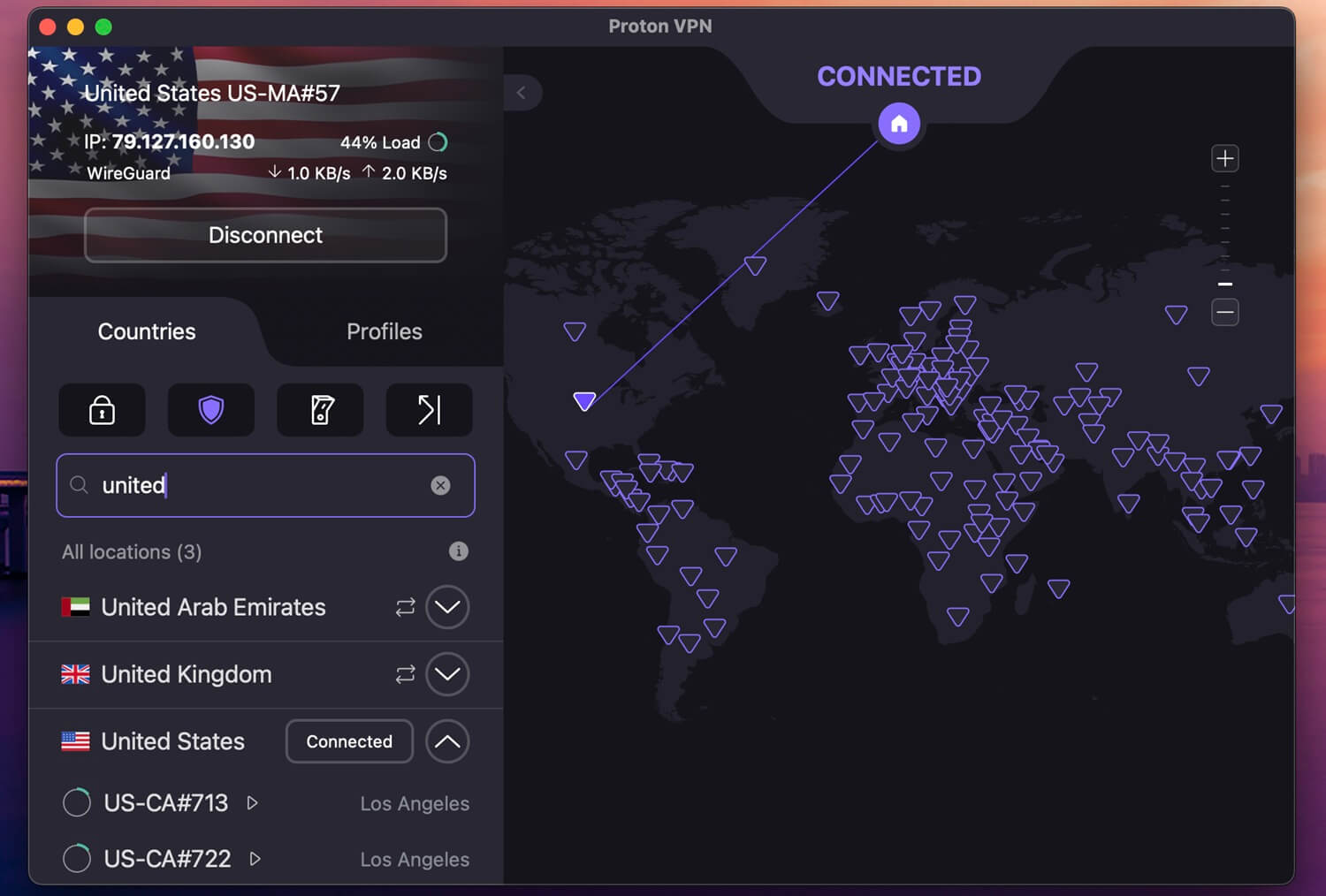
Proton VPN unblocks WhatsApp calls in Qatar in seconds. When we enabled Stealth, it masked our VPN traffic and made it look normal. We tested servers in Israel, Turkey, and Bulgaria with this setup, and Proton VPN just worked. I personally tested WhatsApp calling in Doha with Proton VPN, and on the Israeli server, audio and video calling were smooth, with a small 2-second loading period.
The edge with Proton VPN is customization. You can enable VPN Accelerator to squeeze out more speed on busier networks. There’s WireGuard, NetShield that blocks ads, Secure Core servers for more privacy, Port Forwarding for torrenting, and more. Proton VPN even lets you create specific profiles for gaming, streaming, and torrenting, and connect to specific servers each time you need it.
I recently re-tested Proton VPN and was blown away by its privacy, security, speed, and compatibility. Proton VPN works on all devices, plus it protects 10 of them a time, making it very easy to make WhatsApp calls in Doha and Qatar. At $2.99/mo for the 2-year plan plus a really free VPN tier, it’s a no-brainer.
3. ExpressVPN: Fastest VPN for WhatsApp Calling in Doha

Pros
- One-click apps
- Fast Lightway protocol
- Automatic stealth
- Cheap 2-year plan
Cons
- Lacks advanced features
- Higher price on renewal
If you want to unblock WhatsApp calls in Qatar without overthinking it, ExpressVPN is just what you need. It’s fast, stealthy, and consistent, even on mobile data or public Wi-Fi in Doha and Lusail. We tested it using servers in Cyprus, Israel, and India, which gave us some of the best latency for real-time voice and video calling. Every call connected in under three seconds, which was surprising.
Audio was clear, with no robotic distortion, and even video calls stayed sharp for a full 20 minutes without buffering or quality drops. One of the biggest reasons ExpressVPN works so well for WhatsApp calling in Qatar is its Lightway protocol. It’s purpose-built for speed and stability, especially in countries with VPN blocks. Unlike OpenVPN, which can lag during reconnection or randomly drop under load, Lightway kept us locked in for the entire call.
Another win: ExpressVPN auto-enables obfuscation on all its servers, which hides VPN traffic by default. You don’t have to tweak settings or switch protocols manually. Just connect, open WhatsApp, and dial. We have to admit that it’s also very useful if you ever want to access a website that is blocked in the country. Whether you’re on Android or iPhone, the apps are clean, minimal, and fast. Server switching takes seconds, and the auto-connect-on-startup means you’re always protected.
ExpressVPN starts at $2.49/month on a 24-month plan. It’s a bit pricier when you renew, but for the reliability and polish, it’s worth it, especially if you travel frequently or need a VPN that unblocks WhatsApp reliably.
Conclusion
In Qatar, making a WhatsApp call isn’t so simple. The country’s strict VoIP restrictions have left millions of users unable to connect with friends, family, or colleagues overseas, unless they’ve found a workaround. A VPN is the only one that’s safe, reliable, and works. After testing in October, NordVPN stood out as the most consistent, secure, and simple way to make WhatsApp voice and video calls in Qatar.
Its obfuscated servers flew past network blocks, call quality stayed crystal-clear, and setup was effortless, whether on mobile data or home Wi-Fi. If you’re tired of failed connections and clunky workarounds, install NordVPN, connect to a nearby VoIP-friendly server, and make your calls freely.
Frequently Asked Questions
🕌 Does WhatsApp calling work in Doha?
No, it doesn't. By default, calling functions are blocked, and you can only message people in WhatsApp. However, you can unblock VoIP calling on WhatsApp in Doha with a VPN. Get an IP address from another country where the app works, and you're set. NordVPN is the best option for smooth calls.
⛔ Is WhatsApp banned in Qatar?
No, it's not banned. Qatar hasn't officially banned any VoIP app. WhatsApp, Viber, Telegram, and other apps work, but with reduced capabilities. Unless you use a VPN, you can only send messages; a VPN unblocks calling.
💬 Are there WhatsApp alternatives in Qatar?
Yes, there are, depending on what you need. Botim and IMO are popular, and they work for video and audio calls for free, without a VPN.