Norton Secure VPN might seem like a natural choice if you’re already part of the Norton ecosystem. But when it comes to VPNs, “just good enough” doesn’t cut it anymore. Despite being bundled with Norton 360 plans, Norton VPN struggles to keep up with dedicated competitors. It logs user data (including timestamps), lacks support for key platforms, and offers few advanced features.
If you’re frustrated by the limited control, poor streaming performance, or constant location mismatches, you’re not alone. The good news? There are faster, more private alternatives out there. We’ve rounded up the best Norton VPN alternatives in 2026, just for you.
Why You May Want to Replace Norton VPN
Norton Secure VPN isn’t terrible, but it feels more like an add-on than a serious VPN. While it’s fine for basic tasks like checking email or browsing over public Wi‑Fi, it falls short when you need privacy, speed, or streaming flexibility. If you’ve hit any of the walls below, it’s probably time to upgrade.
1. Norton Logs User Data
Despite being marketed as a privacy tool, Norton VPN collects logs, including your IP address, timestamps, device identifiers, and even bandwidth usage. That kind of data retention undermines the very reason most people use a VPN: to stay private online. Most top-tier VPNs (like NordVPN) have independently audited no-logs policies, and some have even proven it in court.
2. You Can’t Pick a City, Just a Country
Need a Chicago server for blackout-free baseball, or a UK city for localized streaming? That’s too bad. Norton only lets you pick a country, not a city. That’s a dealbreaker if you’re trying to get around region-specific restrictions for sports, news, or location-sensitive websites.
3. It Lacks Features Power Users Expect
Norton VPN keeps things basic, so expect no split tunneling on iOS, dedicated IPs, obfuscation, or ad blocking. That might work for beginners, but if you want to customize your setup or dodge VPN blocks, it won’t cut it. Most competitors now offer malware filters, kill switch controls, and far more protocol options.
4. Not Compatible With Linux or Routers
Using Linux? Running a VPN on your home router? Norton’s out. It has no support for Linux distros, smart DNS, or manual router installs, which also makes it useless for protecting consoles, smart TVs, and whole-home networks. Meanwhile, VPNs like NordVPN support all of that and more.
5. Subscription Price Jumps After Year One
That cheap intro price you get in the honeymoon phase of your membership won’t last. After your first year, Norton’s VPN renewal rate spikes 30–50%, making it more expensive than many more powerful alternatives, especially when you compare speed, server count, and privacy tools.
6. Speeds Are Inconsistent (and Sometimes Painfully Slow)
We’ve seen Norton VPN deliver solid speeds one day, then crawl the next. In our tests, connections to overseas servers (UK, Australia, Japan) often dropped below 20 Mbps, and streaming in HD wasn’t always reliable. If you’re paying for fast internet, your VPN shouldn’t be the bottleneck.
This is where NordVPN stands out. With thousands of servers, audited privacy practices, and its blazing-fast NordLynx protocol, it’s a serious upgrade that fixes every flaw above, and then some.
Best Norton VPN Alternatives: Detailed list
If you’ve hit the limits of Norton Secure VPN with the missing features, the sluggish speeds, and the price hike after year one, you’re not alone. Plenty of users start with Norton’s all-in-one bundle, only to realize the VPN feels more like an afterthought than a serious privacy tool.
The good news is that there are VPNs out there that actually do what Norton should be doing and give you full control over how and where you connect. We tested dozens of VPNs head-to-head with Norton VPN, and these are the ones that came out on top.



 9200 servers
 128 covered countries
 30 days money-back guarantee
 10 simultaneous connections
9.4 /10

3000 servers
105 covered countries
30 days money-back guarantee
10 simultaneous connections
9.1 /10

27000 servers
91 covered countries
30 days money-back guarantee
Unlimited connections
9 /10

4500 servers
100 covered countries
30 days money-back guarantee
Unlimited connections
8.7 /10
1. NordVPN — Best Overall Norton VPN Alternative

Based on our testing, NordVPN is hands-down the best replacement for Norton Secure VPN in 2026. If you’re switching because of Norton’s speed issues, weak privacy policy, or lack of features, NordVPN solves all three, and does it with style.
With over 7,900 servers in 160+ locations, NordVPN gave us blazing-fast speeds and consistent access to sites Norton struggled with, including BBC iPlayer, Max, Hotstar, and regional Netflix libraries. It also lets you pick city-level servers in key countries, unlike Norton, which limits you to vague region hops (and can completely break location-specific apps).
More importantly, NordVPN nails what Norton VPN misses: privacy. You get a strict no-logs policy, independently audited five times, plus RAM-only servers, AES-256 encryption, and Threat Protection that actively blocks trackers and malware, even when the VPN is off. In comparison, Norton keeps logs, doesn’t support obfuscation, and can’t compete when it comes to trust.
We also tested advanced features like Meshnet (for encrypted device-to-device access) and Double VPN (for sensitive traffic), all of which worked smoothly and added layers of flexibility Norton doesn’t offer.
It supports 10 simultaneous connections across nearly every platform: Windows, macOS, Android, iOS, Linux, smart TVs, routers, so you’re not locked into a walled garden. And unlike Norton, which lacks Linux and router support entirely, NordVPN is built for power users.
Best of all, NordVPN costs just over $3/month on long-term plans and comes with a 30-day money-back guarantee and a 7-day free trial on Android with no strings or bundled bloatware.
Pros
- Works with Netflix, Hulu, MAX, and more
- 7,900+ servers with city-level selection
- RAM-only servers and a no-logs policy
- Threat Protection and Meshnet included
- 10 simultaneous connections
- 30-day money-back guarantee
Cons
- No free plan
2. ExpressVPN — Best for Seamless Streaming and Privacy
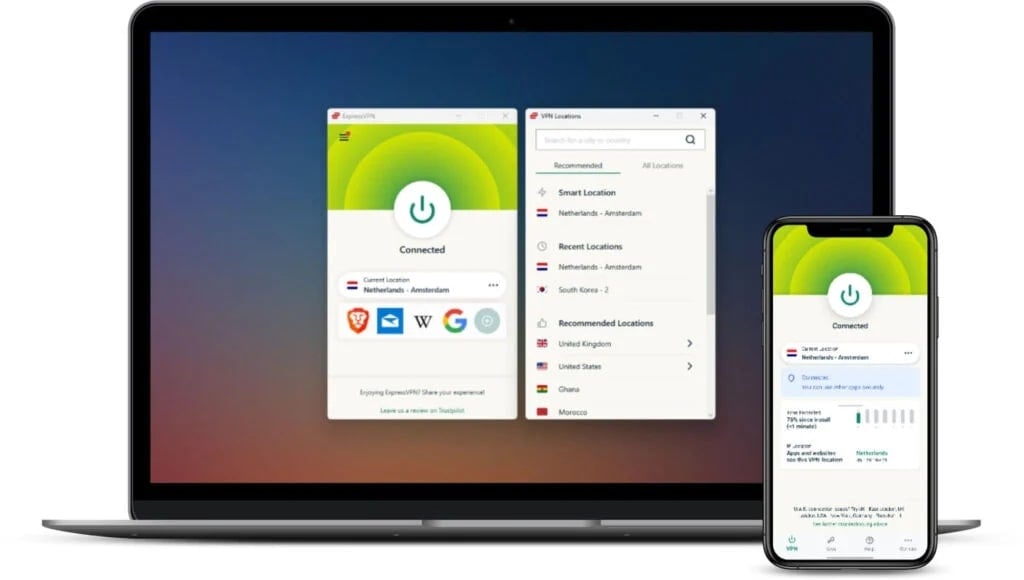
If you’re ditching Norton VPN because of clunky apps, unreliable streaming, or a general lack of polish, ExpressVPN is the most effortless upgrade. It’s fast, clean, and laser-focused on making privacy simple, with no tech know-how required.
With servers in 105 countries, ExpressVPN makes it easy to get the exact location you need for streaming, gaming, or regional content. Where Norton VPN often failed to load Netflix libraries or tripped proxy errors, ExpressVPN’s Lightway Turbo protocol kept things smooth, even on mobile.
Beyond streaming, ExpressVPN’s TrustedServer tech (RAM-only infrastructure) ensures nothing is stored locally, while its no-logs policy has been verified by multiple independent audits. Norton VPN, by contrast, retains data like session timestamps and bandwidth usage, which isn’t ideal for privacy-conscious users. You can find more details in our Norton VPN vs ExpressVPN comparison if needed.
We also appreciated the Network Lock kill switch, which performed flawlessly on flaky hotel and airport Wi‑Fi. And unlike Norton, ExpressVPN works on Linux, routers, Kindle Fire devices, Apple TV, and game consoles. Setup was quick and intuitive, and the apps are some of the best-designed in the space.
ExpressVPN supports up to 8 devices at once, and switching servers mid-session was seamless across mobile and desktop. It doesn’t have advanced features like NordVPN’s Meshnet or PIA’s split tunneling granularity, but for everyday privacy and content access, it’s one of the most stable experiences available.
Plans start at just around $5/month if you commit long-term, and you’re backed by a 30-day money-back guarantee. It’s pricier than most, but also the most polished plug-and-play VPN we’ve tested.
Pros
- Seamlessly unblocks all major platforms
- Lightway delivers stable performance
- Clean, intuitive apps across all platforms
- Works on routers, Linux, and more
- 30-day money-back guarantee
Cons
- Pricier than most VPNs
- Limited customization features
3. Private Internet Access — Cheapest Norton VPN Alternative
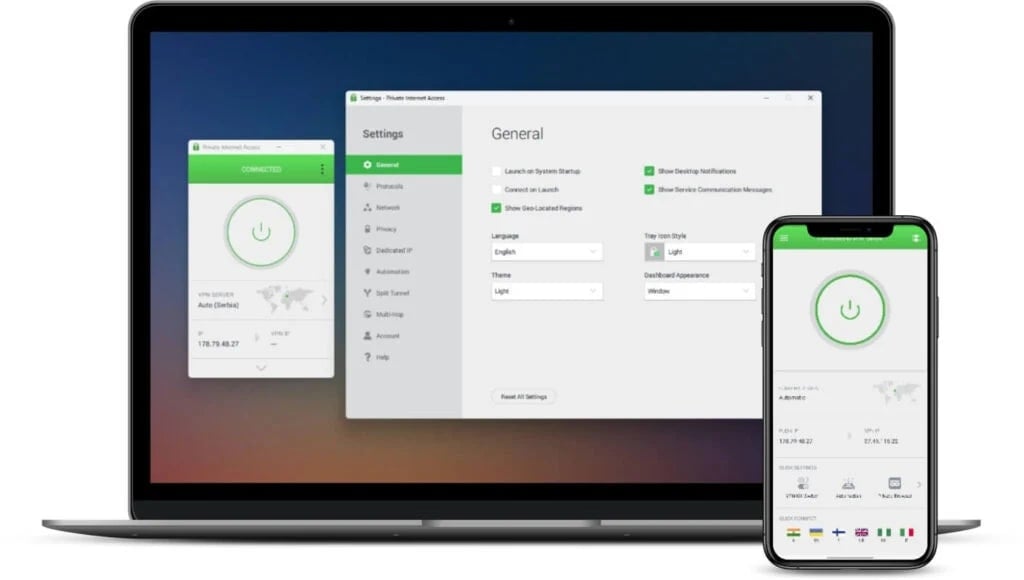
If Norton’s simplicity feels more like a limitation than a feature, Private Internet Access (PIA) is the VPN that hands you the keys. It’s not just a Norton alternative, it’s a privacy toolkit, letting you customize everything from encryption level to DNS routing and protocol preference.
Unlike Norton VPN, which logs session data and offers zero transparency, PIA is open-source across all platforms. Its no-logs policy has been proven in court (twice), and its apps let you fine-tune security the way Norton never could. In our speed tests across the US and Europe, Private Internet Access held strong at 250–290 Mbps on WireGuard, especially when using city-specific servers, which is something Norton doesn’t offer.
Streaming was easy too: we unblocked Netflix US, Max, BBC iPlayer, and even region-locked YouTube TV feeds. Bonus points for MACE, PIA’s built-in blocker that nukes ads, trackers, and known malware domains before they hit your browser.
Private Internet Access also supports torrenting on all servers and works on Linux, routers, smart TVs, iOS, Android, Windows, macOS, and browser extensions. It allows you to connect unlimited devices, which makes it an excellent pick for families or people who are juggling multiple screens.
And here’s the best part: long-term plans start at just over $2 per month, with a 30-day money-back guarantee. So, if Norton’s price hike burned you, PIA gives you more power for less cash, with no bundle fluff involved.
Try Private Internet Access Now
Pros
- Open-source apps and no-logs policy
- Works with all major streaming platforms
- Unlimited device connections
- Extremely affordable long-term pricing
Cons
- Interface can be a bit for beginners
- Slower than NordVPN on long-distance
4. Surfshark — Best Norton VPN Alternative for Affordable Privacy
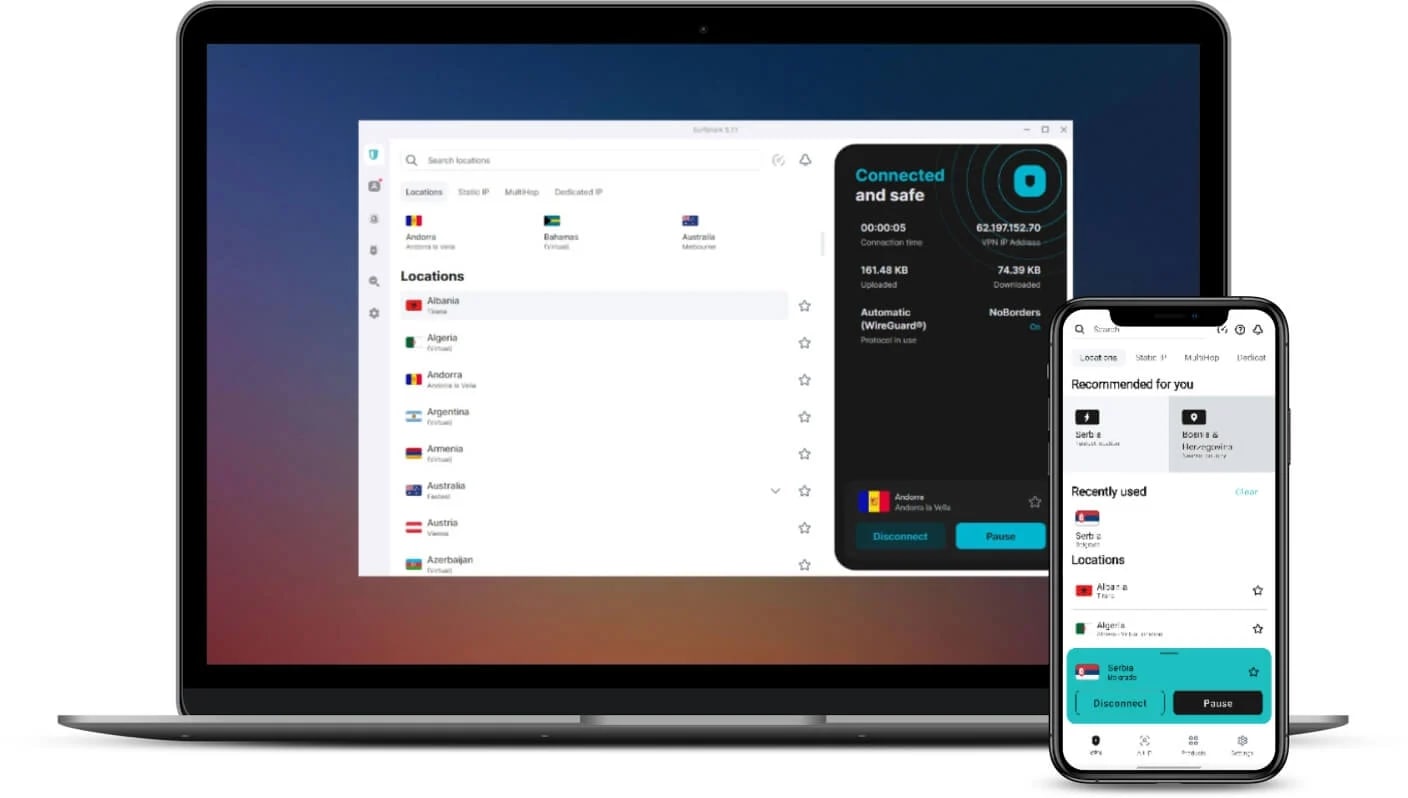
If you’re tired of Norton’s device limits, stripped-down feature set, and creeping subscription costs, Surfshark might be your perfect rebound VPN. It’s affordable, flexible, and lets you connect every device you own. Moreover, just like its competitor Norton, it’s possible to get an antivirus along with the VPN.
Surfshark offers a network of 3,200+ servers in 100 countries, including city-level options in the US, UK, Australia, and Europe. That wide reach gives you plenty of choices for faster speeds, reduced congestion, and reliable geo-spoofing, which is a major upgrade over Norton’s limited, location-locked server list.
During testing, Surfshark gave us reliable speeds (260–280 Mbps on WireGuard) and stable access to all the big platforms: Netflix, Hulu, BBC iPlayer, and Max. It also supports city-level server selection in the US, UK, and beyond (something Norton still doesn’t offer), so you’re not stuck with vague or overcrowded regional endpoints.
What sets Surfshark apart is its feature-to-dollar ratio. For just around $2/month, you get CleanWeb (an ad/tracker/malware blocker), MultiHop (double VPN routing), and Camouflage Mode (obfuscation for restrictive networks). These are all missing from Norton VPN, which doesn’t support obfuscation or advanced tunneling at all.
Surfshark also works on Windows, macOS, Android, iOS, Linux, Fire TV, smart TVs, and routers. And yes, it plays nicely with torrenting and even offers Dynamic GPS spoofing on Android, making it a favorite among gamers and frequent travelers.
While it doesn’t offer open-source apps like PIA or have NordVPN’s server count, Surfshark hits a sweet spot between price, performance, and usability. It’s simple enough for casual users, but still powerful under the hood.
Pros
- Unlimited device connections
- Great speeds with WireGuard
- Works with major streaming services
- Extremely affordable long-term plans
Cons
- No open-source apps
- Advanced features require exploring
Final Words
Norton Secure VPN might work in a pinch, but once you start expecting more, like faster speeds, stronger privacy, better device compatibility, its limitations show fast. Whether it’s the lack of Linux and router support, the barebones feature set, or its logging policy, Norton just isn’t built for users who want real control and performance.
The good news is that switching is easy, and the right Norton VPN alternative will level up everything.
If you’re looking for the best overall upgrade, NordVPN checks every box. It’s fast, private, and packed with advanced features that stay out of your way unless you need them. It’s everything Norton VPN should’ve been.