Norton VPN is a different VPN from the one we tested last time. It added 18 countries in May 2026, passed a second independent no-logs audit, and publishes quarterly transparency reports. Any comparison written before that is out of date. ExpressVPN wins this matchup, but the margins have narrowed in most rounds. Below are all 8 categories, retested, with the gap stated in each.
ExpressVPN vs Norton VPN: Quick Comparison
| 🏆 ExpressVPN | Norton VPN | |
| Our Current Ranking 📋 | #3 | TBD |
| Prices 🤑 | Starting at $3.49/mo for the first 28 months | Starting at $3.33/mo for the 1st year |
| Money-Back Guarantee 🪙 | 30 days | 60 Days |
| Free Version/Free Trial 🆓 | No/3 days on iOS/Android | No |
| Logging/Jurisdiction 🕵️ | No/British Virgin Islands | No/USA |
| Protocols 🌐 | OpenVPN, Lightway, Lightway Turbo, WireGuard | WireGuard, IKEv2/IPSec, Mimic |
| Servers 🏠 | 3,000+ in 113 countries | 65+ countries, undisclosed number of servers |
| Specialty Servers ✅ | Dedicated IP | P2P |
| RAM-Only Servers 🛡️ | Yes | No |
| Working With Netflix 📺 | Yes (15+ libraries) | Yes, US only |
| P2P Allowance ↔️ | Yes, on all servers | Yes, only on P2P servers |
| Concurrent Connections 📟 | 10 | 5-10 |
Applications and Ease of Use
ExpressVPN opens to a single circular connect button and a location picker. Settings sit behind the menu icon in the upper left, covering protocols, the kill switch, and split tunneling. The mobile apps mirror that layout closely. Norton VPN’s Windows client is equally plain and just as easy to learn.
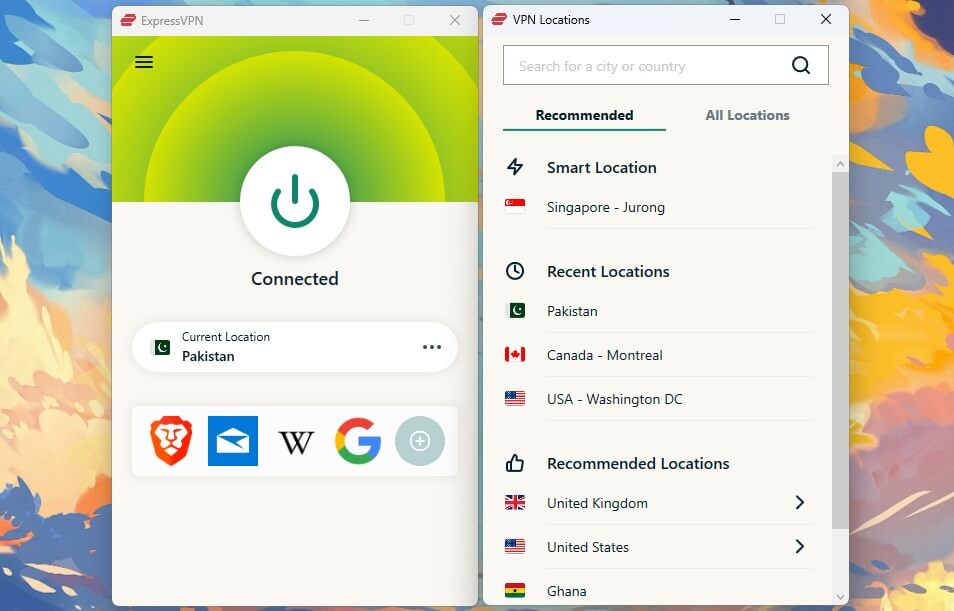
It takes two or three seconds longer to establish a connection, the only friction we noticed. Mobile performance is solid. Platform coverage is where they separate. Norton VPN covers Windows, macOS, iOS, Android, and Smart TVs after a 2026 update. There’s still no Linux client.

ExpressVPN adds Linux with a graphical app, Apple TV, Fire TV Stick, Android TV, routers, and browser extensions, plus SmartDNS for devices that can’t run a VPN, which is how you watch US TV channels overseas. Connection allowances differ:
- ExpressVPN permits 10 to 14 devices, depending on tier
- Norton VPN permits 5 on Standard and Plus, 10 on Ultimate
Winner: ExpressVPN
Both apps are beginner-friendly, so this comes down to reach. ExpressVPN covers more platforms and starts at 10 devices, where Norton starts at 5.
Norton VPN is Cheaper than ExpressVPN
Norton VPN sells three annual plans, each $10 apart.
- Standard at $39.99 for the first year, about $3.33/mo, with the VPN and ad blocking
- Plus at $49.99, about $4.17/mo, adding antivirus, a password manager, dark web monitoring, and 10 GB of cloud backup
- Ultimate at $59.99, about $5.00/mo, adding parental controls, 50 GB of backup, and 10 device slots
The catch is renewal. Standard jumps to $79.99/year after the first term, which doubles the effective monthly cost. ExpressVPN’s 2-year Basic plan runs $3.49/mo at 73% off with four free months, and its own renewal lands at $99.95/year. Our ExpressVPN pricing guide covers the other tiers.
Neither provider is cheap long-term, and ExpressVPN alternatives like Private Internet Access and CyberGhost undercut both.
Winner: Norton VPN
Norton takes this round on renewal price and refund window. It’s $20 cheaper per year after the promo lapses, and its 60-day money-back guarantee doubles ExpressVPN’s 30 days. Bundled antivirus makes Plus better value still if you’d otherwise pay for separate antivirus software.
Security and Features: ExpressVPN Still Wins
Both cover the fundamentals, and neither leaked an IP or DNS request in our testing. Here’s the list of shared features
- 256-bit encryption
- Automatic kill switch
- Split tunneling
- Ad and tracker blocking
- IP and DNS leak protection
VPN Protocols: Major Distinctions
ExpressVPN relies on Lightway, its own audited protocol, now rebuilt in Rust with a Turbo variant that uses multi-lane tunneling. Its most important detail is that post-quantum protection is enabled by default, guarding today’s traffic against decryption by future quantum hardware.
Norton VPN leans on WireGuard and Mimic, its in-house obfuscation protocol. WireGuard has become the default in the industry, and Mimic passed an independent VerSprite audit confirming it introduces no privacy risk. Norton has announced post-quantum WireGuard but hasn’t shipped it.
Advanced Protection Features: Closer Than Ever
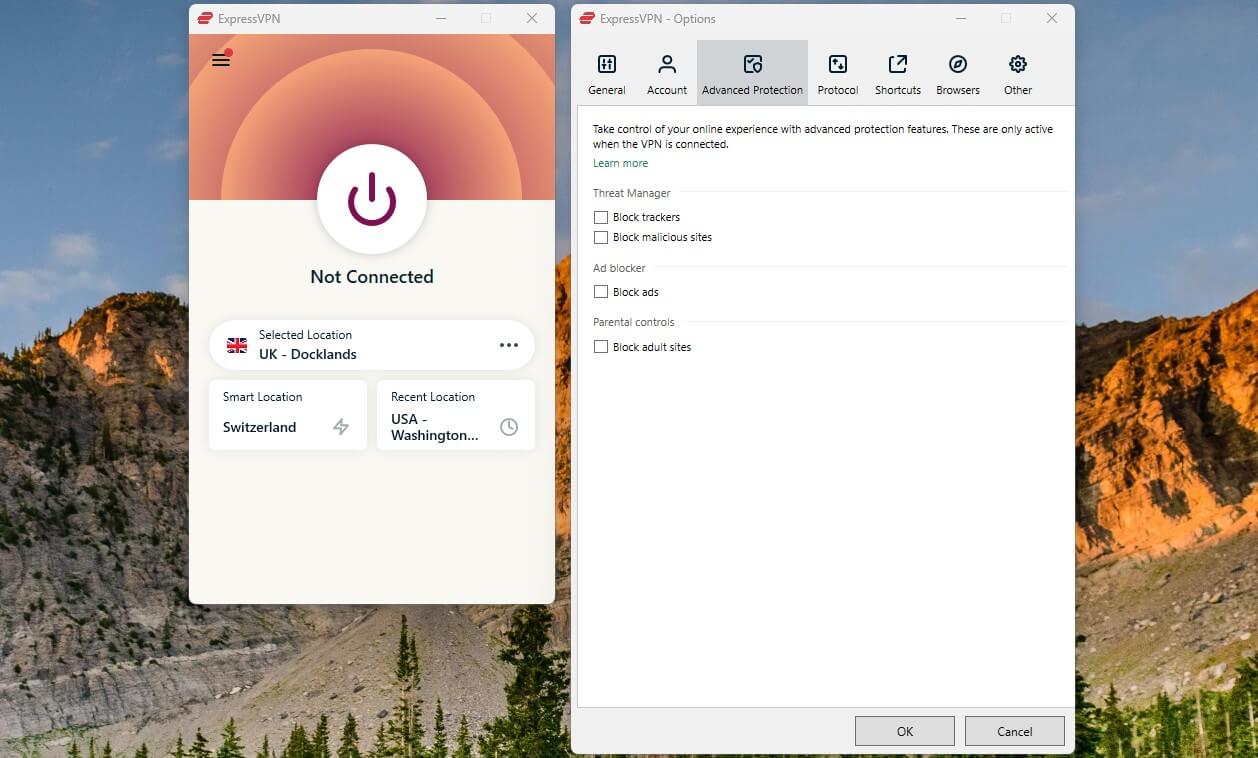
Norton bundles more security software: antivirus, a password manager, cloud backup, and parental controls, all bought separately elsewhere. It also added Manual IP Rotation in 2026, which swaps your IP without dropping the tunnel.

ExpressVPN counters with Identity Defender, its ID monitoring, data removal, and theft insurance suite, though that’s US-only and sits on Advanced and Express Pro. Those tiers also unlock ExpressKeys, ExpressMailGuard aliases, and 3 GB of eSIM data, which helps when traveling. Basic subscribers get none of it.
Winner: ExpressVPN (Narrowly)
ExpressVPN edges it on VPN-specific technology, mainly post-quantum protection shipping today rather than being promised. Norton VPN wins on breadth of bundled software, so if you want one subscription covering antivirus too, that’s a fair argument for switching this round.
ExpressVPN and Norton VPN Don’t Store Logs
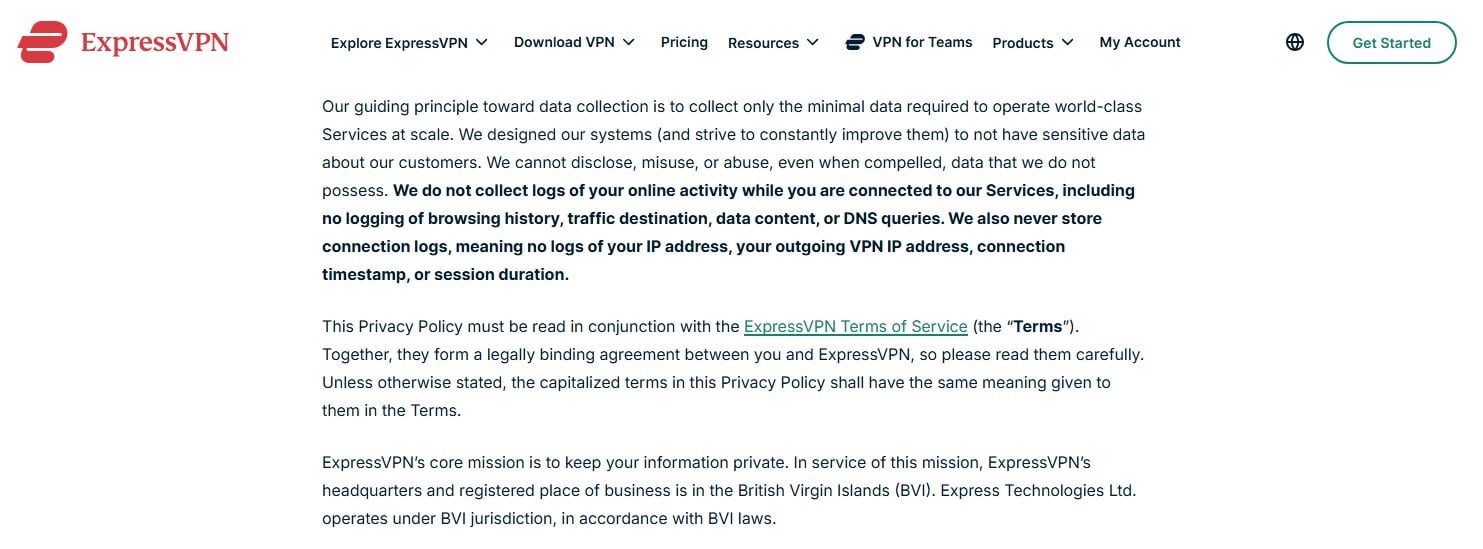
This round has changed more than any other. ExpressVPN’s position is unchanged and still strong. Its no-logs policy has cleared several third-party audits, held up under scrutiny, and runs on RAM-only servers that retain nothing through a reboot. Forward Secrecy generates a fresh key per session. The British Virgin Islands sit outside every intelligence-sharing alliance, as our ExpressVPN review covers in full.
Norton VPN has closed most of the gap. VerSprite completed a second no-logs audit in 2025 and rated Norton’s privacy impact as “None. A separate VerSprite audit cleared the Mimic protocol. Transparency reports are published quarterly, and the most recent showed nine government data requests answered with nothing, because nothing was retained. Our Norton VPN review goes deeper.
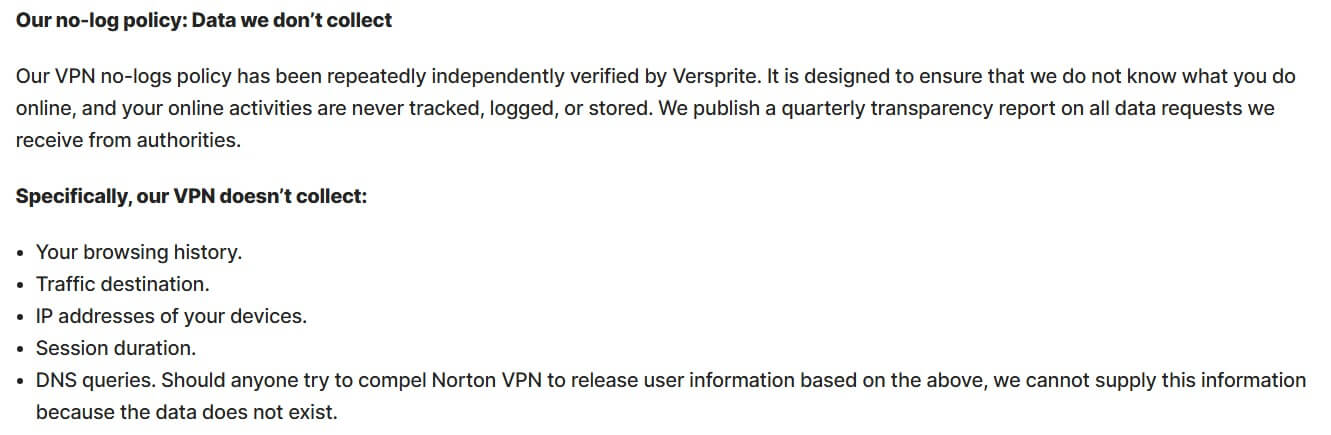
What remains is jurisdiction and metadata. Norton is US-based, inside Five Eyes, and its privacy notice still describes account data, device telemetry, and operational IP data that ExpressVPN doesn’t collect. Its servers aren’t RAM-only either, which is a cause for concern among privacy-first users.
Winner: ExpressVPN
ExpressVPN wins on jurisdiction, audit volume, and RAM-only infrastructure. This was a rout last year, and it isn’t one now. Norton’s audited no-logs claim is a legitimate credential.
ExpressVPN is Faster than Norton VPN: Speed Test
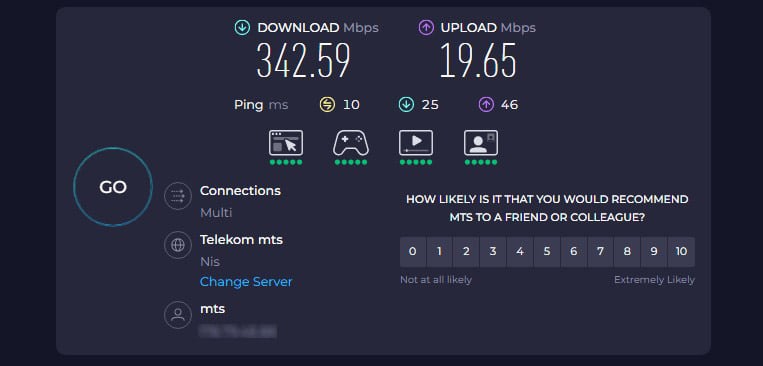
We tested across three days, three times daily, on servers in the UK, the US, and Japan, from Southeastern Europe at the time. Lightway Turbo for ExpressVPN, WireGuard for Norton VPN. Our baseline speeds:
And now, download and upload speed losses:
| Download Speed Loss | Upload Speed Loss | |
| ExpressVPN | 24% | 9% |
| Norton VPN | 42% | 19% |
The UK results were close, and Norton VPN actually posted the better upload figure there. Distance is what separates them. On the Japanese server, ExpressVPN held 60% more download throughput.
| UK Server (DL/UL) | US Server (DL/UL) | Japan Server (DL/UL) | |
| ExpressVPN | 46.25/9.53 Mbps | 42.04/9.34 Mbps | 32.06/8.65 Mbps |
| Norton VPN | 41.52/11.044 Mbps | 29.43/7.22 Mbps | 19.97/6.24 Mbps |
Winner: ExpressVPN
Lightway Turbo holds speed over distance where WireGuard in Norton VPN sags. Norton VPN is fine for nearby servers and everyday browsing, and its uploads are competitive close to home.
Streaming and Torrenting: ExpressVPN Pulls Away
Norton VPN has improved here. In our tests, it opened Netflix US, UK, and Japan, plus BBC iPlayer, Disney+, and Paramount+.

Three Netflix libraries is still a fraction of the catalogue, and there’s no Smart DNS for consoles or older TVs. It handled the free US Open live stream and ITV from outside the UK without trouble.

ExpressVPN cleared 15+ Netflix libraries and nearly every service we pointed it at, and its Smart DNS extends that to hardware without VPN support. Faster speeds also make it the safer pick for 4K, as our streaming rankings reflect.

On P2P, Norton VPN restricts P2P to specific optimized regions. Testing from Europe meant connecting to a Dutch server, as it was the only P2P-optimized server in my proximity. It worked well, though.
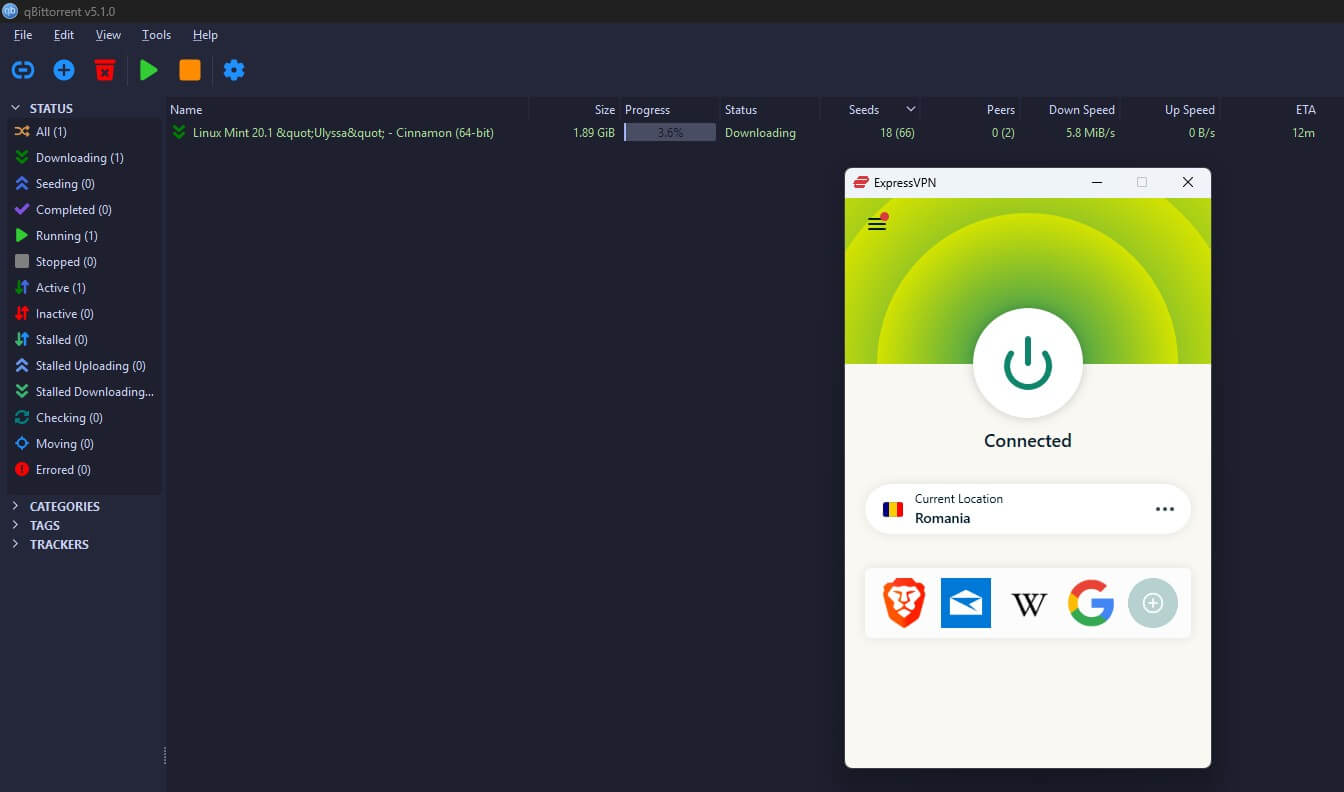
ExpressVPN permits P2P everywhere, so you connect to the nearest location and keep your speed. It’s one of our recommended uTorrent VPNs.
Winner: ExpressVPN
More libraries, Smart DNS, and unrestricted P2P. Norton VPN is genuinely usable for streaming now, which wasn’t true a year ago, but the ceiling is lower.
Server Locations: ExpressVPN Wins
Norton VPN’s May 2026 expansion added 18 countries and brought it to 130+ locations, a serious jump from where it stood.
| ExpressVPN | Norton VPN | |
| Countries | 113 | 92 |
| Locations | 214 | 130 |
| Server Count | 3,000+ | Undisclosed |
| Dedicated IP | Yes, from $2.49/mo | No |
ExpressVPN’s own July 2026 expansion pushed it to 214 app-selectable locations in 113 countries, including all 50 US states. Its dedicated IP covers 29 locations across 22 countries and starts at $2.49/mo, or comes bundled with Express Pro. Norton doesn’t publish a firm server count. Its 92 countries now cover most places people actually need, so it won’t matter much.
Winner: ExpressVPN
21 more countries, 84 more locations, and a dedicated IP option Norton doesn’t offer. The margin used to be enormous. It’s now merely clear.
ExpressVPN is Better for China than Norton VPN
Set expectations first: no VPN is dependable in China in 2026. ExpressVPN connects thanks to built-in obfuscation intermittently, at reduced reliability compared with a few years ago. Norton VPN’s Mimic protocol is built for restrictive networks, and it’s independently audited, but it didn’t get us through the Great Firewall in testing. Our China VPN guide covers what does work.
Elsewhere, the picture is even. Both connected without complaint in the UAE, Saudi Arabia, Qatar, and Turkey, which is part of why ExpressVPN appears in our ranking of the best VPNs for Turkey.
Winner: ExpressVPN
Obfuscation is on by default, and it occasionally works in China, where Norton VPN doesn’t. Outside China, this round is a draw.
Conclusion: Go With ExpressVPN Over Norton VPN
ExpressVPN takes 7 of 8 rounds, losing only on price. That score is the same as last time, but every margin inside it is smaller. Norton VPN spent a year fixing its weakest points. Two VerSprite audits, quarterly transparency reports, 18 new countries, Smart TV apps, and Manual IP Rotation add to a VPN that no longer deserves dismissal.
With a 60-day money-back guarantee and a cheaper renewal, it’s sensible if you want antivirus and a VPN on one bill. ExpressVPN remains the better VPN. It’s faster over distance, has post-quantum protection, covers 21 more countries, unblocks far more streaming, and operates from a jurisdiction with no reporting obligations.