If you’re searching for a reliable VPN, Norton VPN might already be on your radar, thanks to Norton’s solid reputation in cybersecurity. Norton has built its name by safeguarding devices against malware, phishing, and online threats, so adding a VPN to their offerings feels like a natural next step.
But let’s face it, choosing the right VPN can be a challenge, even with a trusted name like Norton. With promises of privacy, security, and smooth performance, does Norton Secure VPN actually keep up? In this in-depth review, we will dive deep into Norton VPN to help you find out if it’s the right fit.
Norton VPN
Norton VPN offers good performance and is capable of ensuring your online security, although we regret the lack of an independent audit of its privacy policy. That said, when it comes to streaming, we believe that better options can be found elsewhere.
Pros
- Essential security features
- Dedicated P2P servers
- User-friendly interface
- Effective ad tracker blocker
- Responsive phone support
Cons
- Lacks server transparency
- May face congestion with P2P servers
- Only annual plans are available
- Premium features only for higher-tier plans
- No audit
Plans and Prices Analysis
When it comes to VPNs, pricing often plays a big role in decision-making, especially when balancing affordability with the quality of protection. Norton VPN offers a straightforward annual subscription at $39.99 for the first year.
While this entry price might look attractive at first glance, Norton lacks flexibility. Unlike other VPNs, Norton Secure VPN doesn’t provide monthly, 6-month, or multi-year subscription options. This can be limiting if you’re looking for a more short-term test or a longer, locked-in rate for cost savings.

Are There Renewal Costs?
Yes, and it’s a point that might give some users pause. After the first year, Norton Secure VPN renews at $79.99 per year. This steep jump could be disappointing, especially if you’re watching your long-term budget closely.
During our analysis, we found that other VPNs often offer more consistent pricing or loyalty discounts, making Norton’s renewal rate a potential drawback to weigh if you’re in for the long haul.
Security Features: How Secure Is Norton VPN?
When it comes to online security, Norton Secure VPN brings a mix of essential and advanced features aimed at protecting user privacy and securing data. In this full review, we’ll analyze both the basic and advanced security elements to provide a clear view of Norton’s security strengths and any areas where it may fall short.
Basic Security Features
- AES-256 Encryption: Norton Secure VPN uses AES-256 encryption, a trusted industry standard that keeps your data nearly inaccessible to third parties. This level of encryption is widely used by financial institutions and governments alike.
- Kill Switch: Available on Windows, Android, and Mac, the kill switch feature automatically cuts your internet connection if the VPN connection drops, preventing accidental exposure of your IP and other sensitive data.
- Split Tunneling: Offered on Windows and Android, split tunneling allows users to route specific apps through the VPN while other traffic goes through a direct internet connection. This is useful for balancing secure browsing with high speeds for less sensitive tasks.
- Multiple Protocols: Norton includes reliable protocols like WireGuard, OpenVPN, and Mimic, allowing users to choose between speed and security depending on their needs. While not as extensive as some competitors, these protocols ensure a basic level of flexibility.
Advanced Security Features
- Ad Tracker Blocking: Norton Secure VPN includes an ad tracker blocker that actively prevents advertisers from tracking your online activities, helping reduce targeted ads and enhancing privacy.
- Wi-Fi Security: For Android and iOS, Norton’s Wi-Fi security feature detects potentially unsafe networks, offering real-time protection against common threats, such as man-in-the-middle attacks.
- Mimic Protocol: This proprietary protocol adds an extra layer of privacy by obfuscating VPN traffic to appear as regular internet traffic, which helps in restrictive network environments like schools or workplaces.
- P2P Servers: Optimized for secure file-sharing, Norton’s P2P feature provides a peer-to-peer friendly connection, enhancing transfer speeds and security for users who frequently share large files.
In this analysis, Norton Secure VPN demonstrates a solid foundation in security, though it needs to improve in advanced features, which could leave power users seeking additional functionality. In this scenario, we recommend NordVPN as a better alternative as it offers a broader range of advanced features. More details can be found in the Norton VPN vs NordVPN analysis.
Does Norton VPN Keep Logs?
In this section of our Norton VPN review, we analyze its logging policy to understand its commitment to privacy. Logging policies are essential for users who prioritize online anonymity, as they reveal how VPN providers handle user data and if they maintain privacy standards.
Norton promises a strict no-logs policy, which means it claims not to store or track any data. Upon our careful analysis, we found a few nuances in Norton VPN’s privacy approach. While Norton does not log browsing activities, it does collect sensitive information it collects location, device, security, and service data.

One additional consideration is Norton’s headquarters in the United States, a member of the 5 Eyes intelligence alliance, which could be a privacy concern for users looking to avoid regions with data-sharing agreements.
Furthermore, Norton Secure VPN still needs to undergo an independent third-party audit to verify its no-logs claims. In comparison, other VPNs like NordVPN and ExpressVPN we reviewed and tested have conducted multiple third-party audits to support their privacy promises, making them more transparent and potentially more trustworthy options for privacy-conscious users.
While our review and experience indicate Norton Secure VPN is committed to not tracking your online actions, there is room for improvement. The VPN could benefit from minimizing data collection and undergoing a third-party audit to provide users with greater peace of mind.
How Does Norton VPN Perform?
Performance is a crucial factor when choosing a VPN, especially if you’re planning to use it for streaming, gaming, or daily browsing. In this part of our review, we tested Norton Secure VPN’s speed and overall usability to see if it delivers a promising experience.
Speed Tests: Performance Evaluation
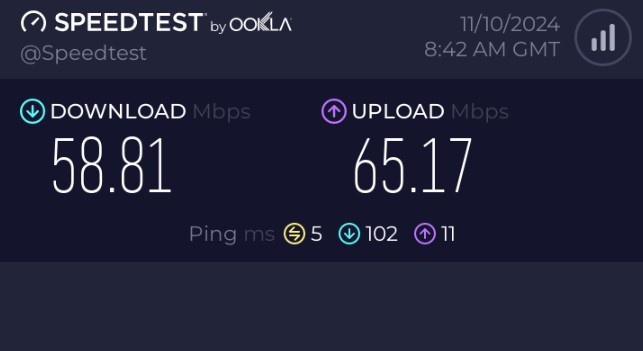
Speed test results are crucial as they reveal how they perform in real-world use. We tested Norton Secure VPN’s performance across nearby and distant servers to assess its speed, stability, and protocol efficiency. For reference, here are the base speeds.
Regional Servers
Based on our speed test results for regional servers, Norton Secure VPN maintained around 80 – 85% of the original connection speed. This minimal drop means you can browse, stream, and perform general web tasks smoothly without noticeable interruptions.

Although there are faster VPNs available, Norton still performs admirably for daily use.
Long-Distance Servers
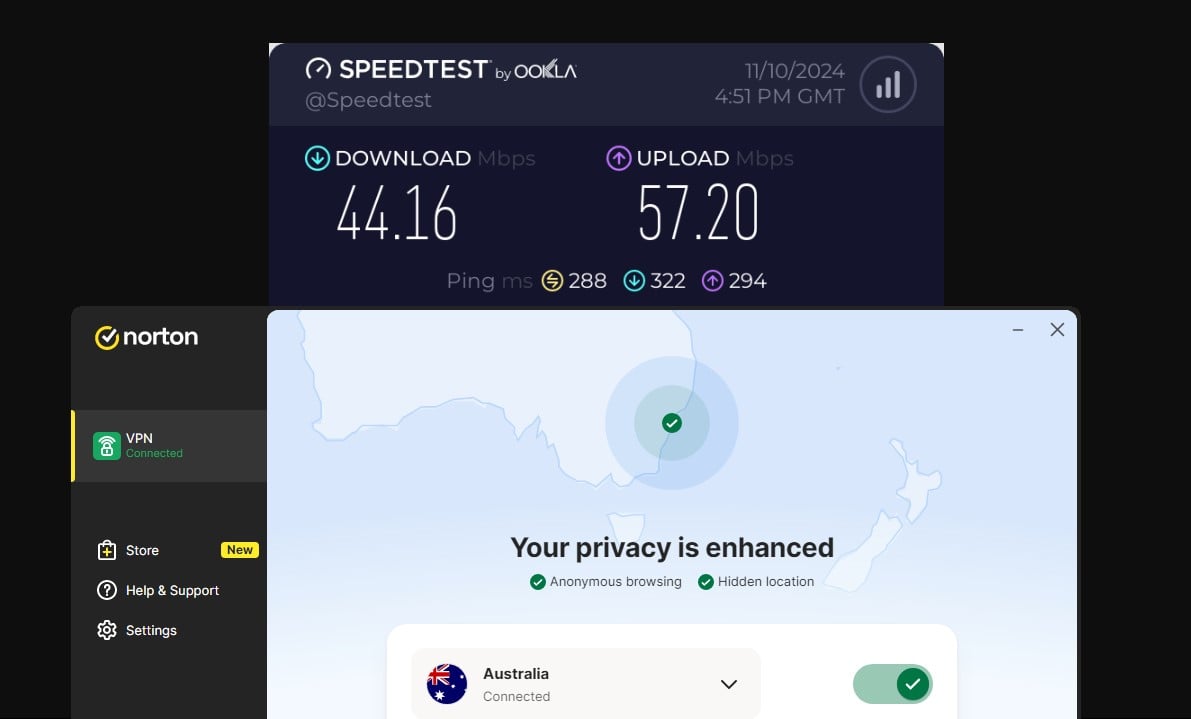
When connecting to long-distance servers, Norton VPN only showed a moderate decrease of about 30-35% in speed. This level of stability means you can comfortably use Norton’s international servers for basic tasks and moderate streaming or gaming.
However, if you need ultra-low latency for streaming or gaming, options like NordVPN, ExpressVPN, and Private Internet Access are more reliable based on our analysis.
Protocol Efficiency
One area where Norton Secure VPN truly stands out is in protocol efficiency. If the VPN protocol needs to switch, Norton Secure VPN does so seamlessly, disconnecting and reconnecting quickly without any delay.

This smooth transition makes sure that you’re protected without interruptions, regardless of location or network conditions. In case of a delay, the kill switch kicks in and prevents the IP from leaking.
Encryption and Leak Test
Encryption and leak protection are essential components for a secure VPN experience. These features ensure that your data remains private, your location stays hidden, and your connection is safe from potential intrusions. In our full review, we tested Norton Secure VPN’s encryption and leak protection to see if it meets privacy standards.
Encryption Test
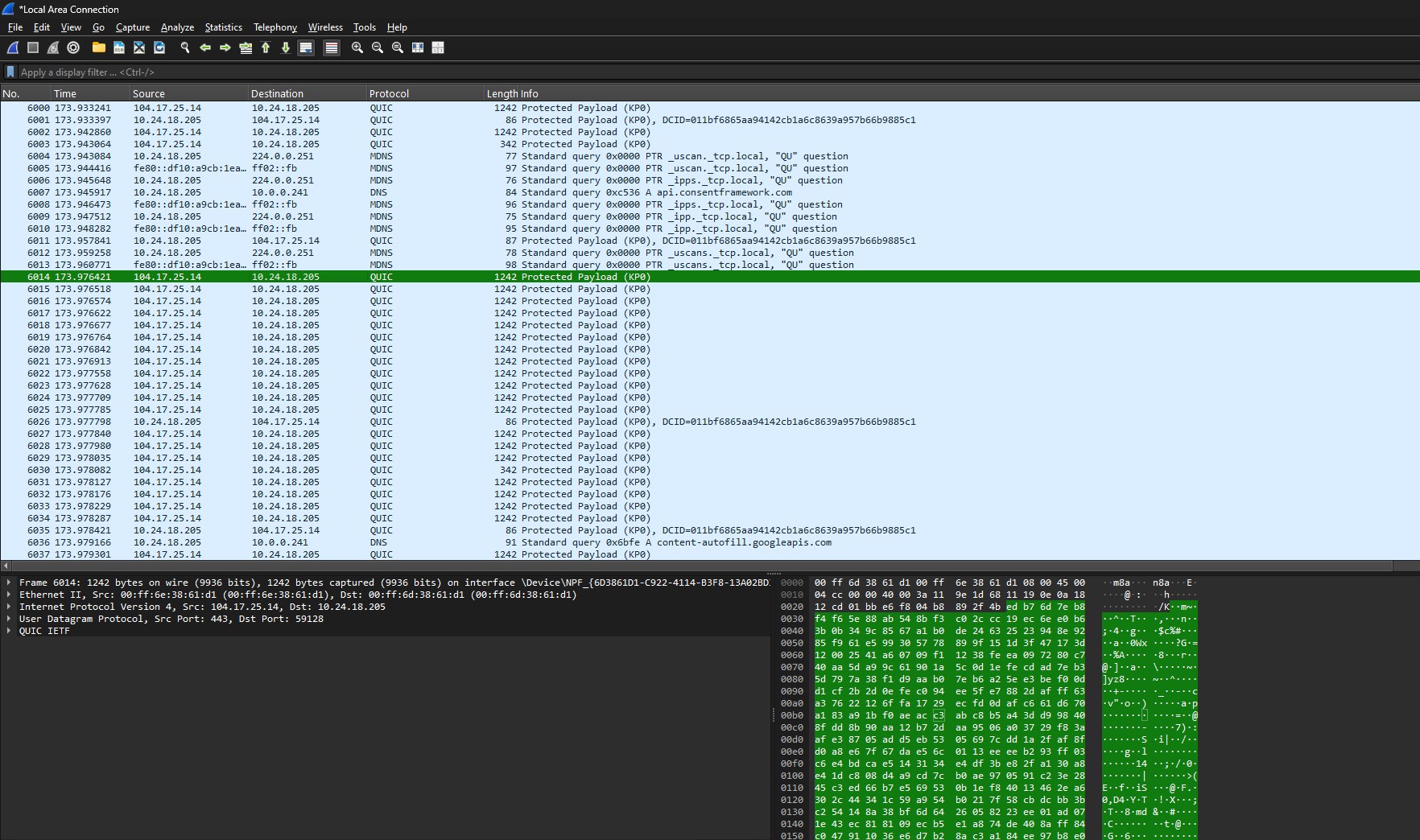
Norton VPN uses AES-256 encryption, the industry standard for data security. After reviewing the packets captured during our test with Wireshark, it was clear that it effectively encrypted our data, making sure a secure connection throughout our experience. This level of encryption helps protect your data from potential cyber threats.
IP Leak Test
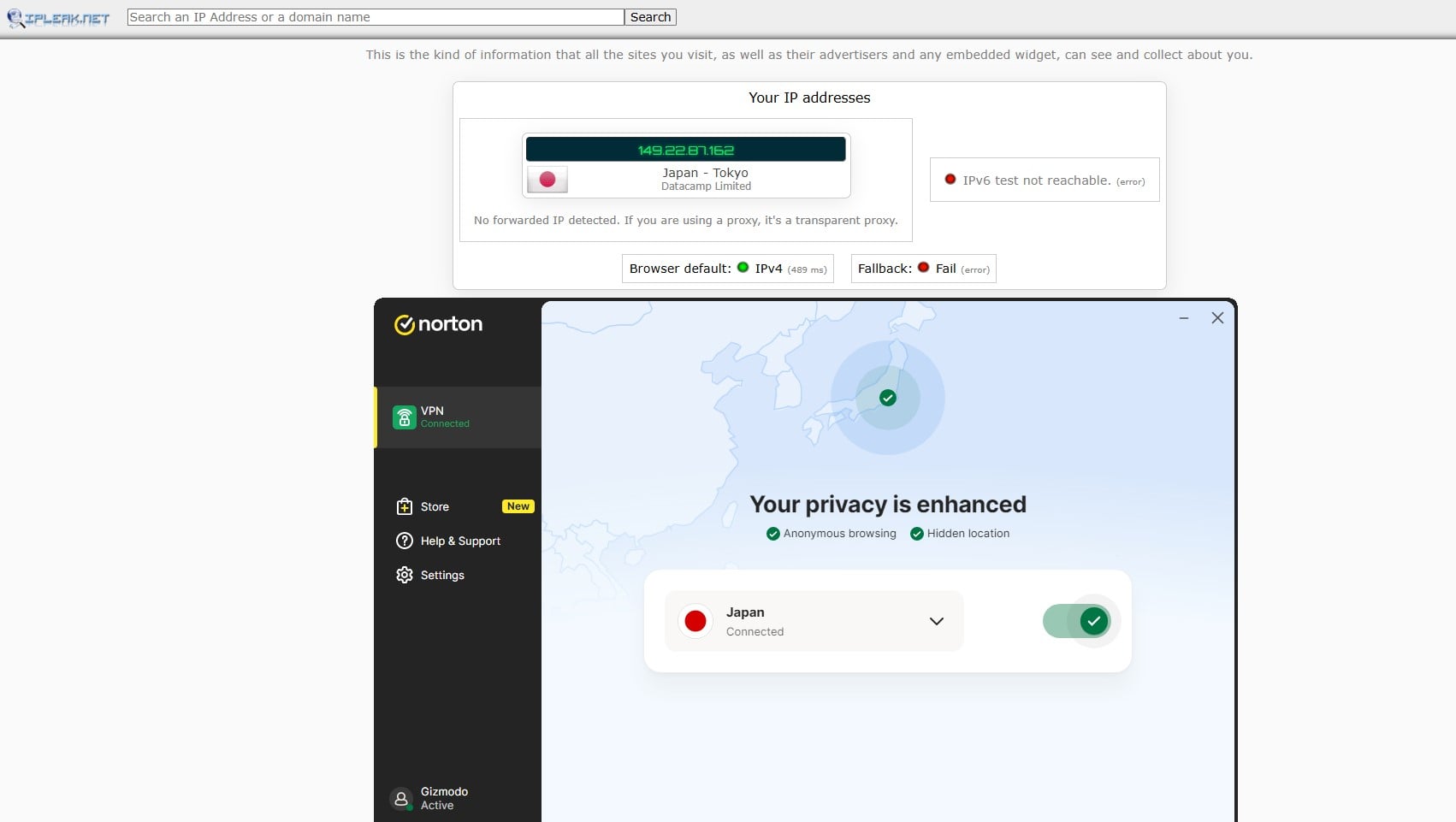
To determine Norton VPN protection, we conducted multiple IP leak tests on ipleaktest.com by connecting to different servers. It successfully masked our real IP address, ensuring anonymity when online. This shows that Norton Secure VPN performs reliably and prevents IP leaks that could expose your location.
DNS Leak Test
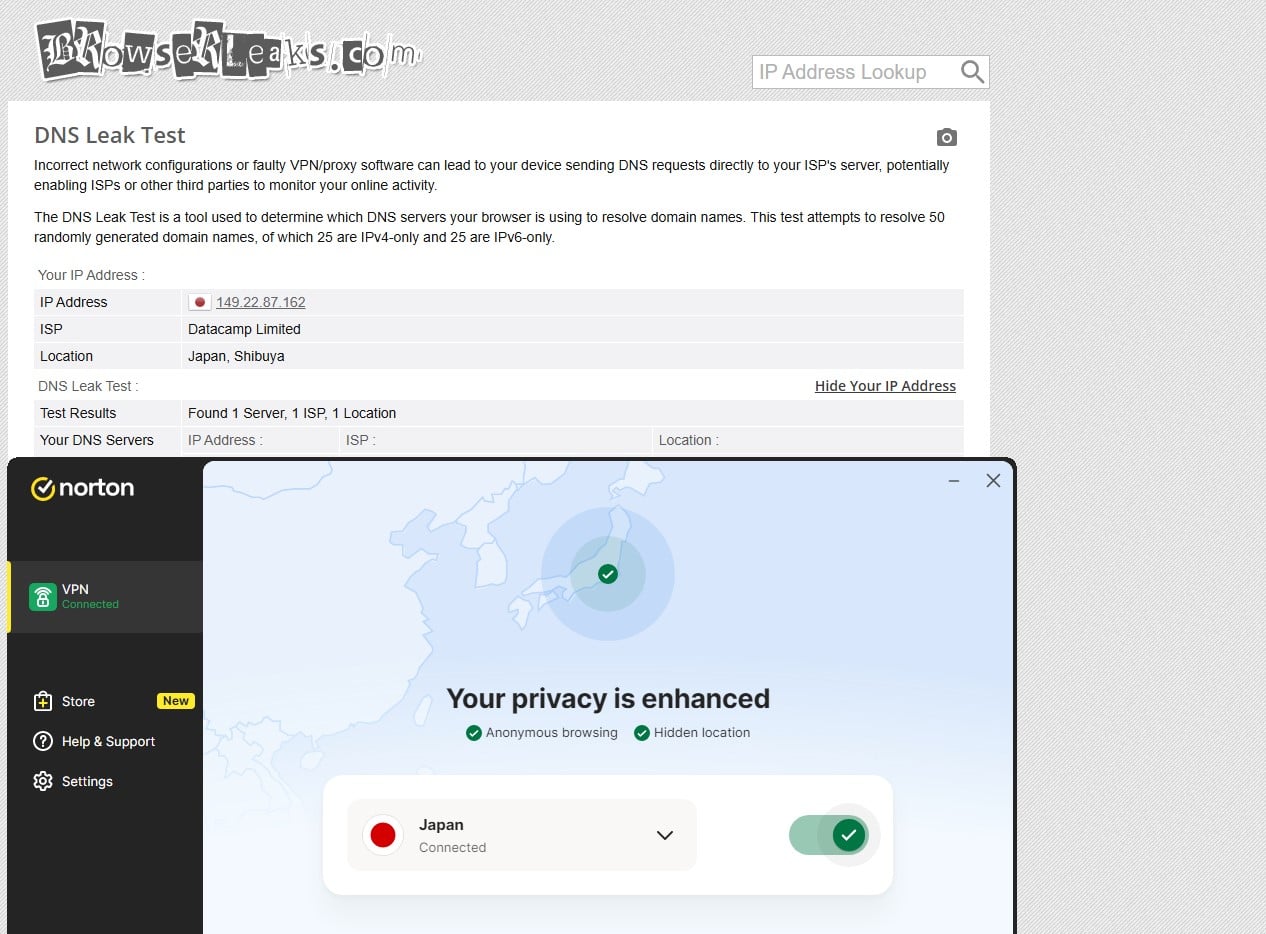
We also performed a DNS leak test using standard leak-checking tools like browserleaks.com. Norton VPN servers correctly routed DNS requests, preventing any exposure of our browsing information to third parties. Our analysis confirms that Norton Secure VPN effectively safeguards against DNS leaks, keeping your online activities private.
WebRTC Leak Test
WebRTC leaks are often a vulnerability for VPNs, especially in web-based applications. In our tests, Norton Secure VPN successfully blocked WebRTC leaks when tested on browserleaks.com, offering a fully protected browsing experience across all tested platforms.

Through our review and testing, Norton Secure VPN demonstrates solid encryption and leak protection. Despite the lack of additional features, Norton Secure VPN performs reliably in addressing privacy and security concerns.
Streaming, Torrenting and Gaming
For VPN users, a reliable experience of ad-free streaming, torrenting, and gaming is essential. In this review, we tested Norton VPN’s performance to assess whether it can handle the demands of daily use.
Based on our analysis and experience, here’s how Norton Secure VPN fared across each activity.
Access Various Streaming Platforms
Many users seek out a VPN for streaming access. During our review, Norton VPN managed to unblock the libraries of the most prominent platforms like HBO Max, Netflix, Amazon Prime Video, and Disney+.

While it could stream certain high-quality regional content, it becomes unusable in countries like India, Russia, etc.
In short, Norton VPN is promising in countries where its servers are available. For the best streaming experience, even in countries with strict restrictions, NordVPN, ExpressVPN, and Private Internet Access are your best options, thanks to their streaming-optimized servers. For example, they are among the best VPNs for Prime Video.
Are the Servers Torrenting Capable?
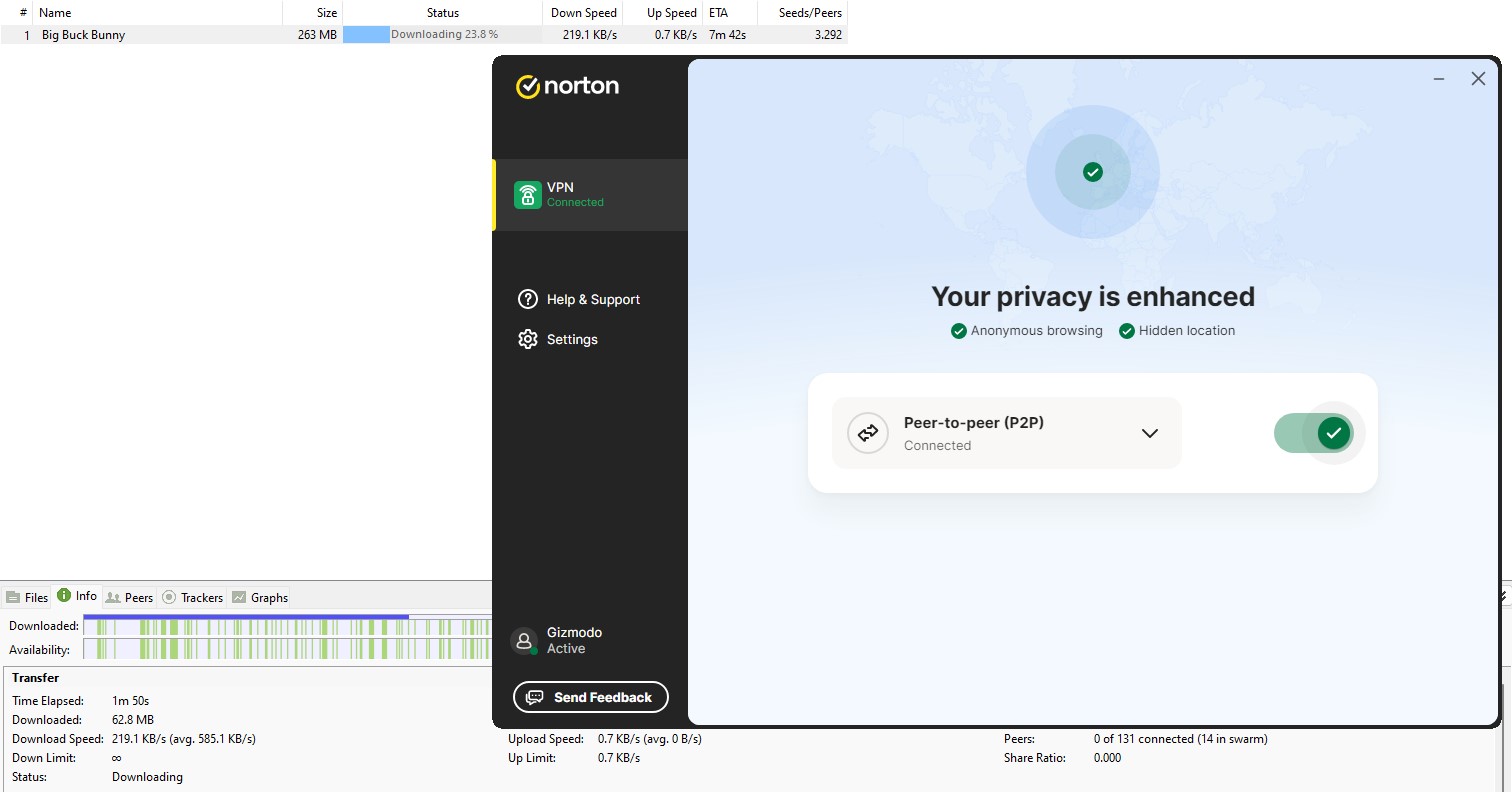
Norton Secure VPN includes dedicated P2P servers, but its performance in our tests could have been better. This is because it didn’t offer multiple servers for torrenting.
While the speeds were acceptable for small files, larger downloads showed slowdowns during congestion. Moreover, Norton lacks key torrenting features like port forwarding, which impacts its suitability for dedicated torrenting.
For users looking to torrent safely and protect their identity, NordVPN remains the best choice. Its dedicated P2P servers provide faster speeds and stable connections while maintaining security and privacy.
Can it get rid of Ads?
Norton Secure VPN’s Ad Tracker Blocking feature offers a decent layer of privacy by blocking standard ad trackers that follow you online. In our review, enabling this feature increased Norton Secure VPN’s score on the d3ward adblocker test from 10% to 87%, showing noticeable improvement in reducing targeted ads.

For those seeking better ad-blocking capabilities, we recommend NordVPN’s Threat Protection, which scored 98% on the same test while offering customization.
What About Gaming?
Low latency and stable connections are crucial for gaming. Our speed test results showed that Norton Secure VPN’s gaming performance was mixed.
Nearby servers maintained playable ping rates, but long-distance connections experienced higher latency, making them less reliable for fast-paced online games. While Norton VPN may work for casual gaming, serious gamers might find more consistent performance with some of the best gaming VPNs.
Norton VPN: A Missed Opportunity?
In our in-depth review, Norton Secure VPN proves reliable in basics but misses key features that could make it stand out from its competitors. Here’s a quick analysis of its limitations.
- No Server Transparency: Norton Secure VPN provides decent coverage, but the exact number of servers and whether they’re physical or virtual are unclear. This lack of transparency impacts user trust, especially when most competitors openly share server details.
- No Servers in Restrictive Regions: Unlike other VPNs, Norton does not offer virtual servers in restricted countries. If you’re trying to access geo-restricted content in such regions, this absence is significant.
- No Advanced Features: While Norton Secure VPN covers essentials, it lacks advanced options, which many users now expect. Even the features offered in other premium plans don’t reach a wider audience.
- Premium Features Locked in Higher Plans: Despite being affordable, Norton’s best features are reserved for Ultra and Ultra Plus plans, leaving standard users with a pared-down experience and fewer privacy tools.
- Only Annual Plans Available: Norton only offers annual plans, which lack short-term and long-term options. This limits flexibility for those who want to test the service over a shorter period or get it for more extended periods to avail of discounts.
- No Consistency in Offerings: The best VPNs usually offer similar features across all platforms. However, Norton Secure VPN features are platform-specific, which can affect users who want certain features on a specific platform.
Ultimately, Norton Secure VPN remains a mediocre choice with these restrictions. To avoid these, we recommend NordVPN, ExpressVPN, and Private Internet Access, as they offer a complete experience.
Ease of Use & Compatibility
A good VPN should be easy to use across devices, providing a seamless experience whether you’re on mobile, desktop, or beyond. Here’s our analysis and review of how reliable Norton Secure VPN is in terms of usability.
Norton VPN App Interface
The Norton Secure VPN app offers a fluid experience on both mobile devices and PCs. The interface is simple and easy to navigate, making it possible to connect with just a tap or click. Plus, choosing a server is straightforward, and you have the flexibility to pick the best servers based on the location.

With dedicated sections for various settings, it avoids unnecessary clutter and doesn’t require any learning curve, providing a beginner-friendly user experience.

Device Compatibility
Norton VPN is compatible with Windows, macOS, Android, and iOS, covering essential devices for most users. However, compared to some other providers, Norton’s compatibility may need to improve for those who need support for less common systems like Linux.
Up to 5/10 Simultaneous Connections
Norton Secure VPN allows up to 5-10 simultaneous device connections based on the plan. However, in some regions, this is limited to just one device, which is disappointing as the license needs to be transferred between devices.
It is always better to consider VPNs with more than 5 simultaneous device connections. This allows more device coverage and keeps you private and secure on all your devices. We recommend Private Internet Access for its unlimited simultaneous connections. It’s a great VPN for protecting multiple devices.
Router Compatibility
While Norton doesn’t offer direct router support, it can be configured on select routers that support OpenVPN. However, users may struggle with the setup due to limited guidance. The available setup guide is quite generic, so users often need to contact customer support for help.
Customer Support
When choosing a VPN, having access to responsive and effective customer support is crucial. Whether you’re troubleshooting connection issues or configuring your VPN settings, support quality can significantly impact your overall experience.
We analyzed and reviewed Norton VPN’s support channels, response quality, and self-help resources to assess its support capabilities in meeting user needs.
Available Support Channels
Norton VPN provides a range of support options, including a community forum (which varies by region), live chat, and even a phone line. In our experience, connecting with an agent on live chat took longer than expected, but the availability of a phone support line sets Norton apart.
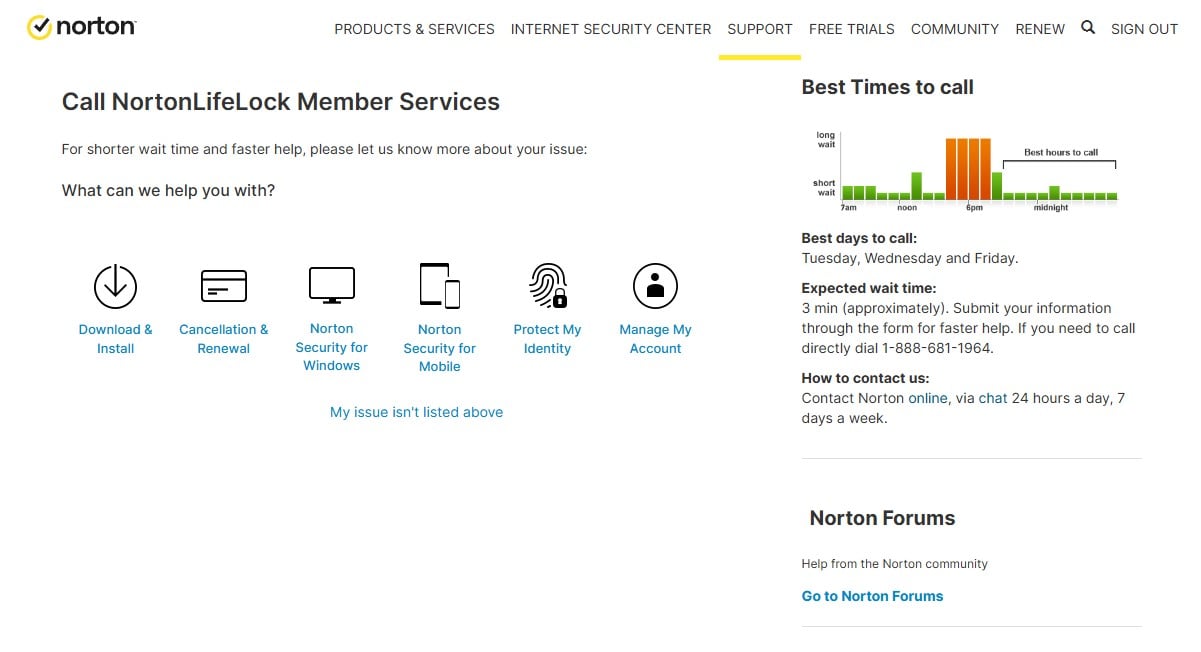
Additionally, they offer remote assistance and follow-up until the issues are resolved, which can be particularly helpful for users needing hands-on help.
Response Quality
To reach a Norton agent, you must first fill out a form, after which assistance is typically provided within 15 minutes.
During our call test, we waited around 5 minutes to connect to an agent. Once connected, we found the support team responsive, capable of addressing our concerns effectively, and providing reliable remote assistance.
Self-Help Resources
Norton’s self-help resources include a collection of clear support articles, though the lack of images may make instructions harder to follow for some users. Nevertheless, with Norton’s user-friendly interface, we found the steps straightforward.
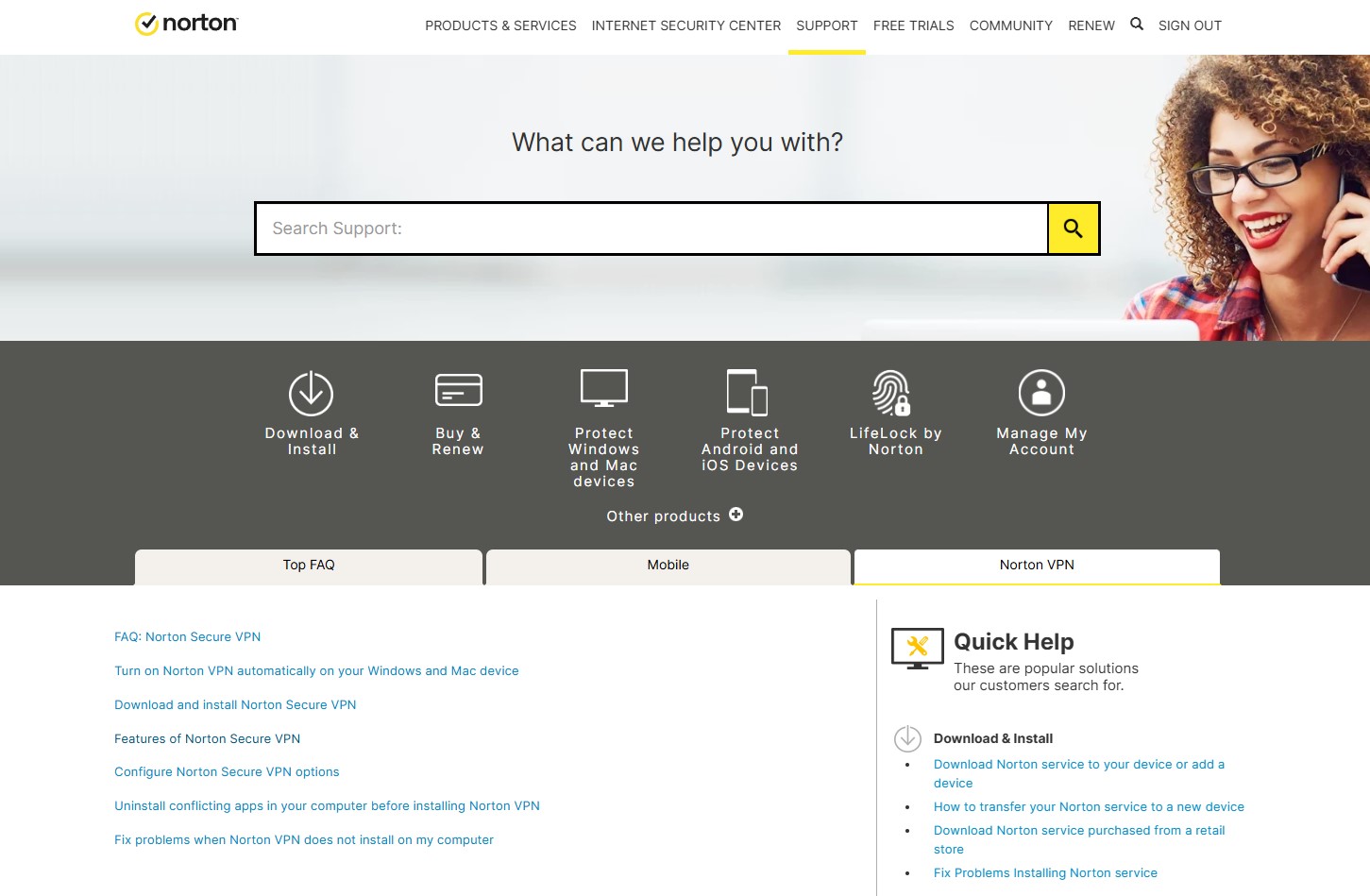
The community forum offers another layer of support, allowing users to explore solutions and troubleshoot independently, though response times can vary.
Final Verdict: A Secure VPN with Missed Potential
Norton VPN offers a solid foundation in basic VPN functionality, leveraging Norton’s reputation for cybersecurity. The VPN shines in its essential security features like AES-256 encryption, a kill switch, split tunneling, and reliable connection stability. However, as a VPN service, it lacks the transparency, flexibility, and advanced features that many users have come to expect.
While affordable in its first year, Norton Secure VPN’s steep renewal costs, lack of server transparency, excessive data gathering, and absence of coverage in restrictive regions make it a limited choice. Additionally, the fact that some of Norton’s top features are reserved for more expensive plans means users on the standard plan miss out on tools available in more versatile VPNs.
Norton VPN may work for users seeking basic privacy and security for daily browsing and selective streaming, but for a more comprehensive VPN experience, alternatives like NordVPN, ExpressVPN, and Private Internet Access provide broader features, consistent performance, and better value overall.
In this in-depth review, we conclude that Norton VPN is a decent, entry-level option but falls short for users looking for a robust, all-around VPN service.