
Speedify combined my Ethernet connection and a USB-tethered Android phone into 424.88 Mbps on a London server, about 2.6 times what Ethernet recorded alone on Speedify’s London servers. Channel bonding, its headline feature, works. It took one settings change, though. By default, Speedify treats a phone as a secondary connection and uses only part of its speed.
On a single connection, it’s a much weaker VPN. My Speedify review found that it lost almost half its speed on a Tokyo server and couldn’t unblock BBC iPlayer, ITVX, Prime Video, or Netflix Japan. Under its privacy policy, Speedify also keeps your IP address for six months. I tested everything on Speedify’s paid plan.
Speedify makes sense if you have a second connection to add, like a phone in an RV or a backup line for live streaming. If you have one home connection and want streaming libraries or an audited no-logs policy, skip it.
Speedify
Speedify is a bonding tool first and a VPN second. With two connections, it adds speed and keeps you online when one drops, and its kill switch is strict. On a single connection, it’s slow on distant servers, weak for streaming, and keeps more logs than audited no-log VPNs.
Pros
- Channel bonding that adds speed
- Failover to cellular without dropped pings
- Strict kill switch that passed every test
- No DNS, WebRTC, or IPv6 leaks
- Linux and OpenWrt router support
Cons
- Phone not fully used on default settings
- Stream stalls when Ethernet comes back
- Logs IP addresses
- P2P limited to specific servers
How I Tested Speedify
I tested Speedify in October on the paid Individual plan, which I activated through the 7-day free trial in its Windows app. The trial unlocks the full paid service, and I didn’t use a free account for any test result.
- Speed: a Windows 11 PC in Europe on a wired 190.36 Mbps connection (19.37 Mbps upload, 10 ms ping), tested on Speedtest through London, New York, and Tokyo servers with default settings.
- Channel bonding: the same Ethernet connection plus an Android phone on USB tethering, which recorded 328.84 Mbps on mobile data without a VPN. Every bonding test used Speedify’s London servers, and the Ethernet-only and combined tests used the same Speedtest server.
- Streaming: seven services, with Bypass and ad blockers disabled, after clearing cookies and cache.
- Security: BrowserLeaks for IP, WebRTC, IPv6, and DNS leaks, plus cable pull, process kill, and PC restart tests on the kill switch.
- Torrenting: a Linux Mint ISO in qBittorrent through Speedify’s Torrent Friendly Server in Amsterdam.
Channel Bonding With Ethernet and a Phone
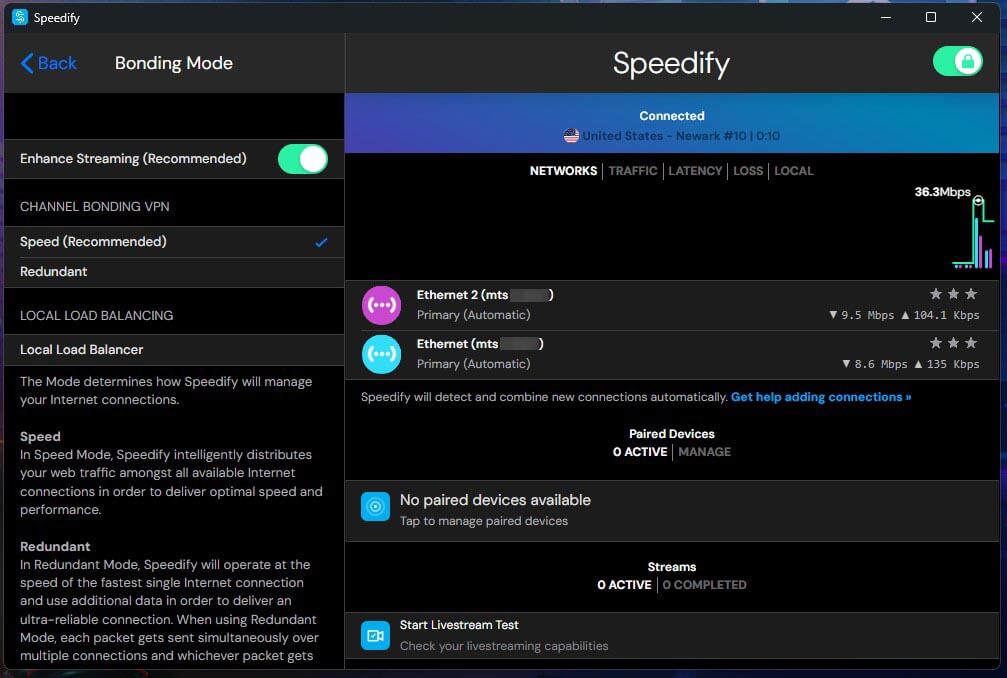
Channel bonding splits your traffic across several internet connections at once, through one encrypted tunnel to a Speedify server. When I plugged in the phone, Speedify detected it automatically and listed it as a second connection set to Automatic, which it showed as Secondary. I tested each connection alone, then together, through Speedify’s London servers.
| Setup | Download | Upload | Ping |
| Phone alone, no VPN | 328.84 Mbps | 117.93 Mbps | 15 ms |
| Ethernet only | 166.06 Mbps | 18.67 Mbps | 40 ms |
| Phone only | 327.00 Mbps | 126.02 Mbps | 60 ms |
| Both, default settings | 214.90 Mbps | 109.31 Mbps | 44 ms |
| Both, phone set to Primary | 424.88 Mbps | 131.46 Mbps | 42 ms |
| Both, Redundant mode | 291.89 Mbps | 112.05 Mbps | 40 ms |
On Default Settings
With both connections on Automatic and Bonding Mode on Speed, download speed went from 166.06 Mbps to 214.90 Mbps, a 29% gain. Upload rose from 18.67 Mbps to 109.31 Mbps, almost six times faster. Speedify’s Secondary Threshold, set to 30 Mbps in my Windows app, brings in Secondary connections when Primary speed falls under it.
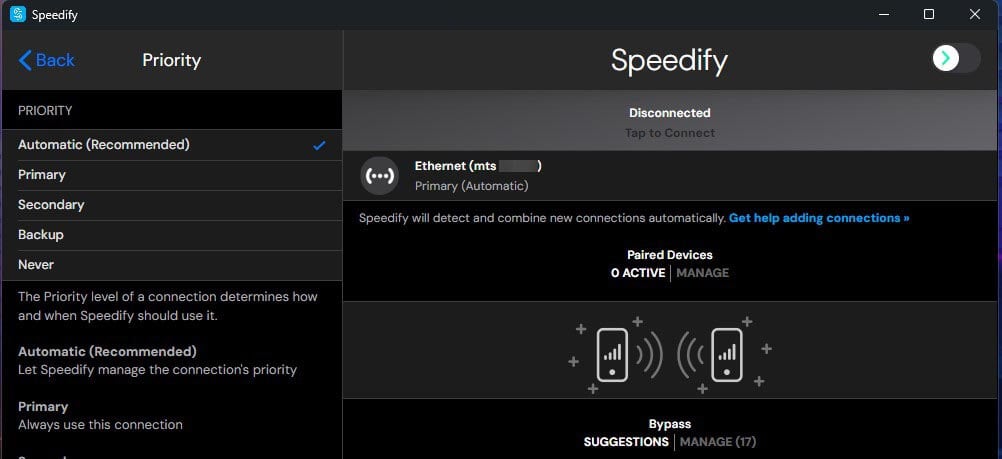
My Ethernet upload is about 19 Mbps, which likely explains why most of the upload went over the phone. Setting a connection to Never works as described. With the phone on Never, its data counter didn’t move during the Ethernet-only test.
With the Phone Set to Primary
To use the phone fully, click its connection in Speedify’s list and change Priority from Automatic to Primary. With the phone on Primary, Speedtest recorded 424.88 Mbps down and 131.46 Mbps up, with a 42 ms ping. Speedify’s own graph peaked at 518.6 Mbps during the test, about the sum of my Ethernet baseline (190.36 Mbps) and the phone’s speed without a VPN (328.84 Mbps), recorded separately. The Speedtest result is 82% of that sum, under the “up to 95%” Speedify advertises.
In Redundant Mode
Redundant mode sends every packet over both connections at once, so the data still arrives if one of them drops. Speedify pitches it for live streams and video calls. Download speed fell to 291.89 Mbps, under the phone’s 327.00 Mbps on its own, and upload was 112.05 Mbps.
Mobile Data Used
Bonding uses mobile data fast. A single phone-only Speedtest used 0.85 GB, the test on default settings used 0.28 GB, and the Primary and Redundant tests used 1.70 GB between them. On a limited mobile plan, set a data limit for the phone in its connection settings.
Failover When the Ethernet Cable Comes Out
For this test, I kept the default settings, played a YouTube live stream, and left a continuous ping going in Command Prompt. Then I pulled the Ethernet cable. The stream kept playing. One ping reply took 200 ms as Speedify moved the traffic to the phone, and ping then settled at 60 to 91 ms, up from about 42 ms over Ethernet.
Plugging the cable back in went worse. The ping showed a single 280 ms spike and was back to about 42 ms in five seconds, and none of the 133 pings in the test were lost. The live stream still paused for about 25 seconds on my first try, and on the second it stopped and started several times before it settled. Failover to the phone is smooth, while the switch back to Ethernet interrupts live video.
Speed on a Single Connection
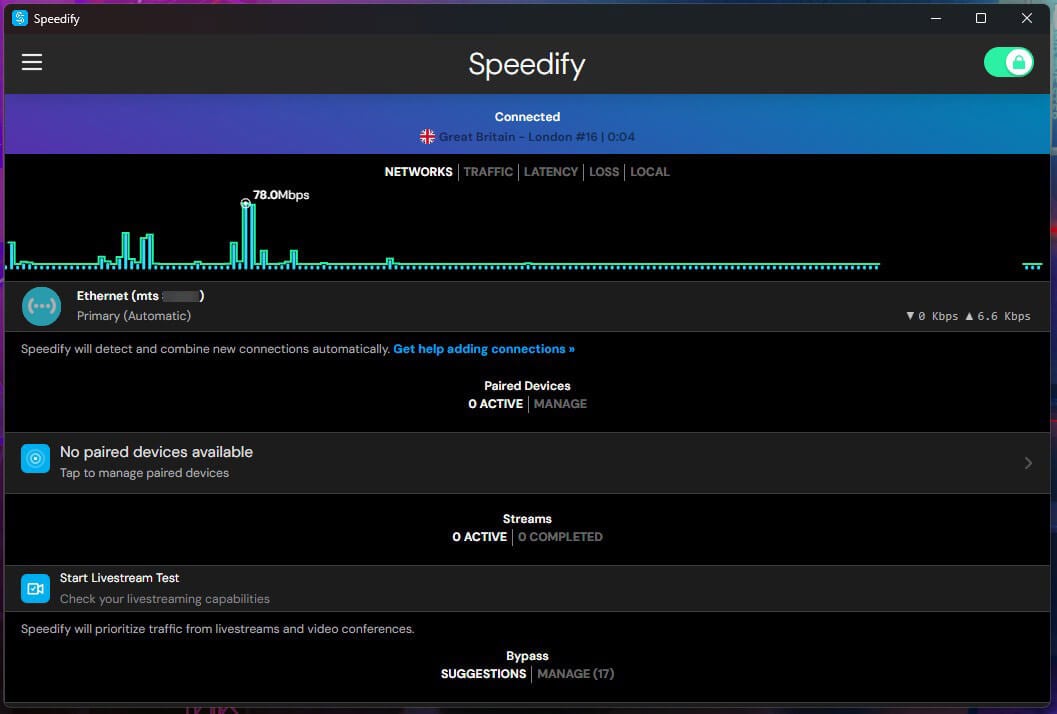
Without a second connection, Speedify works like any other VPN, and distance hurts it. On my 190.36 Mbps line, download speed dropped 7.4% on the London server, 30.8% on the New York server, and 44.9% on the Tokyo server. That’s a 27.7% speed loss on average. NordVPN lost 7.8% of its speed on average across the same three server locations.
| Server | Download | Upload | Ping | Speed loss |
| No VPN | 190.36 Mbps | 19.37 Mbps | 10 ms | None |
| London | 176.31 Mbps | 18.32 Mbps | 42 ms | 7.4% |
| New York | 131.69 Mbps | 14.87 Mbps | 121 ms | 30.8% |
| Tokyo | 104.83 Mbps | 11.76 Mbps | 270 ms | 44.9% |
Upload dropped with distance too, to 11.76 Mbps on the Tokyo server, a 39.3% upload loss. Speedify was on its defaults: Auto transport mode, Speed bonding mode, and encryption enabled. Speeds also vary between sessions. My Ethernet-only bonding test, done separately, recorded 166.06 Mbps on the London server.
Streaming With Bypass Disabled
Speedify states that it doesn’t unblock geo-restricted content, and its Bypass feature reflects that. On Windows, Bypass sends 11 services outside the VPN by default, including Netflix, Hulu, HBO, and Peacock, so those services see your own IP address and show your local catalog. The Android app lists 25. Before testing, I disabled Bypass and ad blockers and deleted cookies and cache.
| Streaming service | Server | Result |
| Netflix US | US | Unblocked |
| Prime Video | US | Blocked |
| Netflix UK | UK | Unblocked |
| Channel 4 | UK | Unblocked |
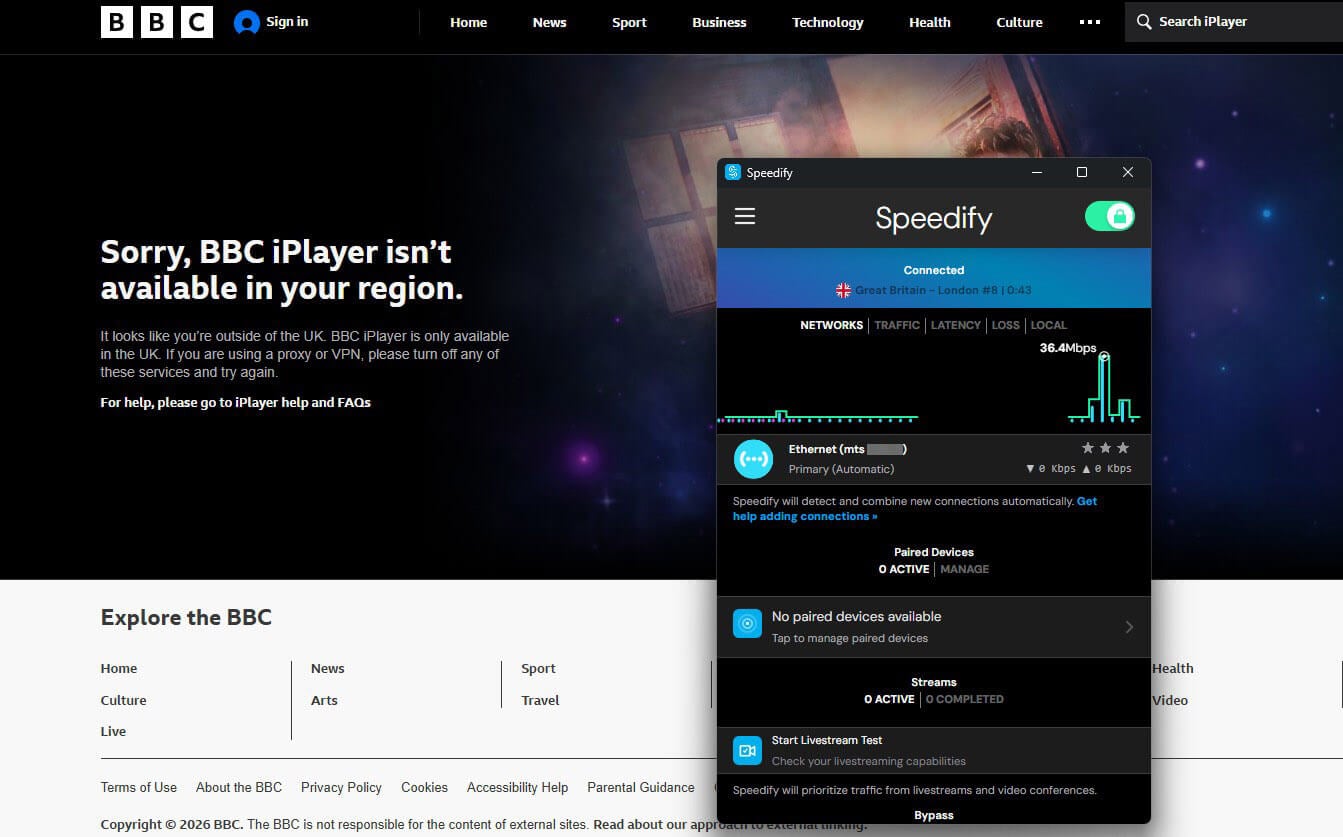
| BBC iPlayer | UK | Blocked |
| ITVX | UK | Blocked |
| Netflix Japan | Japan | Blocked |
Speedify unblocked Netflix US, Netflix UK, and Channel 4. It couldn’t unblock Prime Video, BBC iPlayer, ITVX, or Netflix Japan, which showed geo-restriction messages or wouldn’t play. With Bypass on its default setting, Netflix would skip the VPN and show the library for your own country.
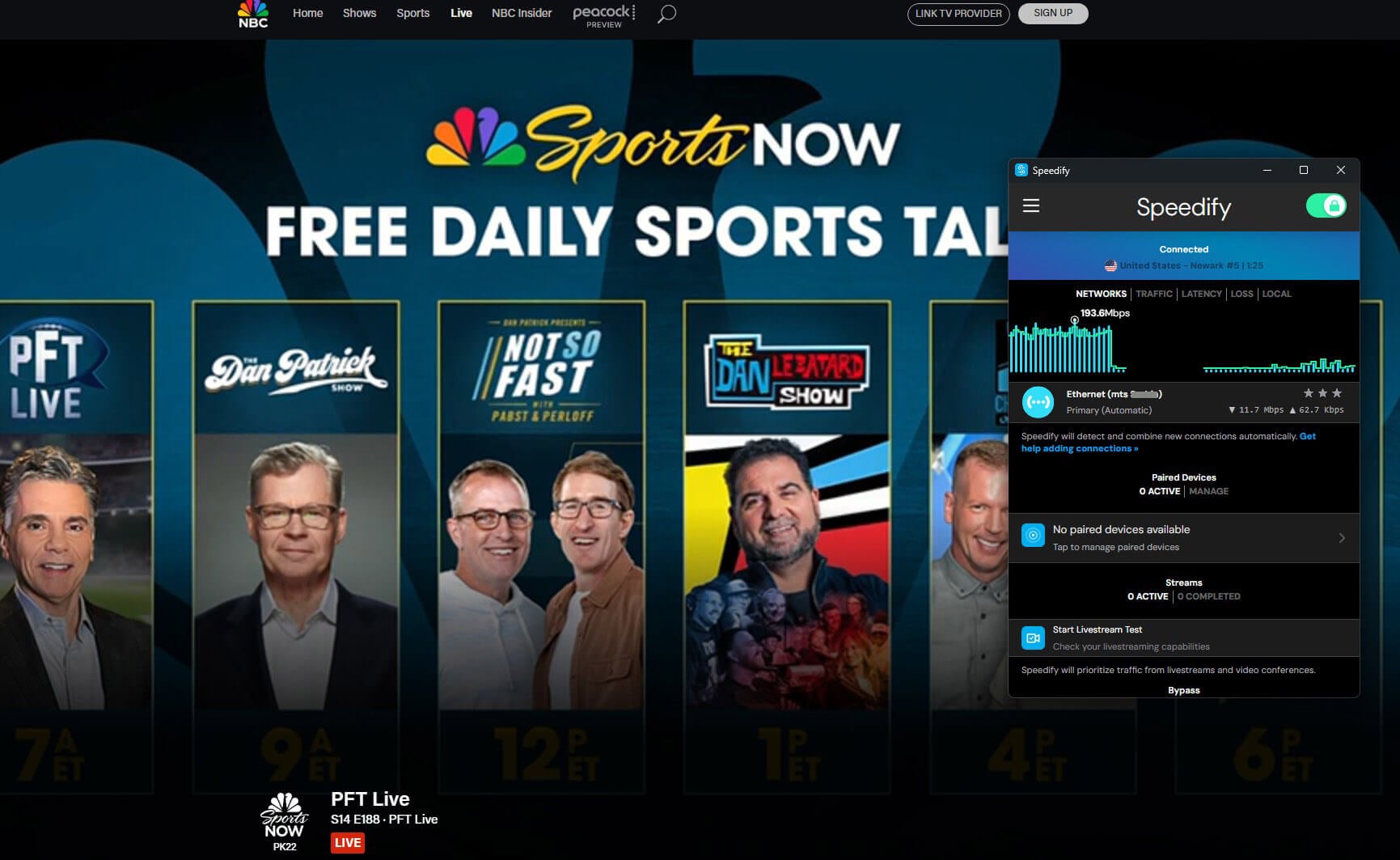
For libraries past Netflix US and UK, and for BBC iPlayer, I’d go with one of the VPNs that work with Netflix in more regions.
Torrenting Only Through Amsterdam
Speedify allows P2P traffic only through its Torrent Friendly Server in Amsterdam, and its terms of service prohibit BitTorrent on servers not marked for P2P. When I started a torrent on a US server, Speedify offered to move me to its P2P server, which switched the connection to the Netherlands.
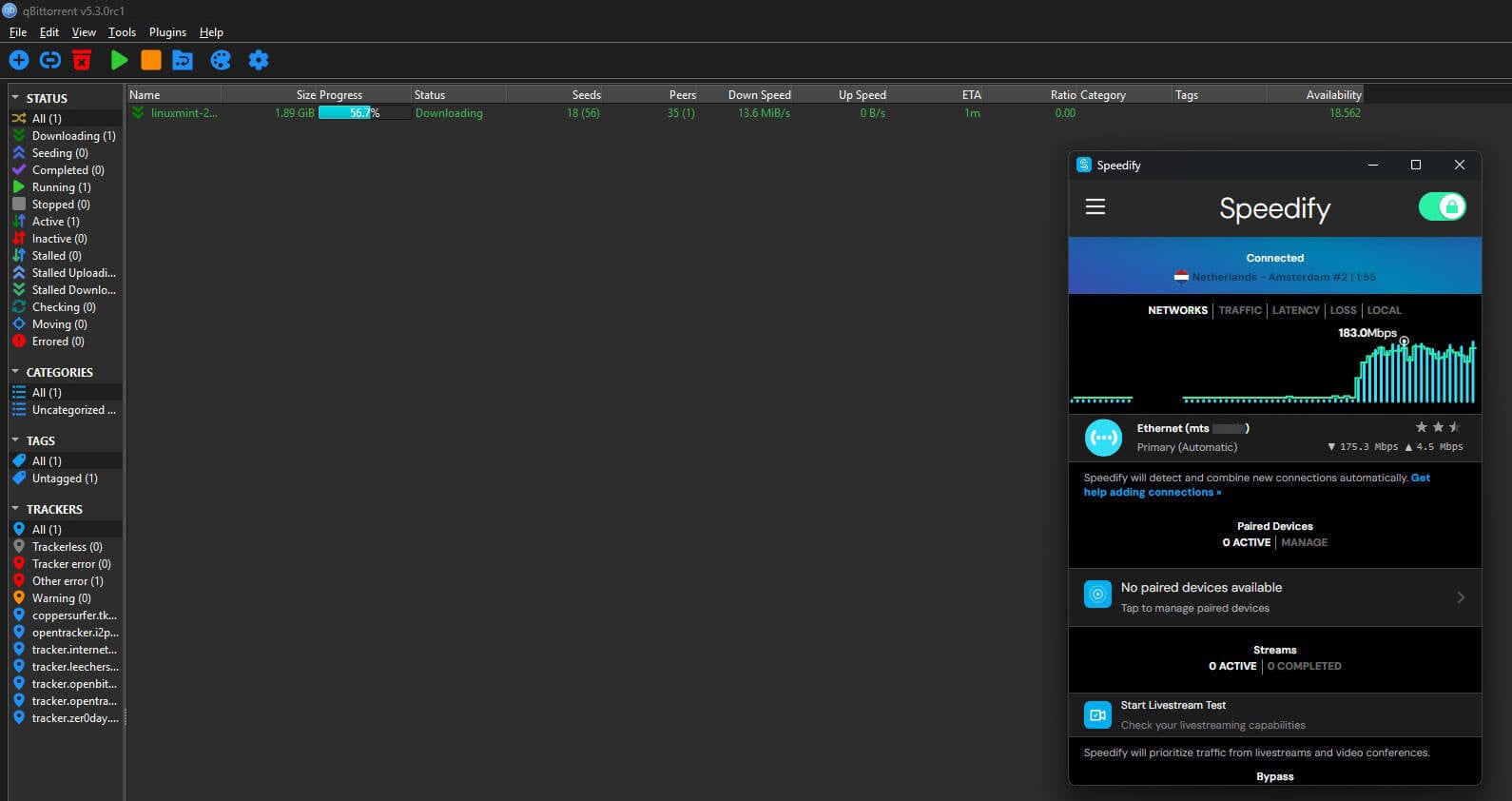
Connected through it (the app showed Amsterdam #2), a 1.89 GiB Linux Mint ISO (about 2 GB) downloaded in qBittorrent at 12.9 MiB/s on average, or about 108 Mbps, with a 13.6 MiB/s peak. The speed is good, but the single location is limiting. You can’t download torrents in Amsterdam and keep a US IP address for live sports or a free NFL stream during the same session.
Encryption, Leaks, and the Kill Switch
Encryption and Protocols
Speedify uses its own bonding protocol over DTLS 1.2, with AES-256-GCM on devices whose chips support AES acceleration and ChaCha20-Poly1305 on the rest. There’s no WireGuard or OpenVPN, so the usual OpenVPN and WireGuard trade-offs don’t apply. Transport modes are Auto, UDP, TCP, Multi TCP, and HTTPS. HTTPS mode uses port 443 for networks that block VPN traffic, and Speedify calls it the slowest mode.
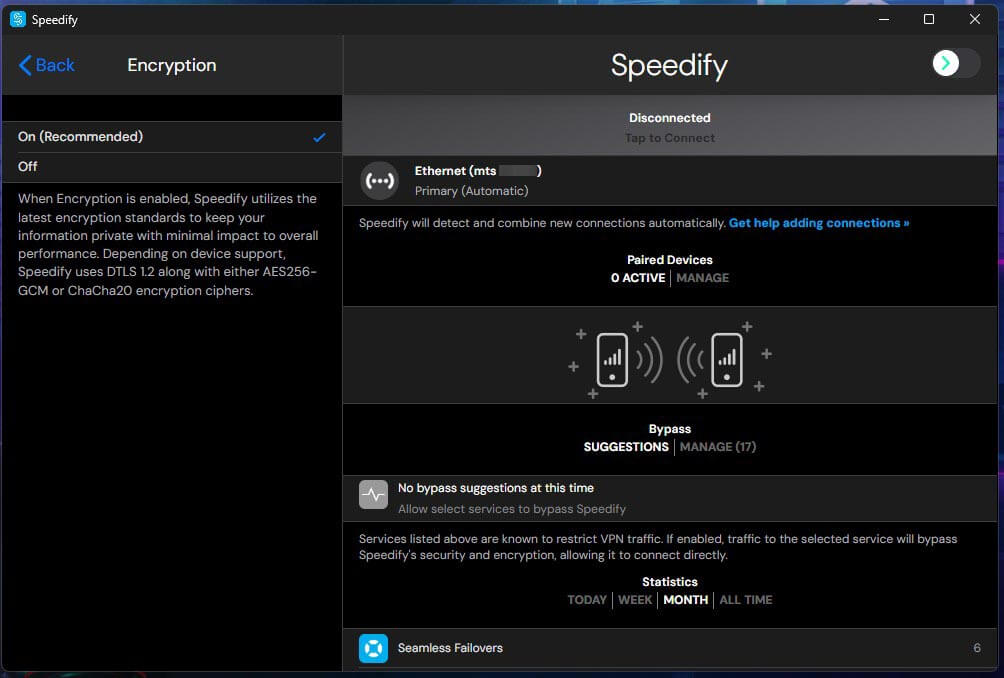
Speedify has no dedicated obfuscation feature, and its own support pages warn that it may not work in China or Iran. If your main goal is to unblock websites on a restricted network, pick a VPN with obfuscation. Speedify also lets you disable encryption for a small speed gain, which leaves your traffic visible to your ISP and others on your network.
Leak Tests
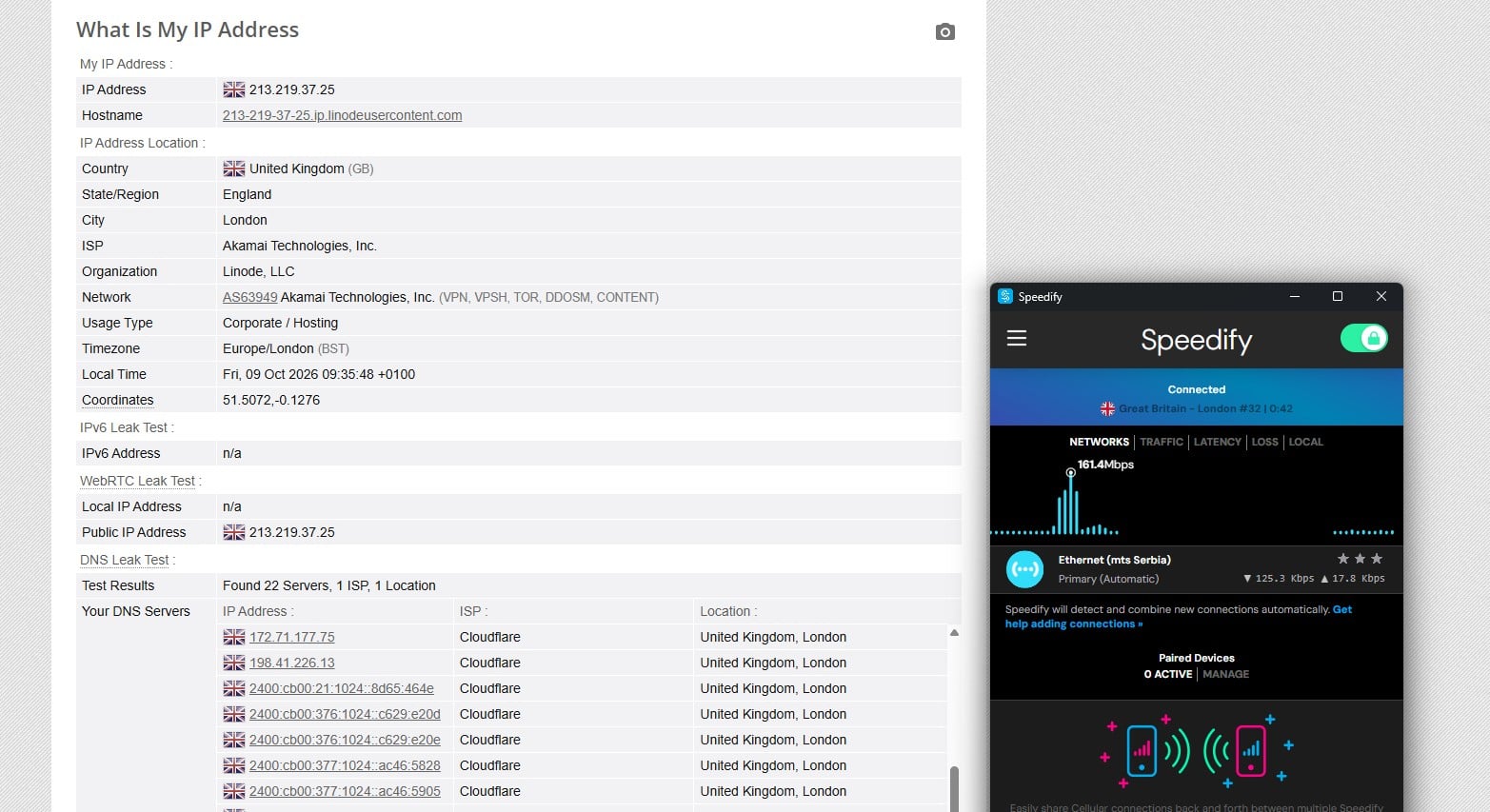
On a London server, BrowserLeaks showed a UK IP address with no WebRTC leak and no IPv6 IP address. On the default Auto DNS setting, its DNS test found 22 servers, every one of them a Cloudflare server in London, and my ISP’s DNS servers didn’t appear. In the Windows app, DNS and IP leak protection are enabled by default.
Kill Switch
Speedify’s Internet Kill Switch is off by default, with a single On or Off setting. Once enabled, it’s strict: it blocks all traffic while Speedify is disconnected, including when you disconnect it yourself. My connection dropped the moment I enabled it, before I’d connected to a server. It passed my cable pull, process kill, and PC restart tests. The catch is availability. Speedify offers the kill switch only in its Windows, iOS, and Android apps, so Mac and Linux users go without one.
Logging and the Privacy Policy
Speedify keeps connection logs. Its privacy policy, last updated in October 2022, says it collects your IP address and device ID when you connect, with when each connection starts, how long it lasts, and how much data it uses. It deletes that data after six months. The app’s privacy notice also lists the network location of your first connection, and App Analytics stays off unless you enable it.
The policy says Speedify doesn’t record the websites you visit or the data you exchange, and its features page adds that DNS requests aren’t logged. It also says Speedify doesn’t provide governments with access to its data unless the law requires it, and its backend servers are in the United States. No independent audit has checked any of these claims, and Speedify publishes no transparency report.
A US base doesn’t rule out a strong no-logs policy. Private Internet Access, also a US company, couldn’t hand over user logs when the FBI requested them in two court cases. For privacy first, I’d pick one of the VPNs with audited no-log policies.
Who Makes Speedify
Connectify, the Philadelphia company behind Connectify Hotspot, launched Speedify in 2014. In 2011, In-Q-Tel, the venture firm that invests on behalf of the CIA and other US intelligence agencies, made an undisclosed investment in Connectify. The only independent review Speedify points to is a MASA security assessment of its Android app by the DEKRA lab.
It covers the Android app alone. Speedify’s servers and logging policy haven’t been audited. In 2025, the security firm SecureLayer7 disclosed a flaw in the macOS app’s helper tool that allowed root access. Speedify says it fixed the flaw in version 15.2 and that Mac App Store installs weren’t affected.
Servers and Locations
Speedify lists servers in 37 countries and 57 cities, and the server list in its app also showed 37 countries. It doesn’t publish a server count, and there are no servers in India, Hong Kong, or Taiwan. The London server’s IP address belonged to Linode, Akamai’s cloud hosting service, so Speedify rents at least part of its network.
VyprVPN, by comparison, owns its servers. Free accounts see the same server list as paid ones, though Speedify says paid plans add Premium Servers.
Apps and Ease of Use
I found Speedify’s Windows app confusing. The home screen shows connection statistics, the server list is behind the three-line menu under Server, and there’s no server search, so you scroll the list by hand, which is baffling. The window resizes freely, which helps, but the app still doesn’t look good to me.
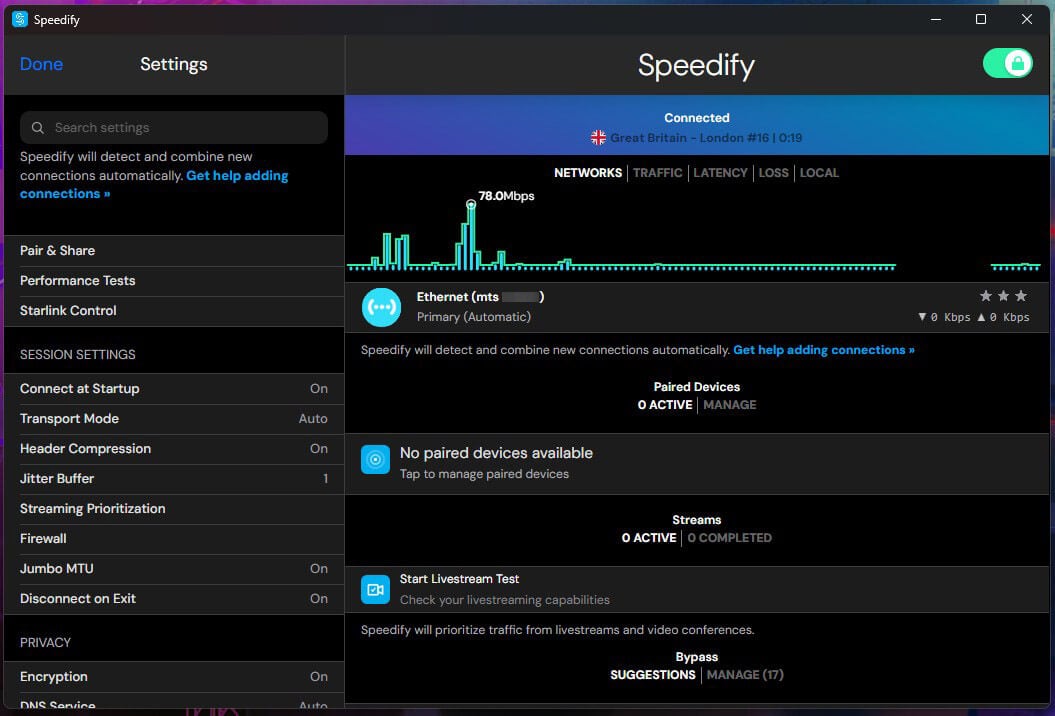
One account covers five devices at once. Speedify supports these platforms:
- Windows 10 and later, and macOS 11.5 and later
- iOS 17 and later, and Android 9 and later
- Linux: Ubuntu, Debian, and Raspberry Pi OS
- OpenWrt routers
- Fire TV through sideloading with the Downloader app, on Fire OS 7 or 8 only
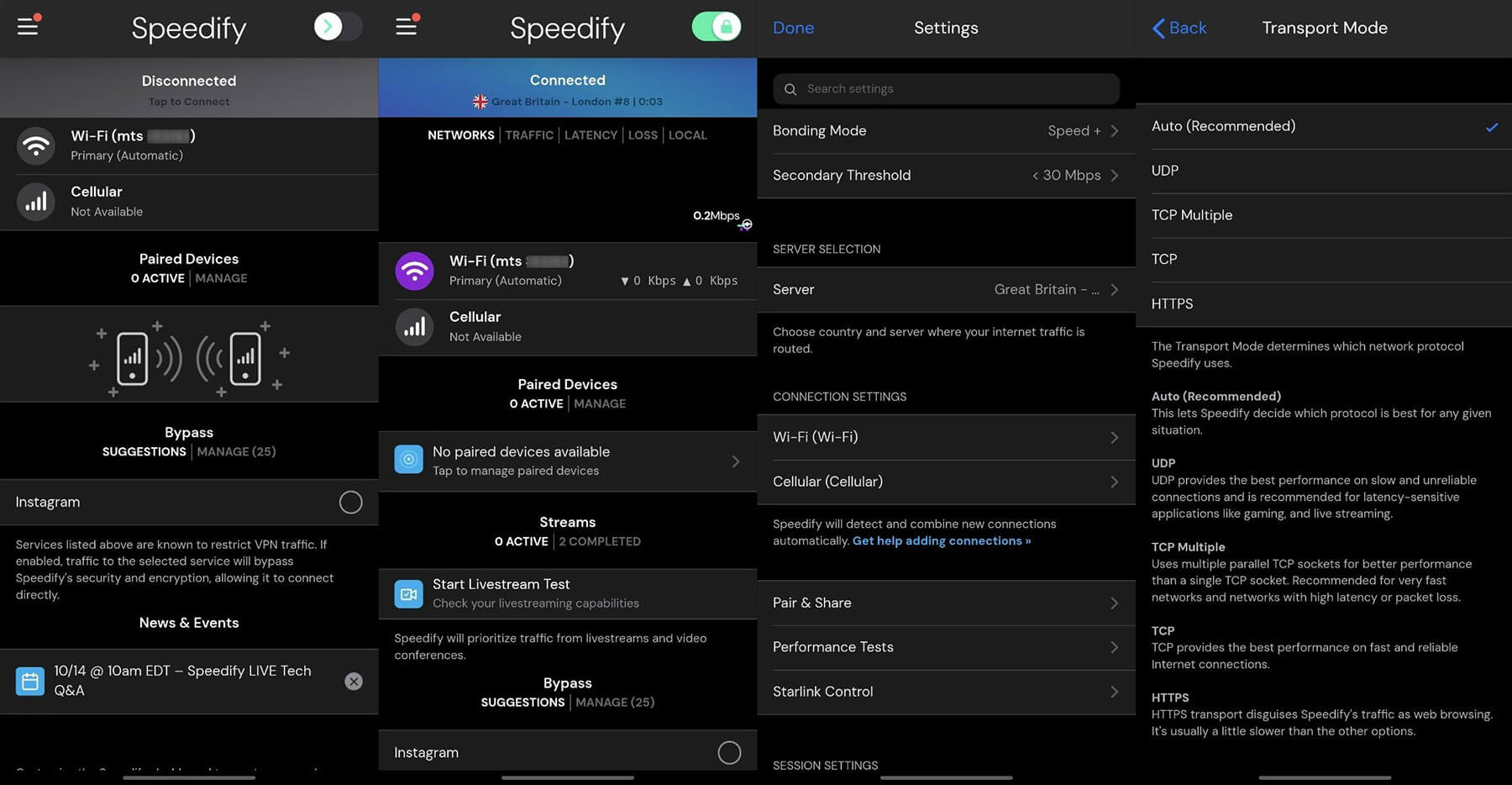
There’s no Apple TV app and no browser extension. On Android, the Bypass list includes 25 services by default, and Pair & Share paired my devices on the same account automatically. Pair & Share lets Speedify devices on one local network share their cellular connections, and shared data counts as tethering on your mobile plan. If a phone is your main device, the best VPNs for Android have simpler apps.
Price per Month, Free Plan, and Refunds
Speedify is expensive for a VPN, even on its longest plan, and most cheap VPNs charge less for a two-year term. Here are its plans:
- Individual: $179.99 for three years ($4.99 a month), $89.99 a year ($7.49 a month), or $14.99 monthly, for five devices
- Families: $270 for three years, $135 a year, or $22.50 monthly, for five accounts with five devices each
- Teams: $89.99 per user a year or $14.99 per user monthly, with central management and no cap on users
- Routers: data tiers from 100 GB to 3 TB, at $129 to $450 a year
- Dedicated server: $900 a year or $120 a month, with a static IP address and port forwarding
- Free: 5 GB of data a month with a free account
Free Trial, Cancellation, and Support
The Windows app offers a 7-day free trial of the yearly Individual plan. Checkout shows $0.00 due, though it still requires a card, PayPal, or Venmo, and the trial turns into the $89.99 yearly subscription unless you cancel. Speedify also accepts Apple Pay and Google Pay, but not cryptocurrency.
To cancel, sign in to your account on Speedify’s site, select View/Edit Billing, then Cancel Subscription. Speedify first shows a 15% retention offer at $76.49 a year, and on my Individual account the offer named the Families plan by mistake. After you cancel, the plan stops renewing, and you keep access until the paid term ends. Speedify offers a 30-day money-back guarantee, requested by email.
It doesn’t refund renewal payments, and App Store or Google Play purchases go through Apple or Google. Support is by email only, with replies usually in one business day, according to Speedify.
Verdict
Speedify is worth paying for if you have two connections to combine. With my Ethernet and a tethered phone, Speedtest recorded 424.88 Mbps through its London server, and a live stream kept playing when the cable came out. Switching back to Ethernet stalled that stream, though, and the best result required a manual priority change.
Once enabled, its kill switch passed every test. As a VPN for a single connection, it’s hard to recommend. It lost 44.9% of its speed on the Tokyo server, unblocked three of the seven streaming services I tried, keeps IP addresses for six months, and offers no WireGuard or obfuscation. Buy it for an RV, a remote office on an unstable line, or live streaming from the road with a phone or Starlink as the second connection.
For streaming and privacy on one connection, NordVPN and Proton VPN have audited no-log policies and unblock more services, and ExpressVPN has simpler apps.
Frequently Asked Questions
Is Speedify safe?
Mostly, yes. Speedify uses AES-256-GCM or ChaCha20 encryption and blocks DNS and IP leaks. However, it logs IP addresses and connection times and has no independent no-logs audit.
Is Speedify legit?
Yes. Connectify, a Philadelphia company, sells Speedify on its site, the App Store, and Google Play. In 2011, Connectify received an investment from In-Q-Tel, a venture firm funded by US intelligence agencies.
Is Speedify a VPN?
Yes. Speedify encrypts traffic and changes the IP address like other VPNs. It also combines Wi-Fi, Ethernet, and cellular links into one connection, a technique called channel bonding.
Is Speedify worth it?
Yes, for users with two or more connections to combine, such as a home line and a phone. With a single connection, cheaper VPNs offer independently audited privacy and broader streaming support.
How much does Speedify cost per month?
Speedify costs $14.99 a month on the monthly Individual plan, $7.49 a month on the yearly plan, and $4.99 a month on the three-year plan. A free account includes 5 GB monthly.
What are the best Speedify alternatives?
The best Speedify alternatives are NordVPN and Proton VPN. NordVPN has an independently audited no-log policy and servers in 152 countries, and Proton VPN is Swiss-based with open-source apps.
Does Speedify keep logs?
Yes, connection logs. Speedify stores each user's IP address, device ID, connection times, and data usage for half a year, though the company says it doesn't log browsing history or DNS queries.