IPVanish keeps turning up when you shop for a VPN. It’s been around since 2012; it’s usually among the cheaper big names, and it’s the kind of service people pick for a whole household rather than one laptop.
Two questions come up again and again, however. Is IPVanish safe, given its US base and a privacy incident under a former owner? And is it worth paying for?
I wanted to find out whether the low price hides a compromise, and I found one big one, plus a couple of smaller ones. In a hurry? My quick verdict is just below.
IPVanish
IPVanish is a safe, easy VPN for households with lots of devices and for torrenting. Its no-logs policy has passed independent audits, there’s no cap on connections, and live chat gets you to a human quickly. The catch is streaming: it couldn’t unblock US Netflix or Prime Video, it slows down noticeably on distant servers, and its kill switch has no always-on mode. If streaming is your main reason for a VPN, there are better choices for similar money.
Pros
- Unlimited simultaneous connections
- Independently audited no-logs policy
- Fast on nearby servers
- Unblocked BBC iPlayer and Netflix Japan
- Human support agent in under a minute
- P2P on every server
Cons
- Couldn’t unblock Netflix US or Prime Video
- Big slowdown on distant servers
- No always-on kill switch
- Dated app design
- No refund on the monthly plan
IPVanish at a Glance
| Average speed loss (UK, US, Japan) | 21.7% (WireGuard) |
| Ping on UK / US / Japanese servers | 40 ms / 156 ms / 300 ms |
| Streaming services unblocked | 5 of 9 |
| IP and DNS leaks | None detected |
| Kill switch after a PC restart | Leaked (no always-on mode) |
| Threat Protection on d3ward’s ad block test | 69% |
| Live chat, time to a human agent | 30-40 seconds |
| Servers | 3,400+ in 150+ locations |
| Simultaneous connections | Unlimited |
| No-logs audits | Leviathan Security Group (2022), Schellman (2025) |
| Jurisdiction | United States (Five Eyes) |
| Money-back guarantee | 30 days, yearly and two-year plans only |
Speed: Quick Nearby, Much Slower Far Away
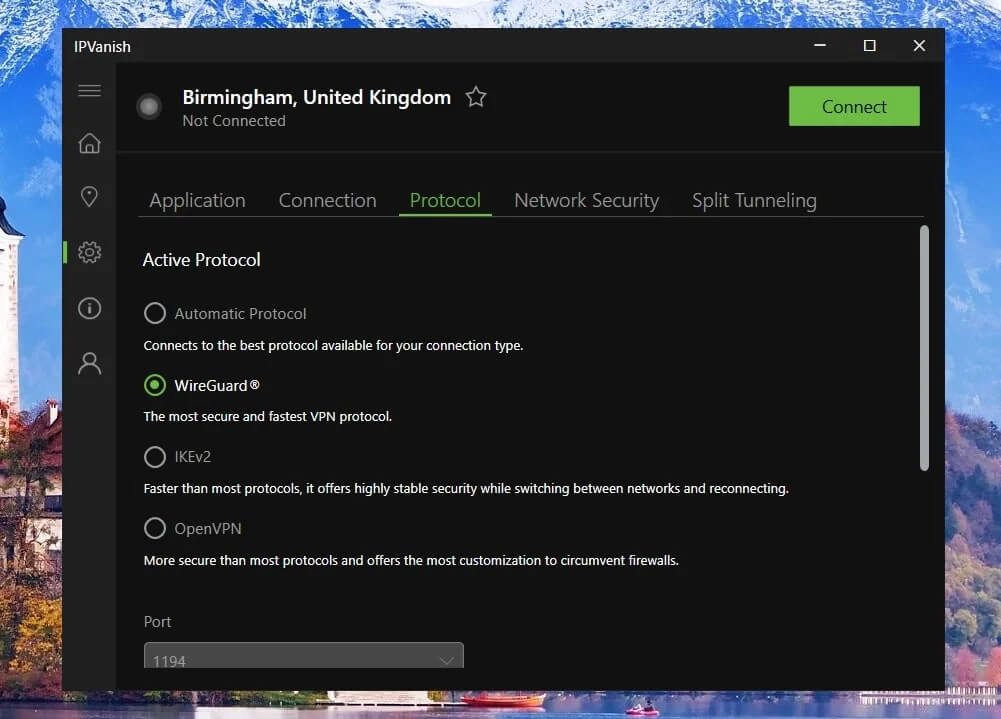
I tested IPVanish on WireGuard, the fastest of its four protocols (a protocol is the method a VPN uses to build its encrypted connection), from a Windows 11 PC with a wired 190.36 Mbps connection in Europe.
I ran each server three times a day for three days and averaged the results.
| Server | Download | Speed loss | Ping |
|---|---|---|---|
| No VPN | 190.36 Mbps | N/A | 10 ms |
| UK | 184.82 Mbps | 2.9% | 40 ms |
| US | 145.71 Mbps | 23.5% | 156 ms |
| Japan | 116.80 Mbps | 38.6% | 300 ms |
On the UK server, IPVanish was excellent. A 2.9% speed loss is one you’d never notice, and its 40 ms ping, the delay before a server replies, was low enough for online games.
Distance changed the picture. Speed dropped by almost a quarter on the US server and by close to 40% in Japan, which works out to a 21.7% average speed loss. That still leaves enough for 4K streaming on a fast home connection, but a slower line will feel it.
For comparison, NordVPN lost 7.8% on the same three servers. Ping followed the same pattern. At 300 ms to Japan, fast-paced games turn unplayable, and video calls to Asia get a noticeable delay. If you game or call abroad often, pick the closest server you can.
Streaming and Torrenting
Streaming is where IPVanish disappointed me most, and torrenting is where it does well. The two results point to different kinds of users.
IPVanish Unblocked 5 of 9 Streaming Services
I tested nine streaming services, clearing cookies and cache before each session. IPVanish unblocked BBC iPlayer, Channel 4, HBO Max, Pluto TV, and the Japanese Netflix catalog, which several bigger VPNs couldn’t unblock.
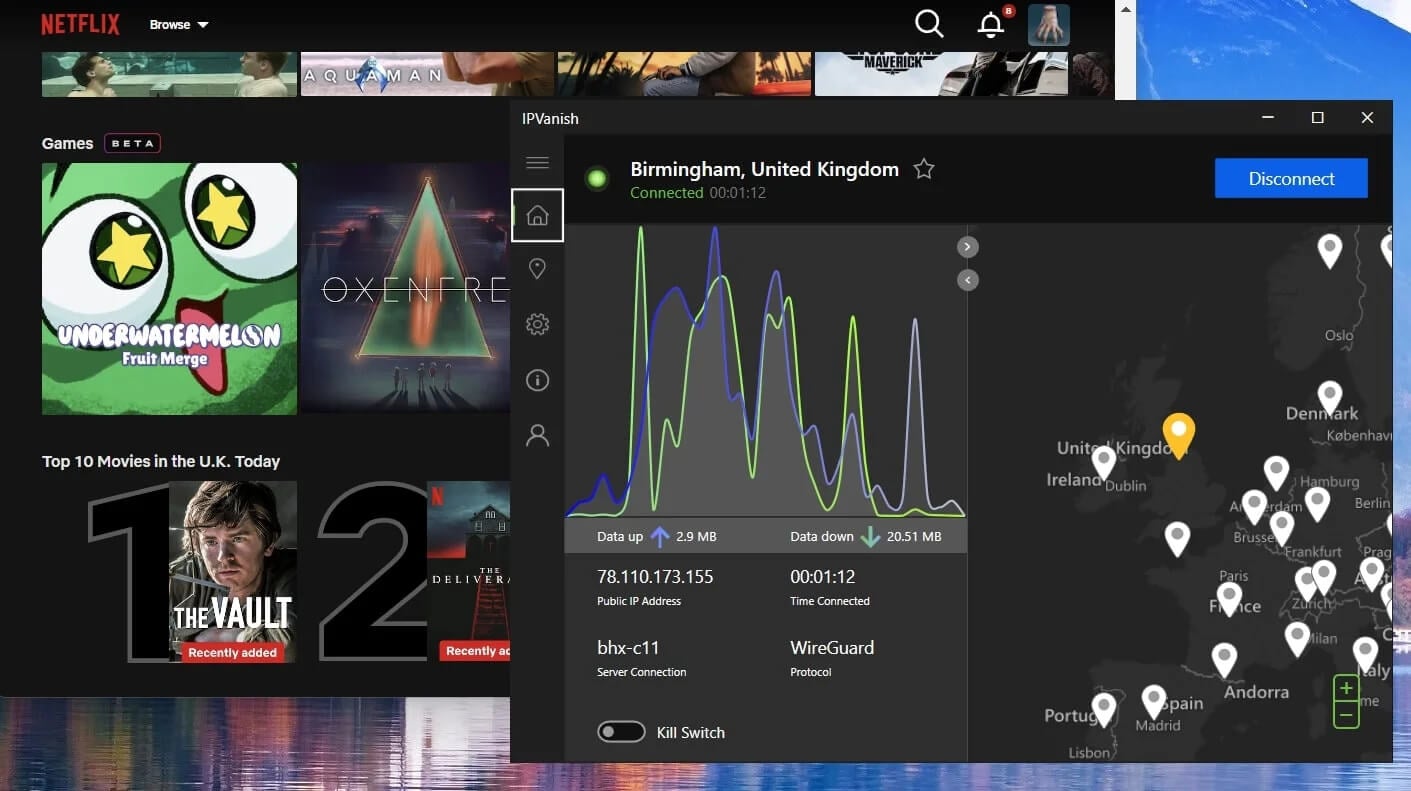
The failures are the ones most people care about. It couldn’t unblock Netflix US, Netflix Canada, ITVX, or Prime Video. Missing the US Netflix catalog is a surprise for a VPN based in the US, with more than 1,000 American servers.
If you mainly want US streaming, or CBS and other US channels from the UK as covered in our CBS in the UK guide, NordVPN unblocked every service in the same tests.
Our NordVPN vs IPVanish comparison sets the two side by side.
Torrenting Works on Every Server
Torrenting is a better fit. Every IPVanish server allows P2P traffic, and in my tests, torrents downloaded on every server I used, with no data cap to worry about. Honestly, speeds were pretty good, and even on distant servers in Asia, files downloaded quickly.
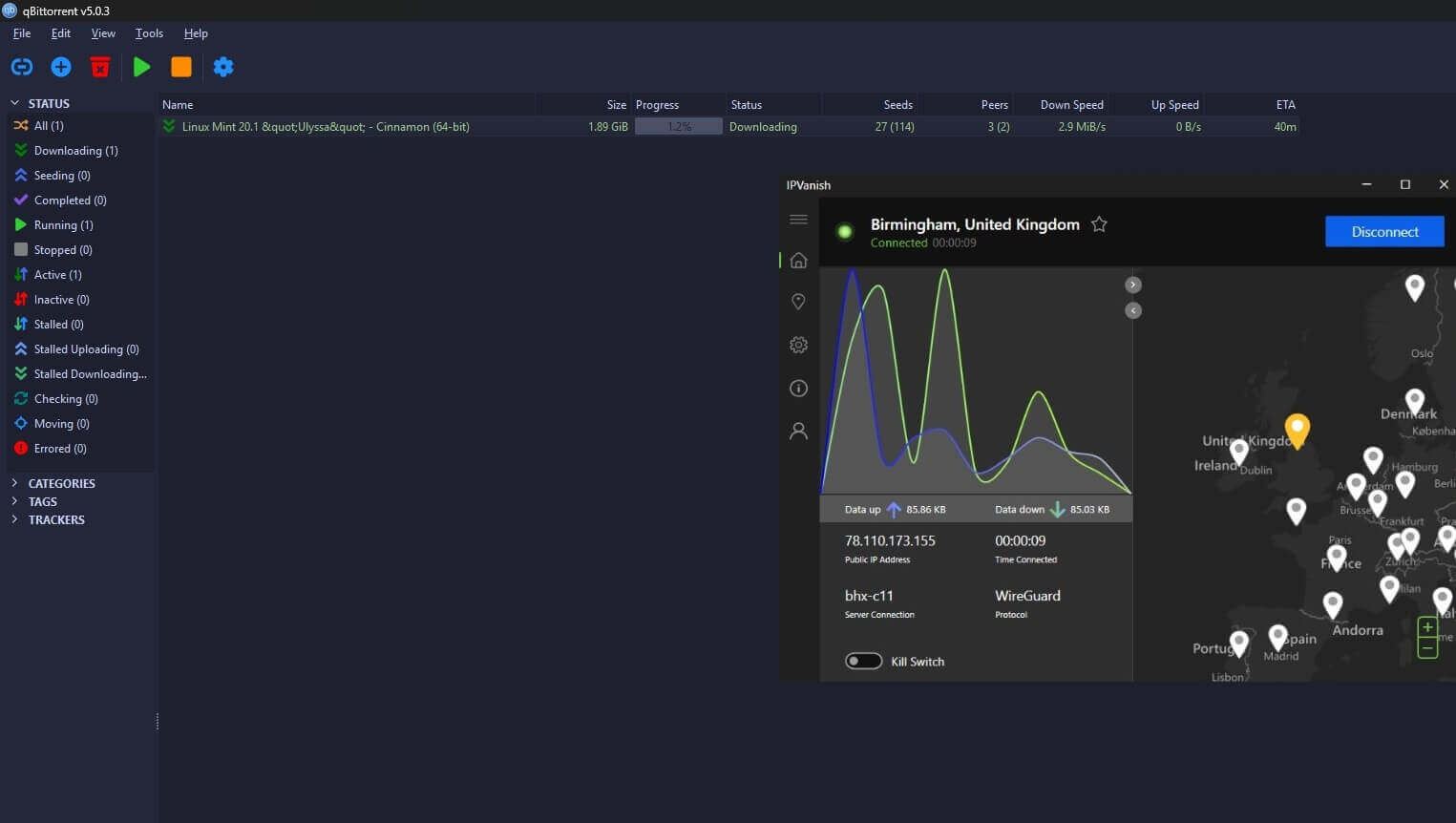
Keep the kill switch enabled while you download, so your own IP address doesn’t leak to other peers if the VPN drops. Subscriptions also include a SOCKS5 proxy, which you set up in your torrent client.
It hides your IP address from other peers without encrypting the traffic, so downloads stay quicker, but keep the VPN connected for private browsing. IPVanish doesn’t offer port forwarding, which some torrent users rely on to connect to more peers and seed faster.
Though to be 100% fair, whenever I use port forwarding, I notice no difference, so I don’t see that as a failure point. If you need it, go for PIA, another US-based VPN.
Security and Privacy
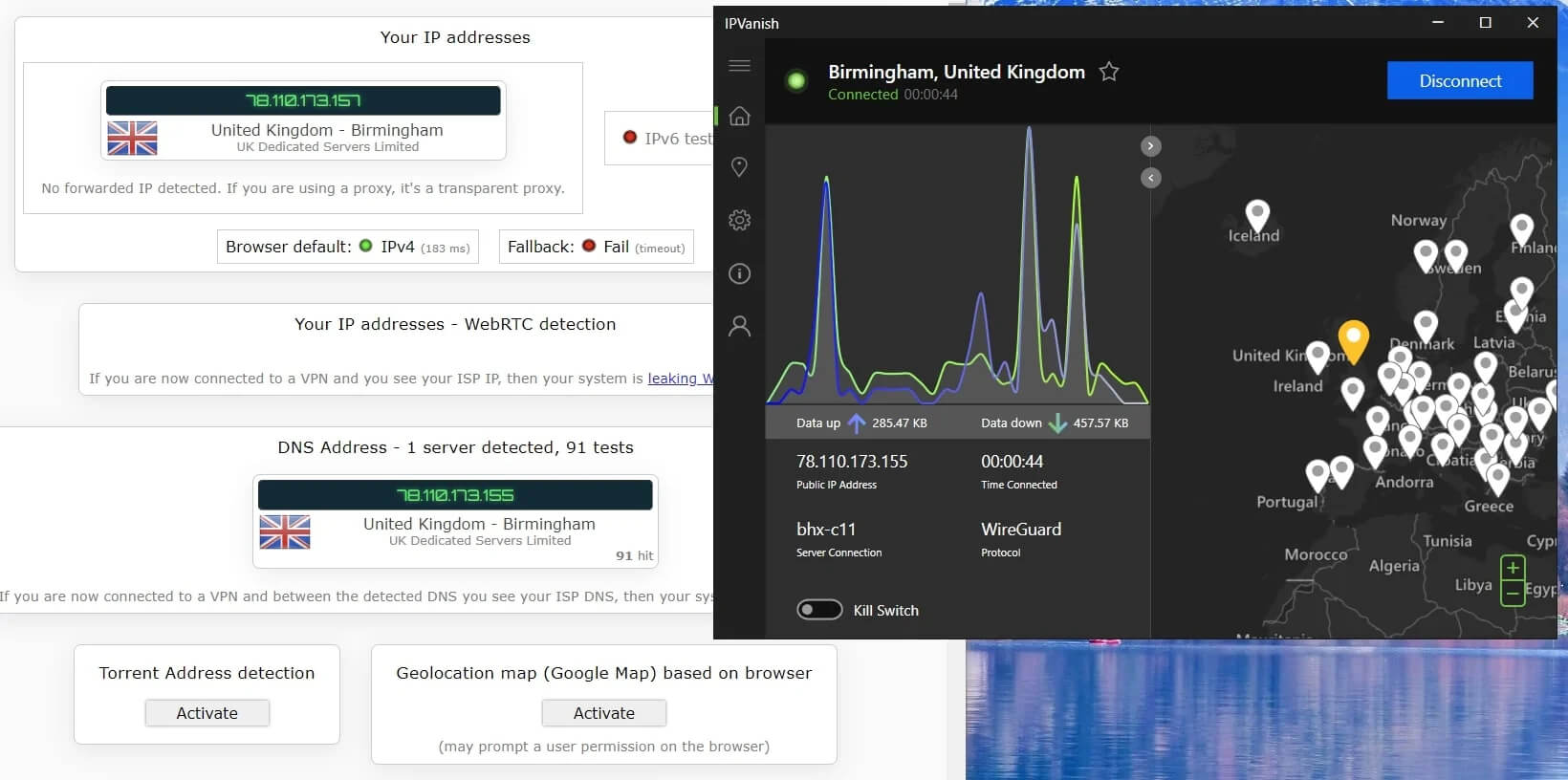
IPVanish covers the security basics. It uses AES-256 encryption on OpenVPN and IKEv2 and ChaCha20 on WireGuard, and it protects against DNS and IPv6 leaks. In my tests, it didn’t leak my IP address or DNS requests on any server.
- Kill switch: Cuts your internet if the VPN connection drops mid-session. It has no always-on mode, which I cover below.
- Split tunneling: Lets chosen apps skip the VPN, so a banking app can use your home IP address while your browser stays protected. It’s missing from the iOS app.
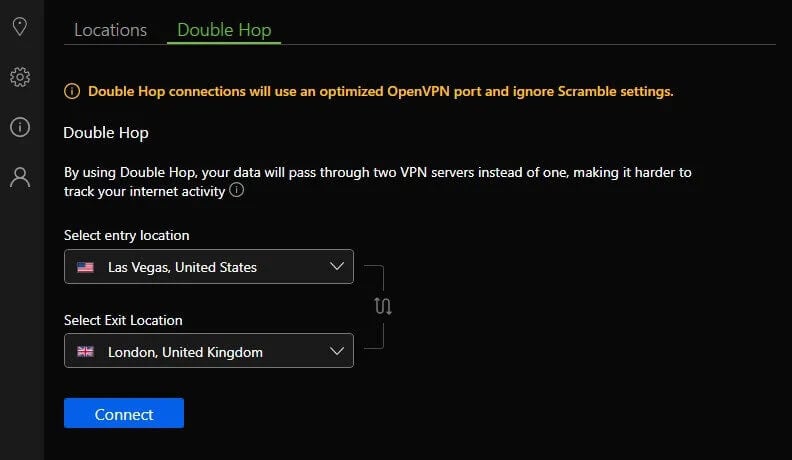
- Double Hop: Sends your traffic through two servers instead of one, and unlike most VPNs, IPVanish lets you pick both servers yourself.
- Threat Protection: Blocks ads, trackers, and malicious websites. The Complete and Advanced plans add a next-gen antivirus with real-time and scheduled scans.
- Scramble: Disguises OpenVPN traffic as regular web traffic on networks that block VPNs, such as some office or school Wi-Fi.
Two results disappointed me. The kill switch leaked my traffic when I restarted the PC, because IPVanish has no always-on mode that blocks the internet until the VPN reconnects. PIA, at a similar price, has one. Until IPVanish adds it, connect the VPN manually after every restart before you open a browser or torrent client.
Threat Protection also blocked 69% of the ads and trackers on d3ward’s test, so a lot still gets through. PIA’s MACE blocked 96% on the same test, and a browser ad blocker covers what IPVanish misses.
Scramble works only with OpenVPN, which is slower than WireGuard, and it isn’t built for the strictest firewalls. If you’re heading somewhere with heavy censorship, our list of VPNs that work in China is a safer starting point.
Is IPVanish Safe? Logs, Audits, and Its Past
Yes, for most people. IPVanish says it keeps no record of what you do online, and two independent audits back that up: Leviathan Security Group in 2022 and Schellman in 2025. Neither found logs of user activity. Its history explains why people still ask.
In 2016, under its former owner, IPVanish handed a customer’s details to US authorities in a criminal case, despite promising it kept no logs. The company has changed hands twice since, and Ziff Davis has owned it since 2019.
The audits came after that change, and IPVanish now publishes regular transparency reports. The other concern is location. IPVanish is based in the US, a member of the Five Eyes intelligence alliance, so a US court can order it to hand over data.
An audited no-logs policy means there should be nothing useful to hand over. Still, if you’d rather not rely on that, NordVPN in Panama and Proton VPN in Switzerland operate outside the alliance.
Server Network
IPVanish has more than 3,400 servers in over 150 locations and 56,000+ IP addresses, and it owns and manages them itself instead of renting space from hosting companies. That gives it more control over who can access the servers.
The network mixes hard-drive servers with RAM-only ones, which wipe their data on every restart, so not every location gets that extra protection. North America and Europe have the most servers, with more than 1,000 in the US alone. Coverage gets thin in Africa and South America, so check that your country is listed before you buy.
The server list shows load and ping for each location, which makes it easy to skip a busy server. If you travel widely, NordVPN, ExpressVPN, and Proton VPN, the three at the top of our best VPN rankings, cover more countries.
Apps and Ease of Use
IPVanish is easy to pick up. The Windows/Mac app shows a large connect button, and Optimal Location picks a fast server for you. The server list has search, sorting, and favorites. The design is another matter.
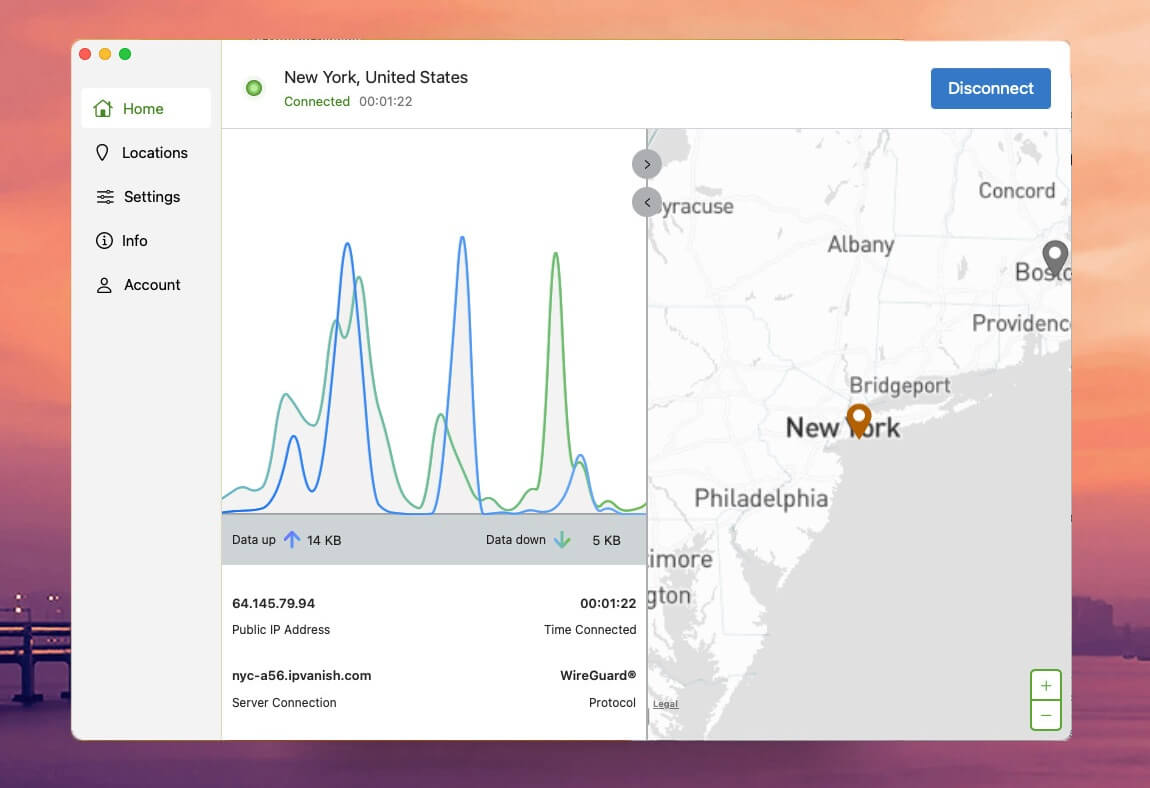
I was disappointed that IPVanish still hasn’t had a redesign: the Windows app works well and is far less clunky and confusing than PIA’s, but it looks stuck in the 2010s, and the mobile app is much the same.
For most people, ease of use comes first and looks a distant second, so this won’t stop the app from doing its job. Its biggest strength is the device limit, because there isn’t one. A family can cover every phone, laptop, and tablet on one subscription.
- Desktop: Apps for Windows and macOS. Windows has the most settings, while the Linux setup uses the command line, so it’s best for confident users.
- Mobile: Apps for Android and iOS. The iOS app lacks split tunneling, but Connect On Demand switches the VPN on for networks you choose.
- TV: Apps for Fire TV, Android TV, and Apple TV. For a game console or a smart TV without an app, set up IPVanish on a router.
- Routers: Guides cover DD-WRT, Tomato, and ASUS routers, so every device on your Wi-Fi is protected.
If a browser extension is what you want, our tests of the best VPN extensions for Chrome favored ExpressVPN and NordVPN.
IPVanish Pricing and Plans
IPVanish has three plans, with monthly, yearly, and two-year terms. Every plan covers unlimited devices, includes the full VPN, and comes with eSIM mobile data for travel.
- Essential plan: About $2 a month on a two-year term. It includes the VPN, Threat Protection, Double Hop, the SOCKS5 proxy, 3 GB of eSIM data, and tools such as a link checker and a data breach checker.
- Complete plan: Under $3 a month on a two-year term. It adds a next-gen antivirus with real-time scans and phone support.
- Advanced plan: A little over $3 a month on a two-year term. It adds a secure browser, 1 TB of cloud backup and storage, and 5 GB of eSIM data in total.
The VPN is identical on every plan, so the Essential plan is enough unless you want the antivirus or the cloud storage. Renewal is the catch: after the first term, each plan renews at a much higher price, so the two-year term gives the best value.
Month-to-month, prices start around $15. The 30-day money-back guarantee covers only the yearly and two-year plans. The monthly plan has no refund, so trying IPVanish risk-free means committing to at least a year.
Mobile users can start with a 7-day free trial through Google Play or the App Store. You can pay by card, PayPal, or Google Pay, but not with cryptocurrency.
Customer Support
Support was a pleasant surprise. Live chat is available 24/7 and starts with a chatbot, but you can ask for a human at any point, and I reached an agent in 30 to 40 seconds every time. The agents were helpful and kept working on my problem until we got to the bottom of it.
There’s also email support and a knowledge base with setup guides for most devices and routers. The Complete and Advanced plans add phone support during US business hours.
Verdict
So, is IPVanish worth paying for? It’s safe, and for a household with lots of devices, it’s good value. Its no-logs policy has passed two independent audits, its nearby servers barely slowed my connection, one low-cost subscription covers every device in the house, and live chat put me through to a helpful human in under a minute.
The compromise I mentioned is streaming. It couldn’t unblock Netflix US or Prime Video, and speed fell sharply on distant servers. The missing always-on kill switch is the smaller worry, but it’s one that similarly priced VPNs have already solved.
If you mostly browse, download, and protect family devices close to home, IPVanish is a sensible pick at a low price, as long as you reconnect it after every restart. If US streaming or travel is the reason you want a VPN, spend a little more on NordVPN, which unblocked every service I tested and kept its speed far better on distant servers.
IPVanish FAQ
Who owns IPVanish?
Ziff Davis, the US media and technology company, owns IPVanish. It bought the VPN in 2019 and also owns StrongVPN and Encrypt.me, while IPVanish operates from the United States.
Does IPVanish work with Netflix?
Partly. IPVanish works with some Netflix catalogs, including Japan, but Netflix US and Netflix Canada often detect it. NordVPN and Proton VPN are more reliable choices for Netflix.
Does IPVanish have a free trial?
Yes, on mobile. Android and iOS users can start a seven-day free trial through Google Play or the App Store. Yearly and two-year plans also come with a 30-day money-back guarantee.
Can IPVanish be used in China?
No, not reliably. Its Scramble obfuscation works only with OpenVPN and isn't designed for China's firewall. NordVPN and Proton VPN have stronger tools for heavily censored networks.
How many devices can IPVanish protect?
IPVanish has no device limit. One subscription can protect every phone, computer, tablet, and TV in a household, and a router setup covers devices that don't support the app.